Best 128GB RAM Kits: DDR4 or DDR5, Two Sticks or Four, and Who Needs This Much
Disclosure: We may earn a commission when you buy through links on this page, at no extra cost to you. As an Amazon Associate I earn from qualifying purchases. Learn more

Best 128GB RAM kits compared: DDR4 versus DDR5, two-stick versus four-stick, speed ratings and the compatibility checks that avoid trouble.
One hundred and twenty-eight gigabytes of memory is a workstation figure. It is more than any game needs and more than most creative apps use, but for virtual machines, huge datasets, large 3D scenes and multi-track video projects, it removes a hard ceiling. The best 128GB RAM is a kit your motherboard can actually run stably, not simply the biggest number.
This guide explains who benefits, how kit layouts and memory generations differ and what to check so a four-figure purchase works on the first boot. The product table above compares a range of DDR4 and DDR5 kits.




Who Actually Needs 128GB
Most people are well served by much less. A 128GB configuration pays off when your work regularly fills memory: running several virtual machines at once, editing high-resolution footage with heavy effects, compiling large software projects, training small models or rendering complex scenes. If your system rarely uses half its memory, extra capacity will sit idle.
Compare capacities before you spend. Our guide to 32GB versus 64GB RAM shows how many users find that a smaller amount is enough, and the price comparison in why RAM is so expensive helps explain the cost of large kits.
Two Sticks or Four
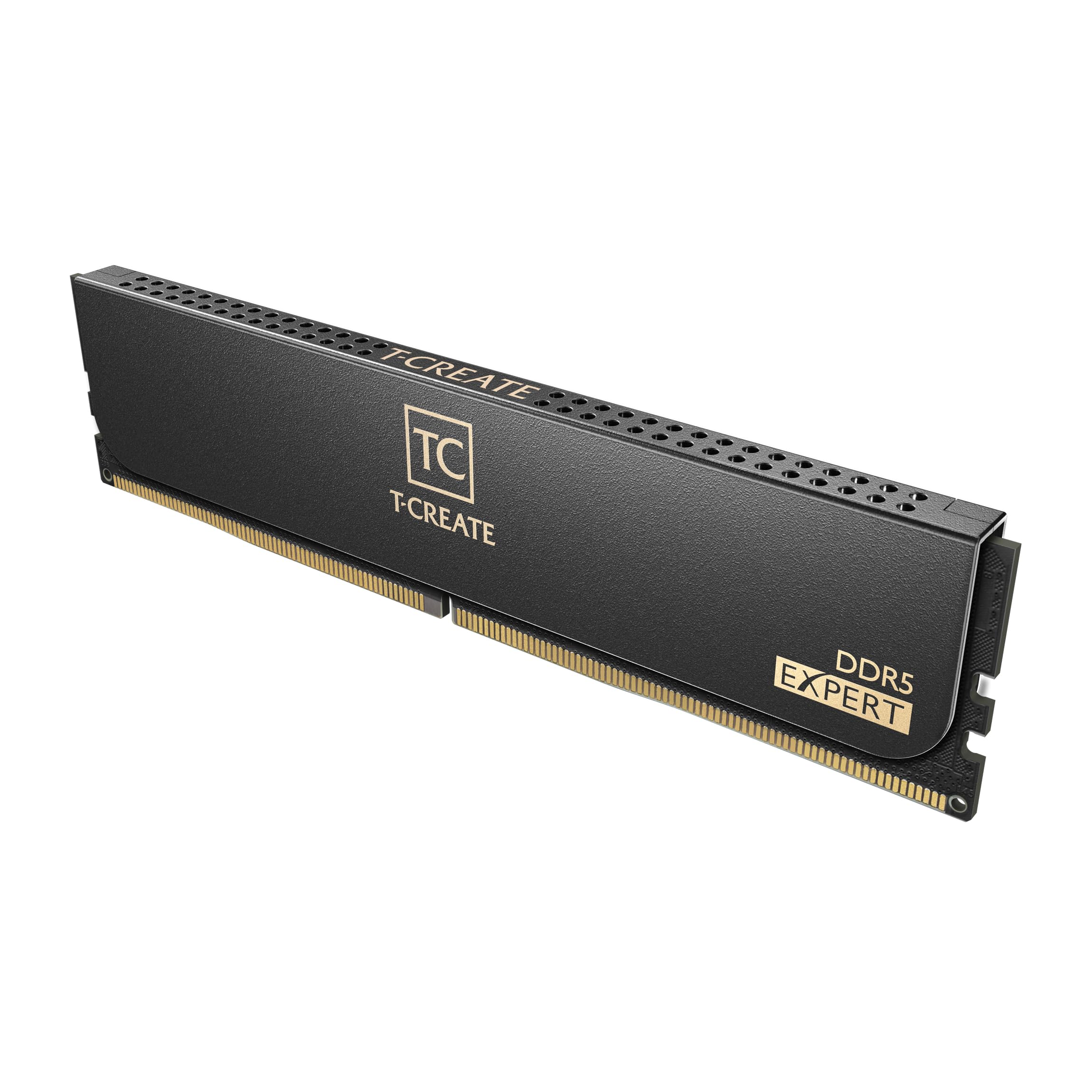
A 128GB kit comes either as two 64GB modules or four 32GB modules. Two-module kits are easier on the memory controller, run at higher speeds more easily and leave slots free for future expansion. Four-module kits are often cheaper per gigabyte but can force lower speeds and need more tuning.
If your motherboard has four slots and supports 64GB modules, a two-stick kit is usually the smoother choice. Always buy the whole capacity as one matched kit, since mixing separate packs can cause instability.
DDR4 Versus DDR5
DDR5 is the newer generation, with higher speeds and larger module sizes. DDR4 is older and cheaper, and it fits older platforms. You cannot mix them: the motherboard supports one or the other. Our guide to DDR4 versus DDR5 explains the differences in detail.
Choose the generation your motherboard supports. If you are building a new workstation, DDR5 gives more headroom, while upgrading an existing DDR4 system is the economical path.
Speed, Timings and Profiles
Memory speed is quoted in megatransfers per second, and timings describe latency. Faster is better up to a point, but stability matters more than peak numbers when you hold this much memory. Enable the memory profile, called XMP or EXPO, in your BIOS to reach the rated speed.
High-capacity kits often run slower than small ones at the same price, and four-module setups may need a manual speed reduction. If you edit or compute for hours, stability beats a small benchmark gain.
Compatibility Checks
Before buying, check your motherboard's supported memory list and maximum capacity. Some boards support only certain module sizes, and a BIOS update may be needed for 64GB modules. Confirm that your processor's memory controller supports the capacity too.
Check your operating system as well. Home editions of some systems cap memory, while workstation editions allow more. If compatibility is unclear, contact the motherboard maker.
Consumer or Server Memory
Consumer desktops use unbuffered modules, which this guide focuses on. Server and workstation platforms often use registered or error-correcting memory, which will not work in an ordinary desktop board. Some listings for 128GB are server memory, so read the description carefully.
If error correction matters for your data, you need a platform that supports it. Otherwise, standard consumer kits are the right fit.
Heat, Looks and Cooling
High-capacity modules run warm, particularly under sustained loads. Heat spreaders help, and good case airflow matters more. Tall modules can collide with large coolers, so check clearance.
Lighting adds cost without adding performance. If you do not want it, choose a plain kit.
Choosing the Best 128GB RAM by Budget
Large kits are expensive, and prices swing. Older generation kits cost less, and brand-name kits cost more for tighter validation and better warranty. Premium DDR5 kits add speed and style.
Spend on compatibility and warranty first, speed second. A slower kit that runs flawlessly beats a fast kit that crashes.
Installing Large Memory Kits
Update the motherboard firmware before installing a big kit, because older firmware sometimes fails to train high-capacity modules. Seat each module firmly until the clips lock, use the slots your manual recommends for two modules and expect the first boot to take longer while the board trains the memory.
If the system fails to start, reseat the modules, try one pair at a time and clear the firmware settings. Run a memory diagnostic overnight after the first successful boot, since errors in large kits can hide until a heavy job fails.
Protecting Your Investment
A kit of this size is a significant spend, so keep the retail packaging and proof of purchase. Warranty on memory is usually long, and a replacement is straightforward if a module fails. Avoid pushing memory beyond its rated profile, since overclocking can shorten life and void support.
Keep your system dust-free and your power supply healthy, because unstable power is a common cause of mysterious memory errors. Back up your work regularly regardless of how much memory you have.
Frequently Asked Questions
Is 128GB overkill for gaming?
Yes. Games rarely use that much, so it only helps if you also run heavy applications.
Can I mix my old RAM with a new kit?
It is better not to. Different kits can limit speed or cause instability.
Do I need a BIOS update?
Possibly, if your board predates 64GB modules. Check the board's support page.
Is four-stick or two-stick better?
Two-stick kits generally run faster and leave room for expansion.
Will 128GB speed up my PC?
Only when your workload used all your memory before. Otherwise there is little change.
Wrapping Up
Confirm your platform, choose a matched kit in the right generation and layout and set it up with the correct profile. The best 128GB RAM is stable, compatible and sized for work that truly needs it. Use the product table above to compare kits and check the return policy before ordering.
Prices and availability can change, so check the product page before ordering.