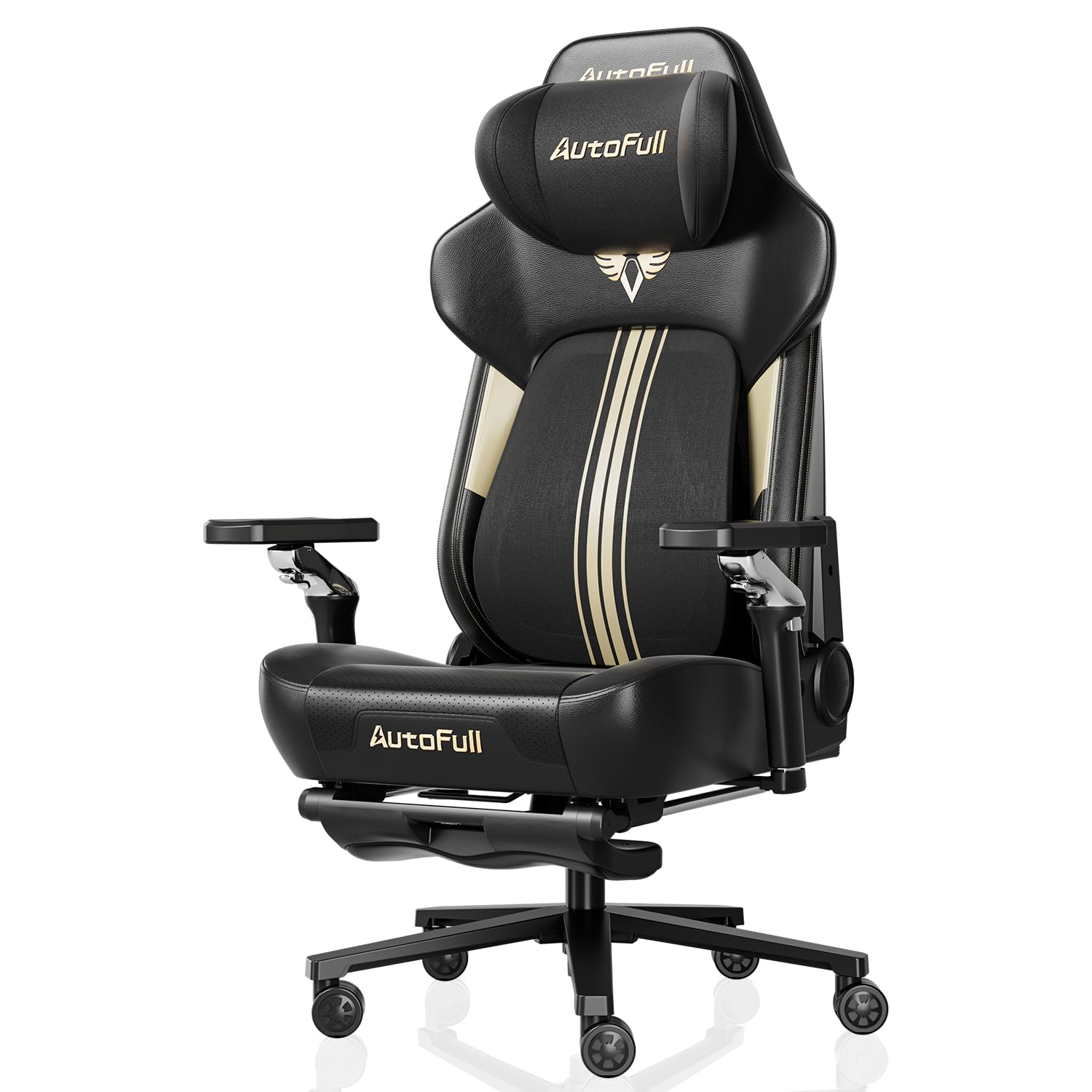
Best Ergonomic Office Chairs: Reviews and Buying Guide for 2026
Disclosure: We may earn a commission when you buy through links on this page, at no extra cost to you. As an Amazon Associate I earn from qualifying purchases. Learn more

Three picks and a full buying guide for the best ergonomic office chairs, from adjustability to sizing and setup.
If you spend six to ten hours a day at a desk, your chair affects your back, neck, hips and focus more than almost any other piece of equipment you own. A cheap chair with a flat back, fixed arms and a sinking gas lift pushes you into a slouch by mid afternoon. The best ergonomic office chairs support the natural curve of your lower spine, adjust to your height and desk and stay comfortable through long work and gaming sessions.
This guide starts with three picks at different budgets, then explains the adjustments and specs that matter, how ergonomic chairs compare with other options and how to set yours up properly. Use it to choose a chair that fits your body, your room and your budget.


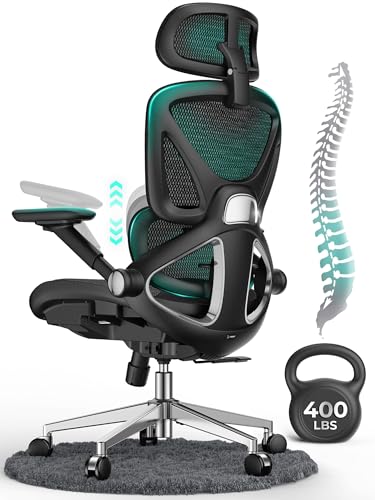
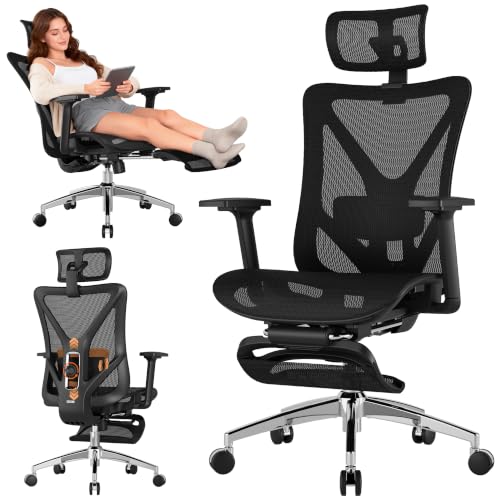
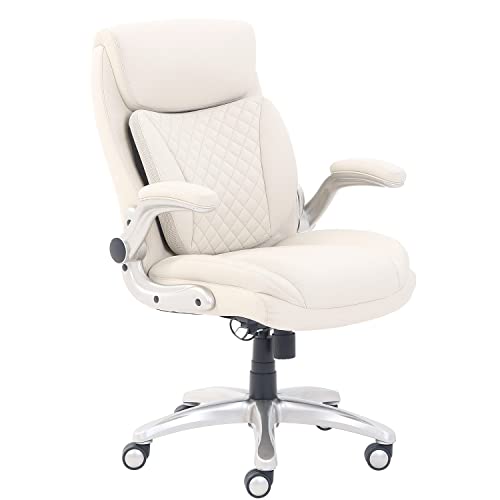
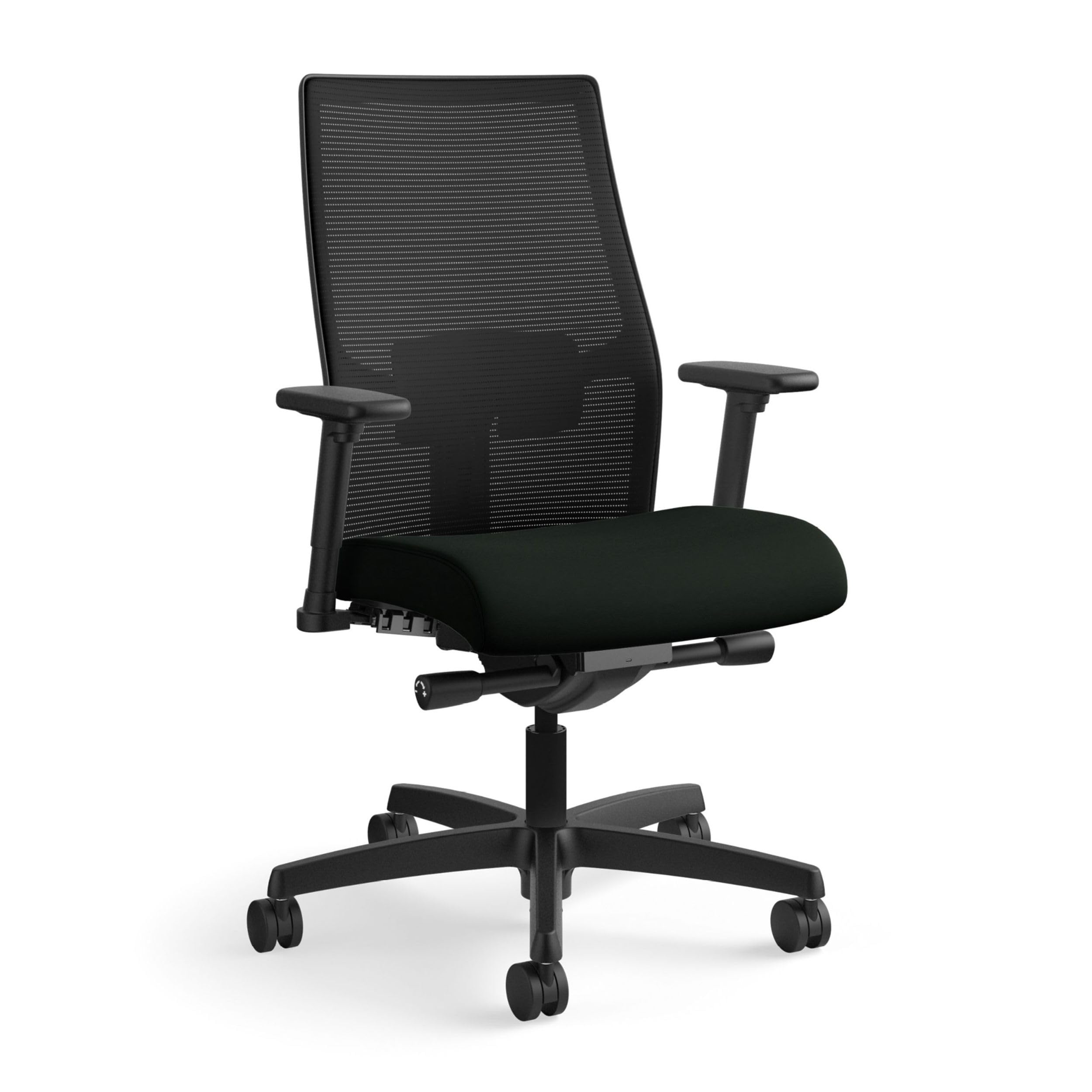

Our Top 3 Picks at a Glance
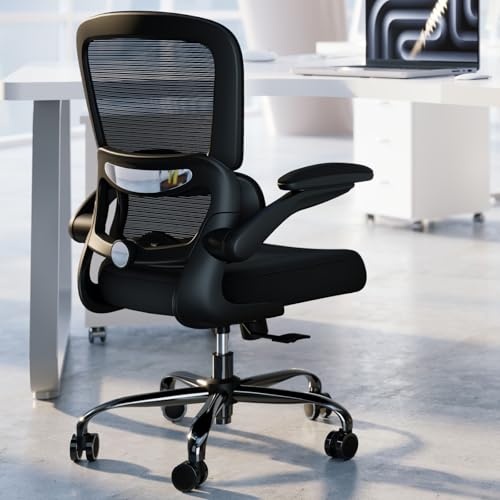
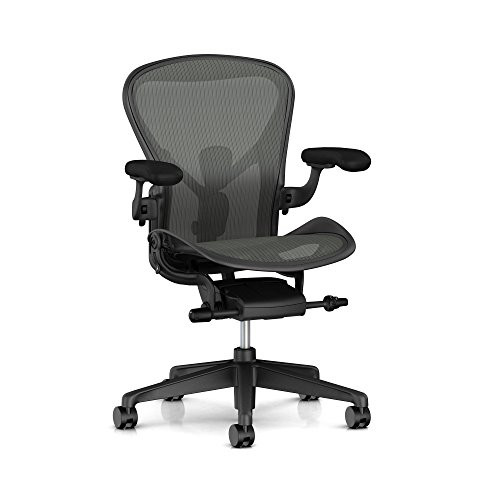
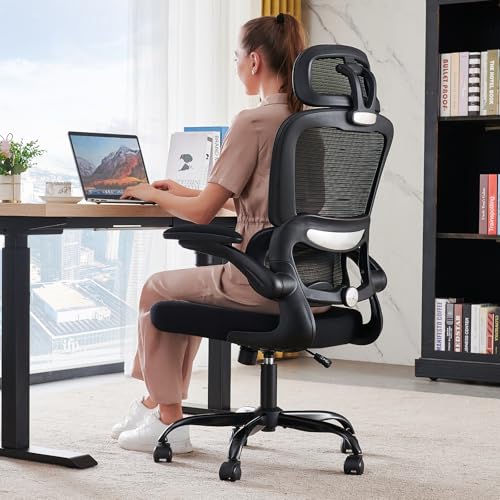
The ELABEST X100 is our best ergonomic office chair overall for its adjustable 3D lumbar, 5D armrests and footrest, the TRALT Mesh Office Chair is the best value pick at around $100, and the Herman Miller Aeron Size B is the best upgrade for people who sit all day and want a chair that lasts for many years. Check the product table above for current prices.
| Award | Product | Key Spec | Best For |
|---|---|---|---|
| Best Overall | ELABEST X100 Ergonomic Mesh Office Chair | 3D lumbar, 5D flip up arms, footrest, 300 lb capacity | Long work and gaming days |
| Best Value | TRALT Ergonomic Mesh Office Chair | Adjustable lumbar depth, BIFMA Class 3 gas lift, 330 lb base | Home offices on a budget |
| Best Upgrade Pick | Herman Miller Aeron, Size B | PostureFit SL, tilt limiter, seat angle, fully adjustable arms | All day sitting and lasting value |
Best Overall: ELABEST X100 Ergonomic Mesh Office Chair
The ELABEST X100 is the best ergonomic office chair for most people, at around $350. It packs adjustments usually found on far pricier chairs into a mesh design that suits both work and gaming.
- Why it stands out: a spring loaded 3D lumbar support adjusts about 2 inches in height, about 1.6 inches in depth and rotates 15 degrees, so it can follow the curve of your lower back as you shift position.
- Adjustable everywhere: 5D flip up armrests move up, down, in, out, forward, back and rotate, then fold away so you can pull close to the desk. A 3D headrest, a 3 stage recline and an 18 inch extendable footrest let you lean back between tasks.
- Solid frame: ELABEST lists a BIFMA certified structure with a Grade 4 gas cylinder and a 300 pound capacity.
- Trade off: the number of adjustments takes time to dial in, and the 300 pound capacity is lower than some big and tall chairs.
Best for: remote workers, students and gamers who sit for long stretches and want a footrest for breaks. Skip it if you prefer a simple chair with few controls.

Best Value: TRALT Ergonomic Mesh Office Chair
The TRALT Ergonomic Mesh Office Chair is the best value ergonomic office chair, at around $100. It focuses the budget on the parts that matter most for comfort.
- Why it stands out: an adjustable lumbar mechanism changes depth to match your spine, a high tension mesh back keeps air moving and a high density molded foam seat is designed to keep its shape rather than flatten within months.
- Built for daily use: a BIFMA certified Class 3 gas lift resists sinking, and a nylon base with a metal core supports up to 330 pounds. The 19.7 inch wide seat and 17.3 inch seat depth suit average sized adults.
- Trade off: there is no headrest, and the armrests offer less adjustment than premium chairs.
Best for: home offices, dorm rooms and anyone upgrading from a basic task chair on a budget. Skip it if you are over about 6 feet 2 inches tall and need headrest support.

Best Upgrade Pick: Herman Miller Aeron, Size B
The Herman Miller Aeron Size B is the best upgrade ergonomic office chair, at around $1,650. It is the long running benchmark for all day office seating.
- Why it stands out: the Adjustable PostureFit sacral and lumbar support uses two pads that flex independently to fit the curve of your spine, while a tilt limiter sets recline at one of three positions and seat angle adjustment moves from neutral to an engaged forward tilt.
- Precise fit: fully adjustable arms rise from 6.8 to 10.8 inches above the seat, slide 2.5 inches forward and back and pivot inward and outward. Seat height ranges from 16 to 20.5 inches, and the chair measures 41 by 27 by 16.75 inches.
- Trade off: the price is many times higher than budget chairs, and you need to choose the right size (A, B or C) for your body.
Best for: professionals who sit eight hours or more a day and want a chair that lasts. Skip it if you need a headrest or have a tight budget.

How to Choose the Best Ergonomic Office Chairs: Buying Guide
The right ergonomic chair fits your body, adjusts to your desk and holds up to daily use. Use these criteria to compare the best ergonomic office chairs for your setup.
Ergonomics and Adjustability
At minimum, look for seat height adjustment, adjustable lumbar support, tilt tension and a tilt lock. Seat height should let your feet rest flat with knees at about 90 degrees; most chairs range from about 16 to 21 inches.
Better chairs add seat depth adjustment, which leaves a two to four finger gap behind your knees, and 3D or 4D armrests that move up, down, in, out and forward. Adjustable lumbar should move in height and ideally depth, so the support sits in the small of your back rather than at your shoulder blades.
Warranty and Return Policy
Warranty length is a good signal of build quality. Budget chairs often carry one to three years of coverage, while premium brands commonly cover frames, mechanisms and gas cylinders for up to 12 years.
Check what is covered: the frame, gas lift, mechanism, mesh and foam may have different terms. A generous return window matters too, since comfort is personal and you may need a few days to know if a chair fits.
Style and Room Fit
Ergonomic chairs range from technical mesh designs to executive leather styles. Mesh looks modern and suits home offices and gaming setups, while padded fabric or leather fits traditional offices.
Consider the chair's height with the headrest and its width with the armrests. A bulky chair can crowd a small room, and a tall headrest may block a window or shelf.
Build Quality and Frame
Look for a steel or aluminum frame, a metal or reinforced nylon base and a BIFMA certified gas cylinder, ideally Class 3 or Class 4. Class 4 cylinders support heavier loads and last longer.
BIFMA X5.1 certification means the chair passed industry standards for strength and durability. Smooth rolling casters, preferably rubber or polyurethane, protect hard floors and roll quietly.
Assembly and Delivery
Most ergonomic chairs arrive in a box and take 15 to 45 minutes to assemble with basic tools. Clear instructions and labeled bolts make a big difference.
Premium chairs like the Aeron often ship mostly assembled. Check the box weight, which can exceed 50 pounds, and whether delivery includes carrying it inside.
Comfort and Cushioning
Seat cushions should be firm enough to support you for hours without bottoming out. High density or molded foam lasts longer than cheap soft foam that flattens within months.
Mesh seats and backs stay cooler and spread pressure evenly, which many people prefer in warm rooms. Padded seats feel softer at first but can trap heat. A waterfall seat edge reduces pressure behind the knees.
Size, Dimensions, and Weight Capacity
Match the chair to your height and weight. Average chairs suit people about 5 feet 4 inches to 6 feet 1 inch tall and up to 250 to 300 pounds. Petite users need lower seat heights and shallower seat depths, while big and tall users need wider seats, taller backs and capacities of 350 to 400 pounds or more.
Measure your desk height too. Standard desks are about 28 to 30 inches tall, and your armrests should slide under the desk or flip up.
Ergonomic Office Chairs vs Other Options
Ergonomic chairs offer the most adjustability for long sitting, but other designs suit specific needs.
Compact/Space Saving Models
Compact task chairs and armless designs fit small rooms, dorms and desks with limited space. They are lighter and cheaper, but usually offer fixed lumbar and fewer adjustments. Choose one if you sit for short sessions or need to tuck the chair fully under a desk.
Premium/Executive Models
Executive chairs feature thick padding, high backs and leather upholstery for a classic look. They feel plush but often lack adjustable lumbar and seat depth, and leather can feel hot. Choose one for appearance and occasional use rather than all day ergonomics.
Budget Models
Budget chairs under about $100 cover basic height and tilt adjustment. Many have fixed lumbar, thin foam and lower capacity gas cylinders. They work for short daily use but may wear out within a year or two with heavy use.
Choosing Ergonomic Office Chairs for Your Situation
Your body type, budget and how you use your chair point to different features.
Best Ergonomic Office Chair vs Gaming Chairs
When comparing the best ergonomic office chair vs gaming chairs, ergonomic chairs usually win for long work days thanks to adjustable lumbar, seat depth and breathable mesh. Gaming chairs offer racing style bucket seats, pillows and deep recline, which suit relaxing between games but often fit fewer body types. Choose ergonomic if comfort over eight hours is the priority.
Best Inexpensive Ergonomic Office Chairs
The best inexpensive ergonomic office chairs keep adjustable lumbar depth, a certified gas lift and high density foam while skipping extras like headrests. Expect to spend around $100 to $200 for a chair that holds up to daily use. Avoid chairs with fixed plastic lumbar and no BIFMA certification.
Best German Ergonomic Office Chairs
The best German ergonomic office chairs, from brands known for European engineering, emphasize synchronized tilt mechanisms, adjustable seat depth and long warranties. They often cost several hundred dollars or more and focus on dynamic sitting that encourages movement. They suit buyers who want refined mechanisms and durable materials.
Best Mesh Ergonomic Office Chairs
The best mesh ergonomic office chairs keep you cool in warm rooms and spread weight evenly across the back and seat. Look for high tension mesh that does not sag, adjustable lumbar behind the mesh and a firm front seat edge. Mesh suits people who run warm or sit through long sessions.
Best Petite Ergonomic Office Chairs
The best petite ergonomic office chairs have low seat heights around 15 to 16 inches, shallow seat depths of about 16 to 17 inches and lumbar support that sits lower on the back. A footrest helps shorter users keep feet supported at standard desk heights. Smaller size options like the Aeron Size A fit best.
How Much Should You Spend on an Ergonomic Office Chair?
Most home office workers get the best balance of comfort and durability from an ergonomic chair priced around $150 to $400.
- Under $150: mesh chairs with adjustable lumbar depth, certified gas lifts and basic armrests. Good for students and part time remote workers.
- Around $150 to $400: chairs with 3D or 4D armrests, adjustable headrests, seat depth or synchronized tilt and higher capacity frames. The sweet spot for full time home offices.
- Around $400 to $1,000: commercial grade task chairs with longer warranties and refined tilt mechanisms.
- Over $1,000: premium designs like the Aeron with precise sizing, top materials and warranties of up to 12 years.
Common Office Chair Problems and Fixes
Most chair complaints come from setup or worn parts rather than a bad design, and many are easy to fix.
- Chair slowly sinks: the gas cylinder has failed. Replace it with a certified Class 3 or Class 4 cylinder, which usually costs $20 to $50.
- Lower back still aches: move the lumbar support lower, into the curve just above your belt line, and sit all the way back in the seat.
- Thighs feel pressure: reduce seat depth or add a footrest so your feet rest flat.
- Casters scratch floors: swap hard plastic wheels for rubber or polyurethane casters, or use a chair mat.
- Squeaks when reclining: tighten the mechanism bolts and apply silicone lubricant to the tilt springs.
Setup and Care Tips
- Adjust seat height so feet rest flat: thighs should be about parallel to the floor with knees at roughly 90 degrees.
- Set lumbar support in the small of your back: it should fill the curve just above your belt line.
- Lower armrests to desk height: shoulders should stay relaxed, not shrugged.
- Position your monitor at eye level: about an arm's length away to prevent neck strain.
- Tighten bolts every few months: loose bolts cause wobbling and squeaks.
- Vacuum or wipe upholstery regularly: dust and sweat break down mesh and foam over time.
- Keep lubricant on squeaky parts: a little silicone spray on tilt mechanisms quiets noise.
FAQs
Is an expensive ergonomic office chair worth it?
Yes, if you sit for many hours a day. Premium ergonomic chairs offer more precise adjustments, better materials and long warranties, often up to 12 years, which lowers the cost per year. For shorter daily use, a quality chair around $150 to $350 usually provides enough support.
What features matter most for long hours?
Adjustable lumbar support, seat depth adjustment, adjustable armrests and a breathable seat matter most for long hours. A tilt mechanism that lets you recline slightly and a firm, high density seat cushion reduce fatigue. A headrest helps if you lean back often.
How do I choose the right size?
Check the seat height range, seat depth and weight capacity against your body. Your feet should rest flat with knees bent at about 90 degrees, and there should be a two to four finger gap between the seat edge and the back of your knees. Taller and heavier users need big and tall models.
How long should a good ergonomic office chair last?
A quality ergonomic chair should last about 7 to 12 years, and premium models often last longer. Budget chairs may last two to five years. Gas cylinders, casters and armrest pads are the parts most likely to wear out, and many brands sell replacements.
Can an ergonomic chair help with back pain?
An ergonomic chair can reduce strain by supporting your lower back and encouraging better posture, but it is not a medical treatment. Combine a properly adjusted chair with regular breaks, stretching and good monitor height, and talk to a healthcare professional about ongoing pain.
Our Verdict
Choose an ergonomic chair by adjustability first, then build quality and size. The ELABEST X100 is the all around pick with 3D lumbar and a footrest, the TRALT Mesh Office Chair is the value choice with the essentials done right and the Herman Miller Aeron is the long term upgrade for all day sitting. Set it up correctly, and the best ergonomic office chairs will keep you comfortable and focused. Check the product table above for current prices, and see our best affordable ergonomic office chairs guide for more budget options.