The Best Home Security System: Buying Guide and Top Picks
Disclosure: We may earn a commission when you buy through links on this page, at no extra cost to you. As an Amazon Associate I earn from qualifying purchases. Learn more

Three picks for the best home security system, plus a buying guide to cameras, power, night vision, storage and privacy.
A good home security system does more than record break ins after they happen. It warns you when a package lands on the porch, lets you talk to visitors from anywhere, scares off intruders with a siren and gives you a clear record if something goes wrong. Choosing the best home security system means balancing cameras, sensors, storage, subscriptions and privacy, and this guide walks through each decision.
We start with three standout picks covering a full alarm system, an affordable solar camera and a professional style wired setup, then explain every feature that matters. The product table above lists strong options across all categories, from video doorbells to multi camera kits.


Our Top 3 Picks at a Glance
These three systems stand out for reliability, features and value. Each takes a different approach to home security. Prices change often, so treat the figures as approximate.
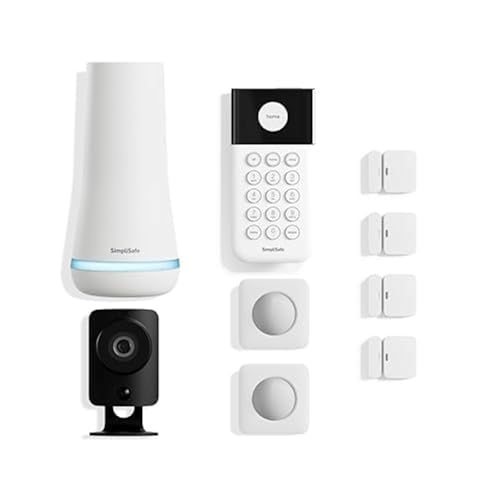
SimpliSafe 11 Piece Wireless Home Security System: Best Overall
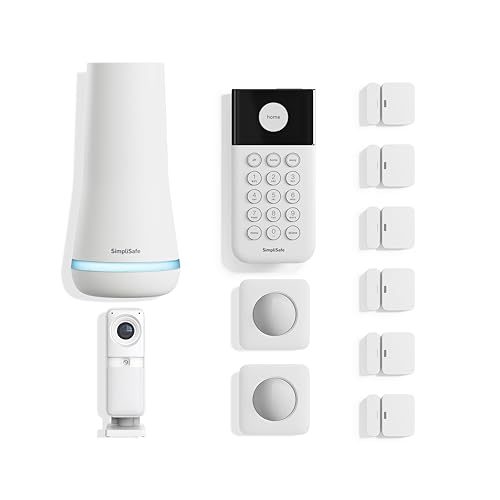
The SimpliSafe 11 piece kit suits homeowners and renters who want a complete alarm system, not just cameras, at around $330. It includes a base station, keypad, motion and entry sensors and a wireless indoor HD camera.
Two strengths stand out: it installs without wiring or drilling, so you can be protected the day it arrives, and SimpliSafe's optional 24/7 professional monitoring lets agents see and speak to intruders through the Smart Alarm camera during an alarm. Motion sensors cover about 35 feet with a 90 degree field of view and are designed to ignore pets under about 60 pounds. The limitation is that the most powerful features depend on a paid monitoring plan. Skip it if you want a camera only system with no monthly fees.
The keypad is smash safe, meaning an intruder cannot disable the alarm by destroying it, and the system works with Amazon Alexa and Google Assistant for voice arming. Because there is no contract, you can start with self monitoring and add professional monitoring later, such as when you travel.

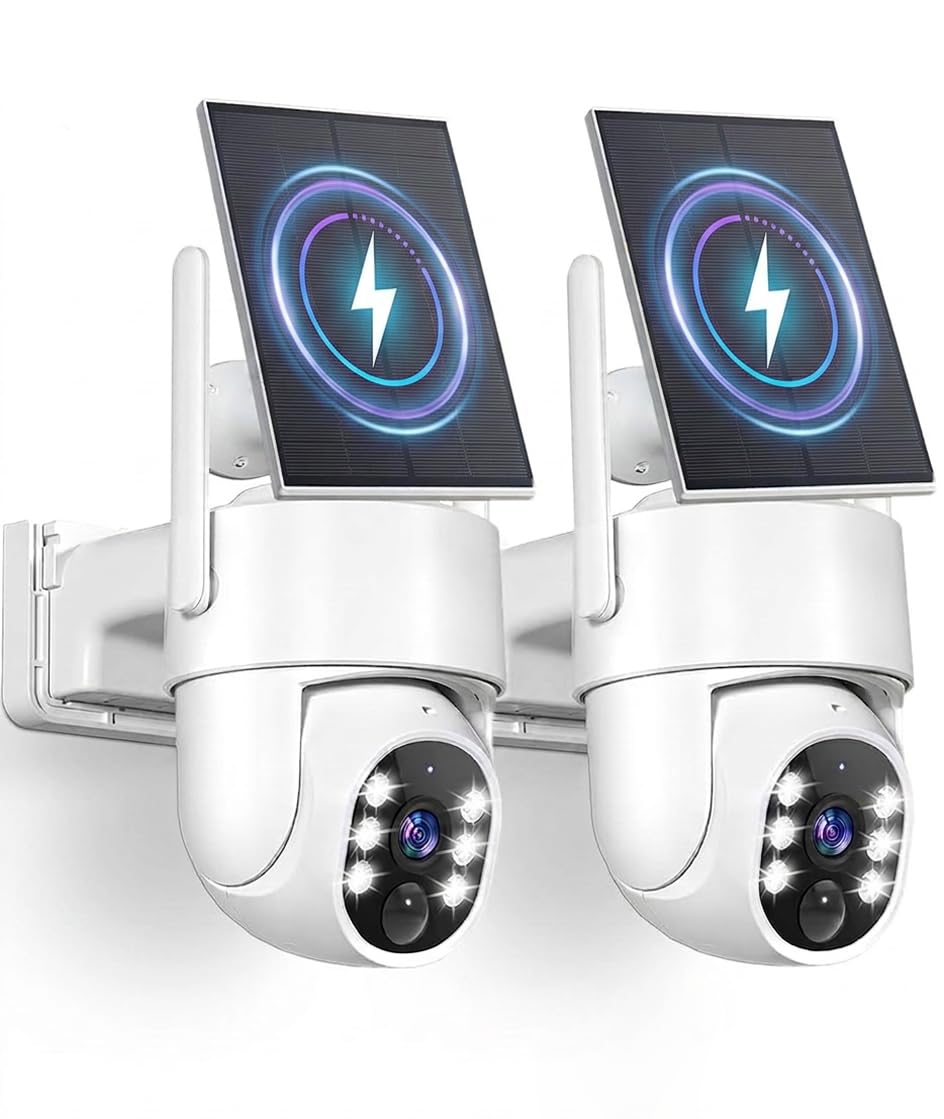
eufy Security eufyCam C37 Solar: Best Value
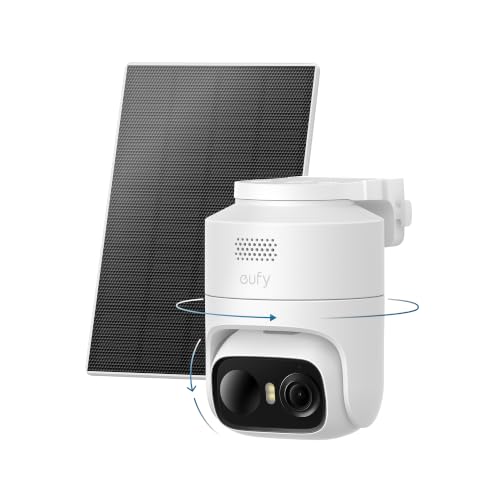
The eufyCam C37 suits budget conscious homeowners who want outdoor coverage without monthly fees, at around $70. It is a wireless 2K outdoor camera with detachable 3W solar panels.
Its strengths are 360 degree pan and tilt with AI tracking that follows people, vehicles and pets to reduce blind spots, and local storage on a microSD card or eufy HomeBase with no subscription required. A built in spotlight enables 2K color night vision. The trade off is that the microSD card is sold separately, and the camera is not compatible with Apple HomeKit. Skip it if you need a camera that works with HomeKit.
Solar charging means you rarely need to take the camera down to recharge, which is the main hassle with battery cameras. A single pan and tilt unit can cover a driveway or backyard that might otherwise need two fixed cameras.

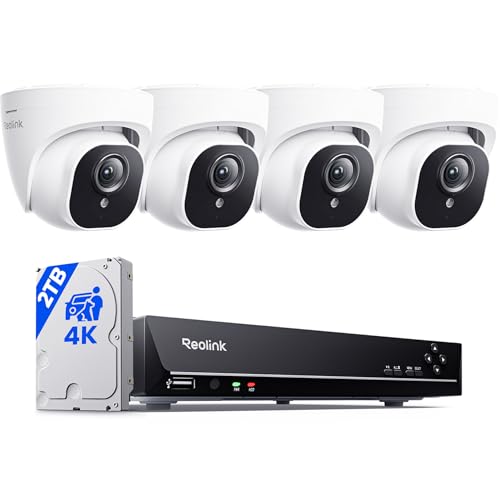
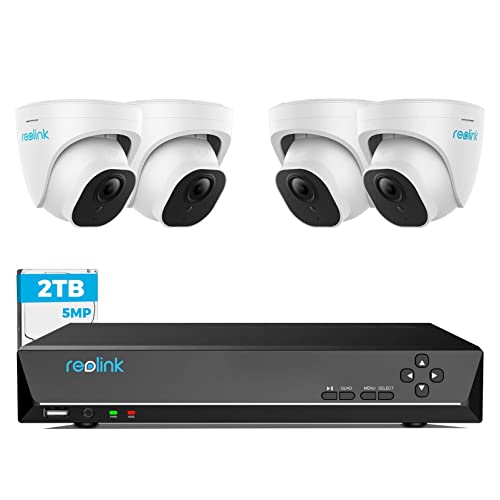
REOLINK 8 Channel 5MP PoE Camera System: Best Upgrade Pick
The REOLINK 8CH system suits homeowners who want professional style wired coverage of a whole property, at around $460. It includes a network video recorder (NVR) with a 2TB hard drive and multiple 5MP PoE cameras.
Two features justify the upgrade: PoE wiring delivers power and data over one cable for reliable 24/7 recording without batteries or WiFi dropouts, and smart person and vehicle detection reduces false alerts from leaves and insects. Infrared night vision reaches up to about 100 feet, and REOLINK provides a 2 year limited warranty. The drawback is installation, which requires running Ethernet cables through walls or attics. Skip it if you rent or want a quick, wire free setup.
With eight channels on the NVR, you can add cameras later to cover new areas, and continuous recording to the local hard drive means footage is always available without cloud fees.
How to Choose the Best Home Security Systems: Buying Guide
Every home is different, so the best system depends on your property, your budget and how involved you want to be in monitoring. These are the features that matter most.
Video Resolution and Field of View
Resolution determines how much detail you can see, such as faces and license plates. 1080p is the minimum, 2K offers a noticeable improvement and 4K provides the most detail for zooming into recordings. Higher resolution uses more storage and bandwidth, so balance detail against your network and storage capacity.
Field of view describes how wide an area the camera covers. Wide angle lenses around 120 to 160 degrees cover entire yards, while pan and tilt cameras rotate to cover even more. Narrower lenses show more detail at a distance, which helps for driveways.
Power Options
Security cameras run on batteries, solar panels, plug in power or PoE. Battery cameras are easiest to install anywhere but need recharging every few weeks or months. Solar panels keep batteries topped up in sunny locations. Plug in cameras need an outlet nearby, and PoE cameras use one Ethernet cable for power and data, offering the most reliable continuous recording.
Alarm system sensors typically run on long lasting batteries that need replacing every few years, while base stations plug into the wall and include backup batteries.
Night Vision
Most crimes and package thefts happen at night or in low light, so night vision matters. Infrared night vision shows black and white images in total darkness, often reaching 30 to 100 feet. Color night vision uses spotlights or very sensitive sensors to show color, which helps identify clothing and vehicles.
Spotlights also act as a deterrent, and many cameras turn them on automatically when they detect a person. Pairing cameras with motion activated floodlights or smart porch lights improves both visibility and deterrence, since well lit homes are less attractive targets.
Weather Resistance
Outdoor cameras need IP ratings that indicate protection from dust and water. IP65 handles rain and snow, while IP66 and IP67 offer stronger protection. Check operating temperature ranges if you live in very hot or cold climates, since batteries lose capacity in extreme cold.
Mount cameras under eaves where possible to protect them from direct rain, snow buildup and glare from the low sun.
Privacy and Security
Security cameras should not become a security risk. Look for end to end encryption, two factor authentication for app logins and regular firmware updates. Local storage options keep footage in your home rather than in the cloud. Privacy modes or physical shutters on indoor cameras let you disable recording when you are home.
Be considerate of neighbors and local laws when aiming cameras, and avoid recording areas where people expect privacy.
Two Way Audio and Siren
Two way audio lets you speak to delivery drivers, visitors or intruders through the camera using your phone. Built in sirens and alarms can scare off intruders and alert neighbors. Full alarm systems include loud base station sirens, and some offer professional monitoring that dispatches emergency services.
Smart Detection and Alerts
Smart detection uses AI to distinguish people, vehicles, packages and animals, reducing false alerts from swaying trees and passing cars. Activity zones let you ignore busy streets and focus on doors and driveways. Customizable alert schedules prevent notifications when you are home and keep your phone quiet at night unless something important happens.
Without smart detection, motion alerts quickly become overwhelming, so this feature is worth prioritizing.
Storage and Subscriptions
Footage is stored locally on microSD cards, hub devices or NVR hard drives, or in the cloud through a subscription. Local storage avoids monthly fees, while cloud storage protects footage if a camera is stolen. Many brands lock features such as person detection or video history behind subscriptions, so compare total cost over a few years.
Backup Power and Connectivity
Burglars sometimes cut power or internet lines, so backup options matter. Alarm base stations often include battery backup and optional cellular connections that keep the system online if WiFi goes down. Battery and solar cameras keep recording locally during power outages. If reliability is a priority, choose systems with both battery and cellular backup.
Smart Home Integration
Many systems work with Amazon Alexa, Google Assistant or Apple HomeKit, letting you view cameras on smart displays and arm systems by voice. Check compatibility with the platform you already use. Integration with smart locks and lights lets you build routines, such as turning on porch lights when motion is detected.
Professional Monitoring vs Self Monitoring
With self monitoring, alerts go to your phone and you decide whether to call the police. It costs nothing extra but depends on you seeing the alert in time. Professional monitoring connects your system to a 24/7 center whose agents verify alarms and dispatch help, even if you are asleep, traveling or out of signal.
Professional monitoring usually costs a monthly fee and may qualify you for a homeowners insurance discount, so ask your insurer. Many systems let you switch between the two, which is useful if you want monitoring only during vacations.
Total Cost Over Three Years
The sticker price is only part of the cost. Add subscriptions, extra cameras, microSD cards or hard drives, replacement batteries and any professional installation. A camera with no subscription can cost far less over three years than a cheaper camera that needs a monthly plan for basic features. Run the numbers before deciding.
Types of Home Security Systems
Home security comes in several forms that can be combined. Here are the main types.
Solar Powered Cameras
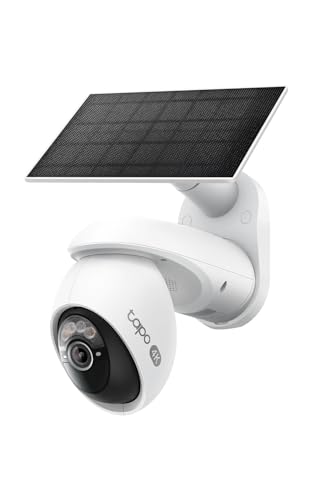
Solar powered cameras combine wireless battery cameras with solar panels that keep them charged. They install anywhere with sunlight and no wiring, making them ideal for driveways, sheds, gardens and rental homes. Performance depends on sunlight, so panels should face the sun for several hours a day.
Video Doorbells
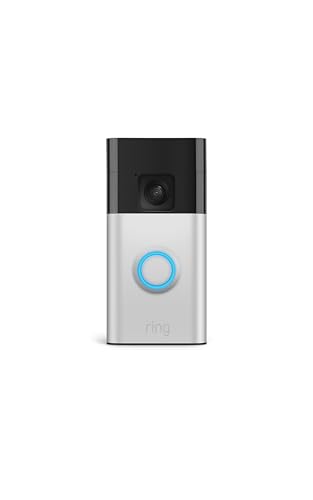
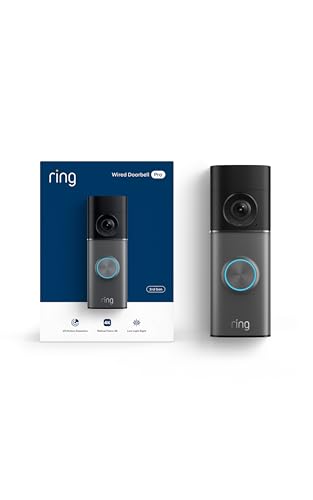
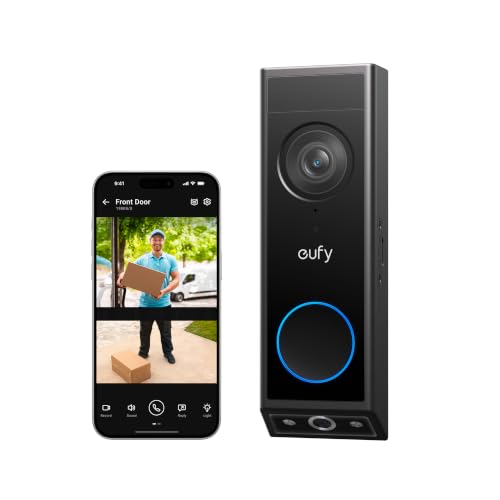
Video doorbells replace your existing doorbell with a camera that shows visitors and packages on your phone. Battery and wired versions are available. They provide head to toe views of your porch, two way talk and motion alerts, and they are often the first security device people buy.
Wired Camera Systems
Wired camera systems use PoE or coaxial cables connected to an NVR or DVR for continuous recording. They are the most reliable option for large properties and businesses, with no batteries or WiFi to worry about. Installation takes more effort, but they offer the most consistent coverage.
Alarm Systems with Sensors
Alarm systems use door and window sensors, motion detectors, glass break sensors and sirens connected to a base station. They detect intrusions even where cameras cannot see and can include professional monitoring. Combining an alarm system with outdoor cameras gives the most complete protection.
Indoor Cameras
Indoor cameras watch entryways, living rooms and nurseries, and they let you check on pets while you are away. Look for privacy shutters or modes that disable recording when you are home, two way audio and person and pet detection. Place them facing doors rather than private areas like bedrooms and bathrooms.
Where to Place Cameras and Sensors
Most break ins happen through front doors, back doors and ground floor windows, so start there. Put a video doorbell or camera on the front entry, cameras covering the backyard and driveway and entry sensors on doors and accessible windows. A motion sensor in a main hallway catches intruders who bypass doors.
Avoid pointing cameras directly at the sun or bright lights, which wash out the picture, and keep them out of easy reach so they cannot be knocked down or covered.
Setup and Care Tips
- Plan coverage first: prioritize front and back doors, ground floor windows, driveways and garages.
- Mount cameras out of reach: around 8 to 10 feet high, angled slightly down to capture faces.
- Check WiFi strength: check the signal at each camera location; use a mesh router or extender if needed.
- Secure your accounts: use unique passwords and enable two factor authentication.
- Update firmware: install updates promptly for security fixes and new features.
- Clean lenses and solar panels: wipe dust, spider webs and pollen every few months.
- Check sensors: run system checks monthly and replace batteries when the app warns.
Home Security Systems: Your Questions Answered
Wired or wireless: which is more reliable?
Wired systems are generally more reliable because they do not depend on batteries or WiFi signal strength, and PoE cameras can record continuously. Wireless systems are easier to install and move, and modern models are dependable with good WiFi coverage. Many homeowners combine wireless cameras for convenience with wired cameras for critical areas.
How much storage do I need?
Storage depends on resolution, number of cameras and whether you record continuously or only on motion. Motion only recording on a microSD card of 64 to 128GB is enough for one or two cameras. Continuous recording on multiple 4K cameras needs terabytes of NVR storage. Most systems overwrite the oldest footage automatically.
Do I need a subscription?
Not always. Many cameras offer local storage and core features without fees. Subscriptions add cloud video history, advanced detection, extended warranties and professional monitoring. Alarm systems with 24/7 monitoring require a monthly plan, while self monitored systems can work without one.
Are home cameras easy to hack?
Cameras from reputable brands with encryption, two factor authentication and regular updates are difficult to hack. Most breaches happen through weak or reused passwords. Use strong unique passwords, enable two factor authentication, keep firmware updated and avoid very cheap cameras from unknown brands without security support.
Can cameras work without WiFi?
Some can. Wired NVR systems record locally without internet, though you need internet for remote viewing. Some battery cameras record to local storage when offline and upload clips later. Cellular security cameras use LTE for remote locations without WiFi.
What is the best home security system for renters?
Renters should choose wireless systems that install without drilling, such as alarm kits with adhesive sensors, battery or solar cameras and battery video doorbells. They move easily when you relocate. Check your lease and ask your landlord before mounting outdoor cameras, and use no contract monitoring plans you can cancel anytime.
How many cameras do I need?
Most homes start with two to four cameras: a video doorbell or front door camera, one covering the backyard or back door and one on the driveway or garage. Larger properties and homes with side gates may need more. Begin with the main entry points and expand over time.
Our Verdict
The right system depends on your property and priorities. The SimpliSafe 11 piece kit is the best overall choice for complete, easy to install protection with optional professional monitoring, the eufyCam C37 delivers excellent value for outdoor coverage with no monthly fees and the REOLINK 8 channel PoE system is the upgrade for reliable, whole property recording.
Compare these against the full product table above, map the areas you want to protect and choose the combination of cameras and sensors that fits your home. That is how you find the best home security system for your family. For camera focused setups, see our guide to the best home security system with cameras.