Best Infant Monitors: What Actually Matters Before You Buy
Disclosure: We may earn a commission when you buy through links on this page, at no extra cost to you. As an Amazon Associate I earn from qualifying purchases. Learn more

Our checklist for choosing an infant monitor, three picks, a buyer checklist, red flags and safe placement tips.
An infant monitor lets you rest, cook dinner or catch up on chores while keeping an eye and ear on your sleeping baby. Today's monitors range from simple audio units to HD video monitors with pan and tilt cameras, night vision, room temperature sensors and smart apps. Choosing well matters because you will use it every night for a year or more. The best infant monitors deliver a clear picture day and night, reliable range through your home, long battery life on the parent unit and strong privacy protection.
Below is the checklist we use to judge infant monitors, followed by three picks that pass it, a quick buyer checklist and red flags to avoid. A monitor is a convenience tool, not a medical device, and it does not replace safe sleep practices.



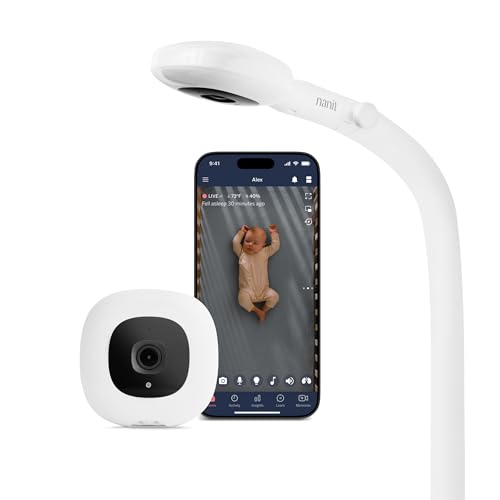
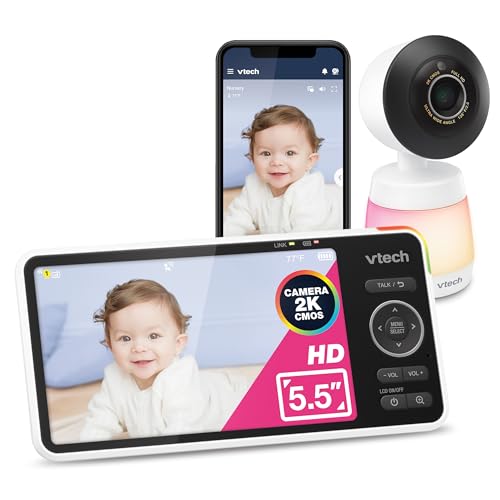
How We Evaluate Infant Monitors
We judge infant monitors on video quality and field of view, night vision, connection type and privacy, audio and alerts, battery life and range, smart features and ease of use. Our sources are manufacturer specifications, the details in each Amazon listing and patterns across large volumes of verified parent feedback, with extra weight on reports about connection drops, battery degradation and screen quality at night. We did not run our own trials.
Video Resolution and Field of View
Parent unit screens range from about 2.8 to 6 inches, and larger screens make it easier to see breathing movement and facial expressions at a glance. HD video looks sharper, especially on bigger screens. Pan, tilt and zoom let you follow a baby who rolls around the crib or check the rest of the room without going in. Interchangeable or wide angle lenses can show the whole crib from farther away.
Connection Type: Non WiFi vs WiFi
Non WiFi monitors transmit directly from camera to parent unit using encrypted 2.4 GHz FHSS signals. They work without internet, have no app accounts to secure and keep footage inside your home, which many parents prefer for privacy. WiFi monitors stream to your phone anywhere, add smart features such as sleep tracking and let two parents watch from different places, but they depend on your internet and require strong account security.
Privacy and Security: Encryption and 2FA
For WiFi monitors, choose brands that encrypt video, support two factor authentication and release regular firmware updates. Use a strong, unique password for the monitor account and your router. Non WiFi monitors avoid internet exposure entirely, though they still use radio signals within range.
Night Vision: Infrared vs Color
Infrared night vision shows a clear black and white image in a dark nursery without lights that might wake the baby. Look for invisible or low glow infrared LEDs so the camera does not shine a red light into the crib.
Two Way Audio, Alerts and Soothing
Two way talk lets you soothe your baby with your voice. Sound activated screens stay dark until noise is detected, saving battery and helping you sleep. Many monitors add lullabies, white noise, room temperature alerts and adjustable sensitivity.
Battery Life and Range
Parent unit battery life ranges from about 8 hours to over 30 hours of video. Long battery life lets you carry the monitor around the house without a charger. Range claims, often up to about 1,000 feet in open space, drop through walls and floors, so check reviews from larger or multistory homes. Replaceable batteries extend the monitor's life.
Smart Home Integration
Smart WiFi monitors may connect to apps, smart displays or voice assistants, letting you view the nursery on a tablet or TV. These features add convenience but are optional for most families.
3 Infant Monitors That Pass Our Checklist
Each pick below names who it suits, the specs that earned its place and one honest limitation.
Best Overall: Infant Optics DXR-8 PRO
The Infant Optics DXR-8 PRO is the best infant monitor for most families, at around $200. It is a non WiFi HD monitor known for its clear picture and flexible camera.
- Why it passes: a 5 inch HD screen, pan, tilt and zoom controlled from the parent unit and interchangeable lenses, including a standard lens and an included zoom lens, with an optional wide angle lens sold separately.
- Standout features: patented Active Noise Reduction filters out fans, air purifiers and heaters so you hear your baby instead of static, and a user replaceable battery restores runtime as batteries age. It uses no WiFi, app or cloud, sending a direct signal from camera to screen.
- Trade off: without WiFi, you cannot check in from your phone when away from home.
Best for: parents who want a clear, private, flexible monitor for home use. Skip it if you want to watch from work or while traveling.

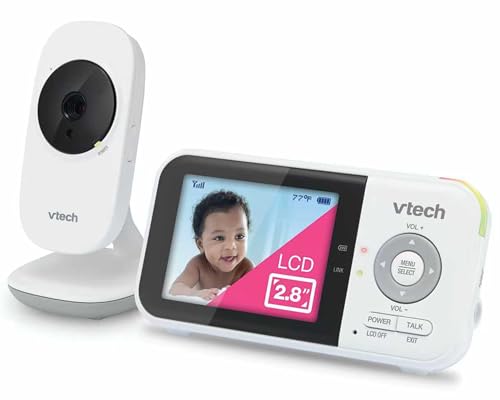
Best Value: VTech VM819 Video Baby Monitor
The VTech VM819 is the best value infant monitor, at around $50. It covers the essentials with excellent battery life.
- Why it passes: a private non WiFi connection using encrypted 2.4 GHz FHSS, a 2.8 inch screen with automatic infrared night vision and 2x digital zoom, and up to 19 hours of video or 29 hours of audio from a 2,600 mAh battery.
- Helpful extras: sound activated screen mode with adjustable sensitivity, two lullabies and two ambient sounds, two way talk, a nursery temperature sensor and up to 1,000 feet of range in open space.
- Trade off: the small 2.8 inch screen and fixed camera show less detail than larger pan and tilt monitors.
Best for: budget conscious parents, grandparents' houses and travel. Skip it if you want a big screen.

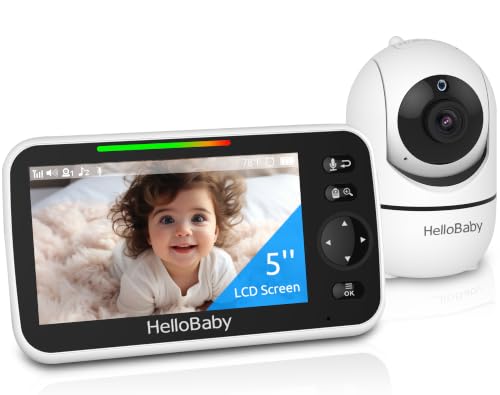
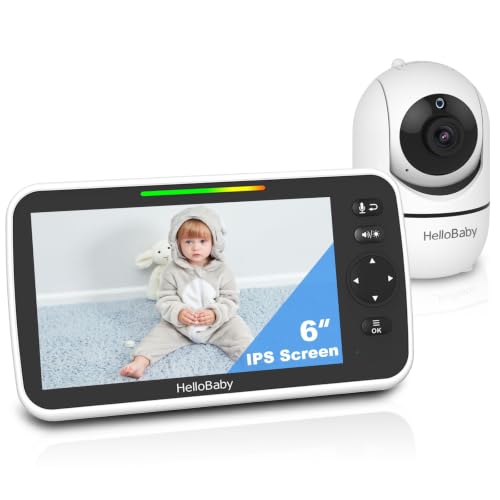
Best Compact Pick: HelloBaby HB6550
The HelloBaby HB6550 is the best compact pick for a big screen at a small price, at around $60.
- Why it passes: a 5 inch color display with a remotely controlled camera that pans 355 degrees and tilts 120 degrees, plus 2x zoom.
- Features: invisible infrared night vision, two way audio, room temperature alerts, 8 lullabies and a sound level indicator, using encrypted non WiFi 2.4 GHz FHSS transmission that travels easily.
- Trade off: image detail is not as sharp as premium HD monitors, and battery life is shorter than the VTech's.
Best for: parents who want pan and tilt and a larger screen on a budget. Skip it if you need the sharpest HD picture.

Quick Buyer Checklist
- Decide between non WiFi privacy and WiFi remote viewing.
- Screen size of at least 5 inches if you want to see details easily.
- Infrared night vision with low glow or invisible LEDs.
- Battery life that lasts through the night away from a charger.
- Range that works through your home's walls and floors.
- Two way talk and sound activated screen mode.
- Option to add extra cameras if you plan for more children or want to watch two rooms.
- A camera mount or stand that keeps the unit and its cord safely away from the crib.
Red Flags to Watch For
- WiFi monitors without encryption or 2FA and no history of updates.
- Bright visible infrared lights that glow red in the nursery.
- Batteries that cannot be replaced, which shortens usable life.
- Exaggerated range claims without real world context.
- Required subscriptions for basic viewing.
- Medical claims about preventing SIDS, which no monitor can guarantee.
Where to Place an Infant Monitor Safely
Mount or place the camera where it has a clear view of the crib, typically on a wall or dresser across the room. Keep the camera and all cords well out of the baby's reach, as the manufacturer's instructions describe, and never place the camera or cords in or on the crib. Use cord covers or route cords behind furniture. Check placement again as your baby learns to stand and reach.
Non WiFi vs WiFi Infant Monitors
Non WiFi monitors are simple, private and work anywhere in the house without setup or accounts, making them ideal for most families and caregivers who are less comfortable with apps. WiFi monitors let you watch from your phone at work or while traveling, share access with a partner and add sleep analytics, but they need reliable internet and careful security. Some families use a non WiFi monitor at home and add a WiFi camera for remote check ins.
Types of Infant Monitors
The best infant monitors fall into four broad types, and the right one depends on how you want to watch and listen.
- Audio monitors: the simplest and cheapest option, transmitting sound only. Good for older babies and as a backup unit.
- Non WiFi video monitors: a camera paired with a dedicated parent screen, private and easy to use, like our three picks.
- WiFi smart monitors: stream video to phones and tablets, often with sleep tracking, history and remote access from anywhere.
- Hybrid monitors: include a parent unit for home use plus an app for viewing on the go.
Some smart systems add wearable sensors or breathing bands. These can provide data and alerts but are not medical devices, and pediatric guidance stresses safe sleep practices over monitoring technology.
Adding Cameras for Twins or Siblings
If you have twins or plan for more children, check whether the monitor supports extra cameras and split screen viewing. Many non WiFi systems, including HelloBaby and VTech, sell add on cameras that pair with the same parent unit, letting you switch views or see two rooms at once.
Common Infant Monitor Problems and Fixes
- Static or interference: move the camera or parent unit away from routers, cordless phones and microwaves, or use a monitor with noise reduction.
- Out of range alerts: reposition the camera closer to the center of the home or reduce walls between units.
- Battery not lasting the night: use sound activated screen mode, lower screen brightness and charge during the day; replace aging batteries if possible.
- Grainy night video: clean the lens and avoid pointing the camera at reflective surfaces or night lights.
- Too many false alarms: lower audio sensitivity so normal rustling does not trigger alerts.
Infant Monitor Price Tiers
- Under $60: audio monitors and basic non WiFi video monitors with small screens.
- $60 to $150: larger screens, pan and tilt cameras and multi camera kits.
- $150 to $250: premium HD non WiFi monitors and smart WiFi monitors.
- Over $250: smart monitor systems with breathing wear, floor stands and app analytics.
Tips to Get the Most From Your Infant Monitor
Set sound sensitivity so the monitor alerts you to crying but ignores normal rustling. Charge the parent unit during the day so it lasts all night. Position the camera at an angle that shows your baby's face and the whole crib. For WiFi models, update firmware and use strong passwords. Keep the camera lens clean and recheck the view as your baby grows.
Infant Monitors: Your Questions Answered
Are home cameras and baby monitors easy to hack?
Non WiFi monitors with encrypted FHSS signals are very difficult to intercept and have no internet exposure. WiFi monitors are secure when brands use encryption, you enable two factor authentication, use strong passwords and keep firmware updated.
How much storage do I need?
Most non WiFi monitors do not record, so no storage is needed. WiFi monitors that save clips typically use cloud plans or microSD cards; a 32GB to 64GB card holds days to weeks of motion clips.
Can baby monitors work without WiFi?
Yes. Non WiFi video monitors like the Infant Optics DXR-8 PRO, VTech VM819 and HelloBaby HB6550 connect directly between camera and parent unit without internet, which also makes them easy to use while traveling.
Wired or wireless: which is more reliable?
Non WiFi monitors with a direct radio link are very reliable within range. WiFi monitors depend on your router and internet connection. Cameras are plugged in for power either way; it is the parent unit connection that differs.
Do I need a subscription?
Non WiFi monitors never need subscriptions. Some WiFi monitors offer optional subscriptions for sleep analytics, video history and extra features, while basic live viewing is usually free.
When can I stop using a baby monitor?
Many parents use a monitor until their child is a toddler or preschooler, depending on room distance, sleep habits and comfort. There is no set age; stop when it no longer adds peace of mind.
Is a baby monitor worth it in a small apartment?
Often, yes. Even in a small home, a monitor lets you hear and see your baby over running water, a TV or a closed door, and a video view helps you decide whether to go in without risking waking a light sleeper.
Do I need a monitor with a temperature sensor?
A temperature sensor is a helpful extra that shows the nursery's temperature at a glance, making it easier to adjust heating, cooling or sleep clothing. It is useful but not essential.
Can I travel with a non WiFi baby monitor?
Yes. Non WiFi monitors pair directly and work anywhere with an outlet, which makes them easy to use at hotels, grandparents' homes and vacation rentals. Pack the camera mount or a small tripod for flexible placement.
The Bottom Line
The Infant Optics DXR-8 PRO is our overall pick for its clear picture, flexible lenses, noise reduction and private non WiFi connection. The VTech VM819 is the value choice with long battery life, and the HelloBaby HB6550 is the compact pick with pan and tilt on a large screen. Place the camera safely out of reach, choose the connection type that fits your family and the best infant monitors will give you peace of mind every night.