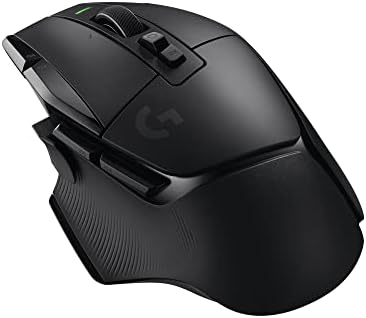
The Best Mid Range Mouse for Gaming for 2026: Precision Esports Guide
Disclosure: We may earn a commission when you buy through links on this page, at no extra cost to you. As an Amazon Associate I earn from qualifying purchases. Learn more

The best mid range mouse for gaming gives you fast, accurate aim without flagship prices: compare sensors, weight, switches, wireless latency and skates.
Competitive gaming rewards precise aim, quick reactions and a hand that stays comfortable for hours. Whether you are flicking to a head in a tactical shooter or managing units in a strategy match, the mouse is the physical link between you and the game. The best mid range mouse for gaming shows that you do not need to spend $150 on a flagship to get accurate tracking, low weight and responsive clicks.
Mid tier mice now commonly offer optical sensors without hardware acceleration, low latency 2.4GHz wireless, optical switches that resist double clicking, and shells under 60 grams. This guide covers sensor basics, shell shapes, skates, polling rate, DPI settings and care, so you can judge the picks in the table with confidence.








How to Choose the Best Mid Range Mouse for Gaming
Choosing a mouse that feels like an extension of your hand comes down to sensor accuracy, weight, switches, connection type and shell shape. Work through these benchmarks before you decide, and compare them against the specs listed for the picks in the table.
Which Optical Sensor Specs Matter?
Look for a modern optical sensor with true 1:1 tracking, meaning the cursor moves in direct proportion to your hand with no smoothing, angle snapping or acceleration. Well known examples include the PixArt PAW3395, Focus Pro and Hero sensors.
- True 1:1 Tracking: Your crosshair lands where your muscle memory expects it, swipe after swipe.
- Tracking Speed: A rating of at least 650 inches per second and 50G acceleration helps the sensor keep up during fast cross screen swipes.
- Adjustable Lift Off Distance (LOD): A low setting, around one millimeter or less, keeps the cursor still when you lift and reposition the mouse at low sensitivity.
How Light Should a Gaming Mouse Be?
For most fast shooters, a solid shell between roughly 49 and 65 grams is a good target. Heavier mice of 80 to 100 grams carry more inertia, which slows micro corrections and can tire the wrist over long sessions.
Prefer weight savings from thin internal shell design rather than exposed honeycomb holes, which can collect dust and sweat. A lighter mouse accelerates and stops more easily, though some players with larger hands still prefer a little more heft for stability.
Are Optical Switches Better Than Mechanical Ones?
Optical switches are generally the more durable choice. Traditional mechanical switches use metal contact leaves that can wear or oxidize, which is a common cause of accidental double clicks as a mouse ages.
Optical switches register a click with an infrared beam, so there is no metal contact to bounce and very little debounce delay. Makers often rate them for 80 to 100 million clicks, so check the stated rating on the product page.
Wireless or Wired: Which Connection Fits?
Both work well at this price, so choose by desk setup and habits.
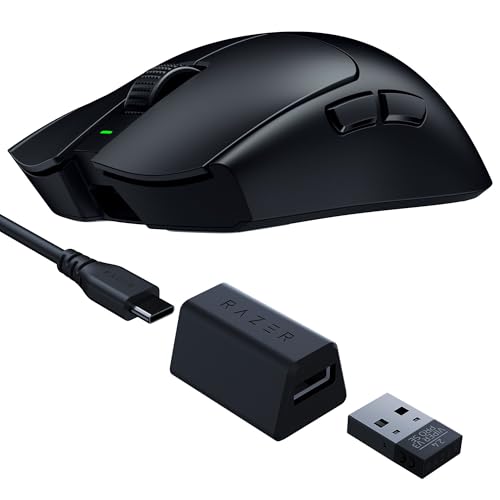
- 2.4GHz Wireless with USB Dongle: Delivers a 1ms report rate similar to wired and removes cable drag. Battery life varies widely, from about 50 to 100 hours or more, so check the stated figure.
- Flexible Wired Cable: A soft paracord style cable adds almost no drag, never needs charging and often costs less.
Which Shell Shape Suits Your Grip?
Match the shell to your hand size and grip, because shape matters as much as any spec.
- Symmetrical (Ambidextrous) Shells: Low profile with a centered hump and tapered waist. They suit fingertip and claw grips and are popular for shooters.
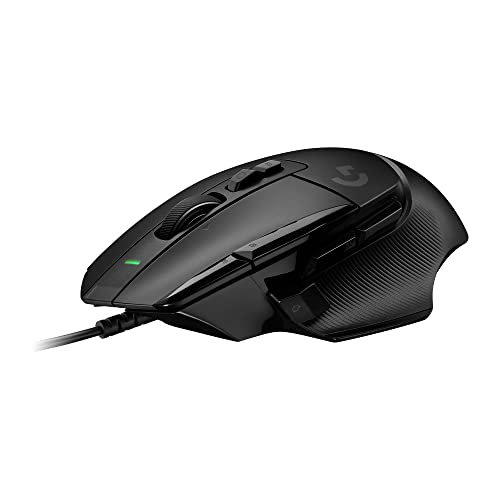
- Ergonomic Asymmetrical Shells: Contoured for right handed palm and relaxed claw grips, with a thumb rest that helps comfort in long MMO and strategy sessions.
Measure your hand from wrist crease to middle fingertip and compare it with the length listed for each mouse. A mouse that is too short forces a cramped claw, while one that is too long hurts quick flicks.
Why Do PTFE Skates Matter?
Skates are the feet on the base, and good ones make a visible difference in glide. Look for pure PTFE (Teflon) skates with rounded edges, which slide smoothly on cloth and glass pads with little starting friction.
A PTFE ring around the sensor lens is a useful extra. It reduces wobble and helps keep lift off distance consistent when you press down firmly.
Is a Higher Polling Rate Worth It?
For most players, 1000Hz is enough. Polling rate is how often the mouse reports its position, and 1000Hz means a report every millisecond. Some mid range mice now offer 4000Hz or 8000Hz modes.
Higher rates can add slight smoothness on 240Hz or faster monitors, but they raise CPU load and drain a wireless battery much faster. Treat them as an optional mode rather than a reason to buy.
Do Grip Tapes Help?
Grip tape helps if your palms sweat, since smooth plastic can turn slick in tense moments. Some mice include precut tape in the box, and aftermarket sets are cheap.
Apply thin strips along the main buttons and side contours for extra traction. Clean the surface first so the tape sticks and does not leave residue later.
Popular Gaming Mouse Profiles Compared
Most mid range mice fall into three profiles, each suited to a different kind of play.
Ultralight FPS Esports Pointers
These weigh under about 55 grams, with symmetrical shells and two side buttons. They suit tactical shooters such as Counter Strike 2, Valorant, Apex Legends and Call of Duty, where flicks and quick stops decide fights.
Versatile Wireless MOBA and Battle Royale Mice
These offer six to eight programmable buttons, ergonomic palm contours and onboard memory profiles. They fit games like Fortnite, League of Legends and World of Warcraft, where quick access to abilities and macros is useful.
Minimalist Ambidextrous All Rounders
These have understated looks, quieter switches and subtle lighting. They suit people who use one mouse for design or office work by day and gaming at night.
Essential Habits for Optimal Mouse Tracking and Health
A few simple habits keep tracking consistent and extend the life of your mouse.
- Use a clean cloth or hybrid mouse pad: Avoid bare wooden desks. A large stitched edge pad gives steady friction and protects the skates from scratches.
- Clean skates and sensor lens with isopropyl alcohol: Wipe the feet and blow air across the lens monthly to remove dust and lint that dull the glide.
- Stay near 800 or 1600 DPI: Adjust in game sensitivity rather than pushing sensor DPI very high, which rarely improves aim.
- Do not wrap the cable tightly: Tight wraps can fatigue the wires inside. Coil it loosely when traveling.
If you prefer going cable free, our guide to the best wireless gaming mouse goes deeper on battery life and latency.
Frequently Asked Questions
Is wireless gaming mouse latency as fast as wired today?
Yes, modern 2.4GHz wireless gaming mice reach a 1000Hz (1ms) report rate with no noticeable delay in normal play. Use the included dongle, and keep it close with a short extension cable if the signal drops.
Why are optical switches better than traditional mechanical switches?
Optical switches use an infrared beam instead of metal contacts, so they respond very quickly and are far less prone to double clicking. They also tend to carry higher rated click lifespans.
What is the best mouse weight for first person shooter games?
A weight between about 50 and 65 grams suits most FPS players. It allows easy acceleration and quick stops while keeping wrist fatigue low, though personal preference still matters.
How often should you replace mouse PTFE skates?
With daily use on a clean cloth pad, skates often last one to two years. Replace them when the edges look flattened, the glide feels scratchy or the mouse drags.
Final Thoughts
The best mid range mouse for gaming combines an accurate optical sensor, a light solid shell, optical switches and smooth PTFE skates in a shape that fits your hand. Match the profile to the games you play, check the weight and length against your grip, and compare the picks in the table above.