
Gaming Mouse


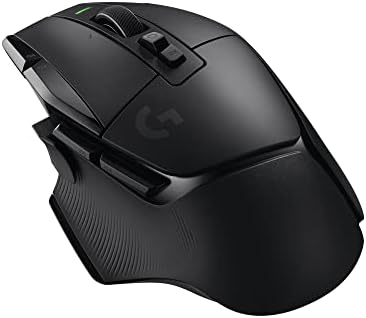

How to Choose a Gaming Mouse
The best gaming mouse is the one that fits your hand and grip. Specs like maximum DPI get the most attention, but shape and weight affect aim and comfort far more. Start by identifying how you hold a mouse: palm grip rests your whole hand on the shell, claw grip arches the fingers, and fingertip grip uses only the tips for quick movements.
Features That Actually Matter
- Shape and size: ergonomic right-handed shapes suit palm grippers, while symmetrical shapes work for claw and fingertip grips. Measure your hand and compare with listed dimensions.
- Weight: lightweight mice suit fast shooters with big arm movements. Heavier mice feel steadier for some players.
- Sensor: modern optical sensors from major brands track accurately. Most players use 400 to 1600 DPI, so very high DPI figures are marketing more than need.
- Polling rate: 1000Hz is standard. Higher rates exist but offer small benefits and use more battery.
- Buttons and software: MMO and MOBA players benefit from extra side buttons, while shooter players often prefer a simple layout.
Wired vs Wireless
Wireless gaming mice using a 2.4 GHz receiver now match wired models for responsiveness, and they remove cable drag. The tradeoff is charging and a slightly higher price. Look for long battery life, USB-C charging, and the ability to play while plugged in. Our wireless gaming mouse guide covers what separates good wireless models from average ones.
Surface and feet affect feel as well. Smooth PTFE feet glide easily, and a large cloth pad gives low-sensitivity players room for wide arm swings. Hard pads feel faster but can wear mouse feet more quickly.
Common Mistakes
- Choosing a mouse by DPI rather than shape and fit.
- Buying a heavily sculpted right-handed mouse as a left-handed player.
- Pairing a fast mouse with a small or worn mouse pad.
- Ignoring software, which you may need for button mapping and sensitivity.
A mouse works best as part of a complete setup. Browse PC accessories for keyboards, pads, and desk upgrades, and check monitors if you want a high refresh display that shows off a responsive mouse.
Gaming Mouse FAQ
What DPI is best for gaming?
Most players use between 400 and 1600 DPI, adjusting in-game sensitivity to taste. Very high maximum DPI rarely matters, while consistent tracking does.
Is a wireless gaming mouse good enough for competitive play?
Yes, modern 2.4 GHz wireless mice offer latency comparable to wired models. Keep the receiver close and the battery charged for the best results.
How heavy should a gaming mouse be?
Many competitive players prefer mice under about 80 grams for fast flicks. Heavier mice can feel more controlled, so choose based on comfort and play style.
How do I pick the right mouse size?
Measure your hand length and width, then compare with the mouse dimensions and your grip style. Palm grip usually needs a larger mouse than fingertip grip.
How much should I spend on a gaming mouse?
Good wired gaming mice often cost around $30 to $60, while quality wireless models typically range from $60 to $150.