The Best Pre Built Gaming PC: Buying Guide and Top Picks
Disclosure: We may earn a commission when you buy through links on this page, at no extra cost to you. As an Amazon Associate I earn from qualifying purchases. Learn more

Three picks for the best pre built gaming PC and a guide to components, power supplies, cooling and upgrades.
Building a gaming PC is rewarding, but it takes research, time and a willingness to troubleshoot. A pre built gaming PC skips all of that: it arrives assembled, with Windows installed, ready to plug in and play. The catch is that prebuilt systems vary hugely in value, with some pairing a strong graphics card with a weak power supply, slow memory or a cramped, hot case. The best pre built gaming pc for you balances the CPU and GPU for your target resolution, uses standard parts you can upgrade later and keeps everything cool and reasonably quiet.
Below are our top three picks, followed by a buying guide that explains components, upgradability, power supplies, noise, cases and memory.





Our Top 3 Picks at a Glance
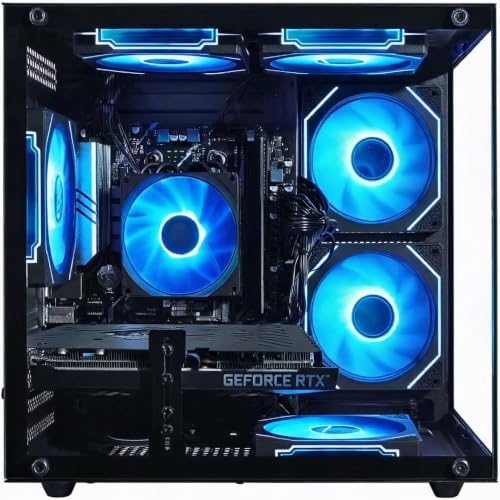
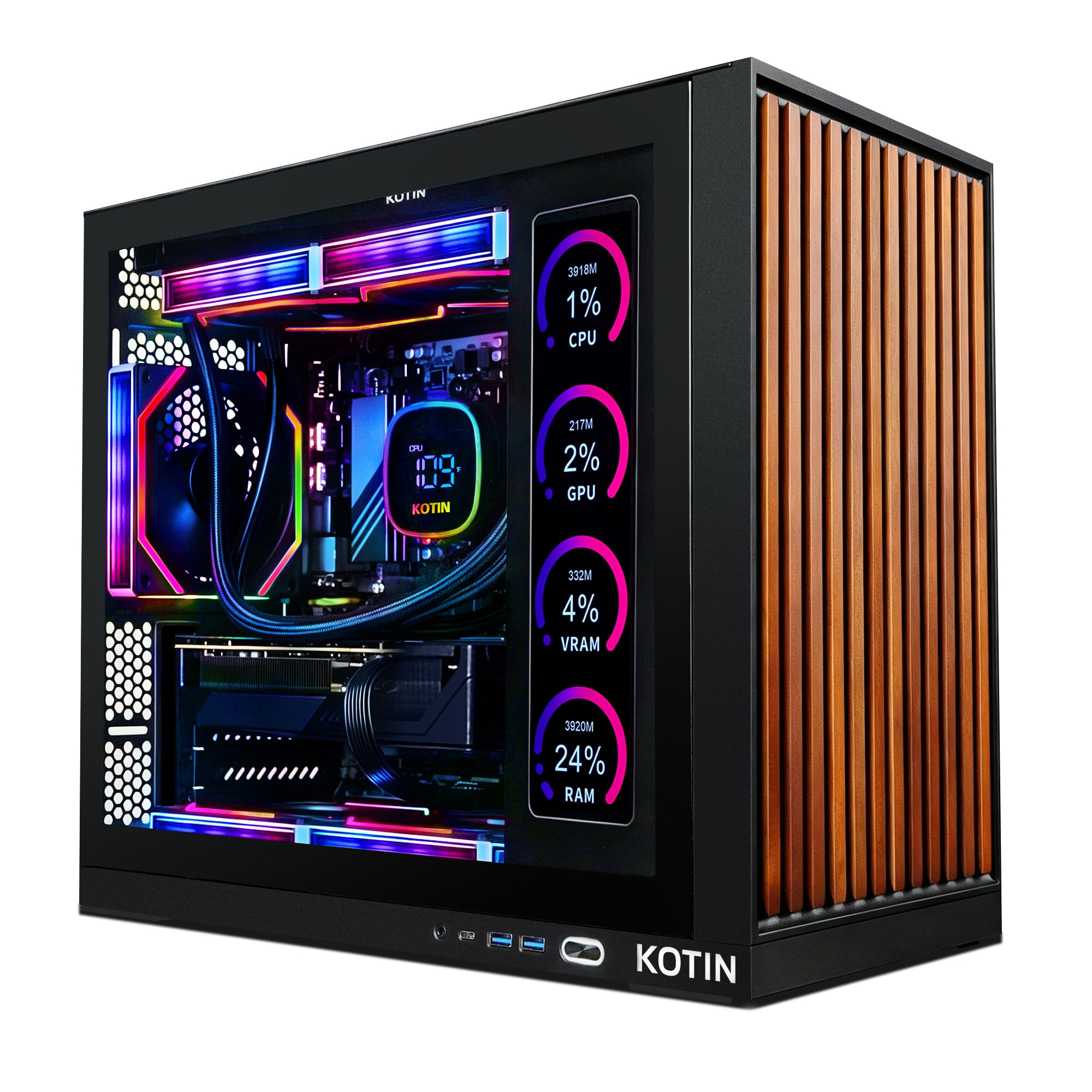
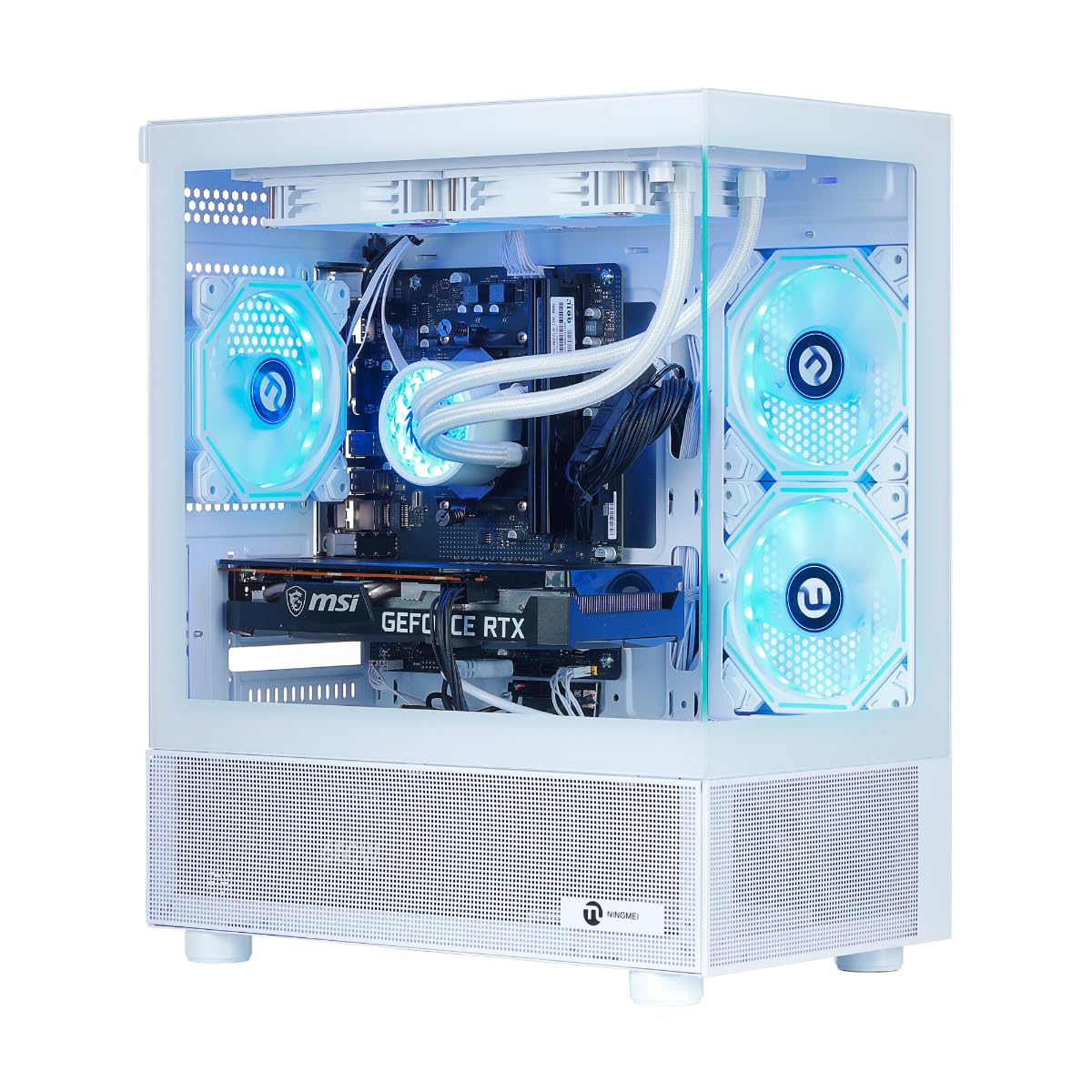
The KOTIN Ryzen 7 8700F and RTX 5060 Ti desktop is the best pre built gaming PC overall for 1080p and 1440p gaming, the Olialia RTX 3060 Ti system is the best value pick, and the KOTIN Ryzen 7 9700X and RTX 5070 desktop is the best upgrade pick for high refresh 1440p and entry 4K gaming. Check the product table above for current prices.
| Award | Product | Key Spec | Best For |
|---|---|---|---|
| Best Overall | KOTIN Ryzen 7 8700F / RTX 5060 Ti | 16GB DDR5, 1TB Gen4 SSD, 650W 80 Plus Gold, WiFi 7 | 1080p and 1440p gaming |
| Best Value | Olialia Ryzen 5 5500 / RTX 3060 Ti | 16GB RAM, 512GB SSD, 6 RGB fans | Budget 1080p and light 1440p |
| Best Upgrade Pick | KOTIN Ryzen 7 9700X / RTX 5070 | 32GB DDR5 6000, 360mm AIO, 850W Gold | High refresh 1440p and 4K |
Best Overall: KOTIN Gaming PC with Ryzen 7 8700F and RTX 5060 Ti
The KOTIN Ryzen 7 8700F and RTX 5060 Ti desktop is the best pre built gaming PC for most players, at around $1,400. It combines a current generation graphics card with modern DDR5 memory and a quality power supply.
- Why it stands out: the RTX 5060 Ti 8GB supports DLSS 4 and ray tracing for smooth 1080p and capable 1440p gaming, while the 8 core Ryzen 7 8700F handles games, streaming and creative apps.
- Quality parts: a 650W 80 Plus Gold power supply, 16GB of DDR5, a 1TB PCIe Gen4 NVMe SSD, WiFi 7 and Bluetooth.
- Room to grow: four DDR5 slots and three M.2 slots make memory and storage upgrades easy, and a six heat pipe air cooler with five 120mm ARGB fans keeps temperatures in check.
- Trade off: 16GB of RAM is fine today, but heavy multitaskers and streamers may want to add another 16GB.
Best for: gamers who want modern features, good upgrade paths and strong 1080p to 1440p performance.

Best Value: Olialia Gaming PC with Ryzen 5 5500 and RTX 3060 Ti
The Olialia RTX 3060 Ti system is the best value pre built gaming PC, at around $900. It uses a proven previous generation graphics card that still delivers strong 1080p performance.
- Why it stands out: the RTX 3060 Ti runs most games at high to max settings at 1080p and can reach 60 FPS or more at 1440p in many titles with DLSS, according to Olialia. The 6 core, 12 thread Ryzen 5 5500 boosts up to 4.2 GHz.
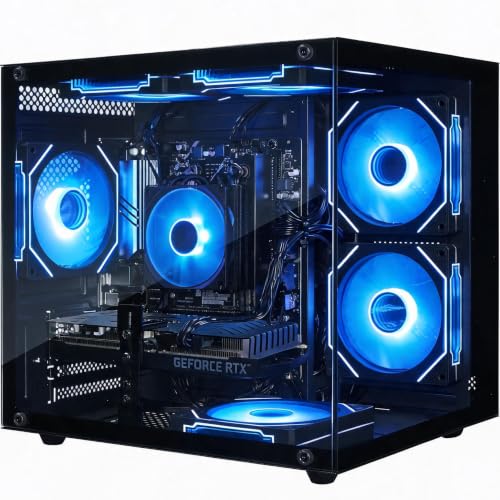
- Included: 16GB of RAM, a 512GB SSD, Windows 11, a dual chamber mid tower with tempered glass and six RGB fans plus an RGB CPU cooler.
- Trade off: the platform uses older DDR4 memory and the 512GB SSD fills quickly with modern games, so budget for a second drive.
Best for: first time PC gamers and budget buyers focused on 1080p.

Best Upgrade Pick: KOTIN Gaming PC with Ryzen 7 9700X and RTX 5070
The KOTIN Ryzen 7 9700X and RTX 5070 desktop is the best upgrade pick, at around $2,200. It targets high refresh 1440p and entry level 4K gaming with plenty of headroom.
- Why it stands out: the RTX 5070 12GB GDDR7 graphics card pairs with an 8 core Ryzen 7 9700X, backed by 32GB of DDR5 6000 memory and a 1TB PCIe 4.0 SSD.
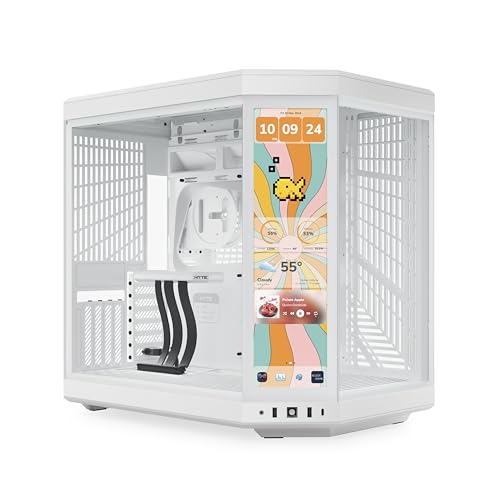
- Premium cooling and power: a 360mm AIO liquid cooler, an 850W 80 Plus Gold power supply and WiFi 7, plus an 11.3 inch built in display that shows CPU and GPU temperatures and usage.
- Trade off: it costs significantly more, and the built in screen is a fun extra rather than a performance feature.
Best for: gamers with 1440p high refresh or 4K monitors who stream or create content.

How to Choose the Best Pre Built Gaming PCs: Buying Guide
The best pre built gaming PCs pair the right CPU and GPU with quality supporting parts. These are the factors to check before buying.
CPU and GPU Pairing
The graphics card (GPU) matters most for gaming performance, so allocate most of your budget there. Match the GPU to your monitor: entry cards like an RTX 5050, RTX 3060 or RX 7600 suit 1080p; RTX 5060 Ti, RTX 4070 or RX 9060 XT class cards handle 1080p high refresh and 1440p; RTX 5070, RX 9070 XT and above target 1440p high refresh and 4K. Pair the GPU with a 6 to 8 core modern CPU, such as a Ryzen 5 or Ryzen 7, or Intel Core i5 or i7. An overly weak CPU can bottleneck a strong GPU in fast esports games.
Upgradability and Standard Parts
The best prebuilts use standard ATX or micro ATX motherboards, standard power supplies and normal cases, so you can swap the GPU, add RAM or install more storage later. Some big brand systems use proprietary motherboards, power supplies or cases that make upgrades difficult. Look for free RAM slots, spare M.2 slots and a power supply with headroom.
Power Supply Quality
The power supply is the most common corner cut in budget prebuilts. Look for a named wattage with an 80 Plus Bronze rating at minimum and ideally Gold, with at least 100 to 200 watts of headroom above the system's needs. A 650W Gold unit suits midrange systems, while RTX 5070 class and higher builds benefit from 750 to 850 watts. Quality power supplies run cooler, quieter and protect your components.
Noise Levels
Many fans, small cases and cheap coolers can make a gaming PC loud under load. Larger fans spinning slower are quieter than small fans spinning fast. Tower air coolers and 240 to 360mm liquid coolers keep CPUs quieter than stock coolers. Look for systems with fan control in the BIOS or software so you can balance noise and temperature.
Case Size, Airflow and Aesthetics
Mid tower cases offer the best balance of space, airflow and upgradability. Mesh front panels breathe far better than solid glass fronts, which can trap heat. RGB lighting and tempered glass look great but add nothing to performance, so do not pay a large premium for them. Check the case dimensions against your desk space, and leave a few inches behind and around it for airflow.
RAM and Storage: DDR5 and NVMe SSD
16GB of RAM is the minimum for modern gaming, and 32GB is a better fit for streaming, heavy multitasking and future games. DDR5 memory is standard on current platforms, while DDR4 still appears on budget systems. Choose at least a 1TB NVMe SSD, since many modern games take 100GB or more each; a 512GB drive fills fast. Gen4 NVMe drives load games quickly and are plenty fast for gaming.
Warranty and Support
Check the warranty length, whether it covers parts and labor, and who you contact for support. Most prebuilt gaming PCs include a one year limited warranty. Systems built from standard parts are easier to repair yourself or through local shops if a component fails after warranty.
Types of Pre Built Gaming PCs
Pre built gaming PCs come in a few main styles, each suited to different buyers.
Prebuilt Gaming Desktops
Mass market prebuilt desktops from gaming brands and system builders offer the widest choice and frequent discounts. Quality varies, so check the power supply, memory speed and motherboard before buying.
Budget 1080p Builds
Budget builds under about $1,000 pair entry or previous generation graphics cards with 6 core CPUs. They handle esports and most AAA games at 1080p and are the easiest way into PC gaming.
Custom Built PCs
Custom configurators from boutique builders let you choose each part, from GPU to case and cooling. They cost more but let you avoid weak components and build exactly what you want.
Small Form Factor and Mini Gaming PCs
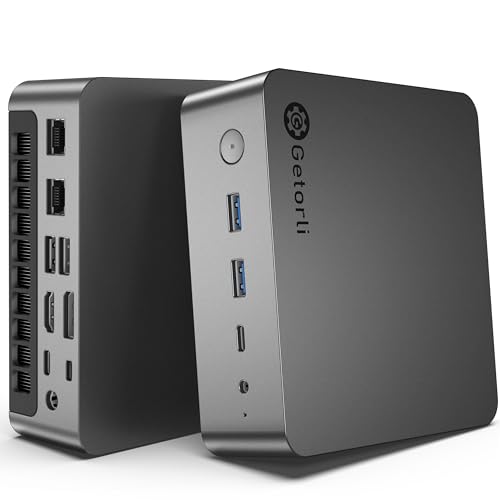
Mini PCs and small form factor towers fit on a desk or under a TV. Mini PCs with integrated graphics handle lighter games, while compact towers with full graphics cards deliver real gaming performance in less space, usually at a price premium and with more limited upgrades.
Pre Built vs Building Your Own Gaming PC
Buying a pre built gaming PC is best if you want to start playing right away, prefer one warranty for the whole system and do not want to troubleshoot hardware. Building your own is best if you enjoy the process, want full control over each component and are comfortable diagnosing problems.
Price differences have narrowed. System builders buy parts in bulk and include a Windows license, so a well chosen prebuilt can cost about the same as building the same machine yourself, especially during sales. The trade off is that prebuilts sometimes save money on less visible parts. If you buy prebuilt, check the exact model of the power supply, motherboard and memory, and plan to upgrade the cheapest parts over time.
Red Flags to Watch for in Prebuilt Listings
Some prebuilt gaming PC listings hide weak parts behind a headline graphics card. Watch for these warning signs before you buy.
- Unnamed power supply: listings that give only a wattage, with no brand or efficiency rating, often use low quality units.
- Single stick of RAM: one memory module runs in single channel mode and can cut gaming performance noticeably; two matched sticks are better.
- Tiny storage: a 256GB or 512GB SSD fills after a few modern games.
- Vague GPU naming: make sure the exact graphics card model and memory size are listed, since some variants are much slower.
- Old platforms at new prices: very old CPUs and DDR3 memory have no place in a new gaming PC.
- Glass front cases with few intake fans: they look great but can run hot under load.
Tips to Get the Most From Your Pre Built Gaming PC
A few setup steps help any prebuilt run at its best.
- Connect your monitor to the graphics card ports, not the motherboard ports, or you will not use the GPU.
- Update the GPU driver, BIOS and Windows right after setup.
- Enable the memory profile (EXPO or XMP) in the BIOS if it is not already on, so RAM runs at its rated speed.
- Set your monitor's refresh rate in display settings to its maximum, such as 144 Hz or 165 Hz.
- Remove unneeded startup software to free resources.
- Clean dust filters every few months to keep temperatures and noise down.
- Use a surge protector to protect your investment from power spikes.
Pre Built Gaming PC Price Tiers
- Under $900: entry 1080p systems with previous generation GPUs, 16GB RAM and 512GB SSDs.
- $900 to $1,500: strong 1080p and capable 1440p systems with current midrange GPUs, DDR5 and 1TB SSDs.
- $1,500 to $2,500: high refresh 1440p and entry 4K builds with RTX 5070 class GPUs, 32GB RAM and liquid cooling.
- Over $2,500: enthusiast 4K systems with top tier GPUs and premium cases and cooling.
Frequently Asked Questions
Is it cheaper to build or buy a prebuilt PC?
It depends on the market and the specific system. Building is often slightly cheaper for enthusiasts who shop sales, but prebuilt systems include a Windows license and assembly, and builders buy parts in bulk. A well chosen prebuilt with quality parts can cost about the same as a comparable DIY build.
How much RAM do I need for gaming?
16GB of RAM is the minimum for modern gaming and runs most titles well. 32GB is recommended if you stream, run many apps alongside games or want to future proof your system. More than 32GB rarely improves gaming performance.
Air or liquid cooling: which is better?
Both work well. A quality tower air cooler is reliable, quiet and low maintenance, ideal for most midrange CPUs. AIO liquid coolers handle hotter high end CPUs better and can look cleaner, but they cost more and the pump can eventually fail. Either beats a basic stock cooler.
What GPU do I need for 1440p?
For smooth 1440p gaming at high settings, look for a graphics card in the RTX 5060 Ti, RTX 4070 or RX 9060 XT class or better. For high refresh 1440p in demanding AAA games, an RTX 5070, RX 9070 XT or higher gives more headroom.
How long will a gaming PC stay relevant?
A midrange gaming PC typically stays capable for about four to six years, with lowered settings in newer games toward the end. Upgrading the graphics card, adding RAM or adding storage can extend that, which is why standard, upgradable parts matter.
Final Thoughts
The KOTIN Ryzen 7 8700F and RTX 5060 Ti desktop is our top pick for most gamers, with modern parts, a Gold power supply and easy upgrade paths. The Olialia RTX 3060 Ti system is the value route into 1080p gaming, and the KOTIN RTX 5070 desktop is the upgrade for high refresh 1440p and 4K. Match the GPU to your monitor, insist on a quality power supply and enough storage, and the best pre built gaming pc will deliver years of play right out of the box. For more options, see our best pre built pc guide.