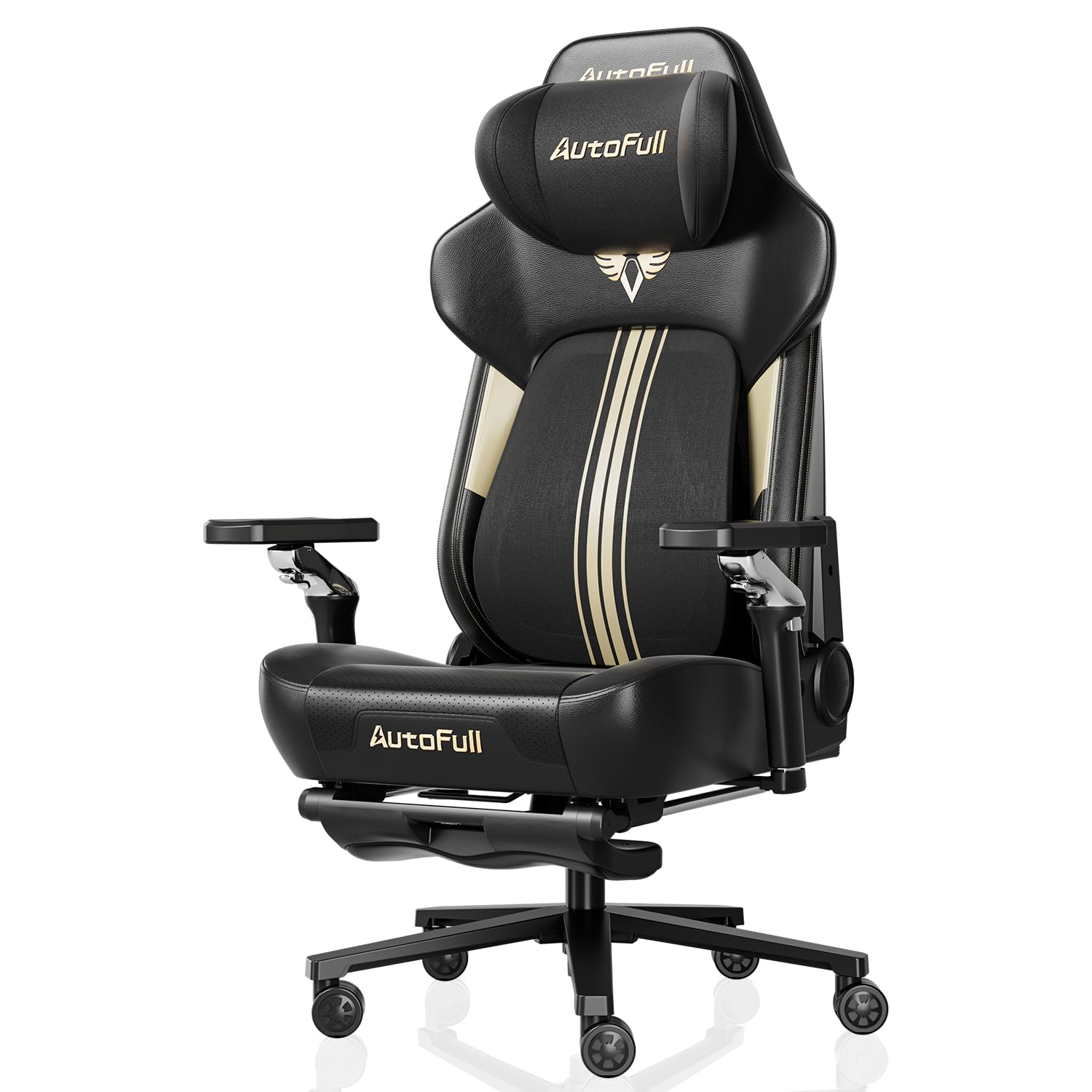
Best Video Gaming Chairs: What Actually Matters Before You Buy
Disclosure: We may earn a commission when you buy through links on this page, at no extra cost to you. As an Amazon Associate I earn from qualifying purchases. Learn more

Our checklist for choosing a gaming chair, three top picks, a buyer checklist, red flags and posture setup tips.
Long gaming sessions are hard on your back, neck and wrists, and a cheap chair that sags after a few months makes every match less comfortable. A good gaming chair supports your lower back, lets you adjust height, armrests and recline to fit your body and desk, and holds up to hours of daily use. The best video gaming chairs combine real ergonomic adjustment with sturdy frames and materials that stay comfortable, rather than relying on racing seat looks alone.
Below is the checklist we use to judge gaming chairs, followed by three picks that pass it, a quick buyer checklist and red flags to avoid.



How We Evaluate Video Gaming Chairs
We judge video gaming chairs on fit and body size support, lumbar and neck support, adjustability, materials and breathability, frame and base strength, assembly and warranty, and overall value. Our sources are manufacturer specifications, weight and height ratings, warranty terms, the details in each Amazon listing and patterns across large volumes of verified owner feedback, with extra weight on reports about cushion flattening, peeling leatherette and squeaks after months of use. We did not run our own trials.
Fit, Size and Weight Capacity
A gaming chair should match your height and weight. Check the seat width and depth, backrest height and the recommended user height range. Most standard chairs support about 250 to 300 pounds, while big and tall models are rated for 350 to 400 pounds with wider seats and reinforced bases. Your feet should rest flat on the floor with thighs roughly parallel to it, and the backrest should reach at least your shoulder blades.
Lumbar and Neck Support
Proper lower back support helps you keep a neutral posture. Many chairs use a removable lumbar pillow, while better designs build adjustable lumbar support or pocket springs into the backrest. A headrest pillow or adjustable headrest supports your neck when reclining. Built in lumbar support tends to stay in place better than loose pillows.
Adjustability and Recline
Look for seat height adjustment, armrests that move up and down (and ideally forward, back and sideways), a recline range for relaxing between matches and a tilt lock. Adjustable armrests that align with your desk help prevent shoulder and wrist strain. A footrest can be nice for lounging but is not essential for good posture.
Materials and Breathability
PU leatherette is easy to wipe clean but can feel warm and may crack or peel over time, especially in cheaper chairs. Fabric chairs breathe better and avoid peeling, though they can stain. Mesh backs stay coolest. High density foam and pocket spring cushions keep their shape longer than soft, low density foam.
Frame, Base and Casters
A metal frame, a steel or aluminum five star base and a certified gas lift cylinder (often listed as Class 3 or Class 4 for heavier loads) indicate a sturdier chair. Large casters roll more smoothly, and rubberized or PU casters protect hard floors better than hard plastic wheels.
Assembly and Warranty
Most gaming chairs arrive flat packed and take 20 to 45 minutes to assemble. Clear instructions and included tools help. Warranties range from one year on budget chairs to five years or more on premium brands, sometimes with longer coverage on the frame.
Value
Value is about comfort and durability per dollar. A $100 to $200 chair can be comfortable for moderate use, while premium chairs justify their price with better materials, adjustability and warranties for people who sit many hours a day.
3 Video Gaming Chairs That Pass Our Checklist
Each pick below names who it suits, the specs that earned its place and one honest limitation.
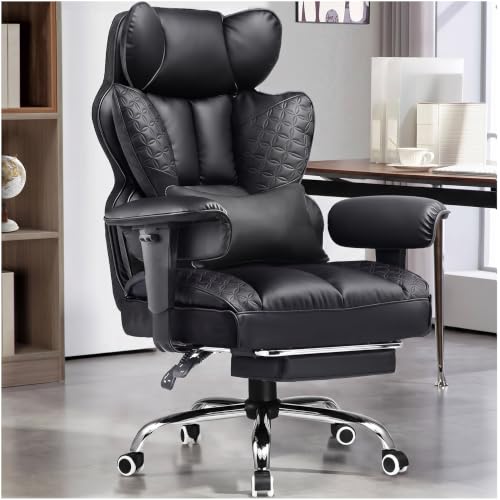
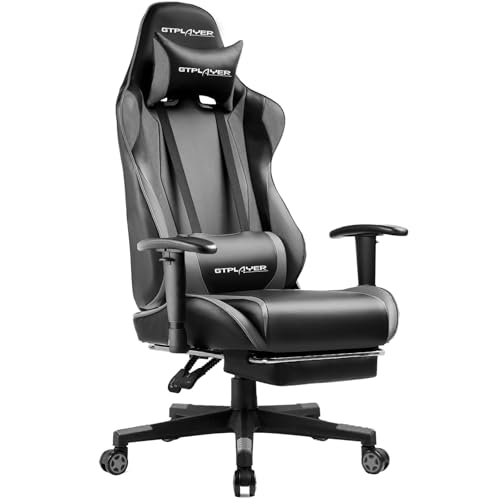
Best Overall: GTPLAYER Big and Tall Gaming Chair with Footrest
The GTPLAYER Big and Tall Gaming Chair is the best video gaming chair for most players, at around $180. It combines a 400 pound rating with built in spring lumbar support.
- Why it passes: a wide seat with a triple pad cushion and dual layer high density sponge backrest, plus built in pocket spring lumbar support and an enlarged headrest for neck support.
- Build: a metal frame, heavy duty metal base and 3 level gas lift, with embossed PU leather that wipes clean and a retractable footrest.
- Trade off: PU leather runs warmer than fabric or mesh in hot rooms, and its armrests offer less adjustment than premium chairs.
Best for: bigger and taller gamers and anyone who wants solid lumbar support at a mid price. Skip it if you game in a hot room and prefer a breathable fabric or mesh seat.

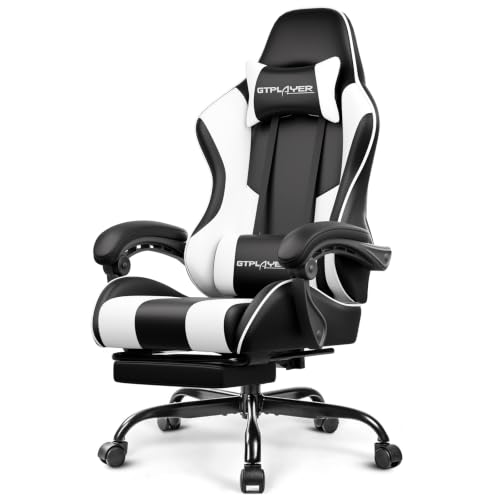
Best Value: GTPLAYER Gaming Chair with Footrest and Lumbar Support
The GTPLAYER Gaming Chair with footrest is the best value video gaming chair, at around $85. It covers the essentials for casual and teen gamers.
- Why it passes: a headrest pillow and lumbar pillow, a metal built in frame and metal legs rather than plastic, height adjustment, 360 degree swivel and a footrest for relaxing.
- Support: GTPLAYER offers free replacement or refund within 30 days and replacement or repair within one year, per the listing.
- Trade off: loose pillows can shift, and the foam and leatherette are not as durable as premium chairs under heavy daily use.
Best for: casual gamers, students and teen setups on a budget. Skip it if you sit for six or more hours a day, where a sturdier chair with built in lumbar support pays off.

Best Premium Pick: Secretlab Titan Evo XL
The Secretlab Titan Evo XL is the best premium video gaming chair, at around $749. Secretlab is one of the best known premium gaming chair brands, and the XL size suits larger and taller gamers.
- Why it passes: an ergonomic design with fabric upholstery that breathes better than leatherette, in an XL size for bigger frames.
- Premium build: Secretlab chairs are known for firm, supportive cushioning, adjustable armrests and long warranties.
- Trade off: it costs several times more than budget chairs, and firm cushions can feel stiff at first.
Best for: people who sit for many hours daily and want a long lasting, highly adjustable chair. Skip it if you game only occasionally or prefer a soft, plush seat.

Quick Buyer Checklist
- Your height and weight fall within the chair's recommended ranges.
- Seat height lets your feet rest flat with thighs parallel to the floor.
- Armrests adjust to desk height so your shoulders stay relaxed.
- Lumbar support sits at the curve of your lower back.
- Frame and base are metal, with a certified gas lift.
- Material suits your room temperature: fabric or mesh for warm rooms.
- Warranty is at least one year, longer for premium chairs.
Red Flags to Watch For
- Weight ratings without matching frame specs: a 400 pound claim with a plastic base is suspicious.
- Very soft cushions that feel great at first but flatten within months.
- Fixed armrests that cannot match your desk height.
- Thin bonded leather prone to peeling.
- No stated warranty or unclear support contacts.
- Racing style wings that dig into broader shoulders.
Gaming Chair vs Office Chair
Gaming chairs usually offer higher backrests, headrests, deeper recline and bold styling, which suits gamers who lean back between matches or watch content. Ergonomic office chairs often have more refined lumbar adjustment, mesh backs that breathe better and seat depth adjustment, which can be better for long work sessions at a desk. If you mostly work and occasionally game, a quality office chair may serve you better; if you game for hours and like to recline, a gaming chair fits. See our best desk chairs for gaming guide for crossover options.
How to Set Up Your Gaming Chair for Good Posture
- Seat height: adjust until your feet rest flat and your knees are at about hip level.
- Lumbar support: position the pillow or built in support at the natural curve of your lower back.
- Backrest angle: sit slightly reclined, around 100 to 110 degrees, while gaming.
- Armrests: set them so your elbows rest at about 90 degrees, level with the desk.
- Headrest: place the pillow at the base of your skull, not pushing your head forward.
- Monitor: put the top of the screen at or slightly below eye level about an arm's length away.
Big and Tall vs Standard Gaming Chairs
Big and tall gaming chairs are built for users over about 6 feet 2 inches or above roughly 250 pounds, with wider seats, taller backrests, reinforced bases and heavier duty gas lifts. Standard chairs suit most average sized adults and teens and are often lighter and cheaper. Choosing the right size matters: a seat that is too narrow pinches the hips, while a backrest that is too short leaves your upper back unsupported. Among the best video gaming chairs, size fit is the first thing to check before style or features.
Common Gaming Chair Problems and Fixes
- Chair slowly sinks: the gas cylinder is wearing out. Replacement cylinders are inexpensive and standard on many chairs.
- Squeaks and creaks: tighten all bolts and add a little silicone lubricant to the tilt mechanism and swivel.
- Wobbly armrests: retighten the armrest bolts under the seat; worn armrests can often be replaced.
- Flattened cushion: add a memory foam seat cushion or replace the seat pad if the maker sells one.
- Peeling leatherette: a fitted chair cover hides wear, and fabric models avoid the issue entirely.
- Casters scratching floors: swap to rubber rollerblade style casters or use a chair mat.
Accessories That Improve Comfort
- Chair mat: protects carpet and hard floors and helps the chair roll smoothly.
- Memory foam seat or lumbar cushion: fine tunes support without replacing the chair.
- Footrest: helps shorter users keep feet supported if the chair cannot go low enough.
- Upgraded casters: quieter and gentler on floors.
- Monitor arm: raises the screen to eye level so you sit back into the chair instead of leaning forward.
Gaming Chairs for Different Setups
- PC desk gaming: prioritize adjustable armrests that slide under the desk and solid lumbar support for upright play.
- Console gaming on a TV: a deeper recline, headrest and footrest make lounging more comfortable for long sessions.
- Streaming: a chair with a clean look on camera, quiet casters and a stable base that does not creak on microphone.
- Small rooms: a compact chair without wide racing wings, or a mesh office style gaming chair that takes less visual space.
- Shared family setups: wide adjustment ranges in seat height and armrests so different users can fit comfortably.
- Hot climates: fabric or mesh upholstery that breathes, rather than leatherette.
Thinking about how you actually play helps you choose features you will use, instead of paying for extras like massage pads or speakers that add little to comfort.
Gaming Chair Price Tiers
- Under $120: basic chairs with pillows, footrests and simple adjustments for casual use.
- $120 to $250: sturdier frames, big and tall options, better foam and built in lumbar support.
- $250 to $500: 4D armrests, fabric options, stronger bases and longer warranties.
- Over $500: premium brands with refined ergonomics, durable materials and multi year warranties.
Tips to Get the Most From Your Video Gaming Chair
Tighten bolts a week after assembly and every few months, since they can loosen with use. Wipe leatherette with a damp cloth and mild soap, and condition it occasionally to reduce cracking; vacuum fabric chairs regularly. Use a chair mat on carpet to help casters roll and protect floors. Stand up, stretch and walk around at least once an hour, since even the best chair cannot replace movement.
Video Gaming Chairs: Your Questions Answered
How long does a gaming chair last?
Budget gaming chairs often last one to three years of daily use before cushions flatten or leatherette peels. Mid range chairs commonly last three to five years, and premium chairs with quality foam and steel frames can last five years or more, backed by longer warranties.
Are gaming chairs good for your back?
A well adjusted gaming chair with proper lumbar support can help you maintain good posture during long sessions. Comfort depends on fit and setup more than the gaming label, so choose a chair that matches your size and adjust it correctly.
Fabric or leather: which is better?
Fabric is more breathable and avoids peeling, making it better for warm rooms and long sessions. PU leatherette is easier to wipe clean and resists spills, which suits households with kids or pets. Mesh is the coolest option.
Do I need a footrest?
No. A footrest is nice for reclining and relaxing between matches or while watching videos, but it does not improve posture while gaming. Prioritize lumbar support, adjustable armrests and the right seat height first.
What size gaming chair do I need?
Choose a chair whose recommended height and weight ranges include yours with some margin. Users over about 6 feet 2 inches or 250 pounds usually need a big and tall or XL model with a taller backrest and wider seat. Your feet should rest flat and the backrest should support your shoulder blades.
Our Verdict
The GTPLAYER Big and Tall Gaming Chair is our overall pick for its 400 pound rating, built in spring lumbar support and fair price. The GTPLAYER footrest chair is the value pick for casual players, and the Secretlab Titan Evo XL is the premium upgrade for people who sit for hours daily. Match the chair to your size, set it up for good posture and take regular breaks, and the best video gaming chairs will keep you comfortable through every session. For budget options, see our best affordable gaming chairs guide.