Canon
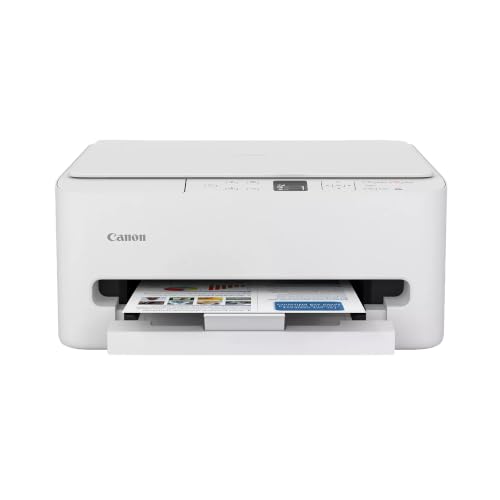
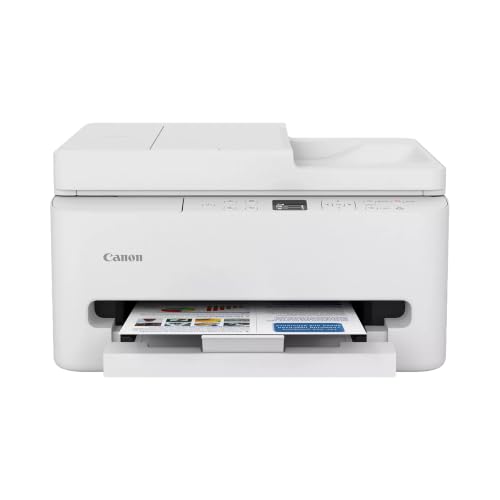
Canon MegaTank G3270 All-in-One Wireless Color Printer
Disclosure: We may earn a commission when you buy through links on this page, at no extra cost to you. As an Amazon Associate I earn from qualifying purchases. Learn more
Highlights
- Wireless Print/Copy/Scan
- Up to 2 years of ink included (2)
- Print up to 6,000 black & white / 7,700 color pages using a single set of inks! (1)
- Save up to $1,000 on ink (1)
- 1.35” Square LCD display
- Single-sided printing
- See below for disclaimers
Why You'll Love It
- High-capacity refillable tanks yield thousands of pages from a single ink set
- Generous ink supply in the box handles regular printing needs for up to two years
- Wireless connectivity lets you print, copy, and scan without tethering cables
- Dedicated 1.35-inch square LCD screen makes everyday device management straightforward
Pros
- +High page yield per ink set
- +Prints, copies, and scans wirelessly
- +Up to two years of ink included
- +Built-in 1.35-inch square LCD screen
Cons
- -Limited to single-sided printing
- -Compact screen size
Detailed Review
High-volume household printing often leads to constant cartridge replacements, but this all-in-one wireless color printer aims to change that dynamic with a continuous ink reservoir system. Designed for busy home offices, remote workers, and families handling frequent homework or projects, the Canon G3270 replaces small cartridges with high-capacity tanks. It combines printing, copying, and scanning into a single unit, addressing routine document tasks through one shared piece of hardware.
The defining strength of this model is its output capacity from a single ink fill. A single set of inks yields up to 6,000 black-and-white pages or up to 7,700 color pages, significantly reducing how often you need to replenish supplies. Canon also includes up to two years of ink in the box, which means you can complete extensive school packets, work reports, and personal color prints without worrying about running out shortly after setup.
Everyday operation is centered around wireless flexibility and straightforward onboard controls. Built-in wireless functionality allows you to print, copy, and scan from your preferred connected devices without needing a direct physical cable. For managing basic machine tasks, selecting functions, or checking hardware status directly on the unit, it features a 1.35-inch square LCD display that keeps navigation clear and simple.
The main trade-off to consider is the paper handling limitation. This unit provides single-sided printing, meaning it does not automatically flip sheets for two-sided documents. If you regularly need double-sided reports, you will have to reinsert pages manually, which takes extra time during large print runs. Additionally, the 1.35-inch screen is relatively compact, prioritizing a smaller footprint over an expansive visual interface.
Verdict: This all-in-one wireless color printer is an excellent choice for home users who produce a high volume of color and monochrome pages and want years of ink without frequent cartridge shopping. However, if your everyday routine demands automated double-sided printing, you should look toward an alternative model built with duplex support.
Who Should Buy It
A great fit if you:
- Produce large batches of documents and want an ink supply capable of delivering thousands of monochrome and color pages.
- Need a single machine that covers wireless printing, copying, and scanning without having to manage multiple separate desktop devices.
- Prefer having enough ink included out of the box to potentially handle your typical document output for up to two years.
- Want a dedicated physical screen on the device to check basic print jobs and status messages directly.
Consider something else if you:
- Frequently produce double-sided documents and need an automatic duplexing model to avoid manually flipping paper sheets.
- Require a large color touchscreen interface on the printer for advanced menu navigation and direct document previews.
Before You Buy
Confirm on the listing:
- Check the exterior dimensions and total footprint on the listing to ensure the unit fits comfortably on your desk or workspace shelf.
- Review the operating system and device compatibility details to make sure your computer, tablet, or smartphone supports the wireless setup.
- Confirm the exact paper sizes, tray capacities, and supported paper weights if you plan to feed specialty media.
- Verify which starter accessories and power cords are included in the packaging alongside the initial set of inks.
How to compare your options: When evaluating all-in-one printers, focus on long-term ink volume, essential connectivity, and document handling capabilities. This model prioritizes massive page yields with up to 6,000 black and 7,700 color pages, alongside wireless convenience for copying and scanning. Compare that against whether your specific workload relies heavily on automated two-sided printing, which this single-sided unit does not offer.
Getting the Most From It
If the printer comes with a setup guide or manual, read the ink filling instructions carefully before uncapping any bottles to ensure each reservoir is filled neatly.
Position the machine in an area with a stable wireless network signal so that print, copy, and scan jobs send without interruption from any room in your home.
Keep an eye on the 1.35-inch square LCD screen during regular use to read system notifications, track progress, or clear prompts promptly.
Because the unit uses single-sided printing, plan multi-page double-sided projects ahead of time by organizing your paper stack carefully before manual re-feeding.
Wipe the scanner glass and exterior surfaces periodically with a dry, lint-free cloth as recommended in standard device care instructions to keep scans clean.
FAQ
Does this machine support automatic two-sided printing?
No, it features single-sided printing. If you want double-sided documents, you will need to manually turn the pages and run them through again.
How many pages can you print with one set of ink bottles?
A single set of inks can yield up to 6,000 black-and-white pages or up to 7,700 color pages under standard listed ratings.
Is ink supplied in the original package?
Yes, the printer includes ink in the box, providing an estimated supply of up to two years based on listed usage figures.
Can you scan and copy without plugging into a computer?
Yes, this unit features wireless print, copy, and scan functions, allowing you to manage document jobs over your network without physical cables.
What kind of display is built into the device?
The machine is equipped with a 1.35-inch square LCD display used to monitor printer functions, settings, and job status.
Product Details
| Brand | Canon |
| ASIN | B0BSMSYM9N |