
Best Printers for Photo Printing of 2026: Complete Buying Guide
Disclosure: We may earn a commission when you buy through links on this page, at no extra cost to you. As an Amazon Associate I earn from qualifying purchases. Learn more

Three picks and a complete buying guide for the best printers for photo printing.
Printing photos at home used to mean expensive cartridges, faded colors and prints that never matched the screen. Today's photo printers produce lab quality prints up to 13 by 19 inches, and ink tank models have slashed the cost per print. But a printer built for documents will not do your photos justice. The best printers for photo printing use multi color ink systems for smooth gradients and accurate skin tones, handle glossy and fine art papers and keep running costs reasonable.
This guide starts with three picks for different photographers, then explains the features that matter, how photo printers compare with laser, ink tank and other options, and tips for better prints.





Our Top 3 Picks at a Glance
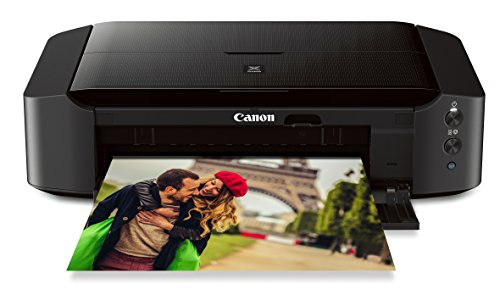
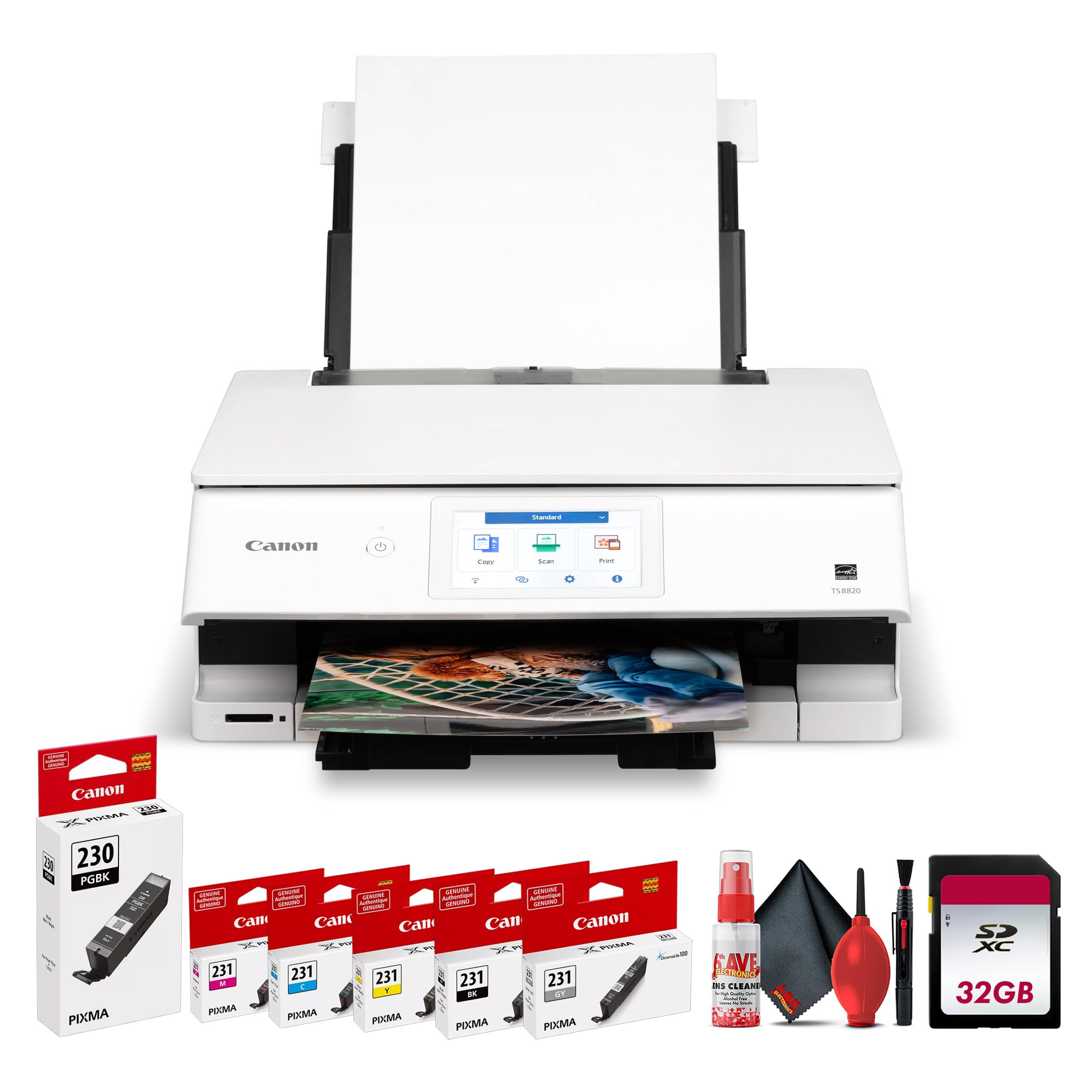
The Epson EcoTank Photo ET-8550 is our best overall printer for photo printing for its six color ink tank system and very low cost per print, the Canon PIXMA iP8720 is the best value pick for 13 by 19 inch prints with six colors including gray, and the Canon PIXMA PRO-200S is the best upgrade for enthusiasts who want an eight color professional dye ink printer. Check the product table above for current prices.
| Award | Product | Key Spec | Best For |
|---|---|---|---|
| Best Overall | Epson EcoTank Photo ET-8550 | 6 color ink tank, up to 13 x 19 in., print scan copy | Frequent home photo printing |
| Best Value | Canon PIXMA iP8720 | 6 colors with gray ink, up to 13 x 19 in. | Budget wide format prints |
| Best Upgrade Pick | Canon PIXMA PRO-200S | 8 color dye ink, borderless 3.5 x 3.5 to 13 x 19 in. | Enthusiasts and small studios |
Best Overall: Epson EcoTank Photo ET-8550
The Epson EcoTank Photo ET-8550 is the best printer for photo printing for most photographers, at around $590. It combines wide format photo quality with refillable ink tanks.
- Why it stands out: Claria ET Premium six color inks and a high accuracy printhead produce lab quality photos and sharp text, and it prints up to 13 by 19 inches.
- Low running costs: Epson says 4 by 6 photos cost about 4 cents each versus 40 cents with traditional cartridges, and the box includes up to 2 years of ink; each replacement ink set equals about 100 individual cartridges.
- All in one: it also scans and copies, with up to 16 pages per minute for documents.
- Trade off: the upfront price is higher than cartridge printers, so it pays off most if you print regularly.
Best for: families, hobbyists and creators who print often. Skip it if you only print a few photos a year.

Best Value: Canon PIXMA iP8720
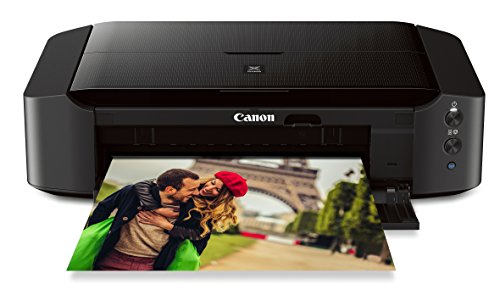
The Canon PIXMA iP8720 is the best value printer for photo printing, at around $290. It prints large photos without the price of a pro model.
- Why it stands out: a six color ink system that includes gray ink and up to 9600 by 2400 dpi produces detailed color and black and white photos, and it prints up to 13 by 19 inches.
- Convenient: wireless printing from computers with AirPrint and cloud compatibility, and a fairly quiet operation of about 43.5 dB.
- Trade off: it uses individual ink cartridges, so cost per print is higher than ink tank printers, and it does not scan or copy.
Best for: occasional large prints and budget conscious hobbyists. Skip it if you print hundreds of photos a year.
Best Upgrade Pick: Canon PIXMA PRO-200S
The Canon PIXMA PRO-200S is the best upgrade printer for photo printing, at around $545. It is a professional style 13 inch printer for serious photographers.
- Why it stands out: an eight color dye based ink system produces vibrant, high quality prints, with borderless printing from 3.5 by 3.5 inches up to 13 by 19 inches.
- Fast and easy: it prints a bordered A3+ photo in about 90 seconds or an 8 by 10 in about 53 seconds, and a 3 inch color LCD shows ink levels and status.
- Trade off: cartridge costs are higher than ink tanks, and it is a dedicated photo printer without scanning.
Best for: enthusiasts, wedding and portrait photographers and small studios. Skip it if you mainly print documents.

How to Choose the Best Printers for Photo Printing: Buying Guide
Photo printers differ from everyday printers in ink, paper handling and print size. These factors help you pick from the best printers for photo printing.
Features That Matter for Photo Printing
Look for at least six ink colors, borderless printing, support for glossy, luster and matte photo papers and a maximum print size that matches your needs. Additional inks like gray, light cyan and light magenta improve gradients and black and white prints.
Printer Type: Inkjet, Ink Tank or Laser
Inkjet printers with multi color dye or pigment inks produce the best photos. Ink tank, or supertank, printers are inkjets with refillable reservoirs and very low per print costs. Laser printers are excellent for documents but produce flat, less detailed photos on photo paper, so they are not recommended for photography.
Dye vs Pigment Ink
Dye inks produce vibrant colors and a glossy finish, ideal for most photos. Pigment inks last longer and resist fading, especially on matte and fine art papers, which matters for archival prints and sales.
Print Size
Standard photo printers print up to 8.5 by 11 inches. Wide format models print up to 13 by 19 inches, letting you frame enlargements. Compact photo printers print 4 by 6 only.
Print Speed
Photo printers print more slowly than document printers because they lay down more ink. An 8 by 10 print in about one minute is quick for photo quality.
Paper Handling
A rear feed tray handles thick fine art papers and card stock better than front trays. Some models include roll or CD printing. Check maximum paper weight if you use heavy matte papers.
Footprint and Noise
Wide format printers need deeper desks or shelves, often over 2 feet wide. Most run quietly enough for home offices.
Cost per Print and Ink Costs
Ink is the biggest long term cost. Ink tank printers can print a 4 by 6 for a few cents, while cartridge printers often cost several times more. Factor in paper costs, which can range from a few cents to over a dollar per sheet for premium papers.
Photo Printers vs Other Options
Laser Printers
Laser printers are fast and cheap for text, but their toner produces less detailed color and cannot match the smooth tones of inkjet photo prints. Choose laser for documents and an inkjet for photos.
Ink Tank (Supertank) Printers
Ink tank printers such as Epson EcoTank and Canon MegaTank use refillable bottles. Photo focused tank models deliver great photo quality with very low running costs, while basic tank models with four colors are better for documents and casual snapshots.
Compact Photo Printers
Compact dye sublimation and Zink printers make small 4 by 6 or 2 by 3 prints quickly from phones. They are convenient but limited in size. See our best compact photo printers guide.
Online Print Labs
Print labs offer professional quality and large sizes without owning a printer, but you wait for delivery and lose control over color adjustments.
Best Printers for Specific Needs
Best Home Printers for Photo Printing
For family photos and school projects, an all in one ink tank photo printer such as the Epson ET-8550 balances quality, low costs and scanning. It also handles everyday documents.
Best Printers for Black and White Photos
Printers with gray or photo black inks, like the Canon iP8720, produce neutral black and white prints without color casts.
Can Laser Printers Print Photos?
Laser printers can print photos on compatible paper, but quality is noticeably lower than inkjet. They are best kept for text and graphics.
How Much to Spend on the Best Printers for Photo Printing
- Under $300: cartridge based photo inkjets and wide format value models.
- Around $300 to $600: photo ink tank all in ones and professional dye printers.
- Over $700: pigment based professional printers for archival and gallery prints.
Photo Paper Types Explained
- Glossy: vivid colors and deep blacks with a shiny finish; great for snapshots and albums, but shows fingerprints and glare.
- Luster or semi gloss: a pebbled finish with rich color and less glare; a favorite for framed portraits and weddings.
- Matte: no glare and a soft look; good for black and white and art prints, with slightly lower contrast.
- Fine art: heavy cotton rag or textured papers for gallery style prints, best with pigment inks and rear feed trays.
Always choose the matching paper type in the printer driver so the printer applies the right amount of ink.
Getting Colors to Match Your Screen
Prints often look darker than the screen because monitors are backlit. Lower your monitor brightness to around 100 to 120 candelas per square meter when editing photos for print, and calibrate it with a hardware calibrator if you print often. Use the paper manufacturer's ICC profile, let either the printer or your editing software manage color but not both, and make a small proof print before committing to large sheets.
Common Photo Printing Problems and Fixes
- Banding or lines: run a nozzle check and head cleaning from the printer's maintenance menu.
- Color casts: confirm the paper type setting, check ink levels and disable double color management.
- Smudged prints: let glossy prints dry longer and use the correct paper side.
- Paper jams with thick paper: use the rear manual feed and check maximum paper weight.
- Prints too dark: lower monitor brightness while editing, or brighten images slightly before printing.
Photo Printing Workflow for Better Results
- Edit at the right size: crop to the print ratio, such as 4:5 for 8 by 10 or 2:3 for 4 by 6.
- Check resolution: aim for about 240 to 300 pixels per inch at the final size.
- Sharpen for print: prints usually need a little more sharpening than screen images.
- Choose paper and profile: select the exact paper type and ICC profile.
- Make a small test strip: print a section on a small sheet before printing large.
- Let it dry and evaluate under good light: judge color under daylight balanced lighting.
Tips to Get the Most From Your Printer
- Calibrate your monitor: prints match what you see more closely.
- Use the right paper profile: select the exact paper type in the print settings.
- Use genuine or high quality paper: paper affects color and sharpness as much as ink.
- Print regularly: printing at least weekly prevents nozzles from drying out.
- Let prints dry: allow glossy prints to dry before stacking or framing.
- Store paper flat and sealed: humidity and curling cause feed problems.
FAQs
What features matter most in printers for photo printing?
Six or more ink colors, borderless printing, support for photo papers, the right maximum print size and low cost per print matter most. Gray inks help black and white photos.
What does cost per page mean?
Cost per page or per print is the cost of ink and paper used for one print. It shows long term costs, which often exceed the printer's price over time.
Inkjet or laser: which is better for photos?
Inkjet is better for photos. Laser printers are faster and cheaper for documents but cannot match the color depth and smooth gradients of photo inkjets.
Are ink tank printers worth it for photos?
Yes, if you print often. Photo ink tank printers cost more upfront but can cut ink costs dramatically, making them cheaper over a couple of years.
How long do home photo prints last?
Prints on quality paper stored away from sunlight can last decades. Pigment inks and archival papers last longest, and framing behind UV protective glass helps.
What resolution do I need to print an 8 by 10?
About 2,400 by 3,000 pixels gives 300 pixels per inch at 8 by 10, which looks sharp up close. Most modern phones and cameras exceed this, so you can usually print 8 by 10 and larger without visible softness.
Can I use third party ink in a photo printer?
You can, but color accuracy and longevity may suffer, and some manufacturers limit warranty support for damage caused by third party ink. For prints you plan to frame or sell, genuine inks give the most predictable results.
Do photo printers dry out if unused?
Inkjet nozzles can clog if a printer sits for weeks. Printing a small color page once a week keeps ink flowing, and many printers run automatic maintenance cycles that use a little ink.
Final Thoughts
Choose a photo printer by how often you print, the sizes you want and your budget for ink. The Epson EcoTank Photo ET-8550 is our all around pick with low running costs, the Canon PIXMA iP8720 is the value choice for large prints and the Canon PIXMA PRO-200S is the upgrade for enthusiasts. Pair your printer with good paper and color profiles, and the best printers for photo printing will deliver prints you are proud to frame. Check the product table above for current prices.


