
Best Compact Photo Printers: Which One Fits the Way You Use It?
Disclosure: We may earn a commission when you buy through links on this page, at no extra cost to you. As an Amazon Associate I earn from qualifying purchases. Learn more

Which compact photo printer fits your use, from Zink pocket printers to 4x6 dye sublimation.
Most of our photos live on phones and never see paper. A compact photo printer changes that, turning snapshots into real prints for the fridge, scrapbook, dorm wall or party guest book in about a minute. These small printers range from pocket sized sticker printers to desktop 4x6 printers that rival lab prints. The right choice depends on print size, print technology, cost per print and how you plan to use it. The best compact photo printers make prints you are proud to display, connect easily to your phone and keep running costs reasonable.
This guide explains which type of compact photo printer suits which kind of user, the features to compare, common mistakes and how to keep your printer running well.



Who Should Buy Which Compact Photo Printers?
Pocket Zink printers suit kids, journaling and parties, 4x6 dye sublimation printers suit families and anyone who wants album quality prints, and inkjet photo printers suit hobbyists who want large prints.
For Students and Everyday Users
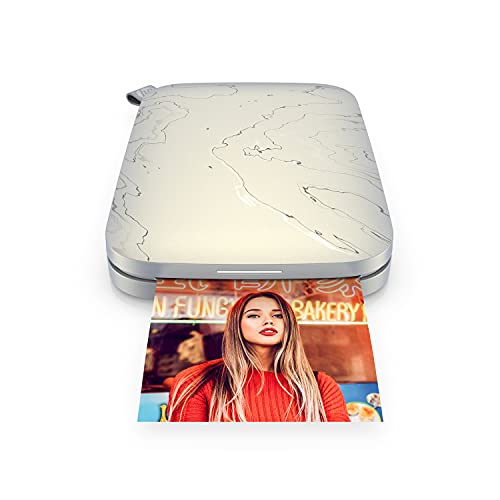
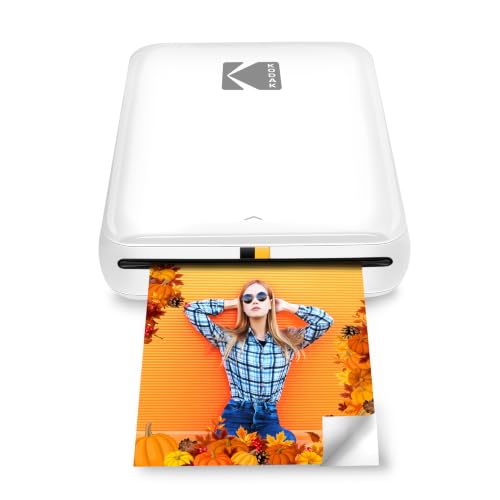
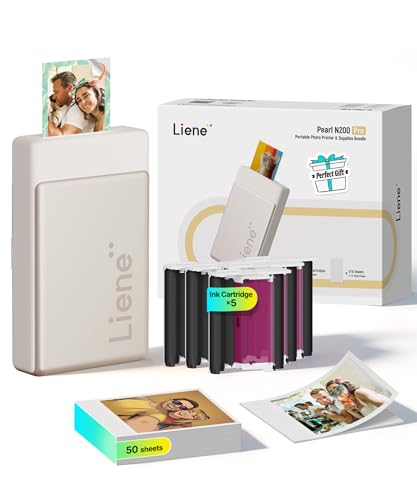
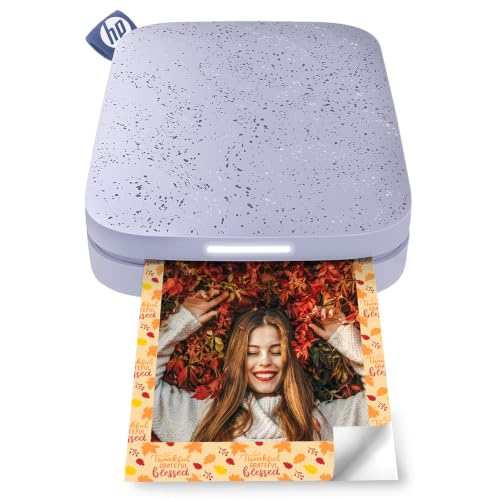
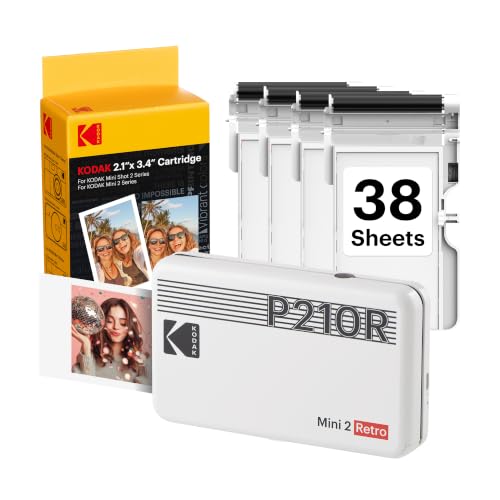
Students and casual users usually want something small, affordable and fun. Pocket printers that print 2x3 inch sticky backed photos on Zink paper, like the HP Sprocket and KODAK Step, are perfect for decorating dorm walls, planners and laptops. They need no ink cartridges, connect over Bluetooth and fit in a bag.
The trade off is print quality and size. Zink prints are smaller and less vivid than dye sublimation prints, and paper costs add up for heavy use.
For Families and Memory Keepers
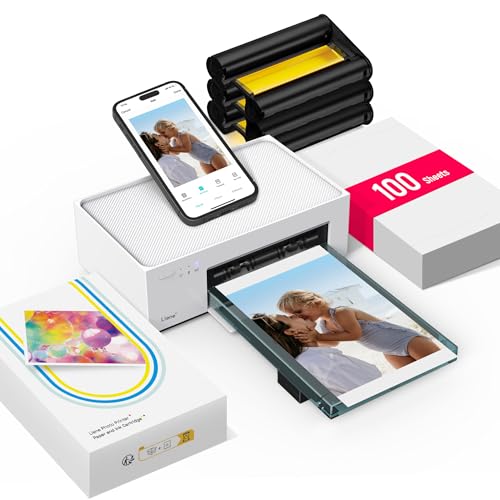
Families who want standard 4x6 prints for albums and frames should choose dye sublimation printers such as the Canon SELPHY CP1500 or Liene M100. These use a ribbon cartridge and paper pack that produce smooth, lab like prints with a protective laminate layer that resists fingerprints and water.
They cost more upfront than pocket printers but deliver noticeably better quality and are still compact enough to bring to holidays and events.
For Remote Workers, Creators and Hobbyists
Creators, crafters and small business owners who print product photos, mood boards or event photos benefit from 4x6 dye sublimation printers with app editing tools and WiFi connections that support several devices. Photographers who want 5x7 or 8x10 prints should consider a full size photo inkjet printer instead.
For Parties, Weddings and Events
Event hosts can set up a compact printer as a guest photo station. Look for printers that connect multiple phones at once, print quickly and use paper packs of 100 sheets or more to avoid running out mid party.
Best Compact Photo Printers for Specific Needs
Best Compact Photo Printers for Home
The best compact photo printers for home use print 4x6 photos with dye sublimation, connect over WiFi and offer affordable bundled paper and ink packs. The Liene M100 and Canon SELPHY CP1500 fit this role well, producing durable prints that slide into standard albums and frames.
Best HP Compact Photo Printers: What to Prioritize
The best HP compact photo printers are the Sprocket family, which prints on 2x3 or 2.3x3.4 inch Zink sticky backed paper. Prioritize the larger print size of the Sprocket Select if you want bigger photos, and check the HP Sprocket app's editing and sticker features.
Best Compact Photo Printers for Kids
For kids, choose a durable pocket printer with no ink, simple Bluetooth pairing and sticker paper. Retro instant camera styles add fun, and the low cost per unit limits damage if it gets dropped.
Key Features to Compare
Print Technology: Zink, Dye Sublimation and Inkjet
Zink (zero ink) paper contains color crystals activated by heat. Printers are small and need no cartridges, but prints are smaller and colors less accurate.
Dye sublimation printers heat a color ribbon to transfer dye onto paper in layers, finishing with a clear protective coat. Prints are smooth, vivid and long lasting.
Inkjet photo printers spray ink onto photo paper and can print larger sizes, but they are bigger and ink can dry out if unused.
Print Size and Paper Handling
Common sizes are 2x3 inches for pocket printers, 2.3x3.4 inches for larger Zink models and 4x6 inches for dye sublimation printers. Check whether paper comes in sticky backed versions, square formats or borderless options, and how many sheets the tray holds at once.
Connectivity and Mobile Printing
Bluetooth suits single users, while WiFi printers create their own hotspot or join your network so several people can print. Look for good iOS and Android apps with editing, filters, collage and ID photo layouts. Some printers also print from memory cards or USB.
Footprint and Noise
Pocket printers are about the size of a smartphone. Dye sublimation printers are roughly the size of a hardcover book and make a soft whir as paper passes back and forth for each color layer. Both are quiet enough for living rooms.
Measuring for Size and Portability
If you travel with your printer, consider weight and battery options. Pocket printers have built in rechargeable batteries; many 4x6 printers plug into the wall, while some offer optional batteries for events.
Cost per Print
Divide the price of a paper and ink pack by the number of prints. 4x6 dye sublimation prints typically cost around $0.30 to $0.50 each in bulk packs. Zink 2x3 prints often cost around $0.40 to $0.60 each. Buying larger packs reduces cost.
Compact Photo Printer Types Compared
| Type | Print Size | Quality | Portability | Typical Price |
|---|---|---|---|---|
| Zink pocket printer | 2x3 or 2.3x3.4 inch | Good, sticker backed | Excellent | Around $80 to $110 |
| Dye sublimation 4x6 | 4x6 inch | Excellent, laminated | Good | Around $120 to $240 |
| Instant film printer | Credit card size | Film look | Excellent | Around $100 to $200 |
| Inkjet photo printer | Up to 8x10 or larger | Excellent | Poor | Around $150 to $400 |
Instant Film Printers: A Different Option
Instant film printers, such as smartphone printers that use Instax style film, expose real instant film from your phone's image. Prints have the classic instant camera look with white borders and soft, nostalgic color. They are fun for parties and gifts, and each print feels special. The downsides are higher cost per print, around $0.70 to $1.00 each, and smaller credit card sized images. Choose one if you love the film aesthetic more than accurate color.
Creative Ways to Use a Compact Photo Printer
- Scrapbooks and journals: sticky backed Zink prints drop straight into planners and travel journals.
- Party guest books: guests print a photo and sign next to it.
- Classroom and office boards: teachers and teams print project photos and name tags.
- Gift tags and cards: add a personal photo to presents and thank you notes.
- Photo walls: 4x6 prints on string lights or clip boards turn a dorm or nursery wall into a gallery.
- ID and passport style photos: some apps lay out ID photo sizes on a 4x6 sheet.
- Small business packaging: print thank you photos and product labels for orders.
Printing From iPhone, Android and Computers
Most compact photo printers rely on a free companion app. iPhone users should check for AirPrint support on some 4x6 printers, which lets you print from the Photos app without extra software. Android users typically use the brand's app or a print plugin. WiFi printers that create their own hotspot avoid problems with crowded home networks, while Bluetooth printers pair quickly but connect to one phone at a time. If you edit photos on a computer, choose a printer with USB or network printing support and drivers for your operating system.
Common Problems and Easy Fixes
- Colors look off: turn off auto enhance in the app, calibrate your phone brightness and print a reference photo you know well.
- Lines across prints: clean the rollers with the cleaning sheet included in Zink packs, or check for dust on dye sublimation paper.
- Paper jams: load only the recommended number of sheets and keep paper flat and dry.
- Printer not found: reconnect to the printer's WiFi hotspot or re pair Bluetooth, and update the app.
- Ribbon runs out before paper: buy matched paper and ribbon packs so they finish together.
How Much to Spend on the Best Compact Photo Printers
Most buyers find the best compact photo printers for their needs between about $80 and $240.
- Under $100: Zink pocket printers for stickers, journals and kids.
- Around $100 to $170: larger Zink prints and entry 4x6 dye sublimation printers with starter paper.
- Around $170 to $240: premium 4x6 printers and bundles with 100 or more sheets of paper and ink.
Common Mistakes to Avoid When Buying Compact Photo Printers
- Ignoring paper costs: the cheapest printer can be the most expensive to run.
- Expecting lab quality from Zink: it is fun and convenient, but dye sublimation looks better.
- Buying the wrong paper: paper and cartridges are model specific; check compatibility.
- Printing low resolution images: heavily cropped or screenshot images look soft when printed.
- Skipping the app review: a clunky app makes printing frustrating.
Paper and Supply Guide
Supplies decide how much you will spend over the life of the printer, so check them before buying.
- Zink paper: sold in packs of 20 to 100 sheets, usually with a blue calibration sheet that should be printed first with each new pack.
- Dye sublimation packs: combine paper and a matching ribbon cartridge, often 50 or 108 prints per pack; buy the largest pack you will use within a year.
- Sticker and specialty paper: some printers offer sticker sheets, square formats or postcard sizes for crafts.
- Storage: keep packs sealed, flat and away from heat until you load them.
Avoid third party paper for dye sublimation printers, since ribbons and paper are designed as a matched set.
Tips for Better Prints
- Use original photos: avoid printing compressed images from messaging apps.
- Brighten slightly: prints often look darker than screens; raise brightness a little.
- Crop to the print shape: 4x6 is a 3:2 ratio; crop before printing to control framing.
- Let prints settle: dye sublimation prints are dry instantly, but Zink colors can shift for a minute.
- Store paper flat: keep it in its packaging away from heat and humidity.
How to Make Your Compact Photo Printer Last Longer
- Keep the printer covered or in its case to keep dust off rollers and paper.
- Use the manufacturer's paper and cartridges to avoid jams.
- Update firmware and the app for bug fixes and new features.
- Do not touch the printing side of paper or the ribbon.
- Charge battery models regularly and store them partially charged.
FAQs
Are dye sublimation printers better than Zink?
Yes, for print quality. Dye sublimation printers produce smoother, more vivid 4x6 prints with a protective coating. Zink printers are smaller, need no ink cartridges and print sticky backed photos, which makes them better for portability and crafts.
What does cost per print mean?
Cost per print is the total cost of paper and ink divided by the number of prints. It shows the true running cost of a printer. Compare paper pack prices before buying, since they vary widely between models.
How long do compact photo prints last?
Dye sublimation prints with a laminate layer can last decades in albums away from sunlight. Zink prints are durable and water resistant but may fade sooner in direct sun.
Can I print from a computer?
Many dye sublimation printers support printing from computers via USB or WiFi, while most pocket printers work only with phone apps. Check compatibility if you want to print from a laptop.
Inkjet or dye sublimation: which is cheaper long term?
For 4x6 prints, dye sublimation is often cheaper and more predictable because each pack covers a set number of prints. Inkjet costs depend on ink usage and can rise if cartridges dry out between uses.
Is a compact photo printer worth it compared with a print shop?
For occasional large orders, online print services can be cheaper per print. A compact photo printer wins for convenience, instant results at parties and small batches when you want a few prints right away. Many families use both.
Do compact photo printers need ink?
Zink printers need no ink at all; the color is built into the paper. Dye sublimation printers use a ribbon cartridge sold together with paper, and inkjet photo printers use liquid ink cartridges.
Which compact photo printer is best for travel?
A battery powered Zink pocket printer is the easiest to travel with because it fits in a jacket pocket and needs no cartridges. If you want 4x6 prints on the road, choose a dye sublimation model with an optional battery pack and pack extra paper in a flat folder.
Wrapping Up
Choose a compact photo printer by print size and quality first, then connectivity and cost per print. Pocket Zink printers suit kids, journals and parties, 4x6 dye sublimation printers suit families and memory keepers and inkjet photo printers suit large prints. The best compact photo printers bring your favorite phone photos into the real world, so check the product table above for current models and prices. For larger home printing, see our best computer printers for home guide.


