Best Computer Printers for Home by Budget: Smart Picks for 2026
Disclosure: We may earn a commission when you buy through links on this page, at no extra cost to you. As an Amazon Associate I earn from qualifying purchases. Learn more

Budget, midrange and premium picks for the best computer printers for home, with price tiers, key features and running costs.
Home printing needs have changed. Most households now print a handful of school forms, shipping labels, tax documents and the occasional photo rather than stacks of reports, yet the wrong printer can still cost a fortune in ink or sit unused because it refuses to connect to your phone. The best computer printers for home balance purchase price with running costs, connect reliably over WiFi and handle the mix of documents and photos your family actually prints.
Below are our top picks at three budgets, followed by what each price tier gets you, the features worth paying for and the long term costs to plan for.





Top 3 Picks by Budget
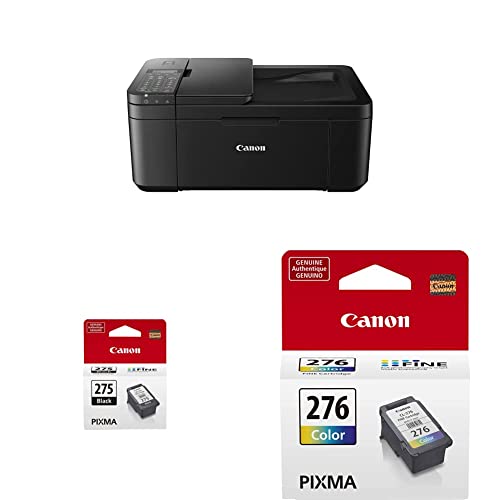
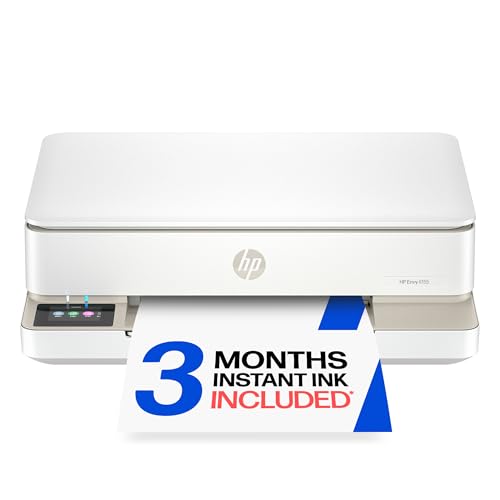
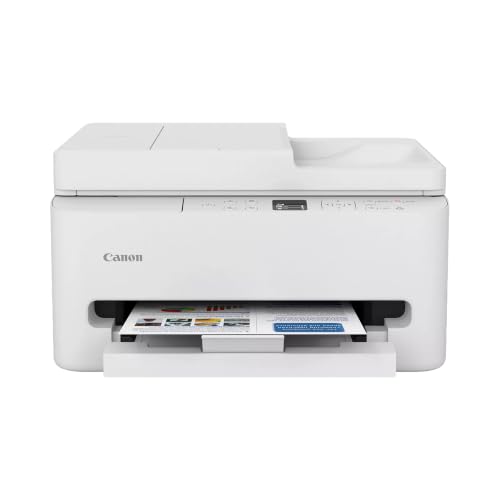
The Canon PIXMA TS6520 is the best budget home printer, the Epson EcoTank ET-2800 is the best midrange pick for low running costs, and the Epson EcoTank Photo ET-8550 is the best premium choice for photo lovers and creators. Check the product table above for current prices.
| Budget | Product | Key Spec | Best For |
|---|---|---|---|
| Best Budget Pick | Canon PIXMA TS6520 | Wireless all in one, auto duplex, dual band WiFi | Light printing and occasional photos |
| Best Midrange Pick | Epson EcoTank ET-2800 | Refillable ink tanks, up to 4,500 black / 7,500 color pages per ink set | Families who print often |
| Best Premium Pick | Epson EcoTank Photo ET-8550 | 6 color inks, prints up to 13 x 19 inches | Photographers and home studios |
Best Budget Pick: Canon PIXMA TS6520
The Canon PIXMA TS6520 is the best budget computer printer for home, at around $79. It is a compact wireless all in one that prints, scans and copies, with features usually found on pricier models.
- Why it stands out: automatic two sided printing saves paper, dual band WiFi (2.4 GHz and 5 GHz) keeps the connection stable, and a 1.42 inch OLED display shows ink levels and status.
- Print quality: a two cartridge hybrid ink system produces sharp text and vivid color, with borderless photos up to letter size.
- Trade off: ink cartridges cost more per page than tank printers, so heavy printers will spend more over time.
Best for: students, light home use and anyone who prints a few pages a week.

Best Midrange Pick: Epson EcoTank ET-2800
The Epson EcoTank ET-2800 is the best midrange home printer, at around $256. It replaces cartridges with refillable ink tanks, which dramatically lowers the cost of every page.
- Why it stands out: Epson says each replacement ink bottle set equals about 90 cartridges and yields up to 4,500 black or 7,500 color pages, with up to two years of ink included in the box.
- Everyday use: it prints, scans and copies over WiFi, handles borderless photos and prints about 10 ISO pages per minute.
- Trade off: it has no automatic duplex or document feeder, and the upfront price is higher than cartridge printers.
Best for: families, homework heavy households and anyone tired of buying cartridges.

Best Premium Pick: Epson EcoTank Photo ET-8550
The Epson EcoTank Photo ET-8550 is the best premium home printer for photos and creative projects, at around $593. It is a wide format tank printer built for lab style prints at home.
- Why it stands out: six Claria ET Premium inks produce rich color and smooth gradients, and it prints up to 13 x 19 inches for posters and portfolio prints.
- Running costs: Epson estimates a 4 x 6 inch photo costs about 4 cents to print, compared with about 40 cents using traditional cartridges, and an ink set yields up to 6,200 color pages.
- Trade off: it is large and expensive, and its strength is photos rather than high volume documents.
Best for: photographers, crafters, artists and home studios.

What Your Money Gets You at Each Price Tier
Home printer prices fall into three tiers, and each tier changes both the features you get and how much you pay per page.
Budget Tier: What to Expect
Under about $100, expect a compact inkjet all in one with WiFi, a phone app and basic scanning and copying. Some include automatic duplex printing and small displays. These printers are cheap to buy but rely on cartridges, which can make each page cost 10 to 25 cents or more for color. They are perfect for occasional printing but become expensive if you print every day. Budget printers usually lack automatic document feeders, large paper trays and fast speeds, and some cheap models can be slow to wake up and connect.
Midrange Tier: The Sweet Spot for Most Buyers
Between about $150 and $350, you can choose an ink tank printer with very low running costs, a wireless monochrome laser for fast, cheap text pages or a more capable inkjet with an automatic document feeder and duplex printing. For most families, this tier offers the best long term value: tank printers cost more upfront but often pay for themselves within a year or two of regular use, and laser printers rarely need new toner.
Premium Tier: When Spending More Pays Off
Above about $400, printers specialize. Photo tank printers add extra inks and wide format printing for gallery quality results, while office focused models add faster speeds, larger paper trays, fax and stronger security features. Spending more pays off if you print photos regularly, run a home business or print in high volume. For a family that prints a few pages a week, premium printers are usually overkill.
Features Worth Paying For (and Ones to Skip)
Some printer features save real time and money, while others look good on the box but rarely matter at home.
Connectivity and Mobile Printing
Reliable WiFi and a good phone app are worth paying for, since most home printing now comes from phones and laptops. Dual band WiFi helps in busy wireless homes, and support for Apple AirPrint and Android printing services means you can print without extra software. Ethernet is useful if your printer sits near the router. Skip paying extra for NFC or cloud features you will not use.
Printer Type: Inkjet, Laser or Tank
Cartridge inkjets are cheap to buy and great for occasional color and photos. Ink tank printers cost more upfront but slash per page costs, ideal for families. Laser printers, especially monochrome models, print text quickly and cheaply and never dry out, making them ideal for documents, labels and home offices. Color laser printers handle charts and flyers but are not great for photos.
Reliability and Support
Established brands with long warranties, easy driver downloads and responsive support are worth a small premium. Inkjets that sit unused can clog, so if you print rarely, a laser printer or a model with automatic maintenance cycles may be more reliable. Check whether replacement ink, toner and parts are easy to find.
Print Speed
Print speed is listed in pages per minute (ppm), and ISO ppm figures are the most comparable. For home use, 10 to 15 ppm is plenty. Fast laser printers reaching 30 ppm or more help home offices and students printing long documents. Skip paying extra for speed if you print only a few pages at a time.
Print Quality and Resolution
Nearly every modern printer produces sharp text. For photos, look for more ink colors (four for everyday, six for serious photo work), borderless printing and support for glossy photo paper. Resolution figures like 4800 x 1200 dpi matter less than the ink system and paper you use.
Duplex Printing and Document Feeders
Automatic two sided printing saves paper and is worth having if you print multi page documents. An automatic document feeder (ADF) lets you scan or copy stacks of pages without lifting the lid, which is invaluable for paperwork, receipts and home businesses. Skip an ADF if you rarely scan more than a page or two.
Scanning and Copying
Most home all in ones include a flatbed scanner, which is enough for photos, IDs and single page documents. Scan resolution of 1200 dpi handles photo archiving well. Look for scan to email, scan to cloud and phone scanning in the app if you digitize paperwork often. Copying is useful but rarely a deciding factor at home, since phone apps can now scan and share documents in seconds.
Paper Handling and Size
Paper tray capacity ranges from about 60 sheets on compact inkjets to 250 sheets on laser printers. Front loading trays keep the footprint small and protect paper from dust. If you print envelopes, labels or card stock, check that the printer has a rear feed or manual slot that supports those media.
How to Match Computer Printers for Home to Your Household
The right home printer depends mostly on how much and what you print. Here is a quick guide.
- A few pages a month: a budget inkjet or a compact monochrome laser that will not dry out between uses.
- Homework and family printing every week: an ink tank all in one for low cost color pages.
- Mostly text documents and shipping labels: a wireless monochrome laser printer.
- Home office with scanning: an all in one with an automatic document feeder and duplex printing.
- Photos and art prints: a photo focused tank printer with six inks and wide format support.
- Small spaces: a compact all in one with a front loading paper tray.
Long Term Costs to Factor In
The sticker price is only part of a printer's cost. Estimate cost per page by dividing the price of a cartridge, bottle or toner by its rated page yield. Cartridge inkjets often cost 5 to 10 cents per black page and 10 to 25 cents per color page. Ink tank printers can bring that down to under a cent per page. Monochrome laser toner typically costs a few cents per page. Also budget for paper, photo paper and occasional maintenance, and consider ink subscription programs, which can lower costs for steady printers but lock you into a monthly fee. Use genuine or reputable ink to avoid clogs and warranty issues.
Common Home Printer Problems and Quick Fixes
Most home printer frustrations have simple fixes that do not require a service call.
- Printer shows offline: restart the printer and router, confirm both are on the same WiFi network and reinstall the printer in your computer's settings if needed. Assigning the printer a fixed IP address in your router prevents repeat drops.
- Streaky or faded prints: run one printhead cleaning cycle, then print a nozzle check page. Repeated cleaning wastes ink, so let the printer rest between cycles.
- Paper jams: fan the paper before loading, do not overfill the tray and use paper weight the printer supports.
- Slow printing from a phone: update the printer firmware and app, and move the printer closer to the router or onto the 5 GHz band if supported.
- Ink runs out quickly: switch to draft or grayscale mode for everyday pages, or upgrade to a tank or laser printer if you print often.
- Colors look wrong on photos: choose the correct paper type in the print settings and use the maker's photo paper for best results.
Keeping firmware updated and printing regularly prevents most of these issues before they start, and choosing the right type among the best computer printers for home avoids the rest.
Setup and Care Tips
Place your printer within good WiFi range, install the maker's app and connect it to your network during setup. Print at least one page a week on inkjets to keep printheads from drying out, and run the cleaning cycle only when you see streaks, since it uses ink. Keep paper in a dry place to prevent jams, update firmware when prompted and cover the printer to keep dust out.
FAQs
What does cost per page mean?
Cost per page is how much ink or toner each printed page costs, calculated by dividing the price of the cartridge, bottle or toner by the number of pages it prints. It is the best way to compare long term costs: a cheap printer with expensive cartridges can cost far more over time than a pricier tank or laser printer.
Which printer is easiest for beginners to set up?
Wireless all in one inkjets with guided phone app setup are usually the easiest for beginners. They walk you through connecting to WiFi, installing ink and printing a first page in a few minutes. Compact monochrome laser printers are also simple, with few consumables to manage.
Are ink tank printers worth it?
Yes, if you print regularly. Ink tank printers cost more upfront, but their bottled ink lasts for thousands of pages, bringing per page costs to a fraction of cartridge printers. For households printing only a few pages a month, a cheaper cartridge printer or laser may make more sense.
Inkjet or laser: which is cheaper long term?
For text heavy printing, a monochrome laser is usually cheapest long term because toner lasts for thousands of pages and never dries out. For color and photos, an ink tank printer is cheapest. Cartridge inkjets are the most expensive per page but have the lowest upfront cost.
Our Verdict
For light printing, the Canon PIXMA TS6520 delivers useful features like auto duplex and dual band WiFi at a budget price. The Epson EcoTank ET-2800 is the smart midrange choice for families who print often and want very low running costs, and the Epson EcoTank Photo ET-8550 is the premium pick for photographers and creators. Match the printer type to how much you print, and the best computer printers for home will save you time, money and frustration. For more options, see our guides to the best home printers and the best home office printers.