
Best 2 TB External Hard Drives for 2026: Portable and Desktop Storage
Disclosure: We may earn a commission when you buy through links on this page, at no extra cost to you. As an Amazon Associate I earn from qualifying purchases. Learn more

Best 2 tb external hard drives explained: portable or desktop, hard drive or SSD, and how to back up safely.
Two terabytes is the size where an external drive stops feeling cramped: room for a laptop backup, a big photo archive, a long video project and a console game library, all on one slim box. This guide to the best 2 tb external hard drives explains how to choose between slim portable drives, rugged models and desktop drives, and what to check on the listing before you order.
The product table lists external hard drives and fast portable drives available new. The sections below help you decide which type suits your computer, your travel habits and your backup plan.


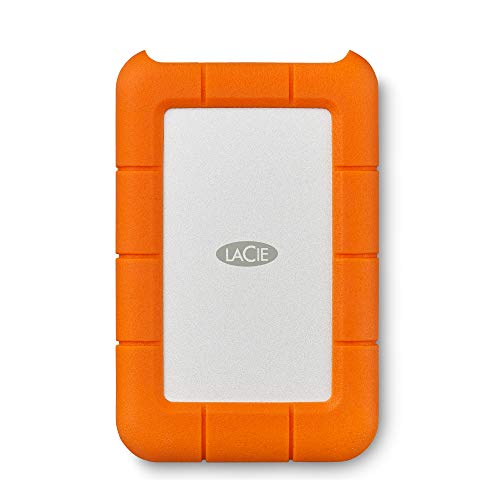
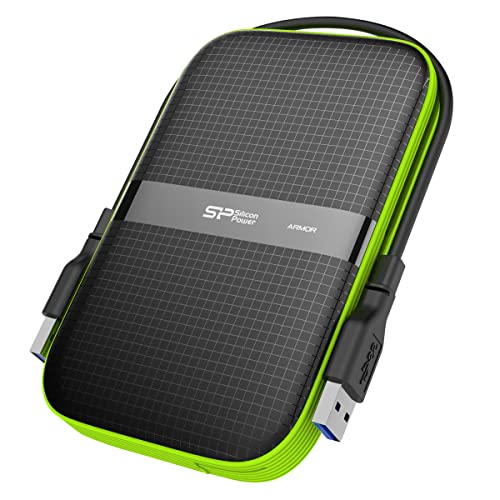

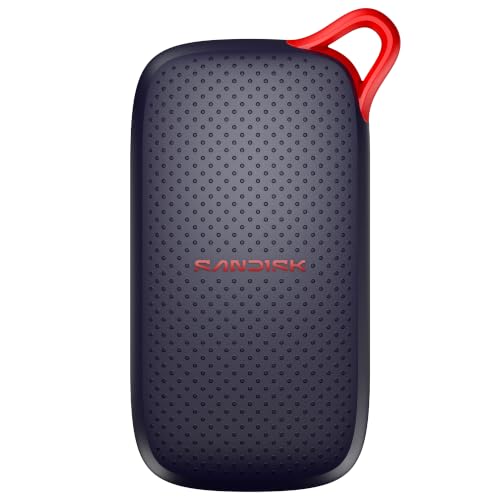

Portable Hard Drive or Portable SSD
A portable hard drive stores two terabytes at a low price and suits backups and archives. A portable SSD is faster, quieter and tougher but costs a lot more at this capacity. If your job is to keep a big archive, a hard drive is the economical choice. If you edit from the drive or move files daily, consider an SSD.
2.5 Inch Portable or 3.5 Inch Desktop
Portable drives use 2.5 inch mechanisms and run from a single USB cable, which makes them easy to carry. Desktop drives use 3.5 inch mechanisms, need a power adapter and often cost less per terabyte and run faster. For a drive that stays on a desk, a desktop model can be a better value, and for travel, a portable drive is the choice.
Interface and Cables
Most drives use USB 3 with a Micro-B or USB-C connector. A USB-C to USB-A cable is often included, but check. Slower USB 2 ports will work but will cut the speed a lot, so use a USB 3 port. Mac users should check that the drive works with their file system.
Speed Expectations
A portable hard drive reads at around 100 to 140 megabytes per second, far less than an SSD. Big copies take longer, and a full drive slows down. For backups that run overnight, speed matters less than reliability.
Rugged Drives and Shock Resistance
A portable hard drive has moving parts, so drops and knocks can cause damage. Rugged models add a rubber bumper and sometimes water resistance. If your drive travels in a bag, choose a rugged one.
Backup Software and Encryption
Many drives include backup software and password protection. Built in options work too: Windows has File History and Mac has Time Machine. Encryption is a useful safeguard if you carry personal files.
Console and TV Use
Many consoles accept external drives for game storage, though each has limits. Smart TVs may accept a drive for recording. Check the maker notes for supported capacities and file systems.
Reliability and Warranty
Look at the warranty, which usually ranges from two to three years. Drives that store irreplaceable files deserve a second copy on another drive or in the cloud. Avoid listings that show a capacity without naming the maker clearly.
Setup Tips
- Format the drive for your computer: exFAT for sharing, NTFS for Windows, APFS for Mac.
- Eject safely before unplugging.
- Keep the drive flat and still while it works.
- Make a second copy of anything important.
Using a 2TB Drive for Backups
A drive of this size can hold several full backups of a laptop. Set up automatic backups with the built in tools, and keep the drive plugged in during the backup window. Store the drive in a different room or building from your computer for protection against theft and fire. Try a restore once a year by opening a few files from the backup.
Photo and Video Archives
Two terabytes holds tens of thousands of photos and a good amount of video. Organise files by year and event, keep a copy of originals and avoid editing directly on a slow hard drive. For video, copy the footage to the computer for editing and use the drive for archives.
Gaming Libraries
Many consoles can run older games from an external drive, but newer titles often need the internal SSD or a fast external SSD. A hard drive is fine for storing games that you play less often and for moving them back when needed. Check your console rules and the supported connection.
Choosing Between Brands and Models
Makers offer similar drives under different names, so compare the warranty, the cable type and the buyer comments about noise and reliability. A longer warranty is a plus. Beware of listings with unclear capacities or unfamiliar names at suspiciously low prices.
Travel and Storage Tips
Pack the drive in a padded pouch, keep it away from heat and magnets and avoid moving it while it is working. If you travel with irreplaceable files, carry a second copy in another bag.
Choosing a Cable and Port
Use the shortest good cable, plug into a USB 3 port on the computer and avoid cheap hubs that share bandwidth. If your laptop only has USB-C ports, check that the drive has a USB-C cable or buy an adapter. A loose connection is a common cause of disconnects, so seat the plug firmly.
Why Capacity Labels Differ
A drive sold as two terabytes shows about 1.8 terabytes in the operating system, because makers count in decimal while computers count in binary. This is normal and not a defect. Also keep a little free space for the file system to work well.
Frequently Asked Questions
Is 2TB enough?
For most people yes. Video editors and large game libraries may need more.
Hard drive or SSD?
Hard drives are cheaper for storage, SSDs are faster and tougher.
Can I use it with a console?
Often yes, if the console supports external storage.
Do I need to format it?
Mac users and console owners may need to reformat the drive.
How long do external drives last?
Several years with care, but any drive can fail.
How do I choose the best 2 tb external hard drives?
Decide between portable and desktop, then check the interface, the cable and the warranty.
Final Verdict
The best 2 tb external hard drives match your travel habits, your computer and your backup plan. Compare the options in the product table and see our guides on the best 2 tb hard drives and best hard external hard drives. Prices and availability change, so check the product page before ordering.


