Entina
Entina Mini 3D Printers Tina2 Basic, Fully Assembled and Auto Leveling 3D Printer for Beginners and Kids, Easy Setup, Safe Design, High Precision Printing FDM Mini 3D Printer for Home & School
Disclosure: We may earn a commission when you buy through links on this page, at no extra cost to you. As an Amazon Associate I earn from qualifying purchases. Learn more
Highlights
- 3D Printer for Beginners and Kids: Out of the box, fully assembled, Speedy Printing –TINA2 BASIC 3d printer is super easy to use and does not require a complex setup, TF card includes test models and slicing software, you can start the first print 5 minutes!
- Ready to Print: Equipped with 2.4" LCD screen and Wiibulider slicer software makes it easy to conduct offline printing using the MicroSD Card. The 3-d printer supports resume printing after suffering unexpected power outages or your stopping printing.
- Fully Open-Source: Entina TINA2 BASIC Mini 3D printer adopts a safety-first design philosophy, featuring complete open-source compatibility for enhanced flexibility and a wider range of printing options. Built to last, it empowers you to print freely and enjoy the creative process.
- Auto Leveling & Magnetic Platform: The small 3d printer does not need manual leveling, the intelligent leveling system can automatically adjust the uneven bed, thus realizing one-touch leveling and printing. With flexible and removable magnetic build plate, you can remove the models easily.
- Compact Design:This is light weight and minimalist desktop 3D printers, the mini 3D printer size is 8.3''x8.3''x11.4'', weight is 3kg. Light weight and portable design make it perfect for home use, classrooms, offices and door rooms. The build volume is 100x105x100mm.
- Dual Z-axis Rails: High-precision printing is the most outstanding feature of Tina2. The dual Z-axis design makes the auto leveling 3D printers run more stable, which greatly improving the printing details and precision. Ideal for beginners DIY Kinds of Craft.
- Perfect Gift: Tina2 FDM 3d printers, Knob operation, one button in/out filament, a perfect gift for beginners and children, will make printing fun for hobbyists quickly.
Why You'll Love It
- Fully assembled design gets beginners printing without a complex initial setup
- Automatic bed leveling helps prepare the build surface with one touch
- Compact footprint suits home, classroom, office, and dorm room workspaces
- Magnetic removable platform makes finished models easier to take off
- Included TF card provides sample models and slicing software to start quickly
Pros
- +Fully assembled for beginners
- +Automatic leveling
- +Compact desktop footprint
- +Resume printing support
- +Removable magnetic platform
Cons
- -100 x 105 x 100mm build volume
- -Knob based operation may feel basic
- -Requires MicroSD card printing workflow
Detailed Review
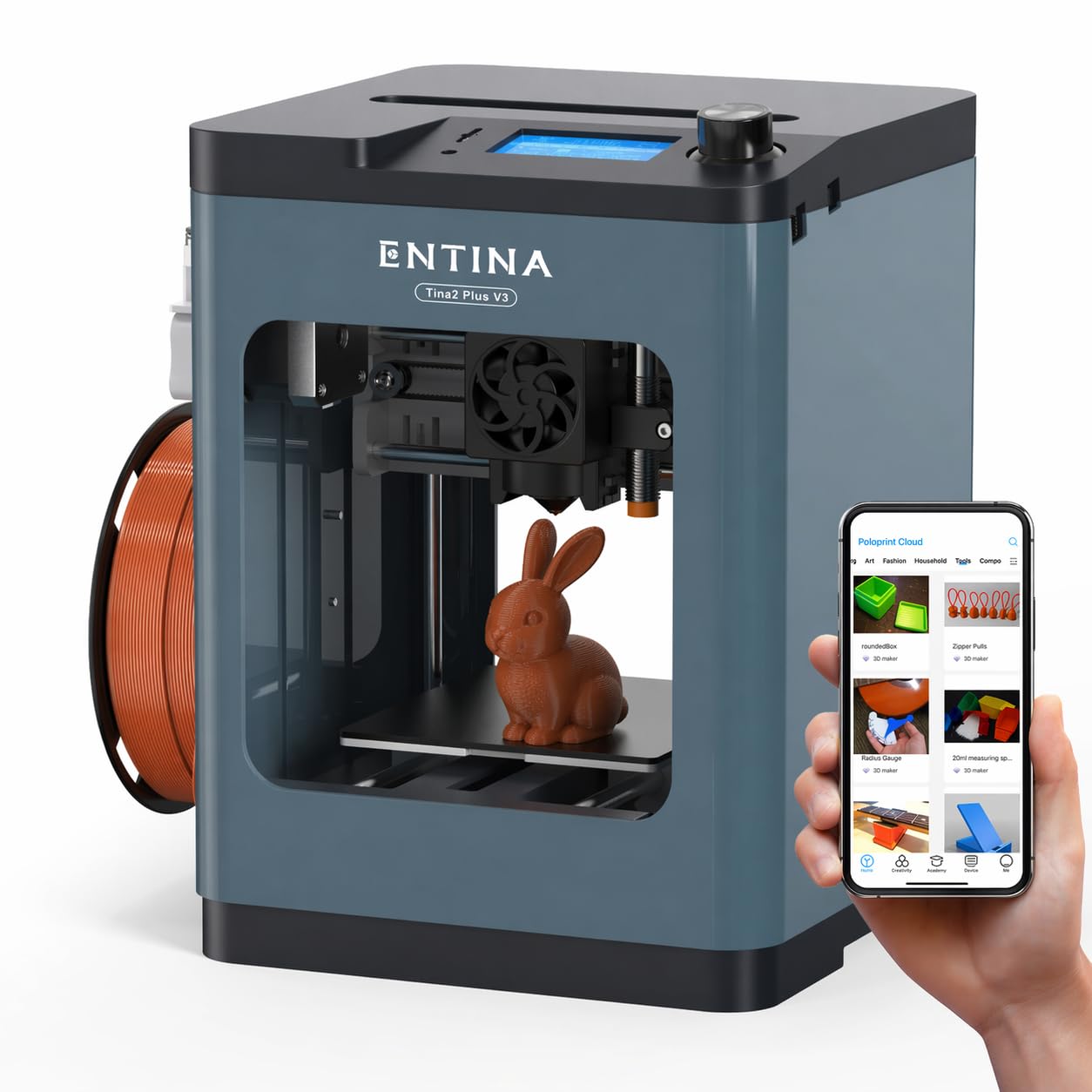
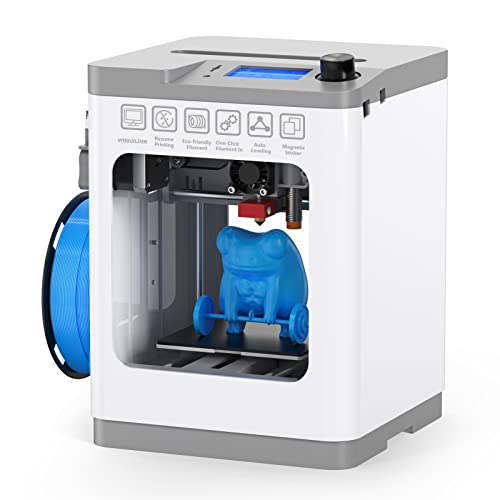
Entina Tina2 is a mini 3D printer built around an easy starting point: it arrives fully assembled and is aimed at beginners, children, home users, classrooms, offices, and dorm rooms. Its compact design reduces the amount of space needed for a creative project, while the included TF card provides test models and slicing software so a new owner can move from setup to a first print without a complex process.
The automatic leveling system is one of the most useful everyday features. Instead of requiring manual bed leveling, the printer can adjust for an uneven bed and support one touch leveling before printing. That should make the initial learning curve more manageable for someone who wants to focus on choosing a model rather than preparing the platform by hand.
Printing is handled through a 2.4 inch LCD screen, knob operation, and offline files transferred with a MicroSD card. The printer supports resume printing after an unexpected power outage or after printing has been stopped, which helps protect progress on a project. The flexible, removable magnetic build plate also gives the owner a straightforward way to remove completed models.
The dual Z axis rail design is intended to keep the printer running more steadily and support detailed, high precision printing. The fully open source approach adds flexibility for people who want more printing options as they become comfortable with the hobby. One button in and out filament operation keeps a basic task simple, although the overall system is intentionally compact and uncomplicated rather than designed for large objects.
The main trade off is the fixed build volume of 100 x 105 x 100mm. That size is well suited to small projects, classroom activities, and beginner crafts, but shoppers planning larger models should consider a larger printer. Verdict: Buy the Tina2 if you want a small, assembled 3D printer with automatic leveling and beginner focused controls. Look elsewhere if your projects require a larger build area or a different workflow than offline MicroSD card printing.
Specifications
- Printer type: FDM mini 3D printer
- Dimensions: 8.3 x 8.3 x 11.4 inches
- Weight: 3kg
- Build volume: 100 x 105 x 100mm
- Display: 2.4 inch LCD screen
- Printing method: Offline printing using a MicroSD card
- Leveling: Automatic leveling
- Build plate: Flexible, removable magnetic platform
- Rail design: Dual Z axis rails
Who Should Buy It
A great fit if you:
- Want a ready assembled printer for learning basic 3D printing without a complicated starting process.
- Need a compact creative tool for a home, classroom, office, or dorm room workspace.
- Prefer making smaller models and beginner crafts rather than large physical projects.
- Value automatic leveling and a removable platform because you want fewer preparation steps.
- Are buying for a child or hobbyist who benefits from knob controls and included sample files.
Consider something else if you:
- Plan to create objects larger than the listed build volume and need a larger capacity model.
- Prefer a printer with a different file transfer or control method than offline MicroSD printing.
Before You Buy
Confirm on the listing:
- Measure your intended shelf or desk area against the listed 8.3 x 8.3 x 11.4 inch printer size.
- Check whether the included TF card content and slicing software fit the way you want to prepare files.
- Confirm what is included in the box beyond the TF card, test models, and slicing software.
- Check the listing for the exact power requirements and any care instructions relevant to your setup.
How to compare your options: Focus on build volume, setup difficulty, leveling method, file transfer process, and how finished models are removed. The Tina2 favors a compact 100 x 105 x 100mm workspace, automatic leveling, offline MicroSD printing, and a flexible magnetic platform. Compare those priorities with your planned projects, available space, and preferred controls before choosing.
Getting the Most From It
Place the fully assembled printer where its compact footprint works comfortably for your projects, and keep the workspace arranged so the LCD screen and knob controls are easy to reach.
Use the included TF card to explore the sample models and slicing software. If you prepare your own files, follow the software instructions and use the offline MicroSD card workflow described for the printer.
Use the automatic leveling function before printing so the system can adjust the bed. Let the removable magnetic platform remain in place during printing, then remove it as intended when the model is finished.
If printing stops because of an unexpected power outage or because you pause the project, use the resume printing support. For routine care, follow the manufacturer instructions for the platform, filament path, screen, and other printer parts.
FAQ
Is the Entina Tina2 assembled when it arrives?
Yes, it is fully assembled for a simpler starting process. The TF card includes test models and slicing software to help beginners begin printing without a complex setup.
Does this mini 3D printer level itself?
Yes, it has automatic leveling. Its intelligent leveling system adjusts for an uneven bed and supports one touch leveling before printing.
What size models can it make?
The build volume is 100 x 105 x 100mm. That makes it suited to small models and beginner crafts, while larger projects may need a printer with more build space.
How do I print files with the Tina2?
It supports offline printing using a MicroSD card. A 2.4 inch LCD screen and knob operation provide the main controls, and the included slicing software helps prepare files.
Can it continue after printing stops?
Yes, the printer supports resume printing after an unexpected power outage or after printing has been stopped. Its removable magnetic platform also helps with taking completed models off the printer.
Product Details
| Brand | Entina |
| ASIN | B0G48RMY6H |