Logitech
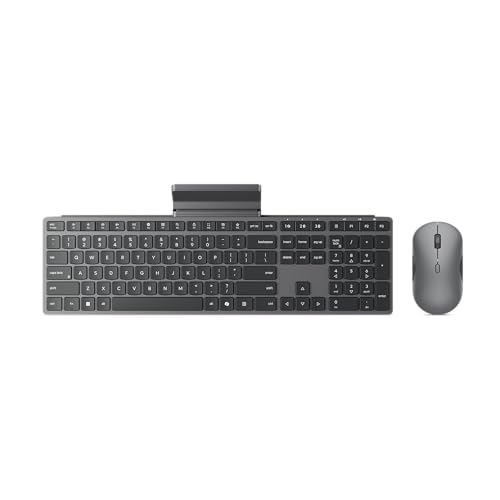
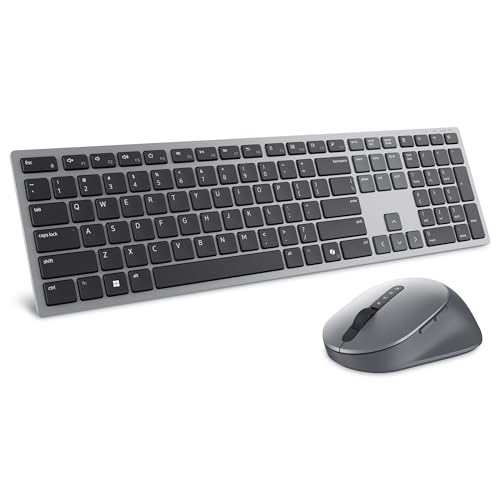
Logitech MK270 Full Size Wireless Keyboard and Mouse Combo - Black | Full size keyboard with spill-resistant design, compact ambidextrous mouse, connect via single included USB-A Nano Receiver
Disclosure: We may earn a commission when you buy through links on this page, at no extra cost to you. As an Amazon Associate I earn from qualifying purchases. Learn more
Highlights
- Reliable Plug and Play: The USB receiver provides a reliable wireless connection up to 33 ft (1), so you can forget about drop-outs and delays and you can take it wherever you use your computer
- Type in Comfort: The design of this keyboard creates a comfortable typing experience thanks to the low-profile, quiet keys and standard layout with full-size F-keys, number pad, and arrow keys
- Durable and Resilient: This full-size wireless keyboard features a spill-resistant design (2), durable keys and sturdy tilt legs with adjustable height
- Long Battery Life: MK270 combo features a 36-month keyboard and 12-month mouse battery life (3), along with on/off switches allowing you to go months without the hassle of changing batteries
- Easy to Use: This wireless keyboard and mouse combo features 8 multimedia hotkeys for instant access to the Internet, email, play/pause, and volume so you can easily check out your favorite sites
- Comfortable Mouse: This compact wireless mouse is designed to be equally comfortable for both left- and right-handed users, plus its smooth cursor control allows easy navigation on most surfaces
- Plastic parts in MK270 include certified post-consumer recycled plastic: 49% for the mouse and 54% for the keyboard.
- Upgrade to Logitech MK540 Combo: Experience increased comfort with the MK540 combo, featuring scooped keys, palm rest, full-size mouse with soft rubber grips, and customizable shortcuts
Why You'll Love It
- Connect the keyboard and mouse through one included USB A nano receiver for a simpler wireless setup
- Type on quiet, low profile keys with a full size layout, number pad, arrow keys, and F keys
- Spend less time changing batteries with up to 36 months of keyboard life and 12 months for the mouse
- Use eight multimedia shortcuts to reach email, internet, playback controls, and volume more directly
- Handle everyday desk use with a spill resistant keyboard, adjustable tilt legs, and durable keys
- Choose an ambidextrous compact mouse and recycled plastic content in both included devices
Pros
- +Full size keyboard layout
- +Long stated battery life
- +Eight convenient multimedia shortcuts
- +Ambidextrous compact mouse
- +Spill resistant keyboard design
Cons
- -Compact mouse may not suit larger mouse preferences
- -Keyboard and mouse require separate battery changes
- -Wireless connection depends on the included USB receiver
Detailed Review
The Logitech MK270 wireless keyboard and mouse combo suits shoppers who want a straightforward way to control a computer without keeping both input devices tethered by cables. Its main appeal is the combination of a full size keyboard, a compact mouse, and one included USB A nano receiver. Rather than concentrating on specialized features, it covers familiar everyday tasks such as typing, entering numbers, navigating a screen, and controlling media. That makes it a practical option for a general purpose desk setup where a conventional layout matters more than extensive customization.
The keyboard has low profile, quiet keys and a standard layout with full size F keys, a number pad, and arrow keys. These details matter if your regular work involves typing documents, entering numerical information, or moving through text with the arrow keys. Eight multimedia hotkeys provide shortcuts for internet access, email, play and pause, and volume. The spill resistant design, durable keys, and sturdy tilt legs with adjustable height also give the keyboard some useful everyday flexibility. The spill resistance is a design feature, not a reason to ignore the care instructions.
The wireless connection is designed to work up to 33 feet through the included receiver, offering flexibility in where you position your computer controls. Logitech lists battery life of up to 36 months for the keyboard and 12 months for the mouse, with on and off switches on the devices. Those stated durations can make battery upkeep less frequent, although the keyboard and mouse have different expected battery lives. The compact mouse is designed for both left and right handed users, and its smooth cursor control is intended for navigation across most surfaces. The plastic parts also contain certified post consumer recycled plastic, accounting for 54% of the keyboard and 49% of the mouse.
The main trade off is the deliberately conventional design. The keyboard is full size, so shoppers should consider the space it will occupy, while the mouse is compact rather than full size. The listed features emphasize convenient shortcuts and straightforward operation instead of a palm rest, scooped keys, a full size mouse, or customizable shortcuts. Those seeking those particular features may prefer a different configuration. Wireless operation also means keeping the included receiver available and remembering that the two devices have separate battery life expectations.
Verdict: Buy the Logitech MK270 wireless keyboard and mouse combo if you want a full size typing layout, convenient media shortcuts, and a compact ambidextrous mouse for general computer use. Consider a different wireless keyboard and mouse set if a palm rest, scooped keys, a full size mouse, or customizable shortcuts are priorities.
Specifications
- Brand and model: Logitech MK270
- Product type: Wireless keyboard and mouse combo
- Color: Black
- Connection: One included USB A nano receiver
- Wireless range: Up to 33 feet
- Keyboard: Full size layout, low profile keys, F keys, number pad, and arrow keys
- Keyboard design: Spill resistant, durable keys, adjustable tilt legs
- Multimedia shortcuts: Eight hotkeys
- Keyboard battery life: 36 months as stated by the seller
- Mouse battery life: 12 months as stated by the seller
- Mouse design: Compact and ambidextrous
- Recycled plastic content: 54% of the keyboard and 49% of the mouse, using certified post consumer recycled plastic
Who Should Buy It
A great fit if you:
- Need a familiar keyboard layout for regular typing, numerical entry, and navigating documents without giving up dedicated keys.
- Want a wireless keyboard and mouse that share one included USB A nano receiver rather than separate receivers.
- Prefer convenient media shortcuts for reaching email, the internet, playback controls, and volume during everyday computer tasks.
- Share a computer with left handed and right handed users who need a mouse designed for either hand.
- Value long stated battery life and want to reduce how often you need to change batteries.
Consider something else if you:
- Prefer wrist support and shaped keys, in which case a keyboard with a palm rest and scooped keys may suit you better.
- Want a larger mouse for your setup, in which case a combo with a full size mouse is a better direction.
Before You Buy
Confirm on the listing:
- Check the keyboard's physical dimensions and measure your available desk space to ensure its full size layout will fit comfortably.
- Confirm that your computer supports the included USB A nano receiver and that the combo suits your intended setup.
- Review the package contents and battery requirements, including whether the batteries you need are included.
- Check the care instructions for the spill resistant keyboard and confirm that the compact mouse suits your preferred way of working.
How to compare your options: Start with keyboard layout, mouse size, connection method, and the features you use regularly. This combo offers a full size keyboard, one receiver, eight multimedia shortcuts, and an ambidextrous compact mouse. Compare those details with your workspace and typing preferences before deciding. If comfort features such as a palm rest, scooped keys, or a full size mouse matter more to you, prioritize a configuration that includes them.
Getting the Most From It
Choose a desk position that accommodates the full size keyboard and leaves enough room for the mouse to move comfortably. Keep the included USB A nano receiver accessible as part of your computer setup, and consult the product instructions if you need help establishing the connection.
Adjust the keyboard's tilt legs to a height that feels suitable for your typing position. Use the dedicated multimedia hotkeys for supported everyday tasks such as opening email, accessing the internet, controlling playback, and adjusting volume instead of relying on longer navigation sequences.
Use the keyboard and mouse on surfaces that suit your setup, keeping in mind that the mouse is designed for navigation on most surfaces. Its ambidextrous shape allows it to accommodate either hand.
Make use of the on and off switches when appropriate, and monitor the keyboard and mouse separately because their stated battery lives differ. Follow the care instructions for cleaning, and treat spill resistance as a helpful design feature rather than a substitute for careful handling.
FAQ
What comes with the Logitech MK270?
The combo includes a full size wireless keyboard, a compact wireless mouse, and one USB A nano receiver. Check the package details for any additional items and battery inclusion.
How does the keyboard and mouse connect?
Both devices connect wirelessly through the included USB A nano receiver. The stated wireless range is up to 33 feet, so consider where the computer and controls will be positioned.
How long do the batteries last?
The stated battery life is 36 months for the keyboard and 12 months for the mouse. Actual upkeep should account for the two different durations and the on and off switches.
Is the mouse suitable for left handed users?
Yes, the compact mouse is designed for both left handed and right handed users. Its shape is intended to support either hand, although shoppers who prefer a full size mouse may want another option.
Can I clean the keyboard after a spill?
The keyboard has a spill resistant design, but that does not establish that it is waterproof. Follow the manufacturer's care instructions for appropriate cleaning and handling.
Product Details
| Brand | Logitech |
| ASIN | B079JLY5M5 |