Razer
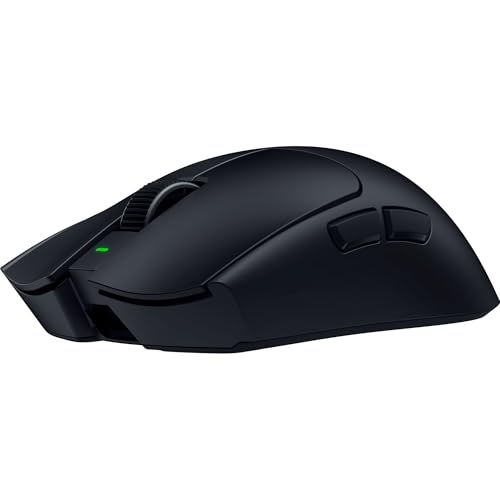
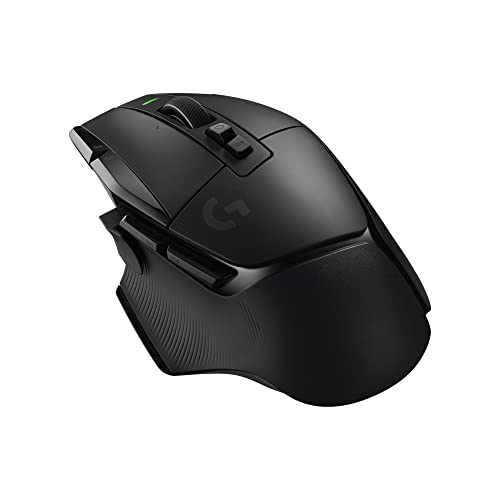
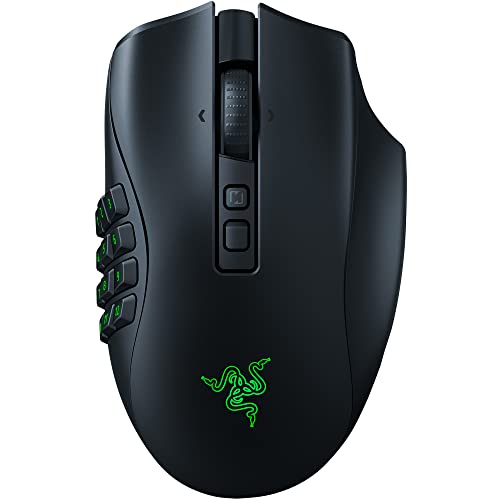
Razer Naga V2 Pro Wireless MMO Gaming Mouse, 300 Hr Battery, Black
Disclosure: We may earn a commission when you buy through links on this page, at no extra cost to you. As an Amazon Associate I earn from qualifying purchases. Learn more
Highlights
- ABSOLUTE ADAPTABILITY AND CONTROL — This mouse comes with a set of 12, 6 and 2-button magnetic side plates, allowing to adapt to any game genre with control of up to 19 plus 1 programmable, backlit buttons
- RAZER HYPERSCROLL PRO WHEEL — With adjustable tactility, resistance, and steps, create firmer, more distinct scrolls for precise weapon switching, or softer, smoother scrolls with multiple steps to easily spam inputs like jump
- RAZER HYPERSPEED WIRELESS — With a connection 25% faster than any other wireless tech available, enjoy high-performance, low-latency competitive play that remains smooth and stable even in noisy wireless environments
- FOCUS PRO 30K OPTICAL SENSOR — Razer’s brand-new sensor provides flawless tracking performance on a wider variety of surfaces including glass —supported by intelligent functions for enhanced aim and control
- OPTICAL MOUSE SWITCHES GEN-3 — From an improved 90-million click lifecycle with zero double-clicking issues, to a blistering 0.2ms actuation with no debounce delay, enjoy reliability and speed that outshines all others
- VERSATILE CONNECTIVITY AND POWER — Lasts up to 150 hours on HyperSpeed or 300 hours on Bluetooth. Rechargeable via Type C, the Razer Mouse Dock Pro, or be made wireless charging compatible with the Razer Wireless Charging Puck (Dock and Puck are sold separately)
- PC GAMING PERIPHERALS BRAND IN THE U.S. — Source — Circana, Retail Tracking Service, U.S., Dollar Sales, Gaming Designed Mice, Keyboards, and PC Headsets, Jan. 2019- Dec. 2023 combined
- OPTIMIZE MOUSE ACCURACY — Improve accuracy by disabling the "Enhance pointer precision" option in the Windows mouse settings, and further optimize performance using the Razer Synapse App
Why You'll Love It
- Swap between 12, 6, and 2-button magnetic side panels for different game styles
- Customize scroll wheel tactility, tension, and steps to match distinct gaming commands
- Track smoothly on glass and other surfaces using the Focus Pro 30K sensor
- Enjoy quick actuation and avoid double clicks with Gen-3 optical mouse switches
- Play untethered for up to 300 hours on Bluetooth or 150 hours on HyperSpeed
- Recharge via USB Type C, optional wireless charging dock, or add-on wireless puck
Pros
- +Three swappable magnetic side plates included
- +Up to 300 hours of battery life
- +Optical switches rated for 90 million clicks
- +Tracks on glass with 30K optical sensor
- +Customizable scroll wheel resistance and steps
Cons
- -Wireless dock and charging puck sold separately
- -Requires software adjustments to fine tune accuracy
Detailed Review
Switching between complex MMO hotbars, fast battle royales, and daily work tasks often demands different controller layouts, and this wireless MMO gaming mouse solves that dilemma by packing three interchangeable magnetic side plates into a single shell. Players can quickly swap between 12-button, 6-button, and 2-button configurations, granting access to up to 19 plus 1 programmable, backlit buttons. This adaptability lets you keep your most critical keybinds directly under your thumb without needing multiple dedicated peripherals on your desk.
Core control relies on the Razer HyperScroll Pro Wheel, which stands out by allowing full adjustment of scroll tactility, resistance, and step count. You can dial in firm, distinct steps to prevent over-scrolling when cycling through inventory weapons, or loosen the tension into a smooth, multi-step spin when you need to spam rapid inputs like jumping. Underneath the main buttons, Gen-3 optical mouse switches register clicks at a 0.2ms actuation speed with zero debounce delay, eliminating unwanted double clicks while offering a 90-million click lifespan.
Movement tracking is handled by the Focus Pro 30K optical sensor, engineered with intelligent functions to maintain accurate tracking on a wide range of surfaces, including glass mousepads and desks. For connectivity, the mouse includes both low-latency Razer HyperSpeed Wireless for interference-heavy environments and Bluetooth for extended battery sessions. You get up to 150 hours of continuous play on HyperSpeed and up to 300 hours on Bluetooth, with recharging handled directly through a Type C cable connection.
While the mouse offers multiple power options, convenience upgrades like the Razer Mouse Dock Pro and the Razer Wireless Charging Puck are not bundled in the box and require separate purchases. Additionally, unlocking full tracking precision and deep customization calls for adjusting Windows pointer settings and installing the Razer Synapse app, which may feel like extra setup work if you prefer simple plug-and-play operation.
Verdict: This wireless MMO gaming mouse is an outstanding match for gamers who jump across varied genres and require high button density alongside customizable scroll mechanics. Shoppers seeking a basic, zero-software pointer without modular side plates should look toward a standard fixed-button model instead.
Who Should Buy It
A great fit if you:
- Play MMOs, MOBAs, or action games that require up to 20 programmable button inputs at your fingertips.
- Want the flexibility to swap between 12-button, 6-button, and 2-button thumb layouts on a single peripheral.
- Need extended battery life that lasts up to 300 hours over Bluetooth or 150 hours on low-latency wireless.
- Play on glass surfaces or various desk materials that require high-precision 30K optical sensor tracking.
Consider something else if you:
- Prefer a lightweight, streamlined mouse with a fixed two-button side profile and no modular parts.
- Want a peripheral that includes all available wireless charging accessories right out of the box.
- Dislike installing companion software and adjusting operating system pointer settings to configure your device.
Before You Buy
Confirm on the listing:
- Check whether a charging cable is included in the box alongside the three magnetic side plates.
- Verify if you already own or need to order the optional Razer Mouse Dock Pro or Wireless Charging Puck for magnetic charging.
- Confirm the physical dimensions and weight on the product page to make sure the body fits your grip style comfortably.
- Check the operating system requirements for running the Razer Synapse app to configure button layouts.
How to compare your options: Focus on input flexibility, sensor capability, and power delivery when weighing options in this category. The Razer Naga V2 Pro distinguishes itself with modular 2, 6, and 12-button side plates and mechanical wheel tension adjustments, while many alternatives stick to fixed button counts. If you value switching between heavy macro loadouts and standard desktop browsing without swapping mice, this modular design offers a clear advantage over single-layout devices.
Getting the Most From It
Follow these steps to set up and maintain the mouse for peak performance:
- Disable the Enhance pointer precision option within your Windows mouse settings to improve tracking consistency across all applications.
- Download and install the Razer Synapse app to configure custom macros, adjust lighting effects, and calibrate scroll wheel resistance steps for individual games.
- Snap on the 12-button plate for MMO macros, switch to the 6-button plate for battle royales, and use the 2-button plate for routine office work.
- Use the low-latency HyperSpeed wireless connection for competitive gaming sessions and switch to Bluetooth mode during work to achieve up to 300 hours of battery life.
- Plug in via the Type C port to recharge whenever the battery runs low, or attach the optional charging puck if using a compatible dock.
FAQ
How many buttons can I program on this mouse?
You can customize up to 19 plus 1 programmable, backlit buttons depending on which modular side plate you attach.
Does the mouse work on glass surfaces?
Yes, the Focus Pro 30K optical sensor is built to deliver smooth tracking across a wider variety of surfaces, including glass.
How long does the battery last on a single charge?
The battery provides up to 150 hours of continuous operation on Razer HyperSpeed Wireless and up to 300 hours when connected via Bluetooth.
Are the wireless charging dock and puck included in the package?
No, both the Razer Mouse Dock Pro and the Razer Wireless Charging Puck are sold separately, though you can recharge directly using a Type C cable.
What makes the optical switches different from standard mouse switches?
The Gen-3 optical switches actuate in 0.2ms with no debounce delay, eliminate double-clicking issues, and feature a 90-million click lifecycle.
Product Details
| Brand | Razer |
| ASIN | B0BGJTLFN5 |