Tunhail
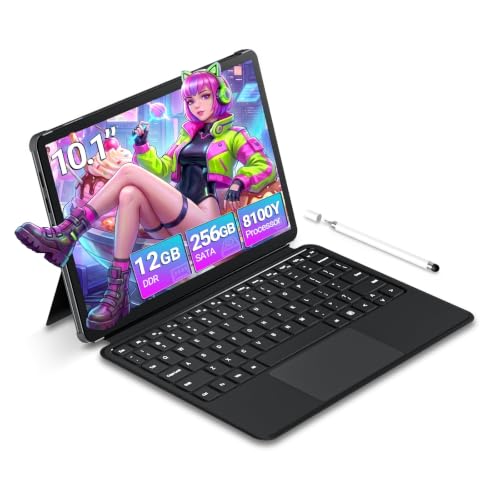
Tunhail 10.1 2 in 1 inch Laptop 12GB RAM 256GB SSD, 360°Flip Touchscreen Laptop with m3-8100Y(Up to 3.40 GH) 800 * 1280 IPS FHD, Backlit Keyboard Laptop Computer for Students/Commuters/Business
Disclosure: We may earn a commission when you buy through links on this page, at no extra cost to you. As an Amazon Associate I earn from qualifying purchases. Learn more
Highlights
- 【Efficient multi-tasking capability】Equipped with M3-8100Y processor (acceleration frequency 3.4GHz) + 12GB DDR3 dual-channel memory, with 256GB solid-state drive, it can easily handle multi-tab web browsing and light creative design, providing better multi-tasking capabilities and better graphics processing performance.
- 【Immersive touch screen experience】10.1 inch Full HD touch screen (800×1280). It provides you with a comfortable viewing angle and bright colors, which is perfect for watching videos, browsing the web and processing documents.
- 【Full interface expansion and stable connection】Equipped with a variety of interfaces, including Type-C*1 charging 12V2A *1, microHDMI *1, USB-A 3.0 *1, headphone jack *1, 4-segment ∮3.5mm standard headphone jack *1, and full-function Type-C interface. In addition, it also supports Wi-Fi 5 (802.11ac) and Bluetooth 5.0 for seamless wireless connection. Supports 2.4GHz and 5GHz dual-band wireless signals. Compatible with wireless keyboards, mice, headphones, projectors and other devices to meet the needs of conference projection, file transfer and multi-device collaboration.
- 【Backlit keyboard】Equipped with a backlit keyboard, it provides a better typing experience even in low-light environments, ensuring comfort and efficiency during long-term use.Press FN+F1 to turn on the backlit keyboard.
- 【Portable Win11 Laptop】Provides a 2-year warranty and lifetime customer service. If you have any questions or quality issues with this product, please feel free to contact us
Why You'll Love It
- 12GB dual-channel memory and a 256GB SSD support everyday multitasking and file storage
- The 360-degree flip design and touchscreen offer flexible ways to interact with Windows 11
- The 10.1-inch IPS display provides a compact screen for documents, web browsing and videos
- A backlit keyboard makes typing more convenient in low-light environments
- USB-A, Type-C and microHDMI connections support peripherals, file transfers and projector connections
- Wi-Fi 5 and Bluetooth 5.0 provide wireless connectivity for compatible devices
Pros
- +12GB DDR3 dual-channel memory
- +256GB solid-state storage
- +360-degree touchscreen design
- +Backlit keyboard
- +Multiple connection options
Cons
- -Compact 10.1-inch screen
- -800 × 1280 display resolution
- -M3-8100Y processor
Detailed Review
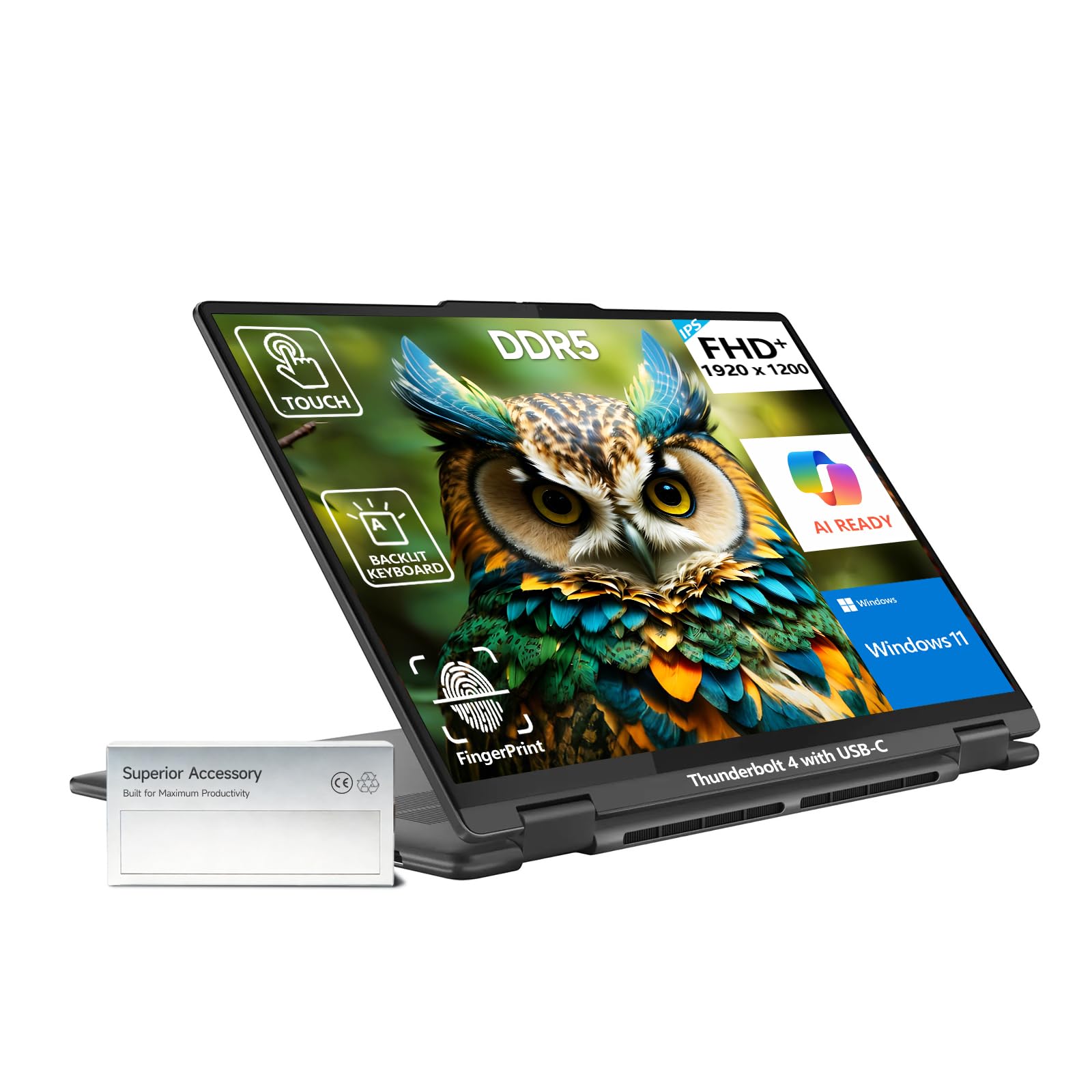
The Tunhail 10.1-inch 2-in-1 laptop is designed for students, commuters and business users who want a compact Windows computer with touchscreen flexibility. Its main attraction is the combination of a 360-degree flip design, 12GB of memory and a 256GB SSD. Rather than focusing on a large display, it brings together portable dimensions and several ways to interact with documents, websites and other everyday content. It is worth considering if your priorities include browsing, handling documents and keeping a computer setup relatively compact.
Its M3-8100Y processor has an acceleration frequency of up to 3.40GHz, while the 12GB DDR3 dual-channel memory is intended to support multitasking. The seller specifically identifies multi-tab web browsing and light creative design as suitable activities. That makes the memory and processor combination relevant to someone who regularly switches between browser tabs and documents. The 256GB solid-state drive provides storage for files and other content, giving the computer a combination of working memory and built-in storage for everyday tasks.
The 10.1-inch IPS touchscreen is another important part of the design. Its stated resolution is 800 × 1280, and the screen supports touch interaction as well as the 360-degree flip configuration. This gives users flexibility in how they position and interact with the computer. The display is intended for activities such as watching videos, browsing websites and processing documents. The backlit keyboard adds another practical feature, particularly for typing in low-light environments. Its backlight can be switched on using the FN+F1 keyboard combination.
Connectivity is a useful part of the overall package. The listed connections include USB-A 3.0, microHDMI, a headphone jack and Type-C connectivity, including a full-function Type-C interface. The charging Type-C connection is listed as 12V2A. Wi-Fi 5 supports 2.4GHz and 5GHz wireless signals, while Bluetooth 5.0 provides another connection option for compatible accessories. The seller identifies wireless keyboards, mice, headphones and projectors among the devices this computer can work with.
The main trade-off is the compact screen format. A 10.1-inch display makes this a different kind of computer from a larger-screen laptop, so shoppers who regularly work across several documents or need more visible workspace should consider their preferences carefully. The stated display resolution is also an important specification to review before buying. Verdict: This is a reasonable option for students, commuters and business users who value touchscreen flexibility, a backlit keyboard and a compact Windows 11 computer for everyday tasks. Shoppers who prioritize a larger screen or a different processor configuration should consider another laptop format.
Who Should Buy It
A great fit if you:
- Need a compact Windows computer for browsing websites, working with documents and handling everyday online activities.
- Prefer touchscreen interaction and want the flexibility of a computer that flips through a full 360-degree range.
- Are a student who regularly switches between browser tabs, documents and other light computing activities.
- Want a backlit keyboard for typing when your working environment has limited lighting.
- Connect accessories, headphones or projectors and appreciate having several wired and wireless connection options.
Consider something else if you:
- Regularly work with several documents side by side and would benefit more from a larger-screen laptop.
- Need a computer built around a different processor configuration for your particular software or computing requirements.
Before You Buy
Confirm on the listing:
- Check the 10.1-inch screen dimensions against your preferred working space and the amount of visible content you want while handling documents.
- Confirm that the stated 800 × 1280 resolution meets your display preferences, particularly if you spend considerable time reading or viewing documents.
- Check which accessories are included in the box, especially if you intend to use a wireless mouse, keyboard, headphones or projector.
- Verify that your existing accessories support the listed USB-A, Type-C, microHDMI, Wi-Fi or Bluetooth connection options as appropriate.
How to compare your options: Start with screen size, processor, memory and storage because these determine whether a computer matches your intended workload and preferred working format. This model combines an M3-8100Y processor, 12GB DDR3 dual-channel memory and a 256GB SSD. Next, compare touchscreen flexibility, keyboard features and connectivity. Its 360-degree design, backlit keyboard, Wi-Fi 5 and Bluetooth 5.0 are useful criteria when deciding which configuration suits your everyday routine. Consider your actual software and accessory requirements before choosing.
Getting the Most From It
Start by setting up Windows 11 and arranging your preferred applications, documents and frequently visited websites. A useful approach is to organize your everyday work around the activities you intend to handle most often, such as browsing, document processing and light creative design.
Make use of the touchscreen and 360-degree flip configuration when choosing how to interact with content. You can decide whether touch input or the keyboard is more convenient for the task at hand. For longer document sessions, the backlit keyboard provides another practical input option.
Explore the available connections according to your existing accessories. The USB-A 3.0 and Type-C interfaces provide wired connection choices, while microHDMI is listed for display-related connections such as projector use. Wi-Fi 5 and Bluetooth 5.0 provide wireless options for compatible equipment.
For everyday care, follow the manufacturer's instructions for the screen, keyboard and computer body. Keep your files organized within the available SSD storage, and review your storage needs as you add documents and other content. If you encounter a product or quality issue, the seller offers a two-year warranty and lifetime customer service.
FAQ
Is the Tunhail laptop a touchscreen computer?
Yes, it has a 10.1-inch IPS touchscreen. Its 360-degree flip design provides flexibility in how you position and interact with the display.
Can it handle multiple browser tabs and documents?
Yes, the seller identifies multi-tab browsing and everyday multitasking as intended uses. It combines an M3-8100Y processor with 12GB DDR3 dual-channel memory and a 256GB SSD.
Does it have a backlit keyboard?
Yes, the keyboard has backlighting for typing in low-light environments. Press FN+F1 to switch on the keyboard backlight.
Can I connect a projector or wireless accessories?
Yes, it has a microHDMI connection and supports Wi-Fi 5 and Bluetooth 5.0. The seller also identifies wireless keyboards, mice, headphones and projectors as compatible device types.
What comes in the box, and what operating system does it use?
The computer is described as a Windows 11 laptop. The listing does not establish the complete box contents, so check the seller's package details before purchasing if you need particular accessories.
Product Details
| Brand | Tunhail |
| ASIN | B0H73ZDP52 |