
Best 2 in 1 Laptop Under 500 for 2026: Budget Convertibles Worth Buying
Disclosure: We may earn a commission when you buy through links on this page, at no extra cost to you. As an Amazon Associate I earn from qualifying purchases. Learn more
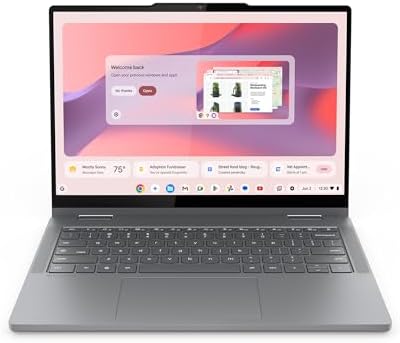
Best 2 in 1 laptop under 500 explained: what to expect, where budget models cut corners and how to choose a good one.
Under five hundred dollars, a 2-in-1 laptop is mostly a Chromebook with a touchscreen and a hinge, or a small no name Windows convertible. That is not a bad thing: for homework, streaming, browsing and video calls these machines do the job and fold into a tablet for reading. This guide to the best 2 in 1 laptop under 500 explains what you get at this price, what you give up and how to avoid the traps.
The product table lists convertibles priced under the limit and available new. The sections below help you choose between them without paying for features you will not use.
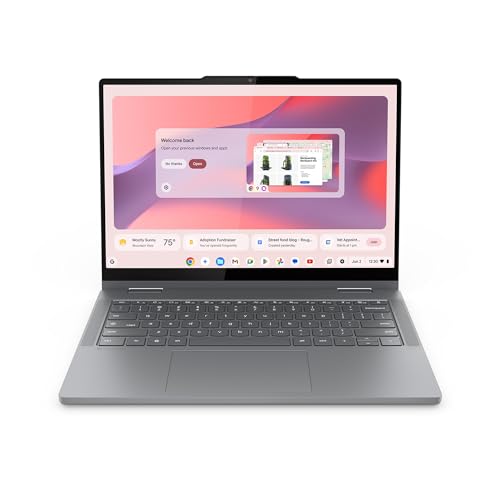


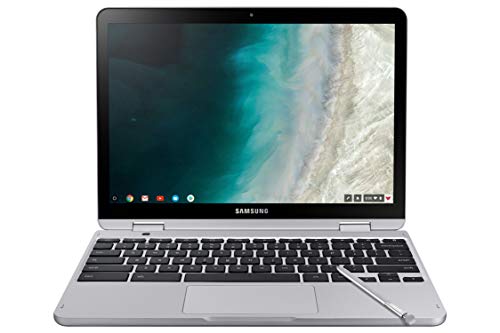


What Five Hundred Dollars Buys
At this level, expect a plastic or mixed body, a screen with moderate brightness, a low power processor and four to eight gigabytes of memory. Storage is usually a small eMMC drive or a compact SSD. The result is a machine that is light, quiet and slow at heavy work but perfectly fine for everyday tasks.
ChromeOS or Windows at This Price
Chromebooks run smoothly on modest hardware because ChromeOS is light. Cheap Windows laptops with the same chips often feel slower, since Windows asks more of the processor and memory. If you need only a browser, documents and Android apps, a Chromebook gives more speed per dollar. If you must run a specific Windows program, check the memory and storage with care.
Memory and Storage: Where Cheap Laptops Cut Corners
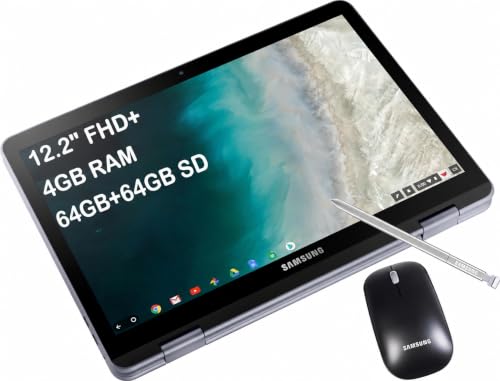
Four gigabytes of memory is the bare minimum and starts to struggle with many tabs. Eight gigabytes is a real improvement and worth paying a little extra for. For storage, 64 gigabytes is tight, while 128 gigabytes or more gives room. Many Chromebooks let you add an SD card.
Screen Quality
Cheap panels can be dim and have narrow viewing angles. Full HD is nicer than lower resolutions for reading, and an IPS panel looks better from the side. Glossy glass reflects in bright rooms. Read buyer comments on brightness before ordering.
Pen and Touch
Many models in this range bundle a simple stylus that works like a finger. That is fine for notes and navigation. Real pressure sensitive pens are rare at this price, so do not expect them unless the listing says so.
Build, Hinge and Keyboard
Check buyer notes about the hinge, since a weak hinge is the main cause of early failure in budget convertibles. Keyboards are usually full size with shallow travel. Backlighting is a bonus.
Battery Life and Charging
Low power chips help battery life. Look for a full school day. USB-C charging is common, and a small charger is easy to carry.
Warranty and Returns
Budget laptops have more variation in quality, so a clear return window matters. Check the first week for dead pixels, hinge play and Wi-Fi stability. Keep the box until you are sure.
Setup Tips
- Sign in and install updates right away.
- Set up cloud sync so files are safe if the drive fails.
- Remove trial software you do not need.
- Carry it in a padded sleeve.
Signs of a Good Budget Convertible
Good budget models share a few traits. The hinge feels firm and holds the screen at any angle without drifting. The keyboard has even key travel without large flex in the middle. The screen reaches a comfortable brightness indoors and the touch layer registers light taps. The listing names the memory and storage clearly rather than hiding them behind a bundle. If a listing lists only a processor brand and no memory size, assume the lowest option and look elsewhere.
Traps to Avoid at This Price
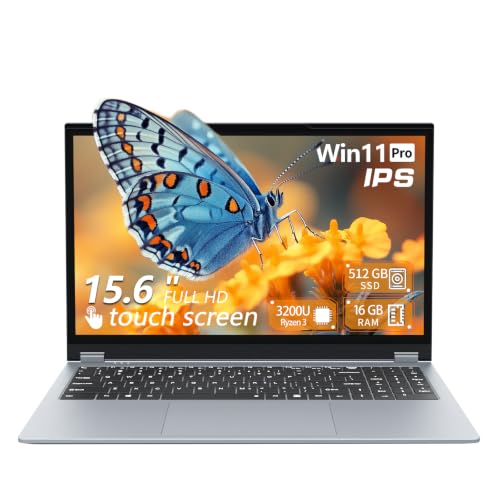
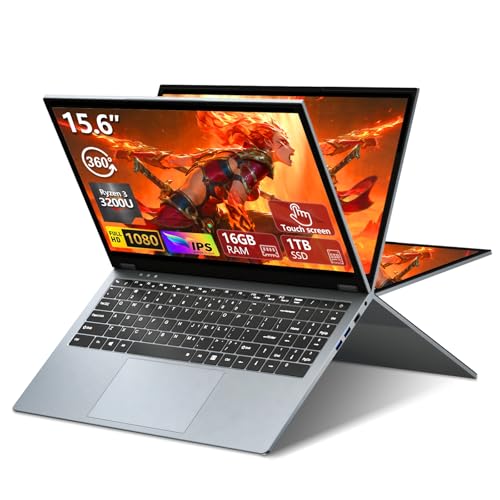
Be careful with very cheap Windows listings that promise sixteen gigabytes of memory and a large SSD for a tiny price, because these often use slow memory, weak processors and poor screens. Beware of bundles with a mouse, bag and software that inflate the price and add no value. Check the age of the processor, since older chips age quickly. Finally, check the return policy, since an unusual defect rate means you may need to swap the unit.
Getting More Out of a Budget Laptop
Keep the system tidy and the storage free, close tabs you do not use, and use the cloud for big files. Add an SD card for extra space on models with a slot. Turn off visual effects if the machine feels slow. A cheap wireless mouse and a padded sleeve are the best add ons. When the laptop starts to feel slow in a few years, a fresh system install often restores the speed.
Who Should Skip This Tier
If you plan to edit video, play modern games or draw all day, a laptop at this price will frustrate you. Save longer and look at the next tier, where memory, storage and screen quality all improve. If you only need a light companion for browsing and notes, this tier is the sweet spot.
Making a Cheap Laptop Last
Keep the battery between twenty and eighty percent when you can, avoid heat, and do not leave the laptop on soft surfaces that block vents. Update the system regularly and remove apps that you do not use. These small habits help a budget laptop feel quick for years.
Frequently Asked Questions
Is a 2-in-1 laptop under 500 good enough?
For browsing, documents, video and school, yes.
Chromebook or Windows?
Chromebooks give a smoother experience at this price.
Can I draw on it?
Casual sketching works, but serious drawing needs a better pen and screen.
How long will it last?
Plan for two to four years of regular use.
Is it worth saving for a higher tier?
If you want better build, brighter screen and speed, yes.
How do I choose the best 2 in 1 laptop under 500?
Aim for eight gigabytes of memory if possible, a firm hinge and a screen that is bright enough indoors.
Final Verdict
The best 2 in 1 laptop under 500 gives eight gigabytes of memory if possible, a sturdy hinge and a screen you can live with. Compare the options in the product table and see our guides on the best budget 2-in-1 laptop and whether a 2-in-1 laptop is worth it. Prices and availability change, so check the product page before ordering.


