
120mm vs 140mm Fans: Which Is Better in 2026?
Disclosure: We may earn a commission when you buy through links on this page, at no extra cost to you. As an Amazon Associate I earn from qualifying purchases. Learn more

120mm vs 140mm fans for a PC case: how size changes noise and airflow, what fits your mounts, and which one suits a quiet build.
If you are filling the fan mounts in a new case, 120mm vs 140mm fans is the first decision you will face. The larger fan can move the same amount of air at a lower speed, which usually means less noise, while the smaller one fits more cases and almost every radiator. The product table right after this introduction shows current fans of both sizes for comparison.
Below you will find how size affects airflow, noise and cooling, which mounts and radiators accept each one, and how to choose for a quiet build or a high-airflow one.
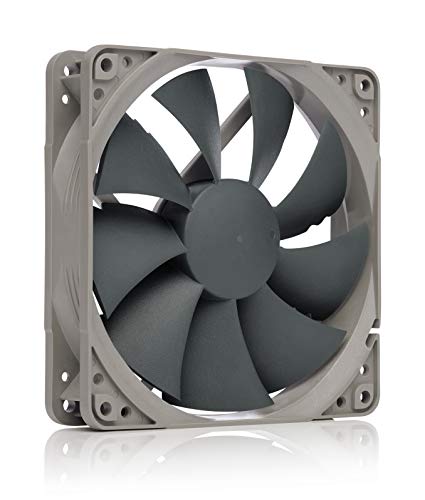
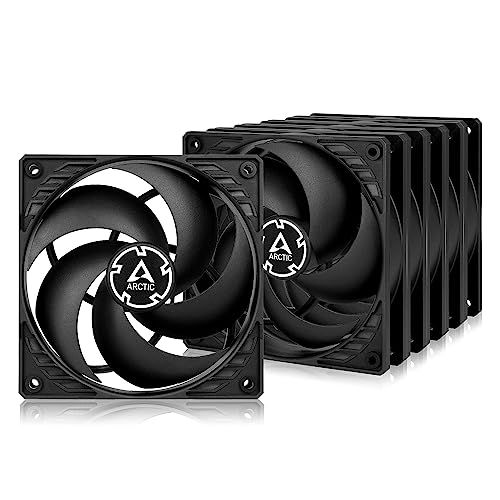
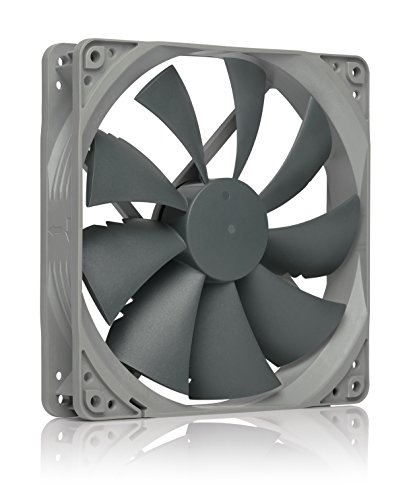
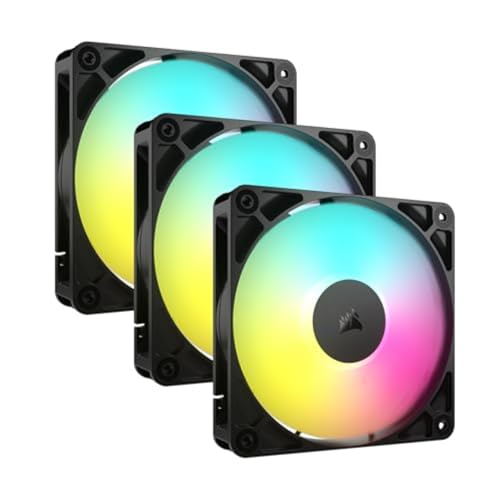


How Fan Size Changes Airflow and Noise
A fan blade sweeps a circle, and a 140mm rotor covers a noticeably larger area than a 120mm one, roughly a third more. To push the same volume of air, the bigger fan can spin more slowly. Slower rotation means lower blade noise and a softer tone, which is why many quiet builds lean on 140mm models at the front and top of the case.
Airflow figures on a box are only half the picture, because they are measured with nothing in the way. Real cases put dust filters, mesh panels and radiators in front of the fan. In those conditions static pressure matters, and the fan's blade shape matters as much as its diameter.
- Airflow focused fans move lots of air through open mesh with little resistance.
- Pressure focused fans push air through dense filters, radiators and tight heatsink fins.
- Many models are marketed as a balance of both, and read the maker's description to see which way they lean.
Compatibility: What Fits Your Case
Check the case before anything else. Every case that takes 140mm fans also accepts 120mm ones in the same spot, because most 140mm mounts have slots or holes that fit both. The reverse is not true. A mount built only for 120mm fans cannot hold a larger fan, and a fan that does not line up with the screw holes will not stay put.
Read the case's cooling section for the sizes it lists per position, such as front, roof, rear and bottom. Rear exhaust positions are often 120mm only. Front intake and roof positions are the most likely to offer 140mm support.
Radiators and CPU coolers
Liquid coolers are sold in radiator lengths that are almost always multiples of 120mm, such as 240mm or 360mm, with a few 280mm and 420mm designs that take 140mm fans. If you plan an all-in-one cooler, buy the fan size that matches the radiator. Tower air coolers use 120mm or 140mm fans depending on the model, and swapping a fan is possible only if the clips and clearance allow it.
Choosing for a Quiet Build
If silence is your goal, bigger is usually better. Two or three 140mm fans at low speed can keep a typical gaming PC cool while staying nearly inaudible. Look for models with a PWM connector, which lets the motherboard adjust speed smoothly, and set a fan curve that stays low until the CPU or GPU heats up.
Fluid dynamic and similar quality bearings usually run quieter and last longer than cheap sleeve bearings. Rubber anti-vibration pads or soft mounting corners also cut the humming that can travel through a thin case panel.
Choosing for Maximum Cooling
For a hot system, such as a high-wattage processor and a power-hungry graphics card, total airflow counts more than any single fan. A bigger fan helps, but so does the quantity: three intake fans and a rear and top exhaust usually beat two oversized ones. Aim for slightly more intake than exhaust to build positive pressure, which keeps dust out of the gaps in the case.
Radiator cooling is the one place where 120mm fans often win on pure pressure. Their smaller blades and tighter geometry push air through dense fins well, which is why 120mm fans dominate on radiators even when a case offers larger mounts elsewhere. For a deeper look at fan models, read our reviews of the Arctic P12 Pro and the Arctic P14.
Lighting, Cables and Price
Addressable RGB fans add lighting but also extra connectors and software, so plan the header count before you buy. Daisy-chain designs cut cable clutter by linking fans together in a row. Value fans without lighting are often the better way to spend, since airflow and noise do not depend on LEDs.
Fans sold in multi-packs are usually cheaper per fan, and a mixed set is perfectly fine. A common layout is 140mm intake at the front with a 120mm exhaust at the rear, because the case dictates the sizes.
Bearings, Lifespan and Noise Character
Two fans of the same size can sound completely different. The bearing type, the blade shape and the motor all shape the noise, and the tone often matters more than the loudness. A low, even hum is easy to ignore, while a rattle or a buzz at certain speeds is not, even if the decibel figure looks similar on paper.
Sleeve bearings are cheap but wear faster, especially when the fan is mounted sideways. Fluid dynamic and magnetic designs last longer and stay quieter as they age. Makers often quote hours of life or give a warranty of several years, and a longer warranty is a decent sign of confidence in the build.
Zero RPM features, found on some fans, stop the blades entirely at idle. That can make a desktop silent while browsing, though it means the fans start and stop as temperatures change, which some users find distracting.
Installation Tips That Save Trouble
Look at the arrows on the fan frame. One shows the direction of the airflow and the other the direction of rotation, and getting them wrong turns an intake into an exhaust. A simple layout is intake at the front and bottom, exhaust at the rear and top, so cool air flows across the components and out the back.
Use all four screws, and do not overtighten them. If the fan has rubber corners, thread the screws gently so the pads can do their work. Plan the cable route before closing the case, and use a splitter or a fan hub if the motherboard runs short of headers.
Finally, keep dust filters clean. A clogged filter cuts airflow more than a small difference in fan size ever will, so a monthly wipe or rinse keeps temperatures steady.
120mm vs 140mm Fans: Which Should You Choose?
Go with 140mm fans when your case supports them and you want lower noise at the same airflow. Choose 120mm fans when your case, radiator or CPU cooler is built around that size, or when you need high pressure through filters and dense fins. In many builds the answer is both, each in the position that suits it best.
FAQ
Can I use 140mm fans in a 120mm slot?
No, the mounting holes and the frame will not fit. Check the case's cooling specifications for which positions list 140mm support.
Are 140mm fans always quieter?
They tend to be quieter at the same airflow, but the particular model matters. A good 120mm fan can be quieter than a poor 140mm one.
Which size is better for a radiator?
Match the fan to the radiator's design. Most radiators use 120mm fans, and 140mm versions suit larger designs built for them.
For most buyers, 120mm vs 140mm fans is settled by the case: use 140mm where it fits for quiet airflow, and 120mm for radiators, rear exhaust and anywhere else the mounts demand it.


