Best Tablets for Note Taking: The Buyer Checklist We Use
Disclosure: We may earn a commission when you buy through links on this page, at no extra cost to you. As an Amazon Associate I earn from qualifying purchases. Learn more

The checklist we use to judge note taking tablets, from iPads and Galaxy Tabs to E Ink notebooks, with three picks, red flags and use case advice.
A good note taking tablet can replace stacks of notebooks, keep every lecture and meeting searchable and let you sketch diagrams as easily as you type. But tablets vary widely in how natural writing feels, how well they reject your palm and how long they last between charges. This guide to the best tablets for note taking shares the checklist we use to judge them, with clear thresholds for good and poor performance.
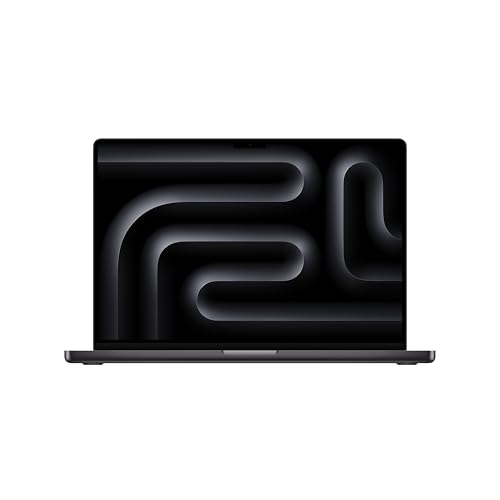
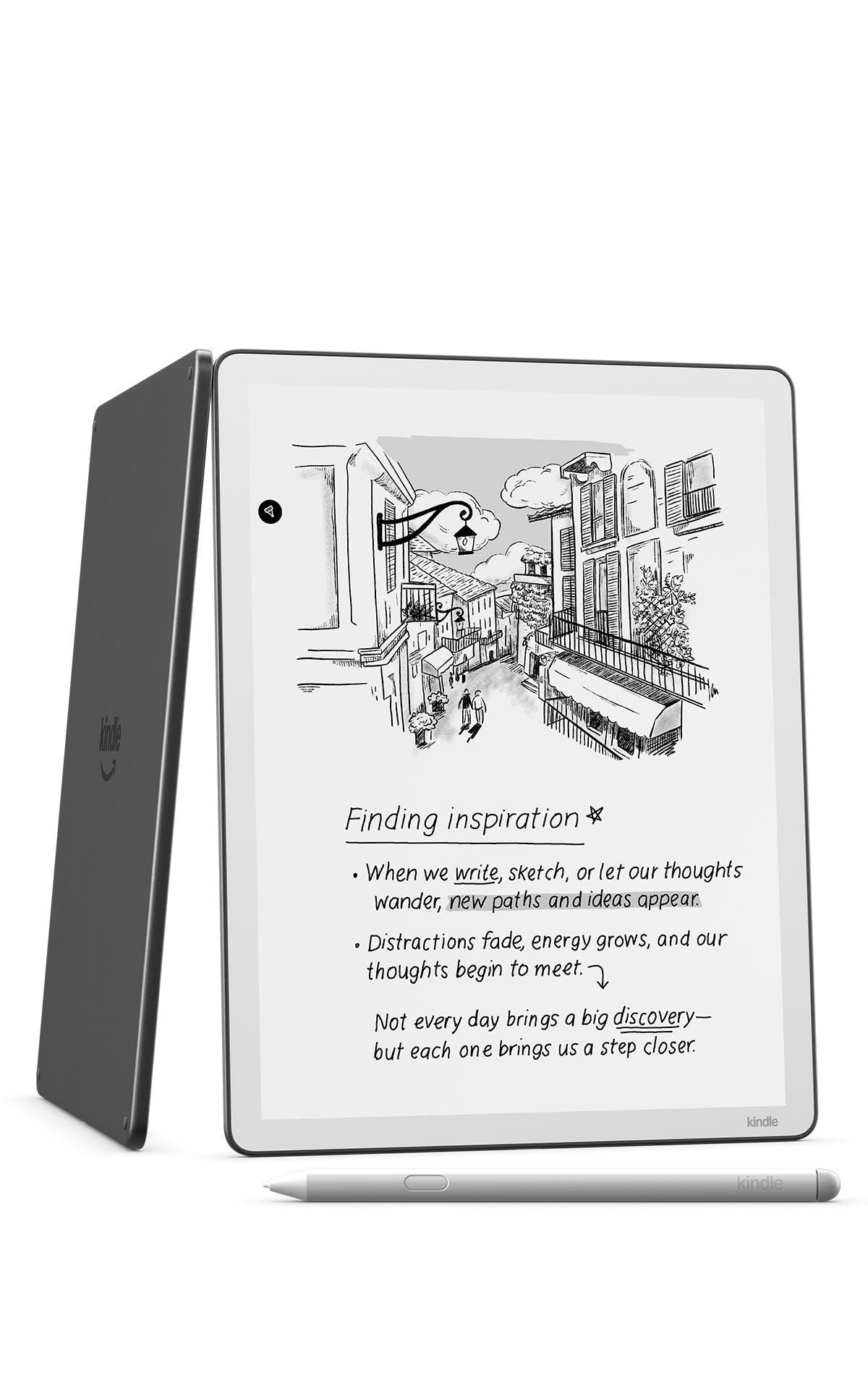
The short answer: most students and professionals should buy a tablet with a precise, low latency stylus, reliable palm rejection, a 10 to 11 inch display, at least 128GB of storage and all day battery life, such as the Apple iPad Air 11 inch with M4 around $730 or the Samsung Galaxy Tab S10 FE around $550 with the S Pen included; if you want a paper like feel without distractions, an E Ink tablet such as the Amazon Kindle Scribe around $550 is the better choice.





How We Evaluate Tablets for Note Taking
We score every tablet against the criteria below. A tablet must reach the good threshold on stylus performance, display and battery to earn a recommendation, while the other criteria help separate good choices from great ones.
Features That Matter for Note Taking
Note taking places unique demands on a tablet. The stylus must track precisely with low latency, so ink appears right under the tip as you write. Palm rejection must work reliably, letting you rest your hand on the screen naturally. Pressure sensitivity helps with diagrams and highlighting, while tilt support matters for shading. Software matters too: look for handwriting search, handwriting to text conversion and easy PDF annotation. Good: stylus included or widely supported, flawless palm rejection, handwriting search. Poor: generic capacitive styluses, laggy ink or missing palm rejection.
Processor and Performance Tier
Note taking itself needs little power, but a fast chip keeps apps responsive when you open large PDFs, record audio alongside notes or multitask with a browser and video lecture. Apple M series and recent A series chips, Samsung's Exynos and Snapdragon chips and Snapdragon X processors in Windows tablets all handle note apps smoothly. Intel Core Ultra and AMD Ryzen chips power Windows 2 in 1 devices for heavier office work. E Ink tablets use modest processors that are fine for writing but slower for browsing. Good: a current generation chip with headroom for multitasking. Poor: older budget chips that stutter when apps run side by side.
Ports and Connectivity
USB C is now standard on most tablets and supports charging, file transfer and external displays or keyboards. Higher end models support faster USB C or Thunderbolt for quicker transfers and monitor output. HDMI ports are rare, so plan on a USB C adapter if you present slides. WiFi 6, 6E or 7 keeps cloud syncing fast on busy campus networks. Bluetooth connects keyboards and headphones. Good: USB C with fast charging and modern WiFi. Poor: proprietary connectors or older WiFi standards that slow syncing.
RAM and Storage
For note taking tablets, 6GB to 8GB of RAM is the practical minimum for smooth multitasking, while 12GB to 16GB helps Windows tablets and heavy PDF work. Storage matters more than many buyers expect: handwritten notebooks with images, audio recordings and downloaded textbooks fill space quickly. Choose at least 128GB, or 256GB if you keep files offline. MicroSD slots on Android tablets offer cheap expansion, while iPads rely on internal storage and iCloud. Windows tablets use SSD storage. Good: 128GB or more with cloud backup. Poor: 32GB or 64GB models that fill up within a semester.
Weight and Portability
You will carry your tablet daily, so weight matters. Most 11 inch tablets weigh around one pound, light enough to hold in one hand while writing. A 13 inch tablet offers more canvas but adds weight, especially with a keyboard case. A complete setup of tablet, case and keyboard should stay under 3 pounds for students who walk across campus. E Ink tablets are often the thinnest and lightest. Good: around one pound for the tablet alone. Poor: heavy 2 in 1 setups that rival a full laptop without matching its performance.
Display Size, Resolution, and Brightness
Screen size balances writing space with portability. Ten to 11 inches suits most note takers, while 12 to 13 inches gives room for split screen PDFs and notes. Sharp resolution, above about 260 pixels per inch, keeps handwriting crisp. Brightness around 400 to 500 nits handles bright classrooms. A 90Hz or 120Hz refresh rate makes ink feel smoother, and matte screen protectors or E Ink displays add paper like friction and reduce glare. OLED displays deliver rich contrast for media. Good: 10 to 13 inches, sharp, 90Hz or higher. Poor: dim, low resolution panels with glossy glass that causes slipping.
Battery Life
A tablet should last a full day of classes or meetings without charging. LCD and OLED tablets typically deliver around 8 to 12 hours of mixed use, while E Ink tablets last weeks because their displays draw power only when the page changes. Stylus battery life also matters; some pens charge magnetically on the tablet, while others never need charging at all. Good: 10 hours or more for LCD tablets, weeks for E Ink. Poor: under 8 hours, forcing midday charging.
3 Picks That Pass Our Checklist
These three tablets come from the product table above and pass every point on our checklist for their category.


Best Overall
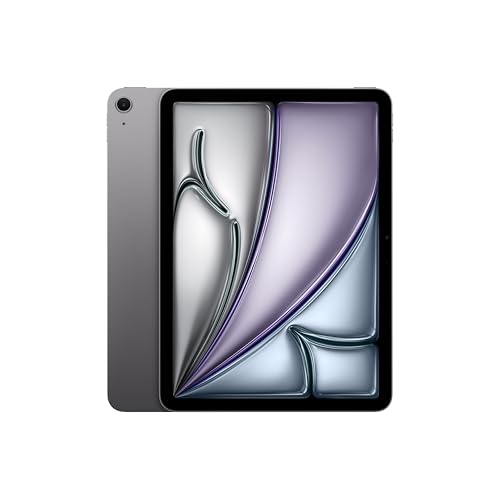
The Apple iPad Air 11 inch with the M4 chip, around $730, is for students and professionals who want the most capable all round note taking tablet. Its first strength is performance: the M4 chip handles large PDFs, audio recording and split screen multitasking with ease, and it supports Apple Intelligence features. Its second strength is the app ecosystem, with excellent note apps like GoodNotes, Notability and Apple Notes, plus support for the Apple Pencil Pro, which offers precise, pressure sensitive writing.
The limitation is cost; the Apple Pencil is sold separately, which raises the total price compared with tablets that include a stylus.
Best Value
The Samsung Galaxy Tab S10 FE 128GB, around $550, suits students and Android users who want a complete note taking setup without extra purchases. Its first strength is the included S Pen, which needs no charging and provides accurate pressure sensitive writing in Samsung Notes and other Android apps. Its second strength is flexibility: microSD expansion for storage, deep integration with Samsung phones and laptops and Samsung DeX for a desktop like workspace.
The limitation is a smaller selection of premium handwriting apps on Android than on iPad.
Best for Heavy Use
The Amazon Kindle Scribe 64GB, around $550, is for people who write for hours each day and want a distraction free, paper like experience. Its first strength is the E Ink display with a front light, which reduces eye strain and gives a natural pen on paper feel, with the pen included. Its second strength is battery life measured in weeks rather than hours, plus the ability to write in notebooks, documents and Kindle books.
The limitation is a monochrome screen and slower performance, so it is not suited to video, browsing or color diagrams.
Quick Buyer Checklist
- Does the tablet support a precise, low latency stylus, and is it included?
- Does palm rejection let you rest your hand naturally while writing?
- Is the screen between 10 and 13 inches with sharp resolution?
- Will the battery last a full day, or longer for E Ink models?
- Does it have at least 128GB of storage or expandable storage?
- Does your preferred note app run on this platform?
- Does it sync with your phone, laptop or cloud service?
- Is the whole setup, with case and keyboard, light enough to carry daily?
Red Flags to Watch For
- Vague stylus specs: listings that mention a stylus without naming active pen support or pressure levels often mean a basic capacitive pen with poor accuracy.
- No brand name or certifications: unbranded tablets may skip safety and battery certifications and rarely receive software updates.
- Suspicious reviews: hundreds of short, similar five star reviews posted in a short time suggest manipulation.
- Short warranty or unclear support: look for at least one year of manufacturer warranty and a clear update policy.
- Outdated software: tablets running old operating system versions may lose app support quickly.
Picking the Right Tablets for Different Uses
The right note taking tablet depends on how you write, what you study and which apps you rely on. Here is what to check for common needs.
Best Digital Tablets for Note Taking: What to Check
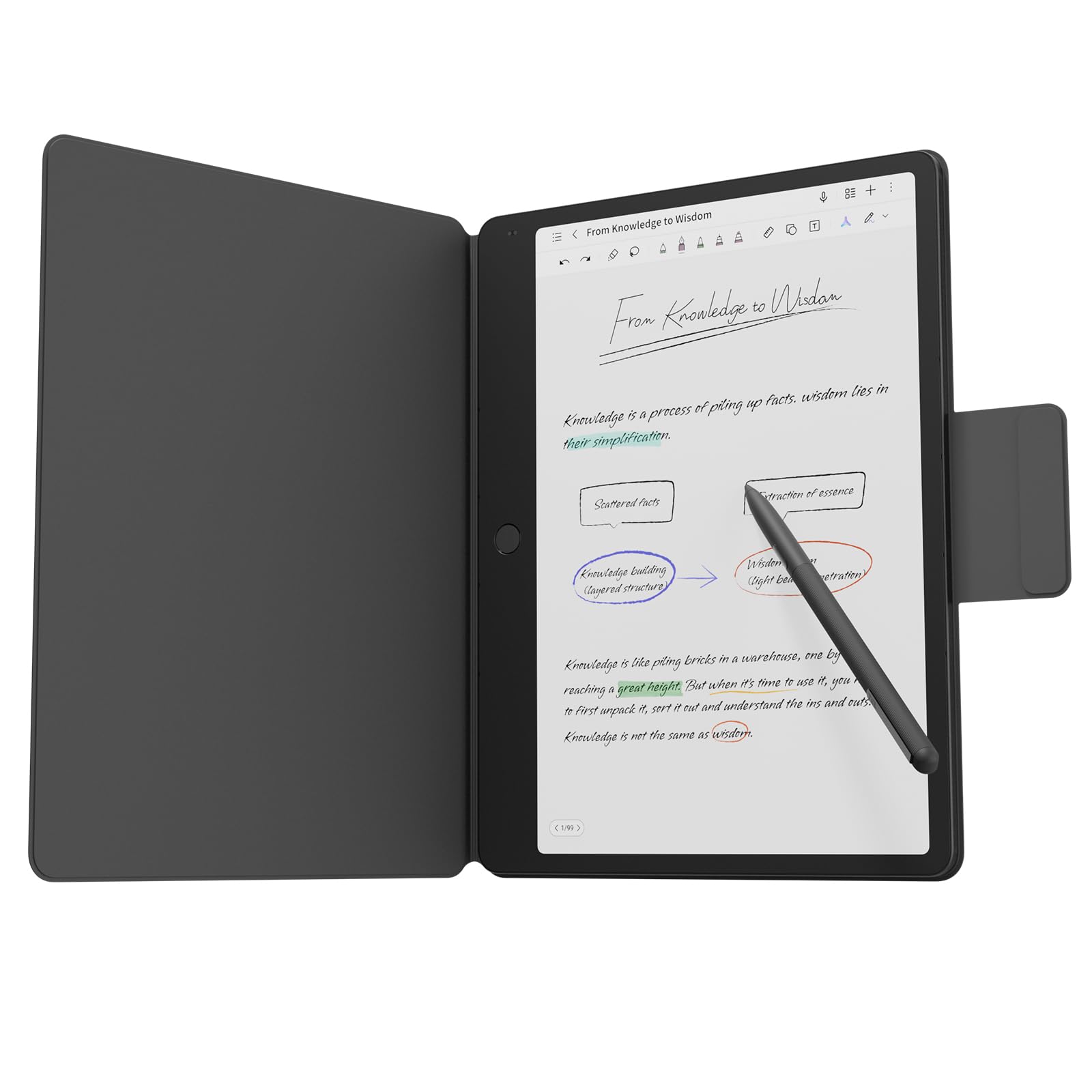
The best digital tablets for note taking combine handwriting with multimedia. Check three things: support for audio recording synced to your notes, handwriting search across notebooks and easy insertion of images, slides and web clips. LCD or OLED tablets like the iPad Air and Galaxy Tab S10 FE excel here, because they run full note apps alongside browsers, video lectures and cloud storage.
Best Tablets for Note Taking by Hand: What to Check
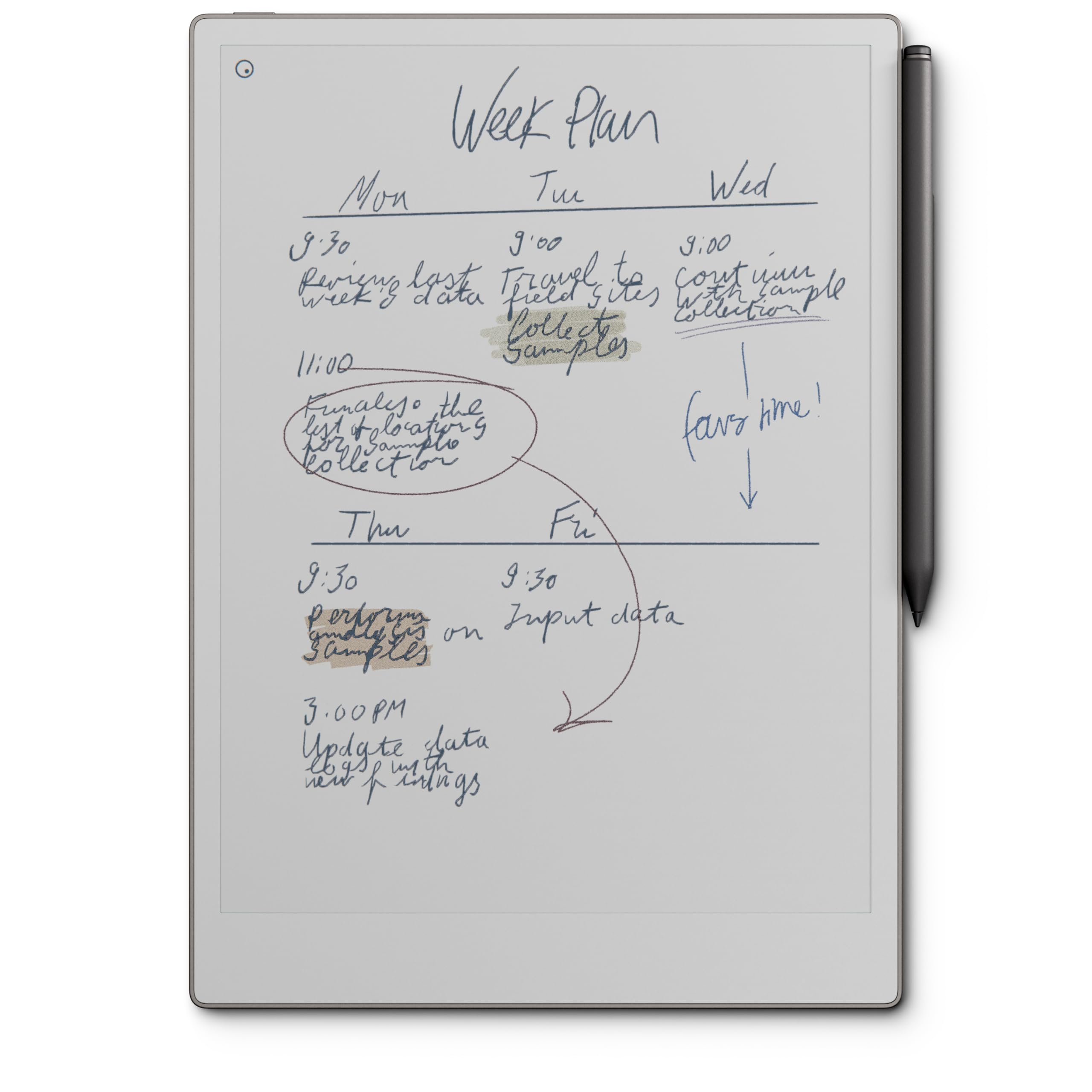
The best tablets for note taking by hand recreate the feeling of pen on paper. Check for a textured or matte surface, either an E Ink screen or a paper style screen protector, low latency ink and a pen with a comfortable grip. E Ink options like the reMarkable Paper Pro and Kindle Scribe feel the most natural for long handwriting sessions, while the TCL Note A1 NXTPAPER offers a paper like screen with color.
Best Tablets for Note Taking with a Stylus: What to Check
The best tablets for note taking with a stylus depend on the pen. Check pressure and tilt sensitivity, latency and whether the stylus charges magnetically or needs no charging at all. Confirm compatibility, since Apple Pencil models work only with specific iPads. Samsung's S Pen comes included with Galaxy Tab S models, saving money and avoiding compatibility mistakes.
Best Tablets for Note Taking with Arthritis: What to Check
The best tablets for note taking with arthritis reduce strain on the hands. Check for a lightweight tablet you can rest on a stand rather than hold, a thick or ergonomic stylus grip and strong voice typing and handwriting to text features. Larger screens let you write bigger with less fine motor control. Adding a padded grip sleeve to the stylus can make sessions far more comfortable.
Best Tablets for Note Taking for Lefties: What to Check
The best tablets for note taking for lefties need excellent palm rejection, since left handed writers often rest more of the hand on the screen. Check that note apps allow left hand mode and that toolbars can be moved to the right side. A matte screen protector helps prevent smudging, and fast ink rendering keeps the line visible as you write across the page.
Best Tablets for Note Taking with One Note
The best tablets for note taking with one note users in mind are Windows tablets, where Microsoft OneNote offers its fullest feature set, including ink to text, math recognition and deep Office integration. The Microsoft Surface Pro 11 runs OneNote natively with excellent pen support through the Surface Slim Pen. OneNote also works well on iPad and Android, but some advanced features are Windows only.
Best Tablets for Note Taking and Anatomy: What to Check
The best tablets for note taking and anatomy courses need room for detailed diagrams. Check for a large, color display of 11 inches or more, a pressure sensitive stylus for fine labeling and support for anatomy apps and 3D models. Medical and nursing students benefit from fast processors and plenty of storage for image heavy lecture slides. The iPad Air with Apple Pencil is a strong fit.
LCD Tablets vs E Ink Tablets
LCD and OLED tablets, like iPads and Galaxy Tabs, are versatile all rounders with color displays, fast processors and full app stores. They are ideal if you also want video lectures, browsing and multimedia notes. E Ink tablets, like the Kindle Scribe, reMarkable Paper Pro and BOOX Go Color 7, focus on reading and writing. Their screens reduce eye strain and glare, battery life lasts weeks and the lack of apps keeps you focused. Choose LCD for flexibility and E Ink for long, distraction free writing sessions.
Best Apps for Note Taking Tablets
The app you use shapes the experience as much as the hardware. On iPad, GoodNotes and Notability offer excellent handwriting tools, PDF annotation and audio recording, while Apple Notes is free and capable. On Android, Samsung Notes is polished and free, and apps like Nebo convert handwriting to text accurately. OneNote works across every platform and syncs through your Microsoft account. E Ink tablets use built in notebook apps, and some, like BOOX, support Android apps too.
How to Make Your Tablet Last Longer
- Keep the OS and firmware updated: updates fix bugs, improve stylus performance and keep apps compatible.
- Avoid running at 100% charge all the time: enable optimized or limited charging features to slow battery aging.
- Use a padded sleeve when commuting: a case protects the screen and stylus from drops and scratches.
- Replace worn stylus tips: worn tips can scratch screens and reduce accuracy.
Frequently Asked Questions
What features matter most in tablets for note taking?
What features matter most in tablets for note taking? The most important features are a precise stylus with low latency, reliable palm rejection and a sharp 10 to 13 inch display. All day battery life and at least 128GB of storage come next. When comparing the best tablets for note takings, also check that your preferred note app runs smoothly on the platform.
How much RAM do I need?
How much RAM do I need? Most note takers need 6GB to 8GB of RAM on iPad or Android tablets. That is enough for note apps, PDFs and a browser running side by side. Windows tablets benefit from 16GB for smooth multitasking with Office apps. E Ink tablets manage well with less, because their software is lighter.
Is a Chromebook enough for school?
Is a Chromebook enough for school? Yes, a Chromebook is enough for many students, especially for typing notes, web research and Google Docs. However, most Chromebooks offer limited stylus support and fewer handwriting apps. If you prefer handwritten notes, an iPad, Galaxy Tab or E Ink tablet will serve you better.
Is a dedicated GPU worth it?
Is a dedicated GPU worth it? No, a dedicated GPU is not worth it for note taking. Tablets use integrated graphics that handle handwriting, PDFs and video smoothly. Only students in fields like 3D design, engineering or video editing need more graphics power, and they would usually choose a laptop for that work.
How long should a tablet last?
How long should a tablet last? A quality tablet should last four to six years of regular use. iPads typically receive software updates for many years, and Samsung offers several years of updates on its Galaxy Tab S lineup. Battery capacity declines gradually, so expect shorter runtime after a few years of daily charging.
Do I need a keyboard case?
Do I need a keyboard case? You do not need a keyboard case for handwritten notes, but it helps if you also type essays or emails. Keyboard cases add weight and cost, so consider a lightweight folio for writing and a separate Bluetooth keyboard for longer typing sessions.
Our Verdict
The right note taking tablet comes down to three things: a stylus that feels natural, a display sized for your work and battery life that lasts your full day. The iPad Air with M4 is the best all rounder, the Galaxy Tab S10 FE delivers the best value with its included S Pen and the Kindle Scribe is ideal for long, distraction free writing. Match the platform to your favorite note app before you buy. Compare the best tablets for note taking in the product table above to find the right fit for your classes or work.