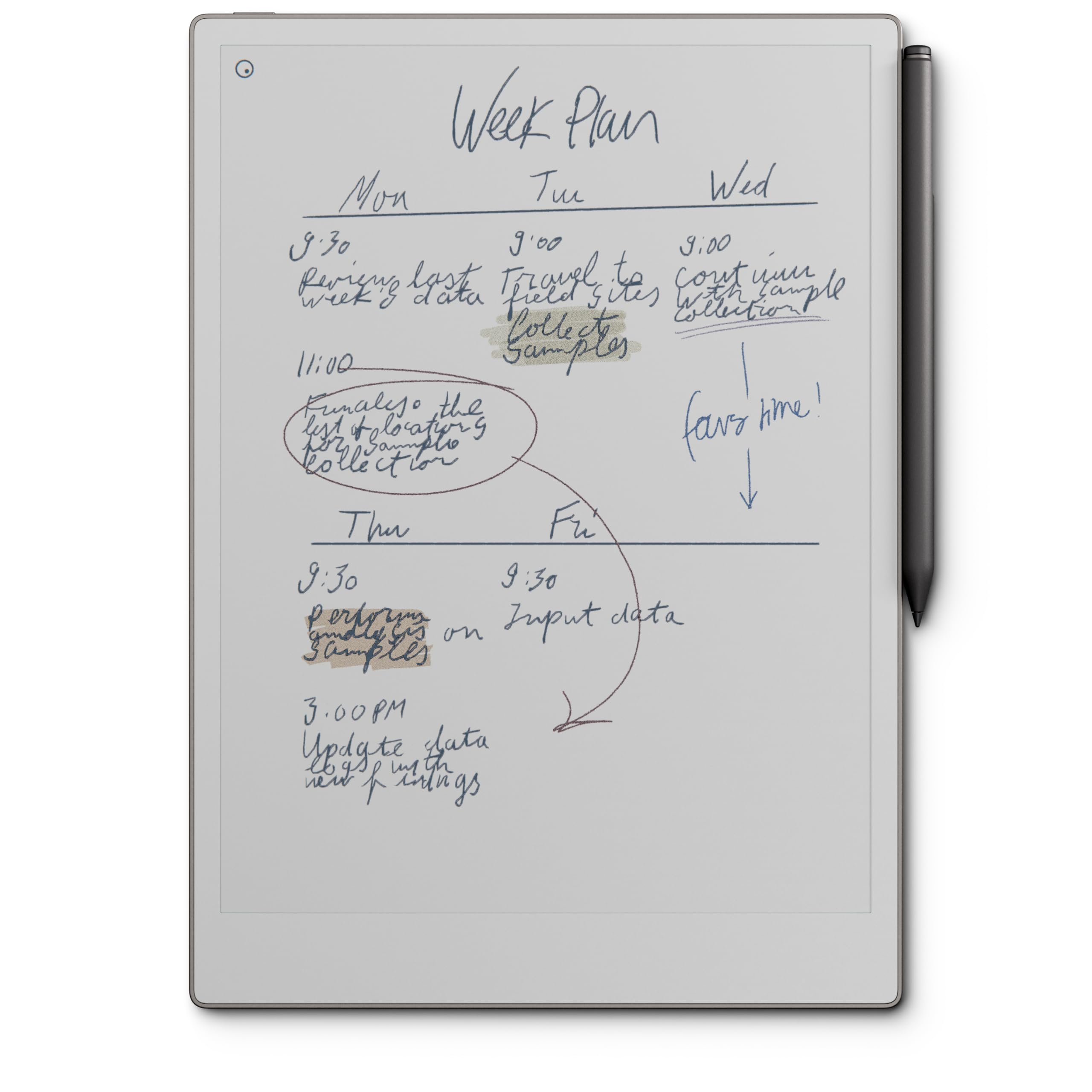
BOOX Tablet Go Color 7 Gen II E Ink Tablet Support Active Stylus InkSense (Black)
Disclosure: We may earn a commission when you buy through links on this page, at no extra cost to you. As an Amazon Associate I earn from qualifying purchases. Learn more
Highlights
- Does not support EMR stylus, Support Active Stylus InkSense, but the sytlus is not included in the box.
- Screen: 7" Kaleido 3 (4096 colors)glass screen with flat cover-lens. Resolution: 1680 x 1264 (B/W 300 ppi, Color 150 ppi) CPU: Octa-core. RAM: 4GB. OS: Android 13 ROM: 64GB Connectivity: Wi-Fi + BT 5.1
- Front Light with CTM (Warm and Cold) G-sensor for Auto Rotation
- Document Formats: PDF, CAJ, DJVU, CBR, CBZ, EPUB, EPUB3, AZW3, MOBI, TXT, DOC, DOCX, FB2, CHM, RTF, HTML, ZIP, PRC, PPT, PPTX Image Formats: PNG, JPG, BMP, TIFF Audio Formats: WAV, MP3 Supports 3rd-party apps
- Buttton: Power Button, Page-Turn Buttons USB-C Port (Supports OTG or use as an audio jack) microSD Card Slot Built-in Speaker Built-in Microphone
- Battery: 2,300mAh Li-ion Polymer Dimensions: 156 x 137 x 6.4 mm (6.1" x 5.4" x 0.25") Weight: Approx. 195 g (6.9 oz)
- Wrongfully believed display quality is not great and difficult to read text from the screen: Color Eink technology has inherent limitations and share the same darker or grayer screen than LCD/LED ones. Customers can either turn on the cold light or warm light to achieve a better reading experience. This is a characteristic of all e-ink products, not a defect. If it doesn't meet your expectations, you may return the product under our return policy
- Regarding E - INK technology, for B/W spots on the screen, if their diameter does not exceed 0.5mm, they are all regarded as normal. All E - INK products comply with this industry standard. If the buyers are not satisfied, they can apply for return or exchange, but it cannot be regarded as a malfunction.
- Select Refresh Mode to reduce ghosting: HD Mode (System Default): For reading books and other static content. Balanced Mode (Default for third-party apps in color E Ink models): For turning pages and browsing books and pictures. Fast Mode (Default for third-party apps in monochrome E Ink models): For browsing websites and other content that require scrolling. Ultrafast Mode: For video and other dynamic contents. *Regal Mode: As a refresh solution with less ghosting and better display quality especially optimized for color E Ink models.
- Dark, gray, or wrongfully believed low resolution screen : All Color Eink products used Kaleido 3 color e-ink technology, which currently has inherent limitations and share the same darker or grayer screen than LCD/LED ones. This is a characteristic of all e-ink products, not a defect. If it doesn't meet your expectations, you may return the product under our return policy. However, please note this is not considered a product fault.
Why You'll Love It
- Delivers rich digital reading across a 7 inch color screen with a glass surface and flat cover lens
- Navigates easily through documents and applications using an octa core processor paired with 4GB of RAM
- Stores extensive document libraries and third party apps locally on 64GB of internal storage
- Connects reliably to networks and accessories using built in Wi Fi and Bluetooth 5.1 capabilities
- Adjusts screen lighting comfortably for reading in various environments using warm and cold front light controls
Pros
- +7 inch Kaleido 3 color screen
- +Android 13 operating system
- +Built in page turn buttons
- +MicroSD card slot for expansion
- +Lightweight and compact build
Cons
- -Stylus not included in box
- -Inherent darker color screen tech
Detailed Review
Managing digital documents, reading colored publications, and running productivity software on the go requires a specialized device, and the BOOX Go Color 7 Gen II E Ink Tablet brings those capabilities together in a compact format. Built around a 7 inch Kaleido 3 glass screen with a flat cover lens, this reader delivers a resolution of 1680 by 1264 for black and white content at 300 ppi, while displaying 4096 colors at 150 ppi. Driven by an octa core processor and 4GB of RAM, the system handles everyday reading tasks and third party applications smoothly, providing a responsive experience whether you are flipping through personal notes or browsing text heavy files.
Interaction and navigation are designed to be flexible, offering physical page turn buttons alongside the touch interface, while a built in G sensor enables automatic rotation depending on how you hold the device. The inclusion of Android 13 allows users to install third party apps from various sources, expanding functionality beyond basic reading. For storage, 64GB of internal space holds a substantial library of documents and files, and a microSD card slot provides extra capacity when your collection grows. Connectivity options include Wi Fi and Bluetooth 5.1 for pairing wireless accessories or accessing online networks.
Reading comfort is supported by a front light featuring CTM controls for both warm and cold adjustments, allowing you to adapt the display illumination to your surroundings. Multiple refresh modes, such as HD Mode for static reading, Balanced Mode for page turns and browsing, Fast Mode for scrolling content, Ultrafast Mode for dynamic elements, and Regal Mode for minimizing ghosting, let you optimize the display behavior for different tasks. The compact chassis measures 156 by 137 by 6.4 millimeters and weighs approximately 195 grams, making it comfortable to hold during extended reading sessions, while a USB-C port supports OTG functions and audio output.
Like all devices utilizing color e ink technology, this screen shares inherent limitations regarding brightness, appearing darker or grayer than traditional LCD or LED displays because it relies on ambient light rather than backlighting. Additionally, minor black and white spots up to 0.5 millimeters in diameter are considered normal according to industry standards for e ink manufacturing. The device supports active stylus InkSense input, but the stylus itself is not included in the box and must be acquired separately if you plan to take handwritten notes.
Verdict: This device suits readers and mobile professionals who want a compact color e ink display running Android with expandable storage and physical page turn buttons. Anyone expecting the bright, vibrant illumination of a standard tablet screen will want to look toward conventional LCD or LED alternatives.
Specifications
- Screen: 7" Kaleido 3 (4096 colors) glass screen with flat cover-lens
- Resolution: 1680 x 1264 (B/W 300 ppi, Color 150 ppi)
- CPU: Octa-core
- RAM: 4GB
- ROM: 64GB
- OS: Android 13
- Connectivity: Wi-Fi + BT 5.1
- Lighting: Front Light with CTM (Warm and Cold)
- Sensors: G-sensor for Auto Rotation, Built-in Microphone, Built-in Speaker
- Controls and Ports: Power Button, Page-Turn Buttons, USB-C Port (Supports OTG or audio jack), microSD Card Slot
- Battery: 2,300mAh Li-ion Polymer
- Dimensions: 156 x 137 x 6.4 mm (6.1" x 5.4" x 0.25")
- Weight: Approx. 195 g (6.9 oz)
Who Should Buy It
A great fit if you:
- Need a portable color e ink reader that runs Android 13 to support third party applications and diverse document formats.
- Prefer physical page turn buttons alongside a touch screen for comfortable, one handed reading sessions.
- Want expandable storage via a microSD card slot to carry an extensive library of books, comics, and documents.
- Value adjustable warm and cold front lighting to maintain reading visibility in dim or bright environments.
Consider something else if you:
- Require a brightly backlit LCD or LED screen with vibrant, high saturation color reproduction for media consumption.
- Expect a drawing stylus to be included in the original box packaging without needing a separate purchase.
- Prefer a larger screen format for viewing complex architectural diagrams, full size sheet music, or oversized textbooks.
Before You Buy
Confirm on the listing:
- Check whether an active stylus InkSense is bundled by the specific seller, as it is not included in the standard box contents.
- Verify the available storage capacity and confirm whether you will need a separate microSD card for expanding your document library.
- Review the return policy details regarding e ink display characteristics, such as screen tone and standard pixel variations.
How to compare your options: When evaluating e ink devices, prioritize screen technology, operating system versatility, and physical control options. Color e ink models prioritize reading comfort and lower eye strain over vibrant media playback, making them ideal for mixed text and color graphics. Assess whether you need third party app support or prefer a closed reading ecosystem, and verify what accessories are bundled so you can budget for any necessary add ons like styluses or protective cases.
Getting the Most From It
Adjust the refresh mode according to your current activity to balance image clarity and ghosting reduction. Use HD Mode for static documents and books, Balanced Mode for page turns and browsing, and switch to Fast or Ultrafast modes if you are viewing dynamic content.
Take advantage of the CTM front light controls by balancing warm and cold illumination to suit your ambient lighting conditions, reducing eye strain during night reading or bright daylight sessions.
Expand your storage capacity by inserting a microSD card if you plan to carry large collections of media files, audiobooks, or heavy document formats like PDF and CBR.
Keep the glass screen clean by wiping it gently with a soft, dry cloth as recommended for electronic displays, and protect the flat cover lens from sharp objects when carrying the device in a bag.
FAQ
Does the device come with a stylus?
No, the active stylus InkSense is supported by the hardware, but it is not included in the box and must be acquired separately.
Can I install third party apps?
Yes, the operating system is Android 13, which supports downloading and running third party applications.
How do I reduce ghosting on the screen?
You can select different refresh modes, such as HD Mode for static reading, Balanced Mode for browsing, or Regal Mode to minimize ghosting and enhance display quality.
Can I expand the internal storage?
Yes, the device features a built in microSD card slot that allows you to add extra storage capacity for your files and documents.
Why does the screen look darker than a regular tablet?
Color e ink technology utilizes reflective particles rather than bright backlighting, resulting in a naturally grayer or darker appearance that mimics paper.
Product Details
| ASIN | B0F58ZHCX2 |