
Best 16 Core CPU in 2026: How to Choose
Disclosure: We may earn a commission when you buy through links on this page, at no extra cost to you. As an Amazon Associate I earn from qualifying purchases. Learn more

How to pick the best 16 core CPU: when sixteen cores pay off, gaming versus rendering, plus socket, cooling and power checks.
Sixteen cores is the point where a desktop processor moves from fast to formidable. It suits video editors, 3D artists, software builders, streamers who also game and people who run virtual machines. For pure gaming the benefit is smaller, which makes it important to know what you will do before you spend. This guide helps you find the best 16 core CPU for your build.
The product table lists a short range of 16 core desktop processors, because only a handful of chips reach that count. Read the sections below to match the processor to your workload and to the platform around it.


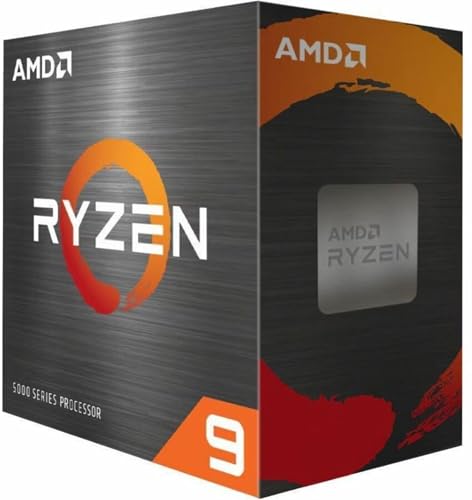


Who Actually Needs 16 Cores
More cores help when software splits work into many threads. Video encoding, 3D rendering, code compilation, photo batch processing and scientific work scale well to sixteen cores. If your daily use is web browsing, office tasks and gaming, a smaller processor with fewer cores often feels just as fast, because most games use a handful of cores heavily.
Streaming while gaming is a middle case. The extra cores handle encoding and background apps so the game stays smooth. Many people who work and play on the same machine find sixteen cores a comfortable ceiling that lasts several years.
Cores, Threads and Types of Cores
Most 16 core processors from one major maker offer two threads per core, giving thirty two threads. Some chips from the other maker combine performance cores with efficiency cores, so the number of cores adds up differently and threads are counted differently. A listing that says sixteen cores may include both types, so read it carefully.
This matters for software. Performance cores handle demanding tasks, and efficiency cores take background work and highly parallel jobs. Operating systems schedule them automatically, and current versions do this well. When comparing chips, look at the type of cores, the clock speeds and the cache size, not only the headline count.
Gaming Versus Creative Performance
Some 16 core chips include a large stacked cache that boosts gaming. These parts give the best frame rates in many games while keeping enough cores for heavy work. Others skip the extra cache and put the budget into clock speed and cost, which often gives better results in rendering and compiling at a lower price.
Decide which matters more. If you game seriously and also work on large projects, a stacked cache chip is a strong all rounder. If your machine is mainly a workstation, the cheaper model with higher sustained clocks may offer better value. Compare the models listed in the table with this split in mind.
Socket, Motherboard and Memory
A processor only works in a matching socket, and each generation has its own memory type. Before you buy, check that your motherboard supports the exact chip, and update the BIOS if the board needs it. Newer platforms use DDR5 memory, while older sockets may use DDR4, which can save money if you already own the kit.
Choose a board with strong power delivery, because sixteen cores draw a lot of current under load. A board with a good voltage regulator and cooling for it keeps clocks steady. Our guides to comparing 8 core and 16 core chips and comparing generations can help you decide on the platform.
Cooling and Power
A 16 core chip produces serious heat under sustained load. A basic cooler is rarely enough, and many of these processors ship without one. Plan on a large tower air cooler or a liquid cooler with a big radiator. Case airflow matters too, because trapped heat limits boost clocks.
Check the power supply as well. The processor, graphics card and drives together need enough wattage with headroom, and a quality unit protects your parts. If you are unsure about temperatures, read how to check CPU temperature and what counts as a normal reading in our temperature guide.
Memory, Storage and the Rest of the Build
A fast processor needs matching parts to show its strength. For workstation use, 32 gigabytes of memory is a sensible starting point, and 64 gigabytes helps with large video timelines and virtual machines. For gaming alone, 16 gigabytes is still workable, though 32 gigabytes gives more room. Faster memory helps some chips more than others, so check the maker's recommended speeds.
Storage affects how responsive the system feels. An NVMe solid state drive loads projects and games quickly, and a second drive keeps scratch files separate. If you plan to render for long periods, make sure the case has room for drives and good airflow. Quiet fans and a high quality power supply keep the machine pleasant to work next to during long exports.
Power Settings and Longevity
Sixteen cores can draw a lot of power at full load. If your workloads are bursty, the chip will boost high and then settle. If they are long, such as hours of rendering, sustained cooling matters more than peak speed. Most boards let you set power limits in the BIOS, which trades a small amount of speed for lower heat and noise.
Keep the BIOS and chipset drivers updated, and use the maker's recommended settings for memory. A well cooled 16 core processor typically runs for many years, and a good platform choice lets you upgrade the graphics card or storage later without replacing everything.
Frequently Asked Questions
Is a 16 core CPU worth it for gaming?
Usually not for games alone. Most games gain little from sixteen cores, so a smaller processor with strong cache is more cost effective. It is worth it if you also stream, edit video or run heavy software.
Do I need a new motherboard?
You need one that matches the processor socket and supports the chip. Check the board's compatibility list and update the BIOS if required.
How much cooling does a 16 core CPU need?
Choose a high end air cooler or a large liquid cooler. Good case airflow is just as important as the cooler itself.
Are 16 core workstation chips different from desktop chips?
Workstation processors offer more memory channels, more PCIe lanes and support for error correcting memory. They suit professional use and cost more for the platform.
Final Thoughts
The best 16 core CPU matches your workload, your motherboard and your cooling. Decide whether you want gaming strength, rendering throughput or a balance of both, confirm the socket and memory type and budget for a capable cooler and power supply. Then compare the processors in the product table by cores, cache and price.


