
9800x3d vs 7800x3d: Which Is Better in 2026?
Disclosure: We may earn a commission when you buy through links on this page, at no extra cost to you. As an Amazon Associate I earn from qualifying purchases. Learn more

9800x3d vs 7800x3d: how the two 3D V-Cache gaming chips differ, what an upgrade is worth, and who should keep the older one.
Upgrade decisions rarely get closer than 9800x3d vs 7800x3d, because both are eight-core gaming processors on the same AM5 socket with large stacked caches. The 9800X3D is the newer chip with higher clocks and a refreshed design, while the 7800X3D remains a strong gaming processor that often costs less. The product table right after this introduction lists current X3D processors.
The sections below explain what changed between them, how much that matters in games and who should upgrade or stay put.
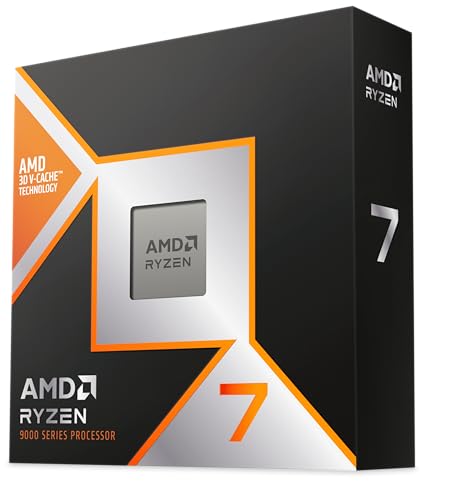


What Changed Between Generations
Both chips have eight cores and sixteen threads and 96MB of L3 cache. The newer 9800X3D uses AMD's Zen 5 architecture, and the maker claims about a 16 percent gain in instructions per clock over the previous generation, along with higher clock speeds up to 5.2GHz. The older 7800X3D runs at lower clocks, with a 4.2GHz base listing on retail pages.
AMD also changed how the extra cache sits on the chip. In the newer design, the cache layer is arranged so that heat escapes more easily, which lets the chip hold higher clocks than before. That is a major reason behind the improved results, and it means the new chip has more headroom for tuning.
Gaming Performance Gap
In independent reviews, the 9800X3D has been faster in games, with the gap depending on the title and the resolution. Processor-limited games show the biggest gains, while at 4K, where the graphics card carries most of the load, the difference is small and often within a few frames.
That means the older 7800X3D is far from obsolete. For many players its performance is already beyond what their graphics card can use. If your graphics card is the limit, upgrading the processor will not move the needle much, and the money is better spent on the card.
- Fast graphics card, high refresh monitor, competitive games: the newer chip helps.
- Mid-range graphics card or 4K gaming: the older chip is plenty.
Platform and Compatibility
Both processors use Socket AM5, so a board that supports one usually supports the other, sometimes after a BIOS update. This makes an in-place upgrade easy: update the BIOS, swap the chip, and keep the memory and cooler. Check the board maker's support list before you buy, and download the newest firmware for the board first.
Neither chip includes a cooler. Cooling needs are modest compared with many high-end chips, though the newer one can use extra thermal headroom to boost higher. Our Ryzen 7 9800X3D review covers that chip's temperatures in detail.
Memory settings
Both work well with DDR5 kits around 6000, a popular sweet spot on AM5. Enable the EXPO or XMP profile and check stability. Faster kits can run, but the gains are small for gaming compared with the cost.
Price and Availability
When a new chip appears, the older one often drops in price, though the 7800X3D has been popular enough to keep its value, and stock sometimes runs thin. Check the table for what is available. If the price gap is small, take the newer chip. If the older one is much cheaper, the savings can fund a better graphics card.
The used market is another option. Selling the older chip when you upgrade recovers part of the cost, and a well-treated processor sells quickly. Do not buy a used chip from an unknown seller without protection, since counterfeits and damaged pins exist.
Should You Upgrade?
If you already own a 7800X3D, upgrading to a 9800X3D is a luxury, not a necessity. Most owners will see only modest gains, and the cost of the new chip, minus resale value, is rarely worth it unless you play competitive games at very high frame rates with a flagship graphics card. A better use of money may be a new graphics card, a faster monitor or more storage.
If you are on an older platform, such as an earlier AM4 chip or an older Intel system, jumping to either X3D is a big upgrade, and the question becomes which one to buy. For a wider look at options, our best CPU list compares chips at several price points.
Resale, Timing and Waiting
Processor prices move in cycles. New releases push older models down, then supply tightens and prices rise again, as the 7800X3D showed after its successor arrived. If you are not in a hurry, watching the table for a few weeks can reveal a good moment to buy either chip, and sales events often bring modest drops.
If you are upgrading, plan the order of steps. Update the BIOS first, remove the old processor, apply fresh paste and reinstall the cooler carefully. Keep the old chip's box and receipt until the new one runs stable, because a clean resale is easier with the original packaging.
Tuning for the Newer Chip
The 9800X3D has more overclocking headroom than the older chip, and AMD's tools let you adjust curves and limits to find extra performance. These tweaks take time and carry risks, such as instability, so use them only if you enjoy the process. For most owners, the default settings with a good cooler and memory profile give nearly all of the benefit.
9800x3d vs 7800x3d: Which Should You Choose?
Choose the 9800X3D if you
- Are building new and the price gap is small.
- Pair it with a high-end graphics card and a fast monitor.
- Want the best performance and room for tuning.
Choose the 7800X3D if you
- Find it at a clear discount.
- Game at 4K or with a mid-range graphics card.
- Already own it and have no pressing need to upgrade.
Other X3D Options
If you do more than game, higher-core X3D models such as the 7950X3D and 9950X3D add more cores for creative work while keeping strong game performance. They cost more, and some need scheduling features that work best with up-to-date drivers. For a pure gaming rig, the eight-core chips remain the sweet spot.
FAQ
Is the 9800X3D worth upgrading from the 7800X3D?
For most people, no. The gain is modest unless you run a flagship graphics card at high frame rates.
Do both use the same motherboard?
Yes, both use Socket AM5, though the board may need a BIOS update.
Which runs cooler?
Both run reasonably cool in games. The newer chip uses extra thermal headroom to reach higher clocks.
Is DDR5 required?
Yes. AM5 supports DDR5 memory only.
So 9800x3d vs 7800x3d ends with the 9800X3D for new builds at a small premium, and the 7800X3D for a bargain or when you already own one and the graphics card is your real limit.


