Best Air Flow PC Cases: Every Type Explained Side by Side
Disclosure: We may earn a commission when you buy through links on this page, at no extra cost to you. As an Amazon Associate I earn from qualifying purchases. Learn more

Mesh mid towers, compact ATX, small form factor and large airflow cases compared, with cooling, noise and build tips.
Your PC case does more than hold parts. It decides how much cool air reaches your graphics card and processor, how loud your fans run and how easy it is to build and upgrade. Modern GPUs and CPUs run hot, and a case with poor airflow can throttle performance even with expensive coolers. This guide to the best air flow pc cases compares every type side by side so you can choose the right size, layout and fan setup for your build.
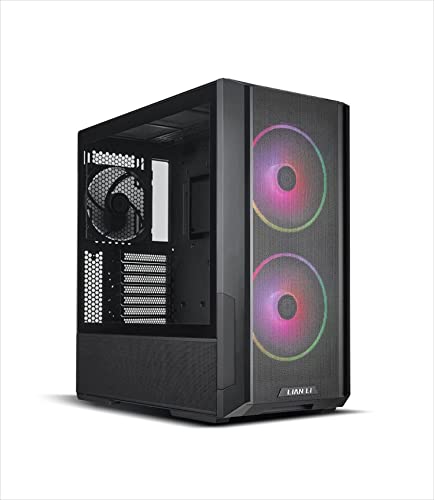
The short answer: most builders should choose a mesh front ATX mid tower with at least three pre installed fans and room for a 360 mm radiator, such as the Lian Li Lancool 216 or Montech AIR 903 MAX, around $80 to $100; compact builders can pick a small ATX or Mini ITX airflow case, and anyone who wants style with strong cooling can step up to a premium design like the Fractal Design North around $155.



Top 3 Picks at a Glance
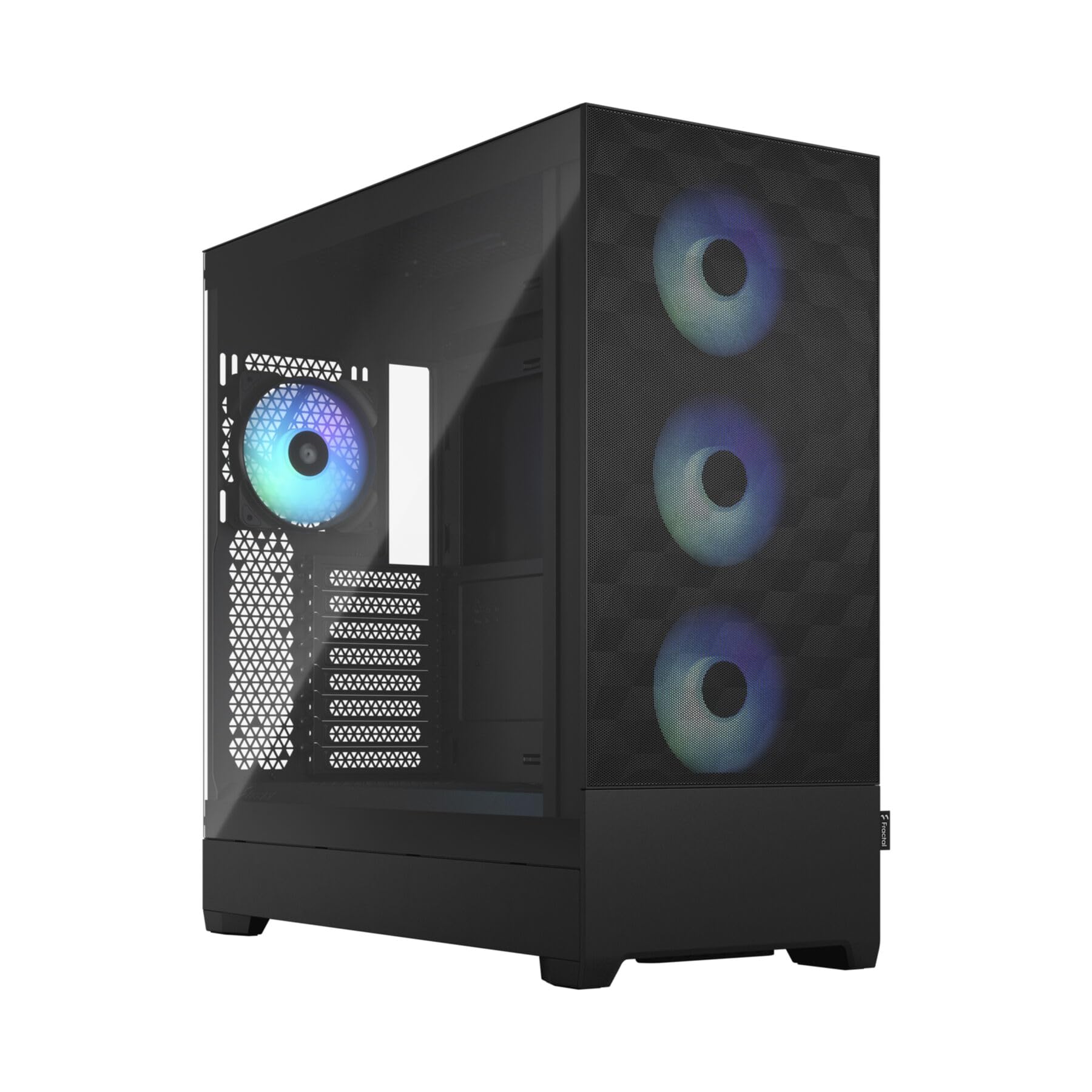
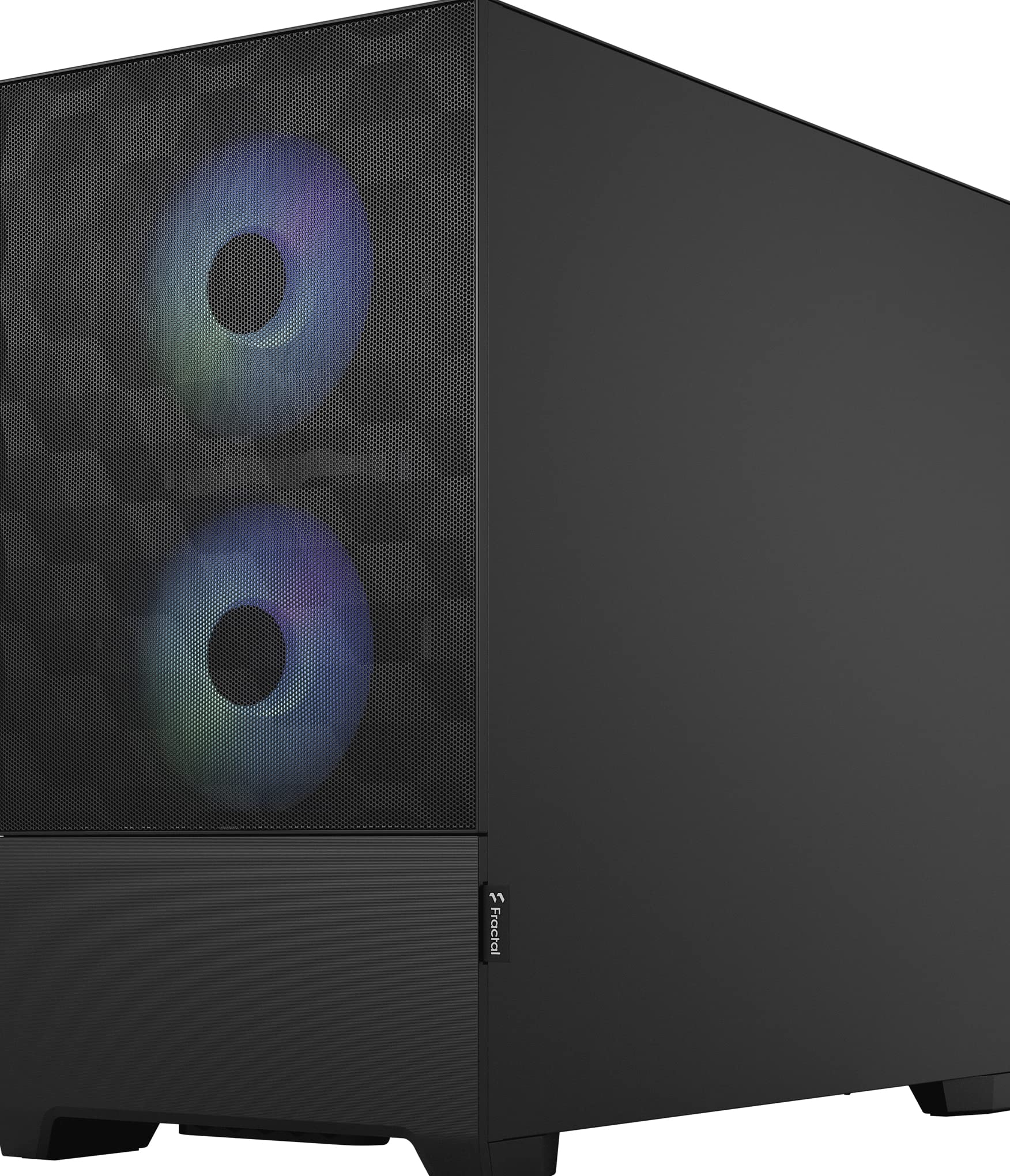
These three cases from the product table above cover the best overall airflow case, the best value and a premium design pick.


Types of Air Flow PC Cases Compared
The table below summarizes the main airflow case types before we look at each one.
| Type | Best For | Pros | Cons | Typical Price |
|---|---|---|---|---|
| Mesh ATX mid tower | Most gaming and workstation builds | Excellent cooling, room for large GPUs and radiators | Takes desk or floor space | around $70 to $130 |
| Compact ATX mid tower | Smaller desks with full size parts | Smaller footprint, still fits ATX boards | Tighter cable management | around $70 to $120 |
| Small form factor and Micro ATX | Living rooms, LAN parties, small desks | Compact, portable | Harder builds, fewer fans, GPU limits | around $80 to $150 |
| Premium design airflow cases | Builders who want style and cooling | Unique materials, quiet fans, quality | Higher price | around $150 to $250 |
| Full tower and large mid towers | High end 4K builds, custom loops | Maximum space and cooling | Large and heavy | around $150 to $250 or more |
Mesh ATX Mid Towers for Custom Built PCs
Mesh mid towers are the go to choice for most custom builds. Perforated front panels let fans pull in large volumes of cool air, while generous internal space fits long graphics cards, tall CPU coolers and 280 or 360 mm radiators. Cases like the Lian Li Lancool 216 include large 160 mm intake fans for strong airflow at low noise.
They suit gamers, streamers and workstation builders who want the best balance of cooling, upgradability and price. The trade off is size, since they need room under or on a desk.
Small Form Factor and Compact Airflow Cases
Compact cases like the NZXT H5 Flow and Fractal Pop Mini Air shrink the footprint while keeping mesh panels and good fan support. Mini ITX and Micro ATX cases go smaller still, fitting living rooms and small desks. Airflow can be strong when fans are planned carefully, but space for long GPUs, radiators and cables is limited.
Small builds suit people with limited space or who want a portable PC, though building takes more patience.
Large Airflow Cases for High End 4K Builds
High end builds with top tier graphics cards produce lots of heat. Large mid towers and full towers with multiple 140 mm fans, wide mesh panels and support for 360 or 420 mm radiators keep these systems cool. Premium cases like the Fractal Design North combine strong airflow with elegant materials such as wood front panels.
Mid Towers vs Small Form Factor Cases: Which Should You Choose?
- Cooling: Mid towers move more air with more fans and space, keeping temperatures and noise lower.
- Size: Small form factor cases save space but limit component choices.
- Ease of building: Mid towers are much easier for first time builders, with room for cable management.
- Upgradability: Mid towers fit future larger GPUs and more storage.
- Portability: Small cases are easier to move and fit entertainment centers.
Choose a mid tower for most builds, especially high performance gaming PCs. Choose small form factor if space or portability is your top priority and you are comfortable with tighter builds.
How to Choose the Right Air Flow PC Case
Fan Support and Included Fans
Check how many fans come pre installed and how many the case supports. Three intake fans in front and one exhaust at the rear is a strong baseline. Larger 140 mm and 160 mm fans move more air at lower speeds, reducing noise. Cases with fan hubs simplify wiring.
CPU and GPU Clearance
Match the case to your components. Check maximum GPU length, often 360 to 400 mm in mid towers, and CPU cooler height, usually 160 to 175 mm. If you plan to use liquid cooling, confirm radiator support at the top or front. High end GPUs and air coolers need roomy cases with direct airflow paths.
Noise Levels
Good airflow cases can be quiet because fans spin slower to move the same air. Larger fans, dust filters that do not choke airflow and fan curves tuned in the BIOS keep noise low. Cases with solid panels are quieter but trap more heat.
Upgradability and Standard Parts
Standard ATX layouts support a wide range of motherboards, power supplies and storage. Look for tool free drive bays, removable panels, front USB C ports and room for additional SSDs or hard drives. A case that fits your next GPU saves replacing it later.
Power Supply and Cable Management
Most cases mount the power supply in a bottom shroud with its own ventilation. Check maximum PSU length, and look for cable routing channels, tie points and space behind the motherboard tray. Clean cable management improves airflow and makes upgrades easier.
Dust Filters and Maintenance
Removable dust filters on the front, top and bottom keep components clean. Magnetic filters are easy to remove and wash. Mesh panels need regular cleaning to maintain airflow.
Setting Up Fans for the Best Airflow
A balanced airflow setup moves cool air in through the front and bottom and pushes warm air out through the rear and top. Aim for slightly more intake than exhaust, called positive pressure, which reduces dust entering through unfiltered gaps. A common setup uses three front intake fans, one rear exhaust and one or two top exhausts.
Point fans in the right direction; the side with the frame struts is usually the exhaust side. Use fan curves in the motherboard BIOS or software so fans ramp up only under load, keeping the system quiet during everyday tasks. If you use a top mounted radiator, set its fans as exhaust to remove CPU heat directly.
Building in an Airflow Case: Step by Step Tips
Start by laying out components and reading the case manual, which shows standoff positions, fan locations and cable routing paths. Install the power supply first in most modern cases, routing its cables through the shroud before adding the motherboard. Mount the CPU, cooler and RAM on the motherboard outside the case to make installation easier, then secure the board to the standoffs.
Install the graphics card last among the large components, and route power cables behind the motherboard tray for a clean look and better airflow. Connect front panel cables carefully using the motherboard manual. Before closing panels, double check fan directions and make sure no cables touch fan blades.
Mesh vs Glass Front Panels
Front panel design has a big effect on cooling. Mesh front panels let fans pull air freely and typically deliver the lowest temperatures and noise. Tempered glass fronts look sleek and show off RGB fans, but they restrict airflow unless the case has large side intake vents. Solid front panels are quieter but can raise component temperatures significantly.
If cooling is your priority, choose a mesh front. If you prefer a showcase build, look for glass cases with generous side or bottom intakes and powerful fans, and keep an eye on GPU temperatures.
RGB and Aesthetics
Many airflow cases include ARGB fans and controllers for synchronized lighting. RGB does not affect cooling, but it adds style and can be controlled through motherboard software or case hubs. If you prefer a clean look, choose cases with non RGB fans or disable lighting. Premium cases like the Fractal Design North offer understated wood and metal designs that suit living rooms and offices.
Vertical GPU Mounting and Airflow
Vertical GPU mounts show off graphics cards through the side panel, but they can reduce cooling if the card sits too close to the glass. If you want a vertical mount, choose cases that place the GPU with enough gap, or keep a traditional horizontal mount for the best temperatures. Many builders find a horizontal GPU with a good anti sag bracket offers the best balance of looks and cooling.
How to Make Your Air Flow PC Case Last Longer
Clean dust filters every month or two, and blow out dust from fans and heatsinks with compressed air a few times a year. Keep the case off carpets to prevent bottom intake blockages. Tighten screws and check that fans spin freely. Replace noisy fans when bearings wear, since replacement fans are inexpensive.
How Much to Spend on an Airflow Case
Around $70 to $100 buys excellent mesh mid towers with pre installed fans and room for most builds. Around $100 to $150 adds premium fans, better materials and extra features like vertical GPU mounts. Above $150, premium design cases offer unique materials, quieter operation and larger layouts for high end systems. For most builders, the best air flow pc cases cost between $80 and $120.
Air Flow PC Cases: Your Questions Answered
How much RAM do I need for gaming?
Sixteen gigabytes of RAM is the minimum for gaming, and 32GB is recommended for modern titles and multitasking. Dual channel memory improves performance. Streamers and creators benefit from 32GB or more.
Air or liquid cooling: which is better?
Air cooling is better for most builds, while liquid cooling suits high end CPUs and compact layouts. Quality air coolers are reliable and quiet in good airflow cases. All in one liquid coolers handle heavy loads and free space around the CPU.
What GPU do I need for 1440p?
For 1440p gaming, choose a GPU with at least 12GB of VRAM, such as an RTX 5060 Ti 16GB or Radeon RX 9060 XT 16GB. Higher end cards deliver high refresh rates. Make sure your case fits the card's length and thickness.
Is it cheaper to build or buy a prebuilt PC?
Building is often cheaper and lets you choose quality parts, while prebuilts save time. During sales, prebuilts can be competitive. Building also lets you pick an airflow focused case from the start.
How long will a gaming PC stay relevant?
A well built gaming PC stays relevant for around four to six years. A roomy airflow case makes upgrading the GPU and storage easy, extending the system's life.
How many case fans do I need?
Most gaming PCs perform well with three to five case fans. Two or three front intakes and one or two exhaust fans provide balanced airflow. Adding more fans helps high end builds but yields diminishing returns in well designed cases.
Do airflow cases collect more dust?
Airflow cases move more air, so they can pull in more dust without filters. Cases with removable front, top and bottom filters trap most dust. Clean filters regularly and maintain slightly positive pressure to keep the interior cleaner.
Our Verdict
The right airflow case keeps components cool, quiet and easy to upgrade. Most builders should choose a mesh mid tower with several pre installed fans, compact builders can pick small ATX or Mini ITX airflow designs and style focused builders can invest in premium cases with excellent cooling. Check GPU, cooler and radiator clearance before buying.
Compare the best air flow pc cases in the product table above to find the right case for your build and budget.