
750w vs 850w: Which Is Better in 2026?
Disclosure: We may earn a commission when you buy through links on this page, at no extra cost to you. As an Amazon Associate I earn from qualifying purchases. Learn more

750w vs 850w PSU: how to match wattage to your parts, why headroom helps, and when the cheaper unit is the right call.
For a mid-range to upper-mid gaming PC, 750w vs 850w is the decision between a unit that fits most builds exactly and one that leaves room for a bigger graphics card later. The 100-watt difference rarely changes what your PC can do today, but it can decide whether a future upgrade works without replacing the power supply. The product table right after this introduction lists units from both groups.
Below you will find how to size a power supply, what efficiency and quality mean, and which wattage fits which kind of build.




How to Size a Power Supply
Start with the two biggest consumers: the graphics card and the processor. Your graphics card maker lists a recommended power supply wattage on the product page, and that figure assumes a typical system. Add the processor's maximum power, then a modest allowance for drives, fans, memory and USB devices, and you have a rough peak draw.
Aim for the unit to run at about 50 to 70 percent of its rating under a typical gaming load. Efficiency is usually best in the middle of the load range, and the fan stays quiet because it is not working hard. A unit pushed close to its limit runs hotter, louder and with less margin for power spikes.
- Mid-range graphics card and a mainstream processor: 650W to 750W is usually enough.
- Stronger graphics card or a power-hungry processor: 850W gives more margin.
- Always check the graphics card maker's recommendation first.
Where 750W Fits
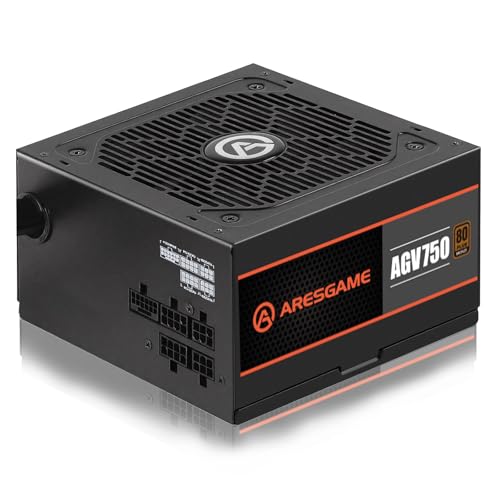
A 750W power supply suits the majority of gaming builds, particularly with a mid-range or upper-mid graphics card and a mainstream processor. It leaves room for a drive or two and several fans without running near its limit, and it is typically cheaper than an 850W unit of the same quality.
It is also a good match for compact builds, where a smaller unit is easier to fit and route cables. If your parts list tops out comfortably under 500W at full load, a 750W unit gives generous headroom without wasting money.
Where 850W Makes Sense
An 850W power supply is the better choice for a build with a high-end graphics card, a power-hungry processor or an overclocking plan. It also suits owners who upgrade often, because it can handle a bigger card later without another purchase. Graphics cards can produce short power spikes above their rated draw, and the extra headroom helps ride them out.
Newer high-power graphics cards use the 12V-2x6 connector, so look for units labeled ATX 3.1 or PCIe 5.1, which include native cables for it. Several units in the table list those features. Using the right native cable avoids adapters that add bulk and potential failure points.
Efficiency, Quality and Noise
Wattage is only one measure. An 80 Plus rating, such as Bronze or Gold, tells you how efficiently the unit converts wall power under load. A Gold unit wastes less power as heat, which can lower electricity use and noise. The rating does not guarantee build quality, so look at the warranty length, the quality of the components and independent reviews.
A good 750W unit from a trusted maker is a safer purchase than a poorly built 850W one. Look for protections such as over-current, over-voltage and short-circuit safeguards, a fan that stays off or slow at low load, and a warranty of seven years or more on better models. Our best power supply guide lists reliable choices.
Modular cables
Fully modular units let you connect only the cables you need, which improves airflow and looks tidy. Semi-modular units keep the main cables fixed. For small cases, modular cables make building easier, and the difference in price is small.
Price and Value
The price gap between 750W and 850W from the same product line is often modest. If it is small, buying the larger unit is cheap insurance. If the gap is large, think about whether the extra capacity serves a real need. Money saved on the power supply can go toward a better graphics card, which has a far bigger effect on performance.
Compare similar models. Our reviews of the Corsair RM850x and the Corsair RM750e show how a pair of popular units differ in features and price.
A Worked Example
Imagine a build with a mid-range graphics card that the maker says needs a 650W unit, a mainstream processor, two drives and five fans. Peak draw might sit around 450 to 500 watts. A 750W unit puts that at roughly two thirds of its rating, a healthy spot. An 850W unit puts it a little over half, which is quieter and gives extra room for a stronger card later.
Now imagine the same system with an upper-end card whose maker recommends 750W. Peak draw can reach 600 watts or more, and 750W runs at the high end of the range. The 850W unit is the more comfortable choice, and the price difference is easy to justify.
Warranty and Longevity
Power supplies are among the longest-lived parts in a PC, and many are used across two or three builds. A longer warranty, often seven to ten years on better models, reflects the maker's confidence. If you expect to keep the unit for many years, buy a higher quality unit rather than a larger one.
Keep the unit clean and the case well ventilated. Heat is the main enemy of capacitors, and a power supply that stays cool lasts longer. Replace it if you hear fan rattling, smell burning, or see random shutdowns that other parts do not explain.
750w vs 850w: Which Should You Choose?
Choose 750W if you
- Have a mid-range graphics card and a mainstream processor.
- Build a compact or budget-conscious system.
- Do not plan a major graphics upgrade soon.
Choose 850W if you
- Use or plan to buy a high-end graphics card.
- Run a power-hungry processor or overclock.
- Want extra margin for future upgrades.
Installation Notes
Match the case: ATX power supplies fit standard cases, while small cases need SFX units. Check the cable length for your case, especially in larger ones where the cables must reach the top of the motherboard. Plug in all the connectors firmly, and use the cables that came with your unit, since cables from other models are not interchangeable and can damage components.
Place the unit with the fan facing the right direction for your case, usually down if there is a vent below. Keep the dust filter clean, and the unit will run quietly for years.
FAQ
Is 750W enough for a gaming PC?
For most gaming builds with a mid-range or upper-mid graphics card, yes.
Does a higher wattage use more electricity?
No. A PC draws only what it needs, so a bigger unit does not increase your bill by itself.
Is 850W overkill?
Not for a high-end card or if you plan upgrades. For modest builds it is simply extra margin.
Does the 80 Plus rating matter?
It shows efficiency, which helps with heat and noise, but combine it with build quality and warranty.
To sum up 750w vs 850w: pick 750W for mainstream builds and tight budgets, and 850W when a stronger graphics card or future upgrades call for more headroom.


