
7600x vs 9600x: Which Is Better in 2026?
Disclosure: We may earn a commission when you buy through links on this page, at no extra cost to you. As an Amazon Associate I earn from qualifying purchases. Learn more

7600x vs 9600x Ryzen 5 processors: what Zen 5 changes for gaming and efficiency, and when the older chip still makes sense.
For budget-minded builders, 7600x vs 9600x is a comparison between two six-core Ryzen 5 processors from consecutive generations that share a socket. The 9600X is the newer Zen 5 chip with better efficiency and a boost clock up to 5.4GHz, while the 7600X is the older Zen 4 chip that has often been available cheaper. The product table right after this introduction lists the Ryzen 5 chips available now.
The guide below explains what changed, how much it matters in games and daily use, and which one makes sense for a new build or an upgrade.


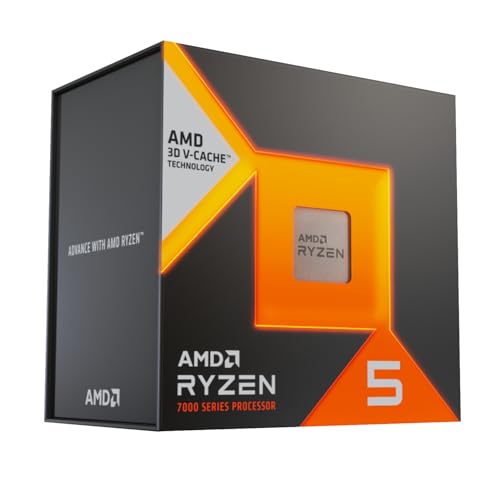

What the Newer Chip Changes
Both processors have six cores and twelve threads, so core count is the same. The 9600X is built on the Zen 5 architecture, which AMD says improves instructions per clock over Zen 4 and reaches a boost clock of 5.4GHz, with 38MB of cache and official DDR5-5600 support. It is also designed to run at a lower power limit than its predecessor.
In daily use, that means slightly faster performance, lower power draw and cooler running. It is an incremental step, not a revolution, but it stacks up across a long ownership period in lower electricity use and quieter cooling.
Gaming and Everyday Speed
In games, the newer chip is generally ahead of the older one by a modest margin, with the exact gap varying by title and settings. With a mid-range graphics card at 1440p or above, the difference is usually small, because the graphics card is the limiting part. At 1080p with a fast graphics card, it grows.
For everyday tasks, such as browsing, office software, streaming and light editing, both feel fast. A six-core chip of either generation handles modern games and common apps comfortably, and neither will hold back a mid-range build.
- Game at 1080p with a fast card: the 9600X helps more.
- Mid-range card at 1440p or 4K: both deliver similar experiences.
Platform, Memory and Upgrade Path
Both chips fit Socket AM5 and use DDR5 memory, so the same motherboard and memory work with either, in most cases after a BIOS update on older boards. A B650 board works for both, and newer B850 boards add features such as faster storage and USB support. A decent mid-range board is enough for a six-core chip.
AM5 is AMD's platform for several years, so you can start with a six-core chip and move to an eight-core processor later without changing the board. That is a big advantage of starting on AM5 with either chip. Our reviews of the Ryzen 5 9600X and the Ryzen 7 9700X show what an upgrade could bring.
Cooling and Power
Neither chip comes with a cooler in the box, as the retail listings state. A mid-priced tower air cooler is sufficient for both, and the newer chip's lower power target makes it easier to keep quiet. If your budget is tight, a basic but good air cooler is the smart purchase, and a liquid cooler is not needed.
The power supply requirement is modest too. A quality 650W to 750W unit covers most builds with a mid-range graphics card, and you should check the recommendation from your graphics card maker.
Price and Availability
The older 7600X has been discounted as stocks clear, and in some periods it sells well below the newer chip. The 9600X is usually the better value when the gap is small. Stock changes quickly, and the table shows what is available now. In some cases the older chip may be hard to find in its original form, and X3D variants appear in its place.
When the table shows alternatives with extra cache, such as six-core X3D models, they offer stronger gaming performance for a higher price. They are worth a look if gaming is your priority and the budget allows.
Memory and Storage Choices for a Budget Build
A six-core processor pairs nicely with 32GB of DDR5 memory in a matched kit, running with the EXPO profile enabled. Official support for the 9600X is listed at DDR5-5600, but common kits at 6000 run well on both chips and are a popular choice. Avoid very fast, expensive kits, since the gains in games are tiny for the extra money.
Storage is an easy place to save while still feeling fast. A mainstream NVMe drive loads games quickly, and you can add a second drive later. Buy for capacity and reliability, not for benchmark numbers you will never notice.
Integrated Graphics and Troubleshooting
Both Ryzen 5 chips include basic integrated graphics, enough to display a desktop and to diagnose problems while the graphics card is out. That feature is handy during a build or if the card fails later. It is not meant for gaming, so do not expect much in games beyond very light titles.
If a new build does not boot, check that the memory is fully seated, that the BIOS supports the chip, and that the power cables are connected to the board and the graphics card. Most first-boot problems come from these simple items, and boards often show a diagnostic code or light to help.
7600x vs 9600x: Which Should You Choose?
Choose the 9600X if you
- Want the newer architecture and lower power use.
- Play at high refresh rates with a fast graphics card.
- Can find it at a small premium or the same price.
Choose the 7600X if you
- Find it at a significant discount.
- Pair it with a mid-range graphics card at 1440p.
- Want to keep the build cost as low as possible.
Building Around a Six-Core Chip
A six-core processor is a sweet spot for gaming budgets. Put more of the budget into the graphics card, which sets the frame rate in most games. Choose 32GB of DDR5 memory if you can, a fast NVMe drive and a quality power supply. These parts last through several upgrades.
Update the BIOS before installing a new processor, enable the memory profile, and install the chipset drivers. Check temperatures in a demanding game and adjust the fan curve to keep noise low.
FAQ
Is the 9600X much faster than the 7600X?
It is modestly faster, with better efficiency. The gap is small with mid-range graphics cards.
Do both use the same motherboard?
Yes, both use Socket AM5, though older boards may need a BIOS update.
Do they come with coolers?
No, plan to buy a separate cooler.
Is six cores enough for gaming?
Yes, six cores handle nearly all current games well.
When it comes to 7600x vs 9600x, choose the newer 9600X when prices are close and efficiency matters, and the older 7600X only at a real discount.


