
Acer Aspire TC Review for 2026: Is It Worth Buying?
Disclosure: We may earn a commission when you buy through links on this page, at no extra cost to you. As an Amazon Associate I earn from qualifying purchases. Learn more

Acer Aspire TC review covering the TC-1660, TC-1760, TC-1775 and TC-1780 desktops: processors, memory, ports, and who should buy them.
The Acer Aspire TC is a family of compact tower desktops built for homes, schools and small offices, and this acer aspire tc review explains how the generations differ and what to check before you buy one. It is a sensible choice when you want a quiet, no frills PC with a keyboard and mouse in the box, not a gaming rig.
The TC name covers several model numbers, including the TC-1660, TC-1760, TC-1775 and TC-1780. Each step up brings a newer Intel Core i5 and faster memory, so the model number tells you more than the series name does.


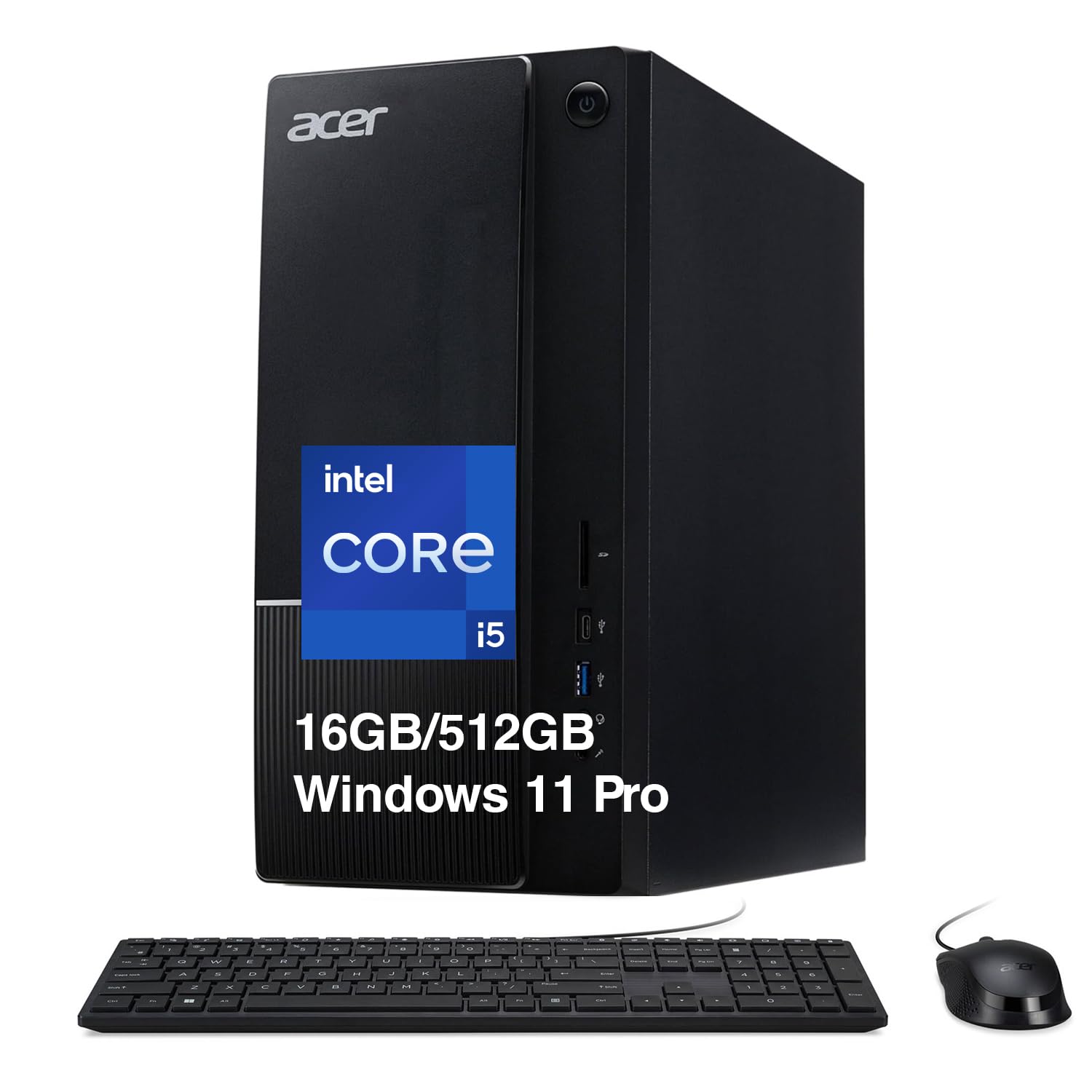


Acer Aspire TC Review: The Models in Short
Listings on our hub show the lineup clearly. The TC-1660 pairs a 10th generation Core i5-10400 with 12GB of DDR4. The TC-1760 uses a 12th generation Core i5-12400 with 12GB of DDR4 at 3200MHz and a 512GB NVMe drive. The TC-1780 moves to the 13th generation Core i5-13400 with 16GB of memory, and the TC-1775 lists a Core i5-14400 with DDR5.
All of these are mainstream desktop chips with integrated graphics. That is plenty for office apps, web browsing, streaming and video calls, but not for modern 3D games without adding a graphics card.
Performance for Everyday Work
The Core i5-12400 in the TC-1760 has six cores and lists boost speeds up to 4.4GHz, which handles a dozen browser tabs, spreadsheets and video playback without effort. The 13th generation i5-13400 in the TC-1780 lists ten cores, so it has more room for multitasking and light photo or video editing.
Memory is where the cheapest listings cut corners. 12GB works, 16GB is better, and DDR5 versions give faster memory at a small premium. If you work with large files, prefer a configuration that starts at 16GB.
Ports, Wireless and Connectivity
The TC-1760 listing is a good example of what to expect. It includes one front USB 3.2 Type-C port, two USB 3.2 Gen 1 ports, four USB 2.0 ports at the back, two HDMI ports, gigabit Ethernet, Wi-Fi 6 and Bluetooth 5.2. The TC-1780 listing adds Wi-Fi 6E and an SD card reader.
Two HDMI ports let you run two monitors without extra adapters, which suits a home office. Older USB 2.0 ports are fine for a keyboard and mouse but slow for external drives, so use the USB 3.2 ports for storage.
Storage and Upgrades
Every model checked here uses a 512GB NVMe M.2 solid-state drive, which makes startup and app launches feel quick. The TC-1760 also lists an 8X DVD writer, a rarity in new computers that is useful if you still burn discs or play old media.
Tower cases give you more room than small form factor PCs, so adding a second drive or a graphics card is often possible. Confirm the power supply and slots in the manufacturer details before you plan an upgrade, since some office oriented towers use limited power supplies.
Operating System and Software
The TC-1760 and TC-1660 listings differ on Windows. One ships with Windows 11 Home, and the older TC-1660 listing states Windows 10 Home, which has reached the end of mainstream support. The TC-1780-UR11 lists Windows 11 Pro, handy for remote desktop and business features.
Before you buy, check the operating system line in the title. A Windows 11 machine saves you an upgrade later, and a Pro version matters if you use a work VPN or device management.
Who Should Buy an Acer Aspire TC
This desktop is a good match for students, families, small offices and anyone who wants a dependable computer for documents, web apps and video calls. It also works as a second PC for the kids or a reception desk.
Look elsewhere if you want to play recent games, edit 4K video all day or run virtual machines. A gaming desktop with a dedicated graphics card is the right category for that, and a dedicated graphics card is the thing to pay for there.
Aspire TC Compared With Other Office Towers
The Aspire TC competes with the HP OmniDesk and the Dell Tower Plus, and the choice mostly comes down to price, warranty and which chip generation each listing carries. Acer tends to undercut rivals on the sticker price, while the other two brands lean on business support and software bundles. Read our HP OmniDesk review and Dell Tower Plus review if you want a direct comparison, or browse the best desktop computer guide for a wider view.
Whichever brand you pick, compare processors by generation and core count, not by the Core i5 name alone. A 10th generation i5 and a 14th generation i5 are very different machines even though the label matches.
Setting Up and Getting the Most From It
A tower desktop needs a little planning. Put it where air can reach the front and rear vents, keep it off thick carpet, and give the cables room so you can reach the ports easily. Connect the monitor to one of the video outputs listed for your model, and use the Ethernet port if your router is close, since a wired link is steadier than Wi-Fi for video calls.
After first boot, run Windows Update, install the drivers that Acer lists for your exact model number, and set up a backup before you load important files. A simple external drive and a cloud folder are enough protection for most home users.
Buying Checklist
- Choose a 12th generation chip or newer, such as the i5-12400, i5-13400 or i5-14400.
- Prefer 16GB of memory, or confirm that the listed memory can be upgraded.
- Check that a keyboard and mouse are included if you do not already own them.
- Look for Windows 11 in the title, and Pro if you need business features.
- Count the video outputs if you plan to use more than one monitor.
FAQ
Is the Acer Aspire TC good for home use?
Yes. It handles web browsing, streaming, schoolwork and video calls well, and the tower size keeps it quiet and easy to service.
Can the Acer Aspire TC play games?
Only light games on integrated graphics. For modern titles you would need to add a dedicated graphics card, and you should first confirm that the power supply can support one.
Does it come with a keyboard and mouse?
The TC-1760 listing states that a USB keyboard and mouse are included. Check the box contents for each model before ordering.
Which Aspire TC model should I buy?
A TC-1780 or TC-1775 with 16GB of memory gives the longest useful life. The TC-1760 is a solid value pick if the price is lower.
Final Verdict
This acer aspire tc review shows a dependable, understated desktop line that rewards you for choosing a newer chip and 16GB of memory. Compare the models in the table above, confirm the Windows version and port list, and skip the TC family if gaming is the goal.


