
AirPods Pro 3 vs AirPods Pro 2: Is the Upgrade Worth It in 2026?
Disclosure: We may earn a commission when you buy through links on this page, at no extra cost to you. As an Amazon Associate I earn from qualifying purchases. Learn more

AirPods Pro 3 vs AirPods Pro 2 compared on noise canceling, battery, fit and price, with advice on whether to upgrade.
The airpods pro 3 vs airpods pro 2 question matters because the second generation is still on sale at a similar or higher price in some listings. The AirPods Pro 3 add stronger noise canceling, heart rate sensing, longer battery life and a refreshed fit, while the AirPods Pro 2 remain a strong, proven pair with a good case.
This comparison covers noise canceling, sound, fit, battery, features, case and price, and helps you decide whether the upgrade is worth it.
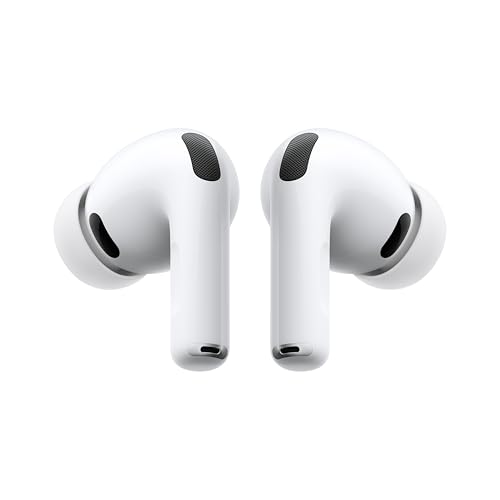
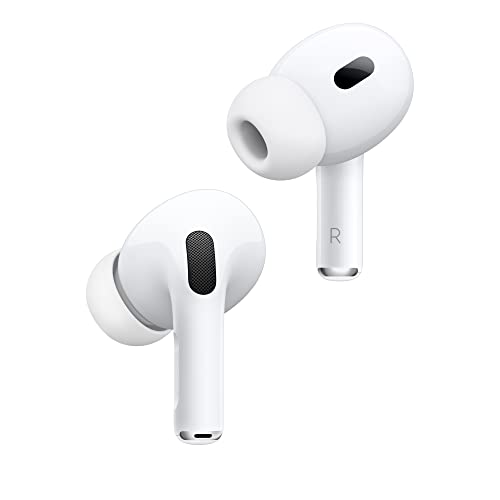

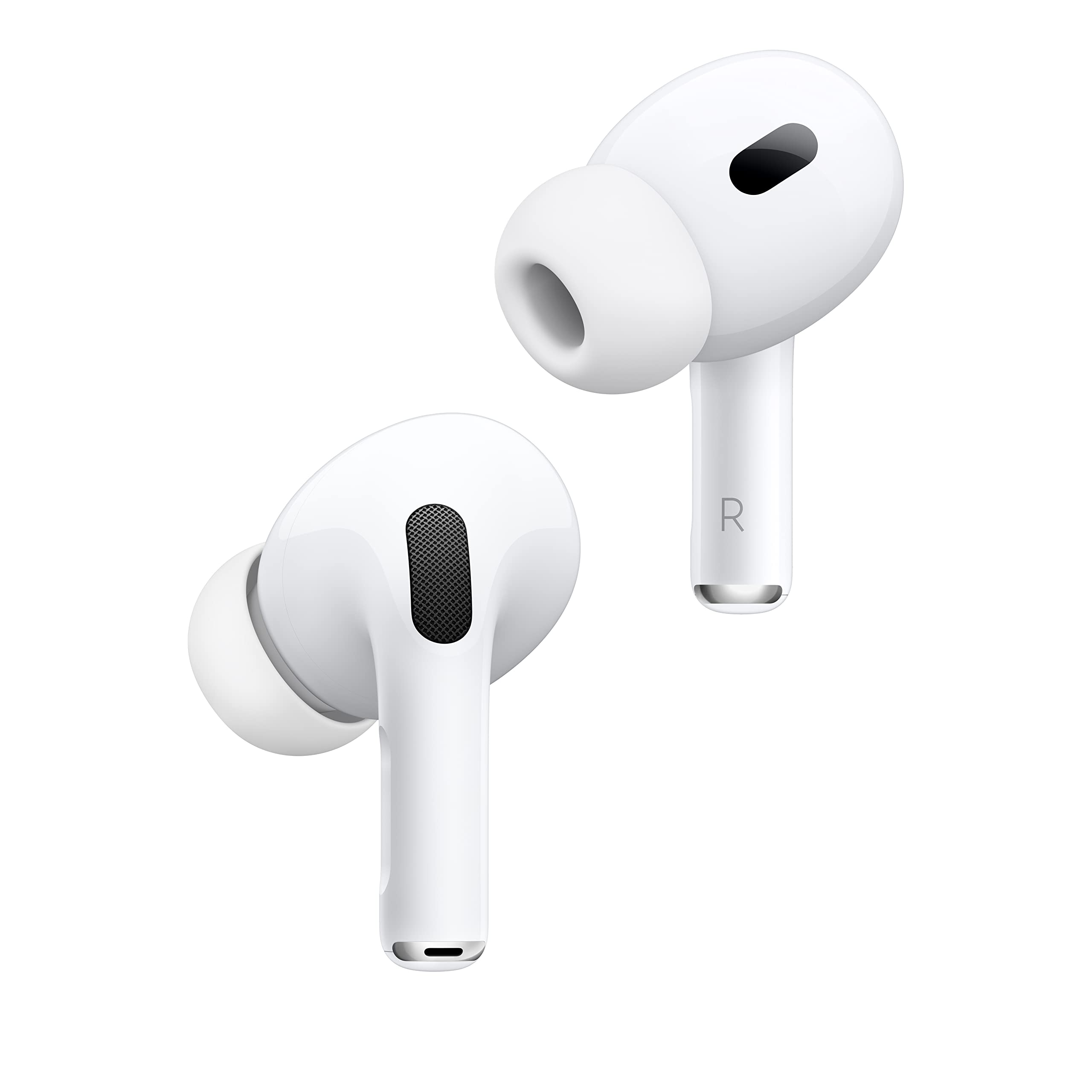
AirPods Pro 3 vs AirPods Pro 2: Quick Verdict
Buy the AirPods Pro 3 if you are buying new today, since they cost about $199 on our hub and offer more for the money. Keep or buy the AirPods Pro 2 only if you find one at a clear discount, and compare the price carefully, since some listings sit above the newer model.
The Pro 2 lists near $250 to $265 in several listings, which makes it poor value next to the Pro 3 at the moment.
Noise Canceling
Apple says the AirPods Pro 3 remove up to twice as much unwanted noise as the AirPods Pro 2, calling it the world's best in-ear active noise canceling. The AirPods Pro 2 already offered up to twice as much as the first generation, so the Pro 3 step is a second large improvement.
In daily use, the Pro 3 help most on planes, trains and busy streets, where extra low frequency noise reduction is easy to notice.
Sound and Fit
The AirPods Pro 3 use a new acoustic architecture for bass and clarity, and Adaptive EQ with inward-facing microphones. They include ear tips in five sizes, compared with four sizes (XS, S, M, L) with the AirPods Pro 2. An extra size helps people who found the Pro 2 slightly too small or large.
The Pro 2 uses an H2 chip and a custom low-distortion driver. It still sounds very good, and many users will not feel a large difference in music quality alone.
Battery Life
The AirPods Pro 3 list up to 8 hours of listening with noise canceling on a single charge. The AirPods Pro 2 list up to 6 hours, with up to 30 hours of total listening using the case. The extra two hours help on long flights and workdays.
Features: What the Pro 3 Adds
The AirPods Pro 3 add heart rate sensing, which tracks workouts, and Live Translation powered by Apple Intelligence. They also list a hearing check, a Hearing Aid feature with Conversation Boost and Hearing Protection. These hearing features are not medical treatment, so ask your doctor if you have hearing concerns.
The Pro 2 offers Adaptive Audio, Personalized Spatial Audio with head tracking, touch control on the stem, and a hearing aid feature on some listings.
- Pro 3 only: heart rate sensing, Live Translation, five tip sizes, up to 8 hours with noise canceling.
- Pro 2: stem touch control, a case with a speaker and Precision Finding, MagSafe charging and IP54 dust, sweat and water resistance.
Charging Case and Durability
The AirPods Pro 2 case adds a built-in speaker, Precision Finding and a lanyard loop, and charges by USB-C, MagSafe, Apple Watch charger or a Qi charger. Check the AirPods Pro 3 listing for case details, since Apple updates cases between generations.
The Pro 2 is rated IP54 for dust, sweat and water resistance. Review each listing for the exact rating.
Price and Value
With the Pro 3 at about $199 and Pro 2 listings at $250 and above, the newer model is both cheaper and better. Older Pro 2 stock from third party sellers can appear at a discount at times, so compare before you buy. For other earbuds, see the AirPods 4 review, the AirPods Pro 3 review and the Beats Solo Buds review.
Should You Upgrade
Upgrade from the Pro 2 if you want stronger noise canceling, heart rate tracking or longer battery life. Stay with the Pro 2 if the battery still lasts through your day and you do not need the new features. A first generation AirPods Pro user gets more benefit from upgrading than a Pro 2 owner.
Buying Tips for Either Model
Match the case type to what you own. Newer cases charge by USB-C, so one cable can charge your phone and earbuds. If you have an older Lightning cable, check the Pro 2 listing carefully, since Lightning and USB-C versions both exist and look alike.
Fit matters more than any spec. Use the ear tip fit check in the iPhone settings, and try a different size if the seal feels weak. A tip that is one size off can lose bass and let in noise, which makes even the best noise canceling sound ordinary. Replacement tips are cheap and sold in packs for both generations.
If You Own the Pro 2 Already
A Pro 2 owner gets a modest upgrade rather than a revolution. The extra noise reduction and battery life help frequent travelers and commuters, and the heart rate sensing is useful if you wear no smartwatch. If your Pro 2 still holds a charge and fits well, waiting for a sale on the next model is a sensible choice.
If the battery on your Pro 2 has weakened after a couple of years, buying the Pro 3 is usually cheaper than repairing the old pair and gives you a fresh battery and warranty.
FAQ
Are AirPods Pro 3 better than AirPods Pro 2?
Yes. They offer stronger noise canceling, longer battery life, heart rate sensing and more ear tip sizes.
Is AirPods Pro 2 still worth buying?
Only at a clear discount, because the Pro 3 costs less in most current listings.
Do AirPods Pro 3 have a USB-C case?
Yes. The Pro 3 listing mentions USB-C charging.
Do both support spatial audio?
Yes. Both support personalized spatial audio with Apple devices.
Final Verdict
The airpods pro 3 vs airpods pro 2 comparison is clear: the Pro 3 is the better buy at the current price. Check the listings in the table above, and choose the Pro 2 only if you find it at a real discount.


