
Apple Mac Mini M4 Review for 2026: Is It Worth Buying?
Disclosure: We may earn a commission when you buy through links on this page, at no extra cost to you. As an Amazon Associate I earn from qualifying purchases. Learn more

Our apple mac mini m4 review explains performance, memory choices, ports and who should buy Apple's compact desktop.
The Mac mini is the cheapest way to get a modern Mac, and the M4 version turned it into a tiny, quiet computer that performs like machines several times its size. This Apple Mac mini M4 review covers what the little box does well, what it demands you add yourself, and how to choose a configuration without overspending.
The product table above lists several Mac mini configurations along with the newer chips. Check the current price there, because retailers vary memory and storage and add bundles.


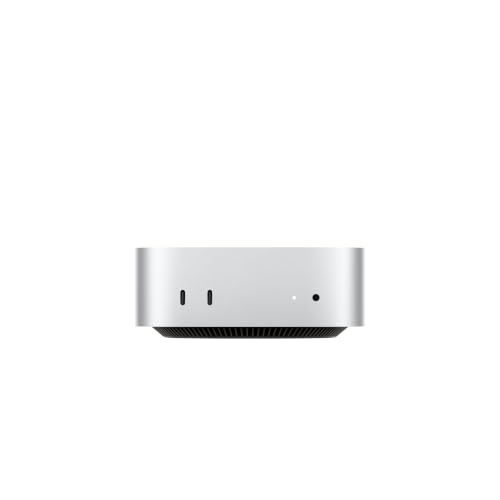
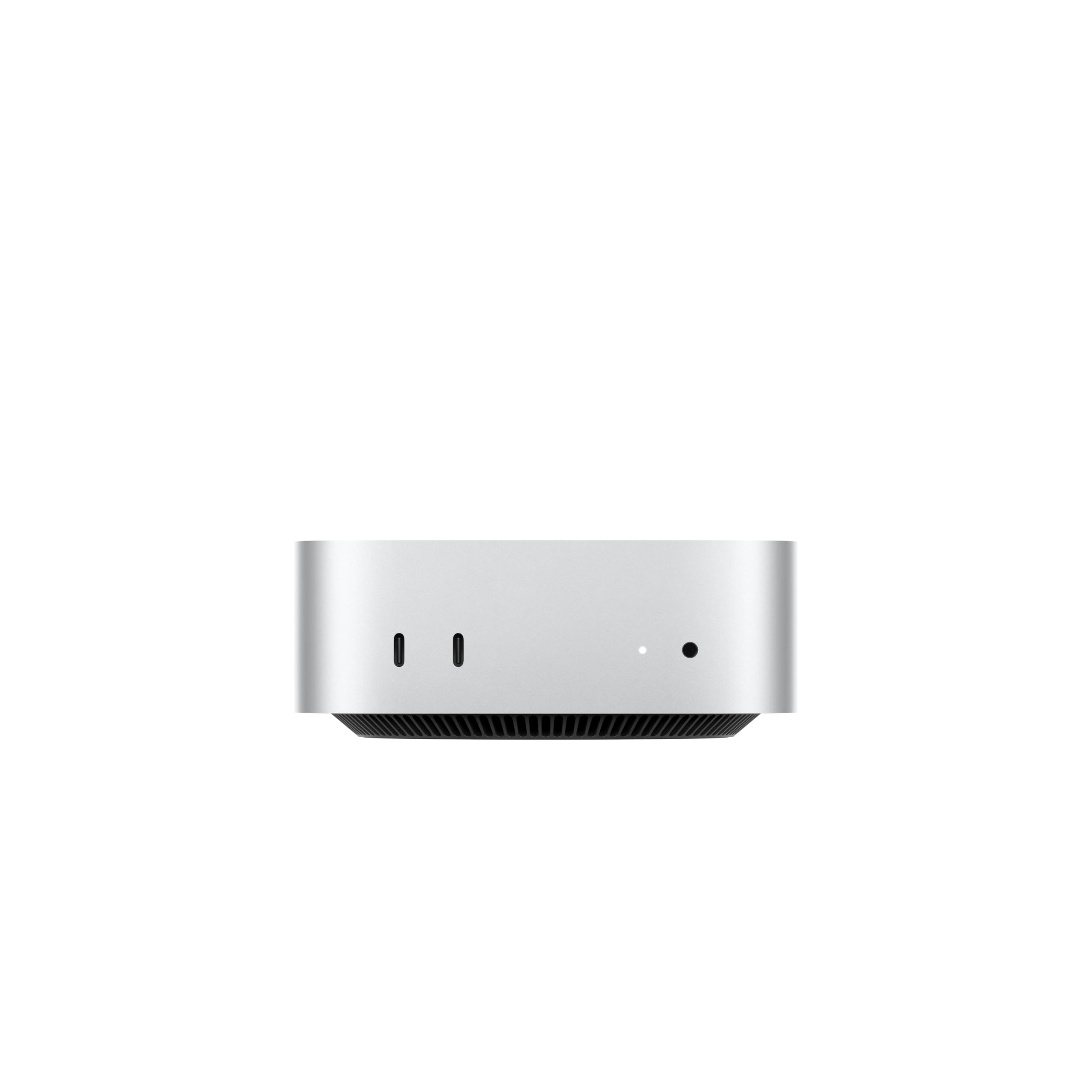
Size, Design and Placement
The Mac mini is a small aluminum square that fits on a bookshelf or beside a monitor. It has ports on the front and back, so you can plug in a drive or headphones without reaching behind it. Because it is so small, cable management matters, and a stand or hub that slides under the unit keeps the desk tidy.
Remember that you must supply the monitor, keyboard and mouse. If you already own them, the Mac mini is a bargain. If you do not, add their cost to your budget.
M4 Performance
The M4 chip is fast for office work, coding, photo editing, light video editing and music production, and it does so in near silence. The fan only spins up under heavy loads, and the machine sips power compared with a tower PC. For students, home offices and small businesses, it is more than most people will ever use.
Memory and Storage
Configurations in the table start at sixteen gigabytes of unified memory and offer different storage sizes. Memory and storage are fixed at purchase, so buy more than you need if you plan to keep the machine for years. A 256GB drive is tight for anything beyond basics, and an external SSD is the easy fix.
Ports and Connections
The Mac mini offers Thunderbolt and USB-C ports, an HDMI port, Gigabit or faster Ethernet and a headphone jack, with ports on both the front and the back. It supports multiple external displays, though the exact number depends on the chip and the resolution.
Using It as a Home Server or Media Hub
Many owners run a Mac mini as a quiet home server, a media center, a smart-home hub or an AI-experiment machine because of its low power use. It stays on all day and costs very little to run, which is a big advantage over a PC tower.
What to Plug Into It
Pick a monitor with a USB-C or HDMI input and a resolution that matches your work. A 27-inch 4K monitor is a comfortable pairing, and a 5K display is nicer for photo work. Add a keyboard and mouse you enjoy, since you will use them all day. If you want wireless audio and a camera, check that your monitor offers speakers and a webcam or add your own.
The Mac mini does not include a speaker beyond a small internal one, so a pair of desktop speakers or a good set of headphones is part of the real cost.
Setup and Daily Use Tips
Connect the monitor, keyboard and mouse, then power up. Sign in with your Apple account, update macOS and turn on backups. Place the unit where air can circulate and keep the vents free. Heavy tasks will make it warm but it should never be hot.
Use a USB-C hub under the unit if you want SD card or extra USB ports at the front. A small stand with an SSD slot adds fast storage in the same footprint.
Choosing a Configuration
Most people are happy with the standard memory and a mid-size drive. If you plan to edit video, run virtual machines or keep a lot of browser tabs open, pay for more memory. If you plan to keep it as a server or media machine, the entry configuration plus an external drive is a perfectly good setup.
Real-World Uses That Suit It
Students use the Mac mini as a quiet desk computer. Photographers run Lightroom with an external drive. Small businesses use it as a point-of-sale or office computer, and families turn it into a shared media center. Tinkerers run home automation, backup servers and local AI tools on it day and night, because the power draw is low.
Apple Mac mini M4 Pros and Cons
Pros: low price for a Mac, small size, near-silent operation, strong performance and low power use. Cons: no upgrades after purchase, no included peripherals, and a small number of ports compared with a tower.
Alternatives
If you want a Windows or Linux mini computer, our best mini PC guide covers many models, and the Apple Mac mini M4 alternative page lists cheaper options. For more power, compare the Apple Mac mini M4 Pro review, and for AI work see the NVIDIA DGX Spark review.
Who Should Buy It
Buy the Mac mini if you want an affordable, quiet Mac for work, study or home use, and you already own a monitor. Skip it if you want a built-in display, extensive upgrades or heavy gaming.
Common Questions From Buyers
New buyers ask whether they can use a TV as a monitor. They can, over HDMI, though text will look better on a monitor designed for desks. They also ask whether Wi-Fi is built in. It is, along with Bluetooth. Another common question is whether the machine can be left on all day, and the answer is yes, because power draw at idle is very low and macOS manages heat well.
FAQs
Does the Mac mini come with a monitor?
No. You need a display, keyboard and mouse.
Is 256GB enough?
For light use, yes, with an external drive. For photos and video, choose a larger drive.
Can it run games?
Some, but a Mac is not a gaming platform like a PC.
Can I upgrade the memory later?
No. Choose it carefully when you buy.
Final Verdict
The Apple Mac mini M4 review verdict is warm: this is one of the best-value computers around, provided you accept fixed memory and bring your own peripherals. Compare the configurations in the product table, buy more memory than you think you need, and pair it with a decent monitor. If anything in this apple mac mini m4 review still leaves you unsure, the return window is your safety net.
Prices and availability can change, so check the product page before ordering.

