
Arctic Freezer 36 Review for 2026: Budget Air Cooler
Disclosure: We may earn a commission when you buy through links on this page, at no extra cost to you. As an Amazon Associate I earn from qualifying purchases. Learn more

An arctic freezer 36 review on cooling, noise, variants and compatibility for midrange gaming and office builds.
The Freezer 36 is a budget single-tower air cooler that has become a go-to upgrade for people who want to replace a loud stock cooler without spending much. This arctic freezer 36 review explains what you get, how the variants differ and which PC builds suit it best.
The product table right after this intro lists the Freezer 36 versions that are currently buyable, from the plain model to the A-RGB and the newer 36-S, so you can compare price and look before you read on.
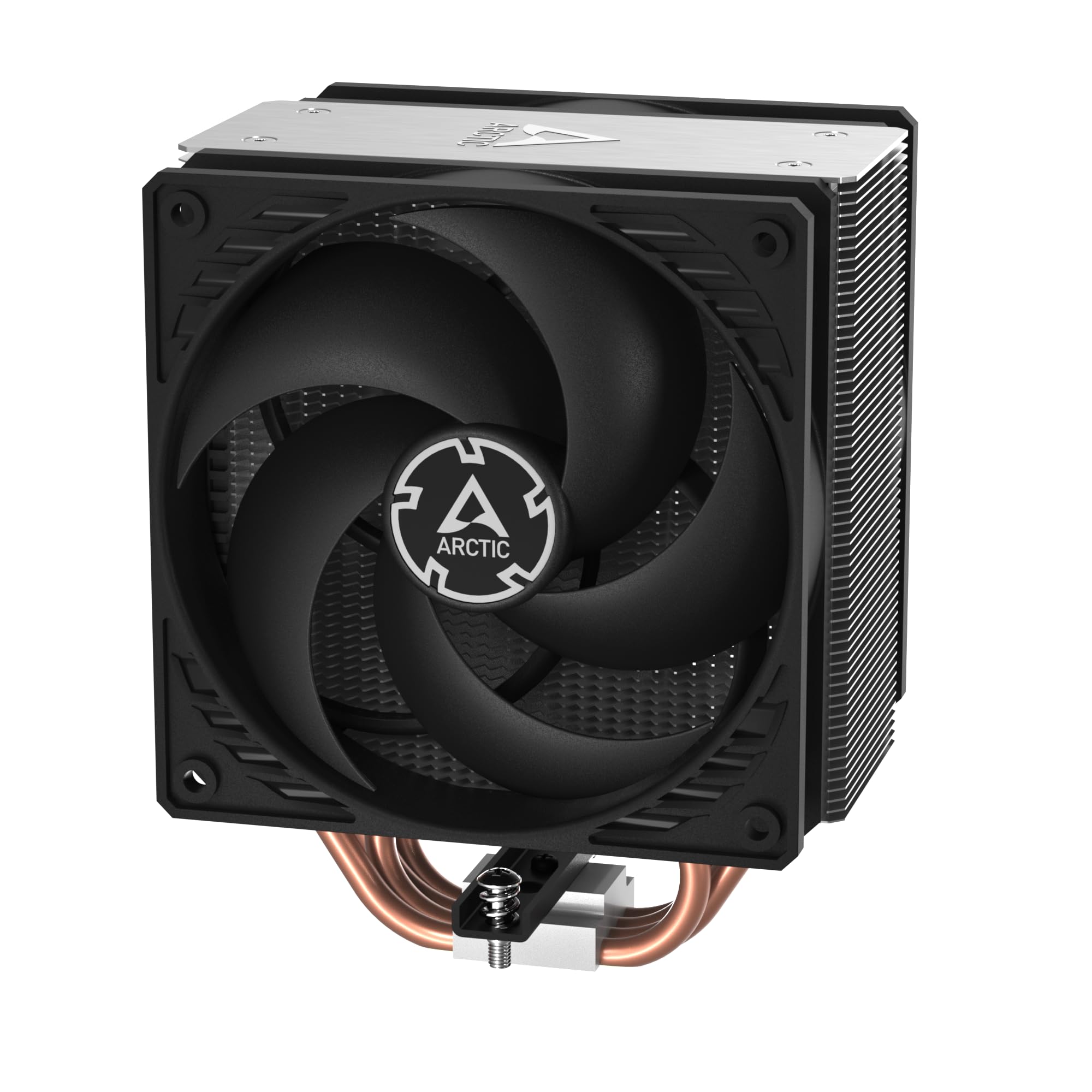

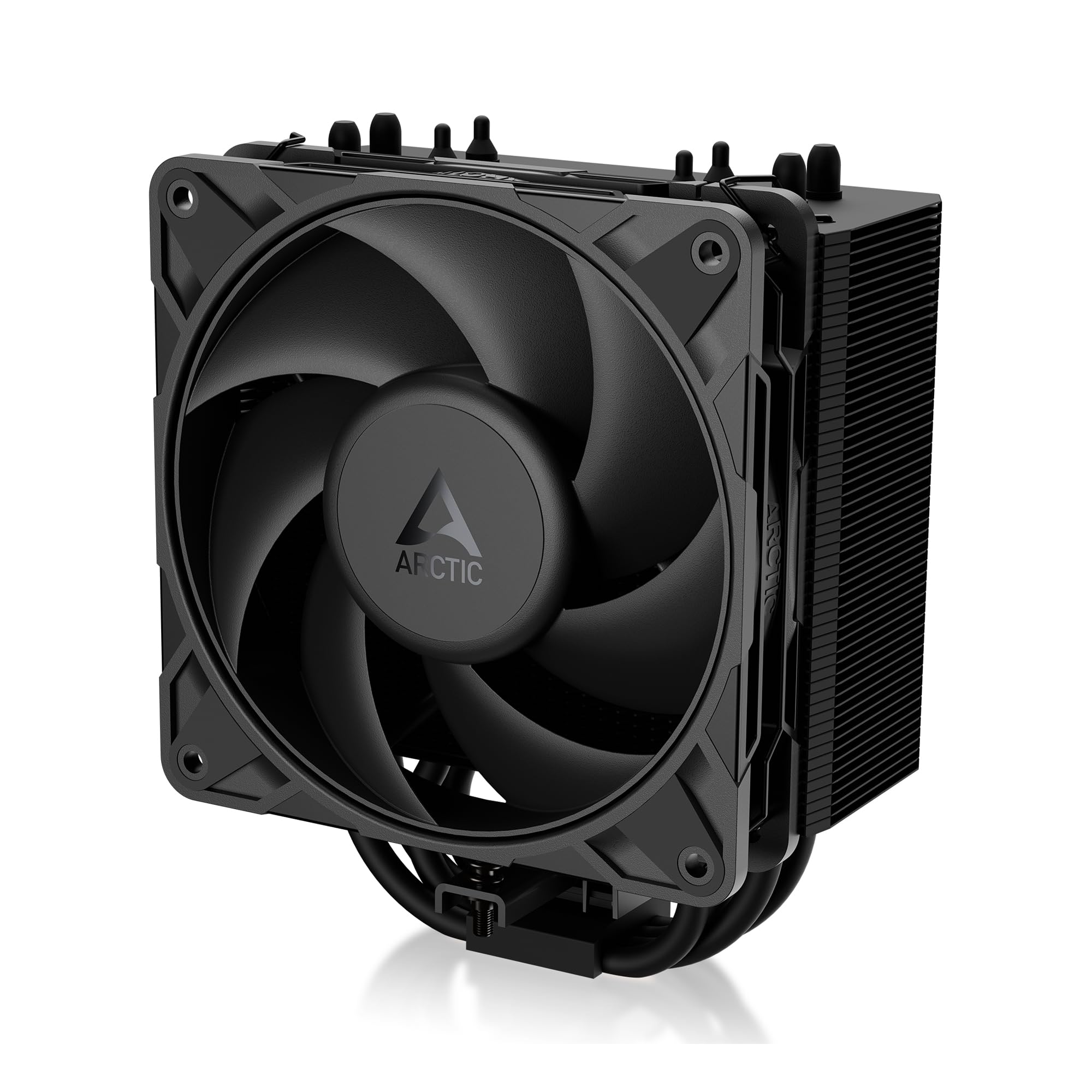
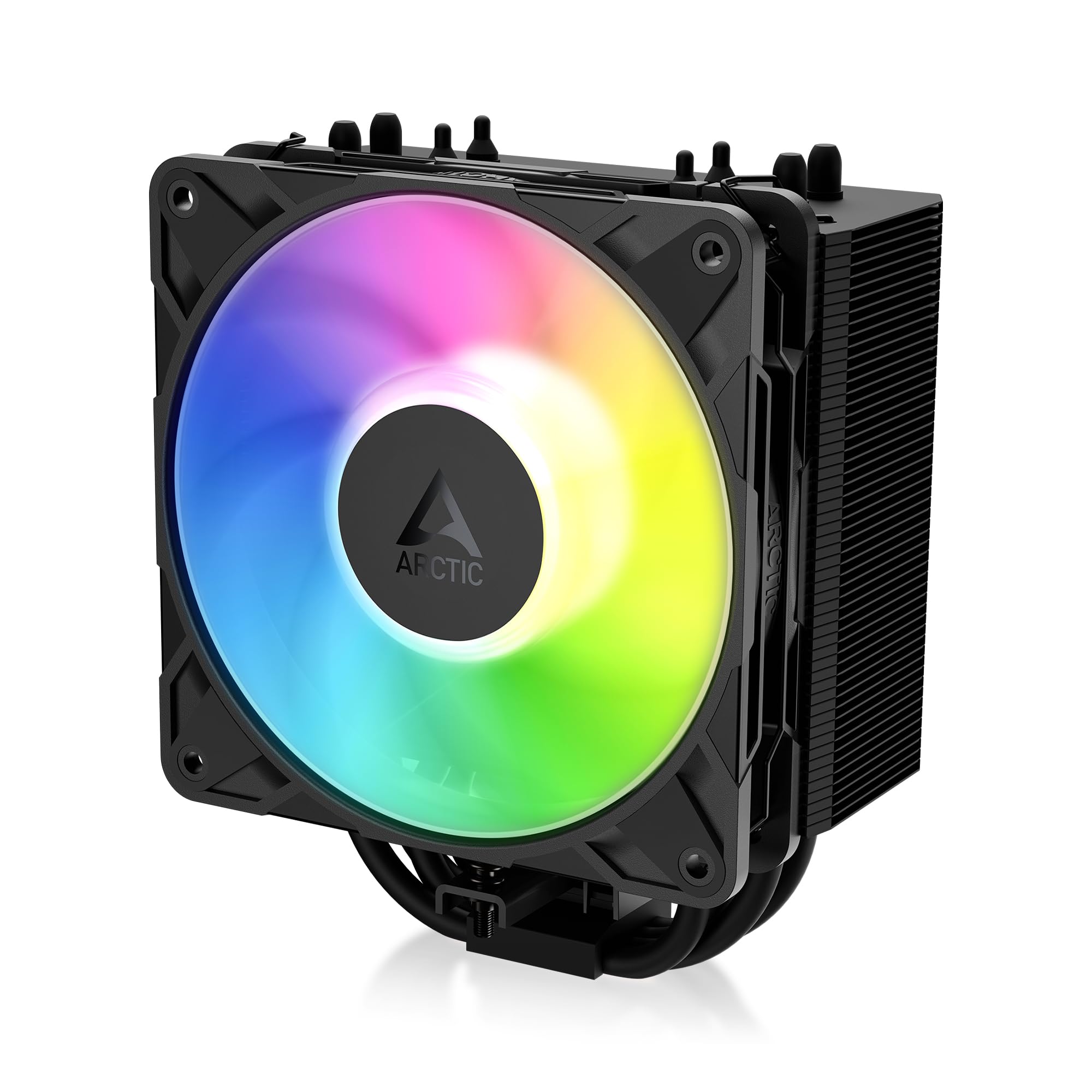
What You Get With the Freezer 36
The listing describes a single-tower cooler with four heat pipes and two pressure-optimised 120 mm fans in a push-pull layout, one on each side of the fin stack. The fans use a fluid dynamic bearing and run across a wide speed range, which lets the cooler stay quiet when the processor is idle and speed up under load. The package includes thermal compound, so you can install it right away.
Push-pull means one fan blows air into the fins and the second pulls it through. That setup adds cooling performance without the extra height of a second tower, and it is one of the reasons the model earns attention at this price.
Variants of the Arctic Freezer 36
Freezer 36
The plain version is the value pick, with black fans and no lighting. It suits most budget and midrange builds and is usually the cheapest.
Freezer 36 A-RGB
This version adds addressable RGB lighting on the fans, which you can sync with your motherboard. It costs a little more, and it is the right choice if your case has a glass side panel and you like lighting.
Freezer 36 CO
The CO version uses fans designed for continuous operation, with higher durability for systems that run around the clock, such as a home server or workstation.
Freezer 36-S
The newer 36-S is a smaller package with a single P12 Pro style fan and a faster fan range. It is a lower price option for compact cases and light loads.
Cooling Performance and Noise
For a midrange processor, the Freezer 36 holds temperatures down well and stays quiet at moderate loads. With a very hot, high power processor, a large dual tower or a liquid cooler will keep temperatures lower. The cooler's strength is value: it performs close to bigger coolers that cost more.
Tuning the Fans
Set a fan curve in the BIOS so the fans stay near the bottom of their range at idle and ramp up as the processor warms. A flat, quiet curve is more pleasant than a curve that jumps around, and it adds little to temperatures during everyday use.
Installation and Compatibility
The cooler fits recent Intel and AMD sockets with the included mounting hardware, though you should check the listing for the exact socket list for your variant. Measure the height clearance inside your case, and check that the fan on the memory side does not hit tall RAM modules.
- Check your socket against the listing.
- Measure case clearance for the cooler height.
- Check memory heatsink height for the front fan.
- Apply a small amount of thermal paste if you reuse an old cooler.
Who Should Buy It
It suits builders who want a low cost upgrade over a stock cooler, midrange gaming PCs and quiet office builds. Skip it if your processor is a top tier model that runs very hot, or if you want a very compact build with strict height limits.
For other options, see the best cpu cooler guide, our arctic freezer 36 alternative comparison and the thermalright peerless assassin 120 se review.
How It Compares With Stock Coolers and Bigger Towers
Stock coolers that come in the box with a processor are designed to be cheap and often get loud under load. Swapping in a Freezer 36 usually lowers both the temperature and the noise, which is why it is such a common first upgrade. Compared with a large dual tower air cooler, it gives up a little peak cooling and gains a smaller footprint and a lower price.
If you plan to overclock or you use a high power chip, treat the Freezer 36 as the budget minimum. For a processor with a moderate power draw, it has enough headroom for sustained gaming and editing.
Case Airflow Matters
Even the best cooler struggles in a case with poor airflow. Make sure at least one intake fan feeds cool air and one exhaust fan removes hot air, and keep the cables tidy so they do not block the flow. A mesh front panel helps a lot with any air cooler.
Replacing the Thermal Paste Later
Thermal compound dries slowly over several years. If temperatures creep up after a long time, remove the cooler, clean the processor and the base with isopropyl alcohol and apply a fresh pea sized dot. It is a simple job that often brings back lost performance.
Long Term Ownership
Air coolers are simple and last a long time, because the only moving parts are the fans. If a fan fails, you can replace it with a standard 120 mm fan, which makes the Freezer 36 a cooler you can keep through several upgrades of the rest of the PC. Keep dust out of the fins with an occasional blast of compressed air, holding the fans still so they do not spin too fast.
Common Questions About Setup
If the cooler is hard to mount, check that the backplate is in the correct orientation and that the screws are tightened evenly. Remove the plastic film from the base before installing. Connect both fans to the processor fan header with the splitter, and keep the cables away from the blades.
FAQs
Does the Freezer 36 come with thermal paste?
Yes, the listings include thermal compound.
Is it good for a Ryzen or Intel processor?
It supports recent sockets from both. Check the socket list on the listing.
Which version should I choose?
Choose the plain version for value, A-RGB for lighting and CO for non-stop use.
Is it quiet?
At idle and moderate loads, yes, with a fan curve tuned to your preference.
Final Verdict
Our arctic freezer 36 review finds a cool, quiet and affordable cooler that suits most midrange builds. Compare the variants in the table, check your case clearance, and check the product page for current pricing.


