
Arctic MX-6 vs Arctic MX-4: Is the Newer Paste Worth It?
Disclosure: We may earn a commission when you buy through links on this page, at no extra cost to you. As an Amazon Associate I earn from qualifying purchases. Learn more

Arctic mx-6 vs arctic mx-4 compared on temperatures, durability, price and application, with MX-7 as a third option.
MX-4 and MX-6 come from the same maker and share the same safe, non-conductive approach, but they are not identical products. The arctic mx-6 vs arctic mx-4 comparison is a question about whether a newer formula and a higher price tag actually buy something you can measure and enjoy.
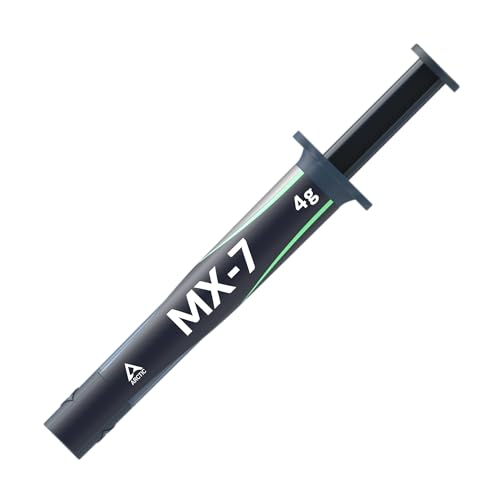
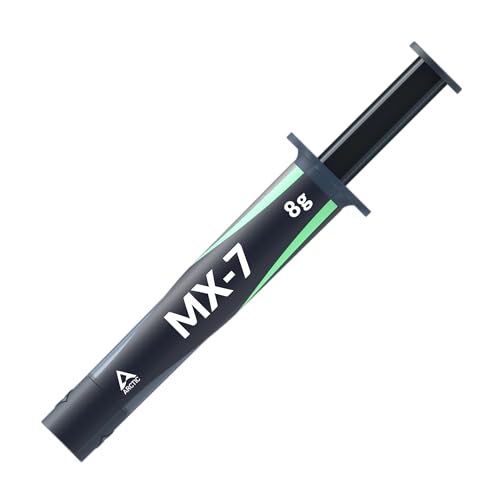
The product table right after this intro lists both pastes in several sizes along with the newer MX-7, so you can compare price per gram before reading on.


What Changed Between the Two Pastes
MX-4 is a carbon microparticle paste, metal-free and non-electrically conductive, whose formula has stayed the same for years. MX-6 is described by the maker as having a measurably lower thermal resistance than MX-4, with very high thermal conductivity and long durability. It is also non-conductive and non-capacitive, so it keeps the same safe handling.
The packaging changed as well. MX-6 comes in several sizes, and some packs include cleaning wipes or a spreader, which makes a first-time application easier.
Temperatures in Practice
MX-6 usually runs a degree or two cooler than MX-4, and sometimes a bit more under a high power load. On a typical processor and air cooler, the difference is small. On a compact system or a hot graphics card, that margin can matter more and lead to a quieter fan curve.
Where You Will Not Notice
On an everyday PC with a decent cooler, either paste will keep temperatures within a comfortable range. The cooler, the case airflow and the fan curve make a bigger difference than the choice between these two pastes.
Price and Value
MX-4 is among the cheapest quality pastes you can buy, and a small tube costs only a few dollars. MX-6 costs more per gram, though the small tube is still inexpensive in absolute terms. For a single build, the extra cost is a few dollars. For a shop or a household with many PCs, the larger tubes make MX-4 the budget champion.
- MX-4: lowest cost, long track record, easy to find in several sizes.
- MX-6: better performance and durability, a bit pricier, often sold with cleaners.
- MX-7: newer again, with a thick formula meant to settle under pressure.
Application Differences
Both pastes work with the dot method: a pea sized dot in the center of the processor, with the cooler pressed straight down. MX-4 is easy to spread by hand if you prefer to do so. MX-6 has a smooth consistency that spreads under pressure, and it is easy to apply as well.
Cleaning Up Old Paste
Remove old paste with isopropyl alcohol and a lint-free cloth. If you are replacing MX-4 with MX-6, clean off every trace first, since mixing them reduces performance.
Durability
MX-6 is marketed for longer durability, which means it should hold its performance for more years before you need to reapply. MX-4 also lasts a long time, though many owners refresh it every few years. If you hate repasting, the newer paste is slightly more attractive.
Choosing by Use Case
First Build or Budget Build
Spend as little as you can here and keep money for the parts that decide performance. MX-4 is the answer, and a small tube will cover your build and a spare application. If a pack with MX-6 and cleaning wipes costs only a bit more, the extras are convenient for a first-timer.
Quiet Gaming PC
A quiet build lives on small temperature margins, because lower temperatures let the fans run slower. MX-6 gives a little more room, and its durability helps keep the system quiet for years. It is a sensible choice if you care about noise.
Laptop or Handheld Repaste
These devices have little cooling headroom and use very small amounts of paste. MX-6 is a good pick because of its smooth consistency and thermal improvement, though MX-4 is fine for a budget repair. In both cases, follow a guide for your exact model and handle thermal pads with care.
Workshop or Many PCs
A larger tube of MX-4 is the clear value choice for anyone who builds or repairs many machines. The performance gap is small, and the price per use is lower.
Common Mistakes to Avoid
- Using too much paste, which squeezes out and attracts dust.
- Applying paste over old paste rather than cleaning it off.
- Choosing a paste by price alone and ignoring the cooler mounting pressure.
- Forgetting to remove the protective film from a new cooler base.
Whichever paste you use, a firm and even mount is what gives you the best result.
When to Replace the Paste You Have
If your processor has crept up in temperature over the years, if the fans spin faster than they used to or if you recently moved the cooler, it is time for new paste. There is no fixed schedule. Many people refresh paste when they upgrade the processor, and some leave it for five years or more. If your PC runs cool and quiet, there is nothing to fix.
Check the temperature with a monitoring tool before and after, and keep notes so you can see if the change helped.
Which Should You Buy?
Buy MX-4 if you want the lowest cost and a time-tested paste for a basic build. Buy MX-6 if you want a modest performance improvement and a longer lasting formula without paying premium prices. Consider the newer MX-7 if you want a thick paste that stays put over years of heat cycles.
For more detail on each, read the arctic mx-4 review and the arctic mx-6 review, or see the best thermal paste page.
FAQs
Is MX-6 better than MX-4?
Yes, by a small margin, according to the maker and most owners. The difference is a few degrees at most.
Is MX-6 worth the extra money?
For compact or hot systems, yes. For basic builds, MX-4 is enough.
Can I use either on a laptop?
Yes, both are used for laptop and console repasting.
Are they both safe on a board?
Yes. Both are non-conductive.
Final Verdict
The arctic mx-6 vs arctic mx-4 comparison favors MX-6 for performance and durability and MX-4 for price. Compare the sizes in the table, and check the product page for current pricing.


