
ASRock B650M Pro RS Review for 2026: AM5 Budget Board
Disclosure: We may earn a commission when you buy through links on this page, at no extra cost to you. As an Amazon Associate I earn from qualifying purchases. Learn more

This asrock b650m pro rs review covers the AM5 micro ATX board: power phases, DDR5, M.2 slots, 2.5G LAN and what it lacks.
Budget Ryzen builders keep finding the same board in shopping lists, and this asrock b650m pro rs review explains why. The B650M Pro RS is a micro ATX motherboard for the AM5 socket that costs around $110 and supports Ryzen 7000, 8000 and 9000 processors. It skips extras like built in WiFi, but it keeps the features that matter for a compact gaming or work PC.
The product table compares the Pro RS with other AM5 micro ATX boards, so you can see how price and features line up.


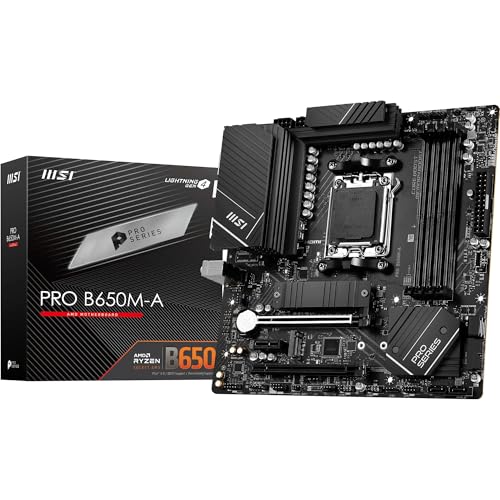


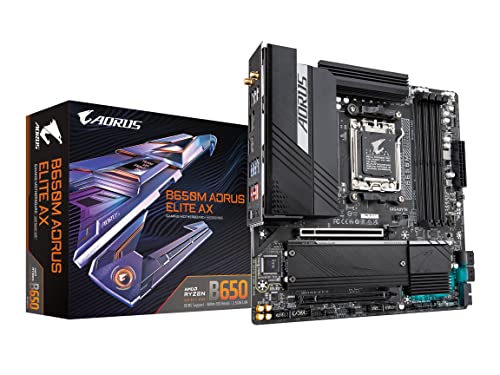


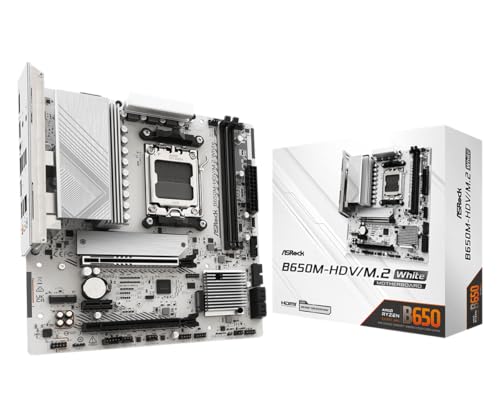

ASRock B650M Pro RS Review: Core Features
The listing highlights AM5 support, four DDR5 slots with speeds up to 7200 MHz overclocked, and an 8+2+1 power phase design with Dr.MOS stages. That power delivery is sized for mainstream Ryzen processors, so it suits a six or eight core chip without trouble. The board supports a wide range of CPU generations, and a BIOS Flashback feature helps if you need to update before the CPU is recognized.
Storage options include one PCIe Gen5 x4 M.2 slot, further M.2 slots at PCIe 5.0 and 4.0 speeds, and four SATA ports. For a board at this price, that is a generous set.
Ports, Networking and Audio
The rear panel offers USB 3.2 Gen2 Type A and Type C ports, with a front panel connector for a USB 3.2 Gen1 Type C port on supported cases. Wired networking comes from a 2.5G LAN controller. Audio is handled by a Realtek ALC897 7.1 channel codec with Nahimic software.
The listing mentions a Key E slot for WiFi, which means the board has no wireless card built in. If you need WiFi, buy a compatible card or look at the WiFi version of this board.
Who needs the WiFi version
Anyone without a router nearby should pick the WiFi variant or add a card. A wired connection is more stable, though, so use Ethernet whenever you can.
Memory and CPU Pairing
DDR5 is the only memory type on AM5, so plan for DDR5 kits. The board lists support for high speed overclocked profiles, though faster kits are not always more stable. Choose a mainstream kit and enable its memory profile in the BIOS.
Pair the board with a midrange Ryzen processor. The 8+2+1 power stage is plenty for chips with moderate power draw, but a high end processor with heavy overclocking benefits from a stronger board.
Micro ATX Size and Case Choice
Micro ATX boards fit smaller cases and leave less room for expansion cards. You get one full size graphics slot and a couple of smaller slots, which is enough for most builds. Check the case supports micro ATX before you order.
Cooling is easier in a compact case with good airflow. Plan for an air cooler that fits the case height, and check clearance around the memory slots.
Strengths and Limits
The main strengths are the low price, the PCIe 5.0 M.2 slot and the broad CPU support. Limits include the lack of built in WiFi and a smaller number of USB ports than larger boards. Check the listing photos for the size of the power stage heatsinks before pairing it with the most power hungry chips.
It is best for budget gaming, small office builds and media PCs. For an overclocked high end build, look at an ATX board with stronger power delivery.
Building Around the Board
A sensible build starts with the processor, then the graphics card, then everything else. Spend the bulk of the money on those two parts, and let the board fall in the middle of the budget. A midrange Ryzen and a strong graphics card on a board like this one beat a flashy board with a weak processor.
Pick a power supply with a clean 12 volt rating and some headroom over your graphics card. Case airflow matters too, because small cases heat up quickly under gaming load. Two intake fans and one exhaust fan are enough for most mid range builds.
First Boot and BIOS Tips
New AM5 boards sometimes ship with an older BIOS that does not recognize the newest Ryzen chips. The BIOS Flashback feature mentioned in the listing lets you update the firmware from a USB stick without a working CPU. Download the latest file from the maker's support page and follow the steps in the manual.
Once the system boots, enable the memory profile, set a fan curve and check that the storage is detected in the correct slot. Install chipset drivers from the ASRock site rather than relying on generic ones.
Alternatives to Consider
Other AM5 micro ATX boards add WiFi, more USB ports or stronger VRMs at a higher price. If you want to see how the range compares, the best motherboard guide covers boards across price levels. For newer chipsets, the Gigabyte B850 Aorus Elite WiFi7 review shows what an ATX B850 board adds.
Who Should Skip This Board
Buyers who want wireless networking out of the box, several fast USB ports or heavy overclocking should look at a pricier model. People planning a large case with many expansion cards will also run out of slots on a micro ATX layout. For everyone else, this board is a practical way to enter the AM5 platform without overspending.
Frequently Asked Questions
Does the ASRock B650M Pro RS have WiFi?
No, it has an empty Key E slot. A separate WiFi version exists.
Which CPUs does it support?
Ryzen 7000, 8000 and 9000 series for AM5, according to the listing.
Does it support PCIe 5.0 storage?
Yes, one M.2 slot is PCIe Gen5 x4.
How much memory can it hold?
It has four DDR5 slots. Check the listing for the maximum capacity per slot.
Is it good for gaming?
Yes, with a midrange Ryzen processor and a good graphics card it makes a solid budget gaming board.
Final Verdict
This asrock b650m pro rs review comes down to value: you get AM5, DDR5, a Gen5 M.2 slot and 2.5G LAN for around $110. Skip it if you need built in WiFi or extreme overclocking. Compare the other boards in the product table and match the board to your CPU and case.
Prices and availability can change, so check the product page before ordering.


