
ASRock B850 Steel Legend Review for 2026: ATX AM5 Board
Disclosure: We may earn a commission when you buy through links on this page, at no extra cost to you. As an Amazon Associate I earn from qualifying purchases. Learn more

This asrock b850 steel legend review covers the ATX AM5 board's 14+2+1 power design, four M.2 slots, WiFi 7 and where it fits among B850 boards.
Mid range AM5 builders who want WiFi 7 and a Gen5 graphics slot without paying flagship prices will find plenty to like in this asrock b850 steel legend review. The B850 Steel Legend WiFi is a full size ATX board for Ryzen 9000, 8000 and 7000 processors, and it sells for about $170. It focuses on power delivery, storage and connectivity rather than flashy extras.
The product table lists the Steel Legend with other B850 boards, so you can compare price and features before choosing.


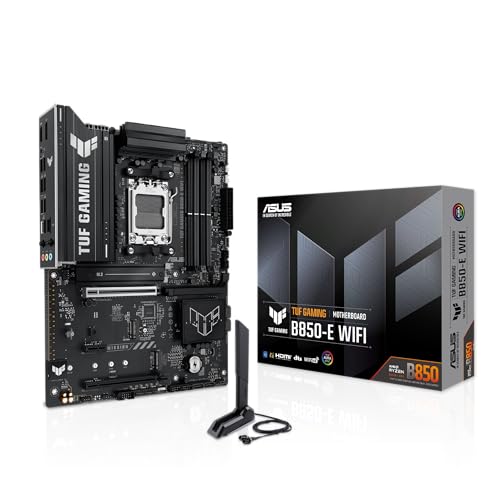

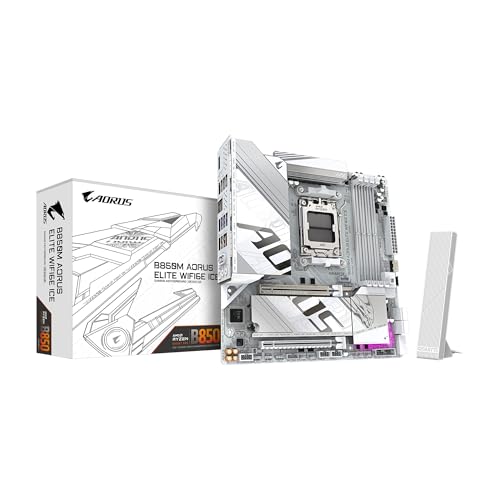

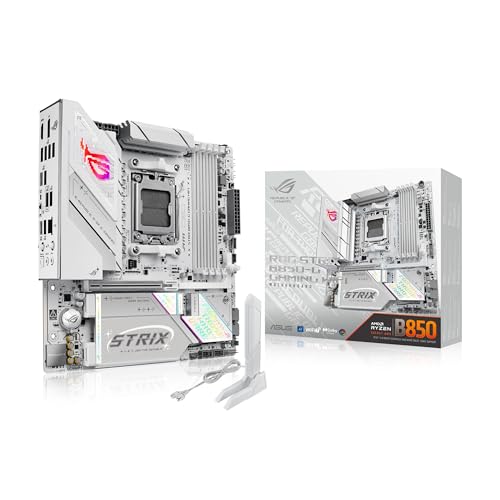
ASRock B850 Steel Legend Review: Key Features
The listing describes a 14+2+1 phase power design with 80A Dr.MOS stages, which is a solid setup for mid and upper midrange Ryzen processors. There are four DDR5 slots supporting dual channel configurations with overclocked speeds up to 8000 MHz. The board uses the AM5 socket and supports three generations of Ryzen chips.
That power delivery gives headroom for processors that draw a lot of current under load. It also means the board stays stable if you tweak memory settings or enable a boost feature. For a board at this price, it is a stronger spec than many micro ATX alternatives.
Expansion and Storage
A PCIe 5.0 x16 slot is ready for current and future graphics cards, and one M.2 slot runs at Gen5 x4 speed. In total the board has four M.2 slots, mixing PCIe 5.0 and 4.0, plus four SATA3 ports. That is enough for a fast boot drive, a game library drive and bulk storage.
Cooling for the drives is handled by a toolless multi layer M.2 heatsink and a bottom heatsink. These keep fast SSDs from throttling during long transfers. The Lite Release design in the listing refers to easier installation of the graphics card and drives.
Why storage layout matters
Some M.2 slots share lanes with SATA ports or other devices. Check the manual to see which slots are disabled when others are in use. A little planning avoids surprises when you add the third or fourth drive.
Networking and Connectivity
The Steel Legend includes WiFi 7 with Bluetooth and a Realtek 2.5G LAN port. WiFi 7 matters if you have a compatible router and many devices, while 2.5G wired is useful for fast local networks. If your router is older, you will still benefit from the stable wired option.
Rear and front USB ports are numerous enough for a typical desk. Check the listing for the exact count and the speed of each port. If you use many USB devices, an extra hub is a cheap solution.
Who the Steel Legend Suits
It suits builders who want a feature complete B850 board at a reasonable price. Gamers with a midrange or high end Ryzen processor will get the most from the power design. Content creators who need fast storage and many ports will also be happy.
If you only need a basic board for an office PC, the extra cost is not justified. A cheaper micro ATX board will serve you just as well.
Strengths and Drawbacks
The strengths are strong power delivery, WiFi 7, four M.2 slots and a straightforward design. The drawbacks are the lack of built in extras that premium boards offer, such as a fancy I/O shield or extra headers. The look is understated, so builders who want RGB flair will need to add it themselves.
New users should update the BIOS to the latest version before installing a Ryzen 9000 processor. The maker's support page lists the files and the steps.
Planning a Build Around the Steel Legend
Because the board accepts three Ryzen generations, you can start with an affordable chip and upgrade later without replacing the motherboard. That makes it a smart base for a build that grows over time. Pair it with a good cooler and a power supply sized for your graphics card.
The PCIe 5.0 x16 slot gives room for future graphics cards, even if you buy a PCIe 4.0 card today. Spend more of the budget on the graphics card and the processor, and let the board be the dependable middle of the build.
Memory choices
Choose a DDR5 kit that matches the speeds the processor handles well, and enable the memory profile in the BIOS. Two sticks are usually more stable than four, and they leave two slots free for later upgrades. Fill the slots indicated in the manual for dual channel mode.
Installation Tips
Install the processor and memory outside the case when possible, because the sockets are easier to reach. Attach the cooler, then mount the board in the case with the standoffs aligned to its holes. Connect the front panel cables from the case guide, and keep the power cables neat to protect airflow.
Update the BIOS and install the chipset and network drivers right after the first boot. WiFi 7 needs current drivers to work well, and a fresh Windows install may not include them. Download the files from the ASRock support page onto a USB stick before you start.
Comparing With Other B850 Boards
Other B850 boards add stronger heatsinks, extra USB ports or premium audio at higher prices. Compare them in the product table and decide which extras matter. For a broader view, the best motherboard guide covers choices across chipsets, and the Gigabyte B850 Aorus Elite WiFi7 review shows a close rival.
Frequently Asked Questions
Does the Steel Legend have WiFi 7?
Yes, the WiFi version includes WiFi 7 and Bluetooth.
How many M.2 slots does it have?
Four, mixing PCIe 5.0 and 4.0, according to the listing.
Which processors does it support?
AMD Ryzen 9000, 8000 and 7000 series on the AM5 socket.
Is it good for overclocking?
The 14+2+1 phase design with 80A stages gives good headroom for mainstream overclocking.
What is the memory speed?
The listing mentions DDR5 up to 8000 MHz with overclocking.
Final Verdict
This asrock b850 steel legend review leads to a positive conclusion: for around $170 you get a robust power design, WiFi 7, four M.2 slots and a Gen5 graphics slot. It lacks flashy extras, but it covers the essentials very well. Compare it with the other boards in the product table before you decide.
Prices and availability can change, so check the product page before ordering.


