
Asus PCE-BE92BT Review for 2026: WiFi 7 PCIe Adapter
Disclosure: We may earn a commission when you buy through links on this page, at no extra cost to you. As an Amazon Associate I earn from qualifying purchases. Learn more

This asus pce be92bt review covers the WiFi 7 PCIe card: antennas, Bluetooth 5.4, the Intel only compatibility note and rival adapters.
Desktop PCs without built in wireless are easy to upgrade, and this asus pce be92bt review looks at a card that brings WiFi 7 and Bluetooth 5.4 to a spare PCIe slot. The ASUS PCE-BE92BT costs about $80 and comes with two external antennas, support for the 6 GHz band and 320 MHz channels. It sounds ideal for a desktop with a new router, but the listing carries a compatibility warning that deserves attention.
The product table lists the ASUS card alongside similar WiFi 7 PCIe adapters, so you can compare price and features.


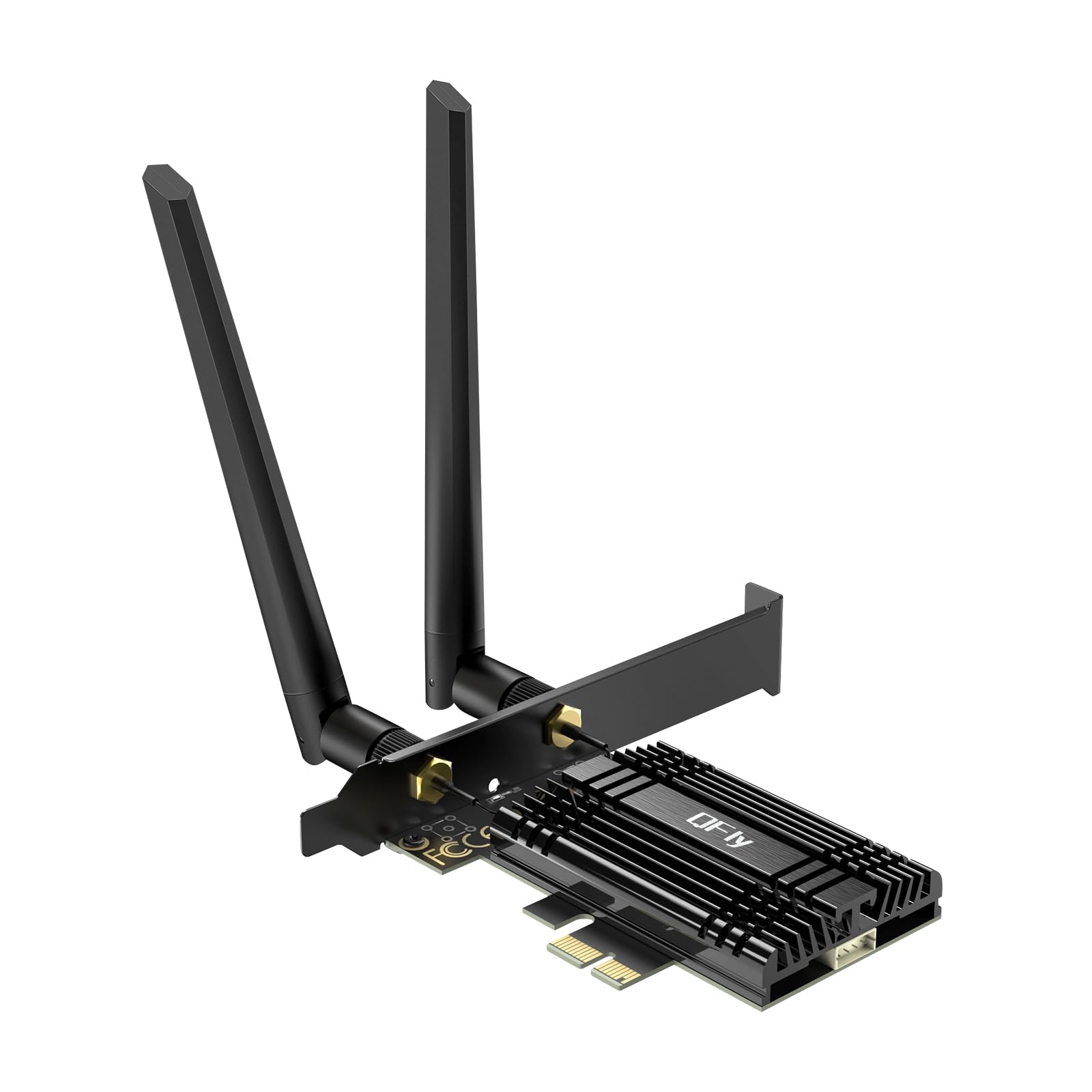

Asus Pce Be92bt Review: What the Card Offers
The listing describes a WiFi 7 PCI E adapter with two external antennas that supports the 6 GHz band, 320 MHz channel width, Bluetooth 5.4 and WPA3 security. It also lists OFDMA and MU-MIMO, which help when many devices share a network. The card fits a standard PCIe slot in a desktop and brings both WiFi and Bluetooth with a single install.
The external antennas can be moved away from the case, which improves reception compared with a card whose antennas sit directly behind the PC. A short cable or magnetic base lets you place them on top of the desk.
The Intel Only Warning
The listing states that the card is only compatible with Intel motherboards. This matters because many buyers use AMD Ryzen systems. Read the manufacturer's support page and the listing details carefully before ordering, and confirm that your board meets the requirement.
If you use an AMD board, choose a card whose listing names AMD support. Some cards in the table say they support both AMD and Intel, while a budget card says it is not for AMD boards. Reading that line saves a return.
Operating system support
WiFi 7 needs a recent operating system and up to date drivers. Windows 11 is the safest choice, and drivers should be installed before you rely on the card. Linux support depends on the kernel version, so check the community notes for your distribution.
WiFi 7 in Practice
WiFi 7 offers higher peak speeds and better handling of busy networks than WiFi 6. You only get those gains with a WiFi 7 router and a clear signal. If your router is older, the card still works, but it behaves like a WiFi 6E or 6 client.
The 6 GHz band is fast and uncrowded, but its range is shorter. Put the antennas in a high, open position and keep the router within a room or two for the best results.
Installation Steps
Power off the PC and unplug it. Open the case, find a free PCIe slot and seat the card firmly, then fasten the bracket. Connect the Bluetooth cable to a USB header on the motherboard if the card requires it, and screw on the antennas.
Boot the PC and install the drivers from the ASUS support page. Check that both WiFi and Bluetooth appear in the device manager, and update the drivers if Windows does not detect them automatically.
Operating System Limits to Know
Different WiFi 7 cards have different software limits. One rival listing says it is not compatible with Windows 10 or Linux, and another is described as designed for Windows 11 only. Cards built on the Intel BE200 chip generally have wider operating system support.
Look up the driver page for your card before buying if you use Windows 10 or Linux. A card that cannot load a driver is a paperweight, no matter how good the hardware looks. Windows 11 users have the easiest time.
Antenna Placement and Signal
Antenna position changes signal strength more than most buyers expect. Put the antennas above desk level, away from metal and thick cables. Point them upright and keep them a few inches apart.
The 6 GHz band loses strength through walls, so a clear line to the router matters. If your PC is far from the router, a mesh node or a wired connection will beat any card. A wired link is also more stable for fast downloads and online games.
Bluetooth connection
The card includes Bluetooth 5.4, which covers controllers, headphones and keyboards. The Bluetooth part usually needs a USB cable from the card to a motherboard header, so check that you have a free header. Without it, the wireless side works but Bluetooth does not.
Price and Alternatives
At about $80, the ASUS card costs more than several rivals. Rival WiFi 7 PCIe cards sell for around $65, some with antennas on a magnetic base and others with high gain antennas, and cards from smaller makers cost even less. The extra cost buys the ASUS name and a design with external antennas.
For a broader comparison, the best WiFi adapter guide covers USB and PCIe options. The TP-Link Archer TBE550E review and the TP-Link Archer TXE75E review show what a rival offers.
Who Should Buy It
Intel desktop owners who want a branded card, external antennas and Bluetooth in one purchase are the best fit. People with a WiFi 7 router and a PC far from the wired network will also notice the gain. AMD owners and Windows 10 users should read the compatibility lines first and may do better with a different card.
Frequently Asked Questions
Does the PCE-BE92BT work with AMD motherboards?
The listing says it is only compatible with Intel motherboards. Check this before you buy.
Does it include Bluetooth?
Yes, Bluetooth 5.4 is included.
Do I need a WiFi 7 router?
To get WiFi 7 speeds, yes. The card still works with older routers at lower speeds.
How many antennas does it have?
Two external antennas, according to the listing.
Is it easy to install?
Yes, it fits a standard PCIe slot and needs drivers from the maker.
Final Verdict
This asus pce be92bt review finds a well specified WiFi 7 card with a significant catch for AMD users. Buy it if you run an Intel system and want an ASUS branded card with external antennas. Otherwise compare the alternatives in the product table, and always confirm compatibility first.
Prices and availability can change, so check the product page before ordering.


