
ASUS ROG Xbox Ally vs ASUS ROG Ally: Is the Upgrade Worth It?
Disclosure: We may earn a commission when you buy through links on this page, at no extra cost to you. As an Amazon Associate I earn from qualifying purchases. Learn more

This asus rog xbox ally vs asus rog ally comparison covers the Z2 A and Z1 Extreme chips, the Xbox interface, comfort and whether upgrading makes sense.
The original ROG Ally introduced many people to Windows handhelds, and the ROG Xbox Ally is ASUS's console-flavored follow-up. This asus rog xbox ally vs asus rog ally guide compares the two for new buyers and for current Ally owners who wonder whether to upgrade.
The simple version is that the Xbox Ally is not a huge leap in raw speed over the first Ally. It changes the experience: a controller-friendly interface, better ergonomics and newer wireless. The product table shows the handhelds you can buy now.
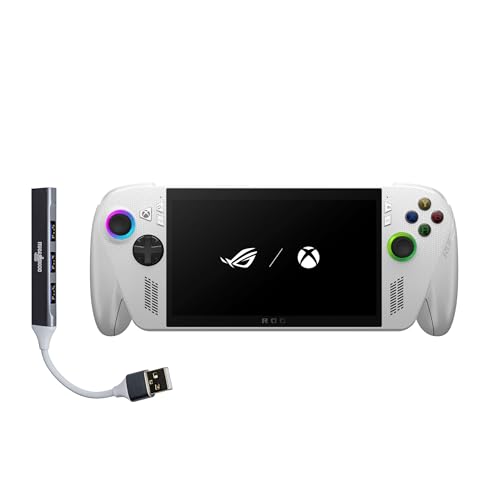

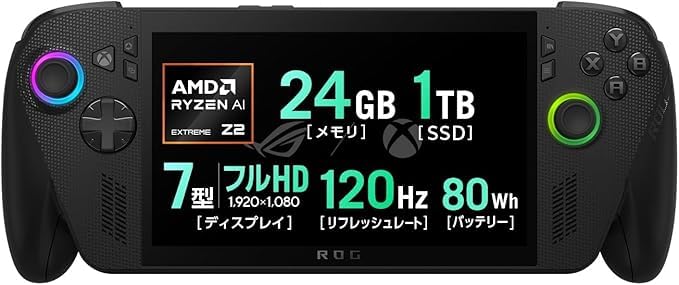
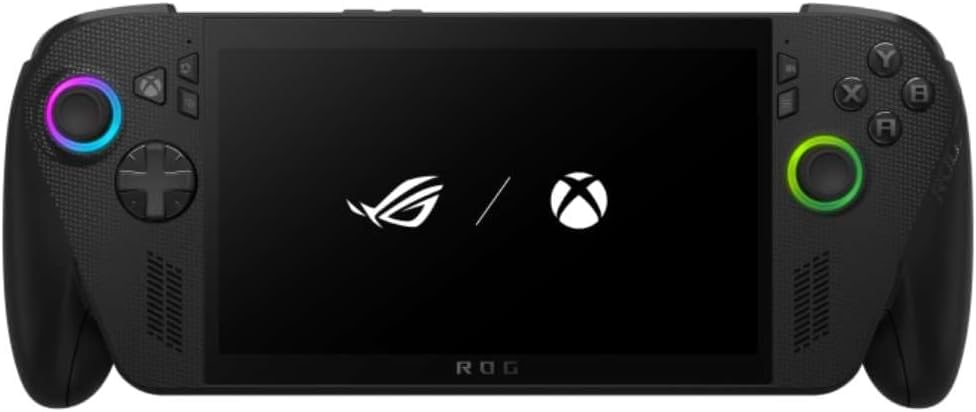
What Has Stayed the Same
Both devices are 7-inch Windows handhelds with a 120Hz full HD touchscreen, 16GB of memory and a 512GB SSD in the versions most people compare. The original ROG Ally listing shows an AMD Ryzen Z1 Extreme and a white finish. The Xbox Ally listing shows a Ryzen Z2 A with RDNA 2 graphics.
Because the screens match, image quality will feel familiar to Ally owners. What they will notice is how the new device handles being picked up and used like a console.
What Changed
The biggest change is the front end. The Xbox Ally boots to a full-screen Xbox interface, brings the Game Bar to the Xbox button and highlights Game Pass and Play Anywhere. The original Ally relies on a standard Windows desktop with ASUS's own launcher.
Hardware moves forward too. The Xbox Ally lists Wi-Fi 6E and Bluetooth 5.4, a fingerprint reader and a 60Wh battery with fast charging to 50 percent in about thirty minutes. The grips are shaped like Xbox controller handles, which is a welcome improvement for long sessions.
Performance Differences
On paper, the Z1 Extreme in the original Ally is a performance-oriented chip, while the Z2 A in the Xbox Ally is positioned as efficient and mainstream. In practice, expect the two to land in the same league for many games, with the gap depending on the title and power mode. Do not assume the newer name means a faster handheld.
If raw performance is your goal, the stronger Xbox Ally X is the model to look at, since it moves to a higher-tier chip and more memory. Our ROG Ally review and Xbox Ally X review explain how they differ.
Who Should Upgrade
If you own the original Ally and you are happy with its speed, the upgrade is mostly about comfort and interface. People who often use it docked to a TV, or who love the Xbox ecosystem, will like the change. People who tweak Windows settings and care only about frame rates may not need it.
If you do upgrade, selling the first Ally helps cover the cost, because used handhelds hold their value reasonably well.
Who Should Buy Which as a New Owner
For a first handheld, the Xbox Ally is the better starting point for most people. The interface is easier, the ergonomics are better and the software direction is clearer. The original Ally still appeals if you find it at a discount and want the Z1 Extreme chip with its familiar behavior.
- Pick the Xbox Ally for comfort, Game Pass and an easier interface.
- Pick the original Ally if you can buy it cheaply and do not need the newer wireless.
- Consider the Xbox Ally X if performance matters most.
Accessories and Compatibility
Many accessories overlap between the two. Screen protectors, docks and carrying cases are often sold for several ROG handhelds at once, but the exact fit differs, so read the compatibility line carefully. The outer shell and button layout are not identical, and a case made for one may not close properly on the other.
For storage, check whether a drive upgrade is allowed under the warranty. Fast M.2 2230 drives exist for handhelds, though installation takes patience.
Buying Checklist
Look for new condition, a clear seller name and a warranty that covers you. Confirm the storage size and the color you want. Read recent buyer feedback about battery life and fan noise, because both vary with the game you play. Finally, compare the price against the storage tier, since the jump from 512GB to 1TB is often worth it.
Living With Each One Day to Day
Handhelds are used in short bursts, so startup speed and menus matter. The Xbox Ally wakes into a console-style home screen, which means you can launch a game with the sticks and buttons and leave the touchscreen alone. The original Ally behaves more like a small laptop, and many owners keep a Bluetooth keyboard nearby for installers and launchers.
Fan noise and heat depend on the power mode you pick. In a quiet room, a lower power setting keeps either handheld comfortable, while the top modes are best used when the device is plugged in or docked at a desk.
Resale and Long-Term Value
The original ROG Ally has a track record, which helps if you want to resell it later. The Xbox Ally is newer and tied to a clear software strategy, so it may receive more attention from Microsoft and ASUS over time. Neither is a future-proof purchase, because handheld hardware moves quickly, so buy for what you play now.
Think about total cost too. A lower-priced original Ally plus a protective case and a dock can cost about the same as an Xbox Ally alone, so price the whole kit before deciding.
Frequently Asked Questions
Is the Xbox Ally faster than the original ROG Ally?
Not by a large margin. The chips are different, and performance depends on the game and power mode, so treat the upgrade as an experience improvement.
Do both have 120Hz screens?
Yes. Both use 7-inch full HD touchscreens with 120Hz refresh rates.
Which has the better battery?
The Xbox Ally lists a 60Wh battery and fast charging. Battery life varies by game and power mode on both.
Can the original Ally run Xbox games?
Yes, it runs Windows, so Game Pass and other stores can be installed.
Final Verdict
Choose the Xbox Ally for a refined, console-like experience and the original Ally for a bargain. This asus rog xbox ally vs asus rog ally comparison shows that owners should upgrade for comfort, not for a big speed jump.


