
ASUS ROG Xbox Ally vs ASUS ROG Ally X: Which Handheld Should You Buy?
Disclosure: We may earn a commission when you buy through links on this page, at no extra cost to you. As an Amazon Associate I earn from qualifying purchases. Learn more

This asus rog xbox ally vs asus rog ally x guide compares memory, storage, interface and price so you can pick the right ASUS handheld for your games and budget.
Two ASUS handhelds look alike on a shelf but target different players. The ROG Xbox Ally is the console-style, value-focused model, and the ROG Ally X is the larger-memory, Windows-first handheld. This asus rog xbox ally vs asus rog ally x comparison explains which one fits how you play.
The short answer: pick the Xbox Ally for a simple, controller-first experience and a lower price. Pick the Ally X if you want more memory and storage in a standard Windows handheld and you are comfortable with some tinkering. The product table shows the configurations on sale now.
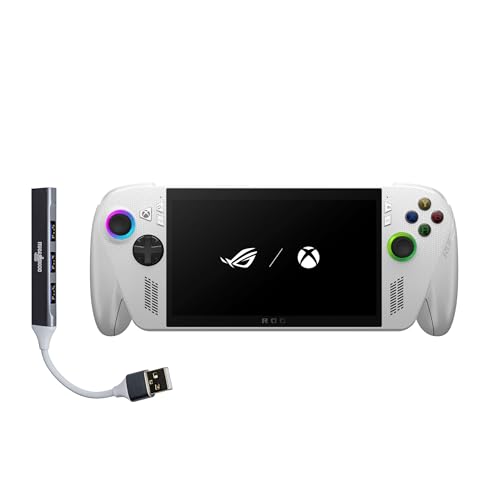
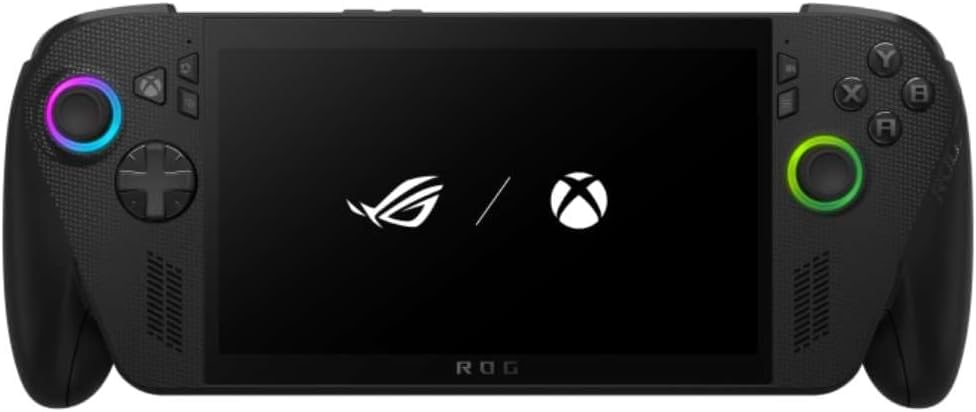
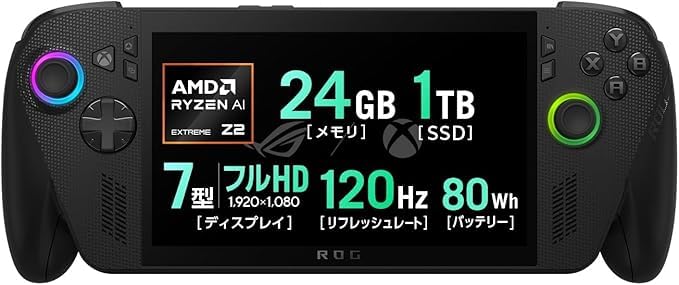

Side by Side on Paper
Both handhelds use a 7-inch full HD touchscreen with a 120Hz refresh rate. The Xbox Ally listing shows an AMD Ryzen Z2 A processor, 16GB of LPDDR5X memory and a 512GB SSD in the base version, with RDNA 2 graphics. The Ally X listing shows 24GB of LPDDR5 memory and a 1TB PCIe SSD.
The extra memory is the clearest difference. Handheld processors share system memory with graphics, so more memory helps when a game needs a lot of textures or when you leave other apps open. Check the processor named on the Ally X listing you choose, because sellers describe it differently.
Software and Daily Use
The Xbox Ally boots into an Xbox full-screen experience designed for controller use, with the Game Bar available from the Xbox button. Xbox Play Anywhere and Game Pass are central to the pitch, but Steam and other stores still work because it runs Windows 11.
The Ally X uses a more traditional Windows setup with ASUS software for performance modes and game launching. It gives you plenty of control, yet you may find yourself using the touchscreen and desktop more often. If you enjoy adjusting power limits and fan curves, you will like the freedom. If you want to pick up and play, the Xbox interface is calmer.
Performance in Real Games
The Ally X pairs its extra memory with a higher-tier chip, so it can run newer games at higher settings or frame rates than the Z2 A in the Xbox Ally. For popular esports games, indie titles and older PC libraries the gap is smaller, and both play them well on a 7-inch screen.
If you mostly stream games from a console or the cloud, the extra power gives you little. If you install large modern games locally, the stronger handheld feels better after the first few weeks.
Comfort, Battery and Portability
The Xbox Ally uses a contoured, controller-inspired grip and weighs about 1.47 pounds. Its listing quotes a 60Wh battery with a 30 minute charge to 50 percent. Choose it if you play in long sessions and value ergonomics.
The Ally X is built for longer, heavier sessions, but demanding games at high power drain any handheld quickly. Whichever you choose, a power bank that supports USB-C charging makes a big difference on trips.
Price and Availability
The Xbox Ally is the more affordable option in most listings, and it comes in several storage sizes. The Ally X listings often come from third-party sellers and some are regional versions, so inspect seller details, warranty and power adapter before you buy. A lower price from an unknown seller can cost more later if support is limited.
- Choose Xbox Ally for the lowest price and a console feel.
- Choose Ally X for more memory and storage out of the box.
- Compare warranty and region on every listing.
Which One Should You Buy?
Buy the Xbox Ally if you are new to handheld PCs, you subscribe to Game Pass, or you want a family-friendly device. Buy the Ally X if you want more room to grow and you often play demanding games. For more detail on each machine, read our Xbox Ally X review, the ROG Ally X review, or the best handheld gaming PC guide.
Screen and Controls
With the same 7-inch 120Hz panel size on both, screen quality is not the deciding factor. The Xbox Ally adds FreeSync Premium, a 500 nit peak brightness and a Gorilla Glass cover in its description, and it keeps a fingerprint reader for quick sign-in. The layout of buttons and sticks differs between the two, so if you can, try to hold each one before you commit.
Grip shape matters more than most spec lines. A handheld that feels right in your hands will be used more often than a faster one that tires your wrists, and the Xbox Ally leans into comfort with its rounded handles.
Game Library and Services
Game Pass subscribers get the most from the Xbox Ally because the interface is built around it. Cloud play and Play Anywhere titles feel native there. On the Ally X you can use the same services through Windows, but you will launch them yourself and choose your own front end.
If your library lives mostly on Steam, both handhelds are fine, and the extra memory on the Ally X helps with larger Steam games that stutter when memory is tight.
Questions to Ask Before Buying
Which games do I play most? A mix of esports and indie titles favors the cheaper model. Heavy modern releases favor the larger-memory model. How much storage will I need? Big games take tens of gigabytes each, so 512GB can fill after a handful of installs. Where will I use it? Travel and couch play reward lighter weight, while desk docking rewards more power.
Answer those three questions and the choice usually becomes obvious. When in doubt, decide on storage and warranty first, since you can adapt to the interface but cannot easily fix a drive that is too small.
Frequently Asked Questions
Does the Ally X have more memory than the Xbox Ally?
The listings show 24GB on the Ally X and 16GB on the base Xbox Ally.
Which one is easier to use?
The Xbox Ally, because it opens in a controller-first interface. The Ally X is closer to a regular Windows handheld.
Can both play Steam games?
Yes. Both run Windows, so Steam and other stores can be installed.
Which is better for travel?
Both are portable. The Xbox Ally is lighter and more ergonomic, while the Ally X gives you more storage for downloaded games.
Final Verdict
For most players the Xbox Ally is the easier and cheaper choice, and the Ally X is the better pick when memory matters. This asus rog xbox ally vs asus rog ally x comparison should make the decision simple once you know your games. Check price and warranty before you order.


