
ASUS ROG Xbox Ally X vs ASUS ROG Ally X: Which Should You Choose?
Disclosure: We may earn a commission when you buy through links on this page, at no extra cost to you. As an Amazon Associate I earn from qualifying purchases. Learn more

This asus rog xbox ally x vs asus rog ally x guide compares the two top ASUS handhelds on software, comfort, memory and price, with a clear recommendation.
The names are nearly identical, and so are many of the specifications. The ROG Ally X came first, and the ROG Xbox Ally X is its Xbox-branded successor. This asus rog xbox ally x vs asus rog ally x guide explains what really separates them so you do not pay extra for the wrong thing.
In short, both are high-end 7-inch Windows handhelds. The Xbox Ally X focuses on a console-style interface and new hardware details, while the Ally X is the established model that is often easier to find at a lower price. The product table shows what is available now.
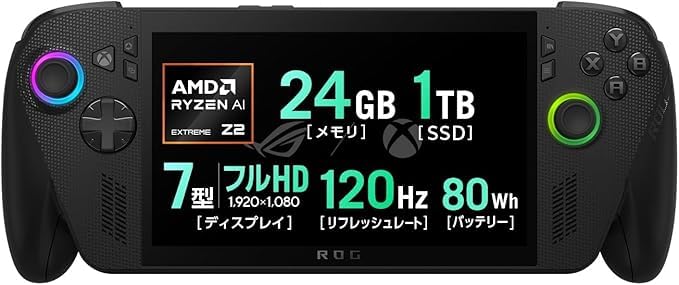
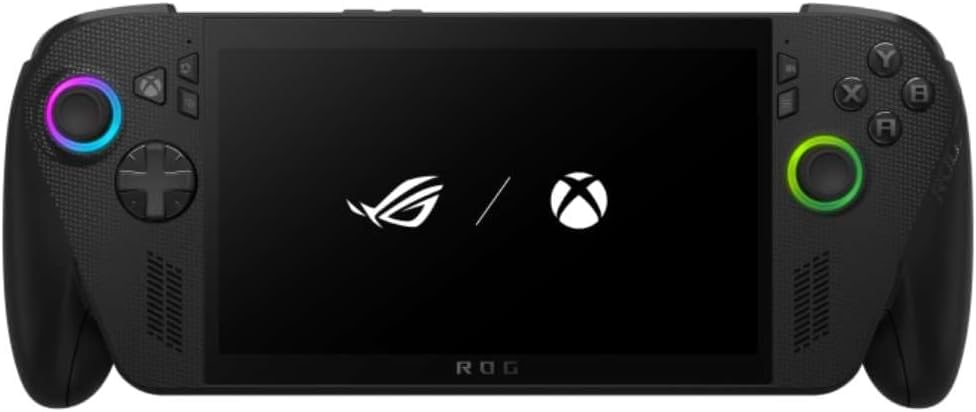
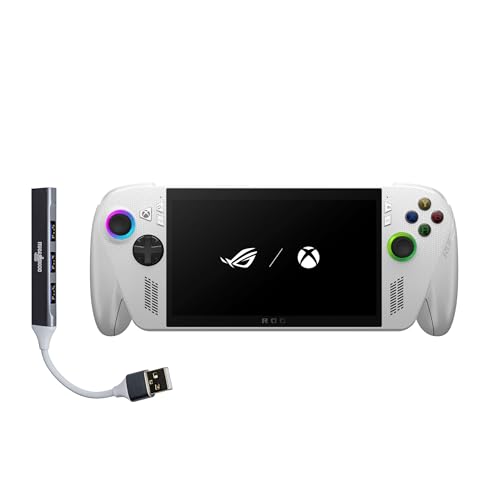

What They Share
Both handhelds use a 7-inch full HD display with a 120Hz refresh rate. The listings for each show 24GB of LPDDR5 memory and a 1TB SSD, which is the large-memory tier of ASUS handhelds. Both run Windows 11 and can use Steam, Game Pass and other stores.
That shared base means gaming performance will feel similar in many titles. If you are choosing between them only on frame rates, you may find a small gap rather than a big one, so look at other factors first.
Interface and Software
The Xbox Ally X launches into a full-screen Xbox experience built for controllers. It keeps the Game Bar on the Xbox button and links your Game Pass and Xbox library in one place. For someone who plays from a couch, this is the biggest change.
The older Ally X relies on ASUS software on top of a normal Windows desktop. It gives you more manual control over power modes, and it feels like a small PC. Users who prefer to tinker may like that, and those who want to pick up and play may find it busier.
Design and Comfort
The Xbox model borrows the shape of Xbox controller handles, which tends to feel natural during long sessions. The Ally X has a more traditional layout, with its own strengths in button placement and weight distribution. Because comfort is subjective, try to hold both if you can, or read buyer feedback about hand fatigue.
Which Is Better for Battery Life?
Both devices target long sessions, but battery life is a function of the game, the screen brightness and the power mode more than of the model name. Lower power limits and a frame cap deliver the biggest gains. Keep a USB-C charger or a power bank handy for travel, and expect a few hours of demanding play rather than a full day.
Price and Availability
Pricing is where the two diverge. The listing for the Ally X in the table comes from a third-party seller and is labeled as a regional version, while the Xbox Ally X listing shows the same kind of caution. Premiums can be high, and supply changes often.
Compare the total cost, including shipping, warranty coverage and the charger plug type. A slightly cheaper regional import can cost more in the end if support is limited.
- Choose the Xbox Ally X for the Xbox interface and the newest design.
- Choose the Ally X if you find a clearly cheaper listing with a good warranty.
- Avoid listings with unclear sellers or missing warranty information.
Accessories You Can Reuse
Many docks, screen protectors and cases are sold for both handhelds, since the footprint is close. Check the compatibility line for each product, because small changes in button and port positions can stop a tight case from fitting. Docks that charge at higher wattage are a good investment for either model.
Who Should Pick Which
If you subscribe to Game Pass or want the easiest interface, pick the Xbox Ally X. If you want a proven handheld and a likely discount, the Ally X is a safe pick. For deeper reading, see our Xbox Ally X review, the ROG Ally X review and the best handheld gaming PC guide.
Docking, Cooling and Everyday Habits
Both handhelds behave best when docked, because they can draw more power and run the fan harder without worrying about the battery. If you plan to use one mainly at a desk or TV, buy a dock that supports fast charging and has an HDMI output that suits your display. At the same time, pay attention to vents when you hold the device, since a blocked vent raises temperatures quickly.
Keep the system and driver software up to date on either model. Handheld makers improve battery behavior and game compatibility through updates, so a device can feel noticeably better a few months after launch.
A Simple Way to Decide
Write down the two games you play most. If both run comfortably on a 7-inch screen with medium settings, you do not need the most expensive model, and the cheaper listing is the sensible buy. If you want to try new releases at higher settings, put more money toward memory and storage, and compare how both models deliver them.
Details People Overlook
Check the power adapter. Regional versions may ship with a different plug, and a travel adapter adds cost and bulk. Check the language and keyboard settings, which can be set up easily on Windows but may take a few minutes. Check whether a manufacturer warranty applies where you live, because some sellers only offer their own limited coverage.
Finally, think about resale. Handhelds from the main brand with a clear warranty history sell more easily than gray-market imports, which matters if you like to change devices often.
Frequently Asked Questions
Is the Xbox Ally X faster than the Ally X?
They share the same large-memory tier, and the difference in real games is likely to be small. The main change is the interface and the hardware details.
Do both have 120Hz screens?
Yes. Both use 7-inch full HD displays with 120Hz refresh.
Can I play Steam games on both?
Yes. Both run Windows 11, so Steam, Epic and Game Pass can be used.
Which one is better for kids or casual players?
The Xbox Ally X, because the console-style interface needs less setup.
Final Verdict
The Xbox Ally X is the friendlier choice, and the Ally X is the value choice when the price is right. This asus rog xbox ally x vs asus rog ally x comparison should help you decide. Check the seller and warranty before you order.


