
ASUS RT BE88U vs ASUS RT BE86U: Which WiFi 7 Router Should You Buy?
Disclosure: We may earn a commission when you buy through links on this page, at no extra cost to you. As an Amazon Associate I earn from qualifying purchases. Learn more

This asus rt be88u vs asus rt be86u guide compares wireless speed, 10G and SFP+ ports, LAN ports, VPN features and price so you can pick the better ASUS router.
ASUS sells two WiFi 7 routers that look almost the same and share a processor, a security suite and a mesh system. This asus rt be88u vs asus rt be86u comparison explains what the extra money buys on the BE88U, so you can decide whether it is worth it for your home.
The short answer: the BE88U adds a second 10G port, a fiber-ready SFP+ connection, more LAN ports and a slightly higher wireless rating. The BE86U gives you the same core experience for less money. Which one is right depends on how many wired devices you have and what internet speed you pay for.


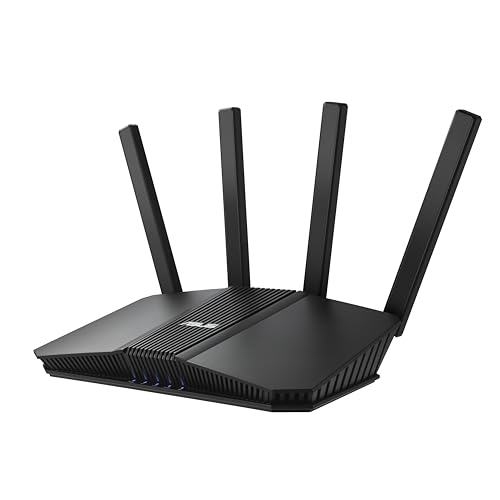

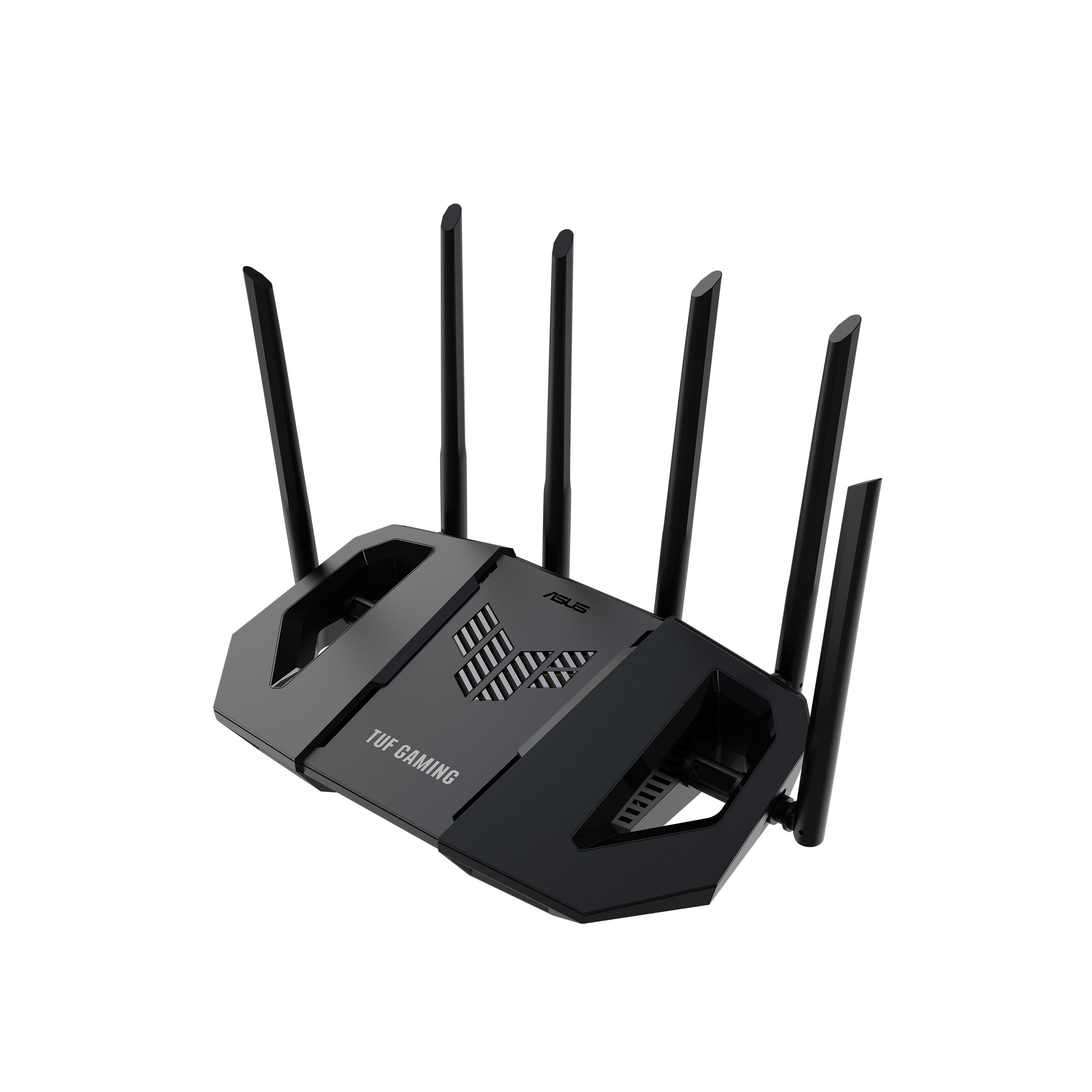
Quick Comparison
Both are dual-band WiFi 7 routers with Multi-Link Operation and 4096-QAM. ASUS rates the BE88U at up to 7200 Mbps and the BE86U at up to 6800 Mbps. Both use a quad-core 2.6GHz 64-bit CPU, AiMesh, AI WAN detection and a USB port for 4G or 5G tethering.
The wired side separates them. The BE86U has one 10G WAN or LAN port and four 2.5G ports. The BE88U has one 10G SFP+ port, one 10G WAN or LAN port, four 2.5G ports and four 1G ports, giving ten wired connections.
Wireless Differences
The wireless gap is small. A rating of 7200 Mbps against 6800 Mbps is about six percent more on paper, and neither router adds a 6 GHz band. In everyday use, with phones and laptops that connect at far lower speeds than the ratings, you are unlikely to notice a difference between them. Distance, walls and device capability matter more.
Wired Differences
This is the real reason to choose one over the other. If you have a NAS, a PC, a console, a TV box and an access point, the BE88U's extra ports mean you plug everything in directly. With the BE86U you may need an inexpensive switch. The SFP+ port on the BE88U also supports fiber modules and direct attach cables, which is helpful if your provider uses fiber or you want a high-speed link to a switch.
Total wired capacity is quoted at up to 34 Gbps on the BE88U and up to 20 Gbps on the BE86U. Those totals only matter if you have several fast devices moving data at the same moment.
Features They Share
Both routers include subscription-free network security, parental controls, Guest Network Pro with up to five SSIDs and VPN support. They are also AiMesh compatible, so you can mix them in a mesh or add an extra ASUS node. The BE88U listing highlights AiProtection Pro and site-to-site VPN, so check the listing of the model you pick for the full security feature list.
Price and Value
The BE88U costs noticeably more than the BE86U in current listings, and the difference is mostly the ports. If you will use them, the premium is reasonable. If you will not, the BE86U is the better value, and the saved money can go toward a mesh node or a switch.
- Choose the BE88U if you want ten wired ports and fiber-ready SFP+.
- Choose the BE86U if you want a strong WiFi 7 router with one 10G port at a lower price.
- Both are good in mesh setups when wired backhaul is possible.
Which One Should You Buy?
A household with a multi-gig plan and many wired devices should buy the BE88U. Most other households will be happier with the BE86U. For single-model details, read the RT-BE88U review, the RT-BE86U review and our best gaming router guide.
Count Your Wired Devices
A simple exercise settles most of this decision. List every device that could use a cable: a gaming PC, a console, a streaming box, a TV, a NAS, a printer, an access point and any smart hub. If the list has five or fewer items, the BE86U's five fast ports are enough. If it has more than five, or you want a fast link to a second switch, the BE88U's ten ports will save you buying extra gear.
Also think about which devices need speed. A NAS and a workstation benefit from 10G or 2.5G, while a printer or a smart hub can sit on a 1G port without any loss.
Mesh Planning
If your home needs more than one router, either model works as the main unit with an AiMesh node. A wired backhaul is best, so run an Ethernet cable from a 2.5G or 10G port to the node. The BE88U has more ports to spare for this, while the BE86U may use its ports faster. Wireless backhaul works too, though it shares airtime on the same two bands and lowers speeds for your devices.
Future-Proofing
Both routers will handle the next few years of WiFi 7 device upgrades. The BE88U has more headroom on the wired side if you move to fiber, add a NAS or build a home lab. The BE86U is already ahead of most home needs, and its lower price makes upgrading again in a few years less painful. If you expect your network to stay simple, save money and choose the BE86U.
Setup and Daily Management
The two routers share the same ASUS interface and mobile app, so learning one means learning both. Set up the main network, enable guest access for visitors and keep firmware updated. If you plan to use VPN, open the VPN section once and check which protocols you need, since the setup differs between a client connection and a server.
Frequently Asked Questions
What is the main difference between the BE88U and BE86U?
The BE88U adds a second 10G port, an SFP+ connection, four 1G ports and a slightly higher wireless rating.
Which has faster WiFi?
The BE88U is rated at up to 7200 Mbps and the BE86U at up to 6800 Mbps, a small difference in real use.
Can I use both in one mesh?
Yes. Both support AiMesh, and a wired link between them gives the best result.
Which is better for gaming?
Either works. The best gaming improvement is a wired connection from your console or PC to a 2.5G port.
Final Verdict
The BE88U is for power users and the BE86U is the better value for most people. For anyone weighing asus rt be88u vs asus rt be86u, count your wired devices and your internet speed first. Check seller and warranty before you order.


