
ASUS TUF Gaming B850-Plus WiFi Review for 2026: AM5 Motherboard With WiFi 7
Disclosure: We may earn a commission when you buy through links on this page, at no extra cost to you. As an Amazon Associate I earn from qualifying purchases. Learn more

This asus tuf gaming b850-plus wifi review explains the AM5 B850 chipset, 14+2+1 power stages, three M.2 slots, WiFi 7, USB-C ports and who should build around it.
The ASUS TUF Gaming B850-PLUS WiFi is one of the most sensible AM5 boards for a modern Ryzen gaming build: modern connectivity, a solid power design and a price below ROG. This asus tuf gaming b850-plus wifi review explains what the board offers, where it fits in the ASUS range and who should build around it.
It supports AMD Ryzen 9000, 8000 and 7000 series desktop processors on the AM5 socket, which means you can pair it with a current chip now and upgrade within the platform later.



Chipset and Platform
B850 is AMD's mainstream chipset for AM5, sitting between the budget B650 and the premium X870 families. It supports DDR5 memory and PCIe 5.0 for graphics and storage, and it is the sweet spot for gamers who want modern features without paying for extra lanes they will not use. The board is a full ATX size, so it has room for expansion cards and plenty of connectors.
Power Delivery and Cooling
ASUS lists 14+2+1 power stages rated at 80A, an eight-layer circuit board, 8+8 pin ProCool power connectors, alloy chokes and durable capacitors. That is a strong VRM for the price, and it will run any Ryzen processor in the AM5 range, including high-end chips, comfortably in gaming and typical work.
Heatsinks cover the power stages and every M.2 slot. Combined with the board's fan headers, this keeps temperatures in check in a normal airflow case.
Storage and Expansion
The board has three M.2 slots: one PCIe 5.0 slot and two PCIe 4.0 slots, all with heatsinks. A PCIe 5.0 x16 slot serves the graphics card. This layout gives you a fast drive for games and two more for storage, which is enough for most builders.
Networking and Connectivity
Wireless is WiFi 7, and wired networking is a Realtek 2.5 Gigabit Ethernet port. Video outputs include DisplayPort and HDMI for builds that use integrated graphics. USB is generous, with 10Gbps and 20Gbps Type-C ports on the rear and a front USB 10Gbps Type-C connector, plus a header for Thunderbolt (USB4) cards. BIOS Flashback lets you update the firmware without a processor installed, which helps when a new chip needs a newer BIOS.
Compared With Nearby TUF Boards
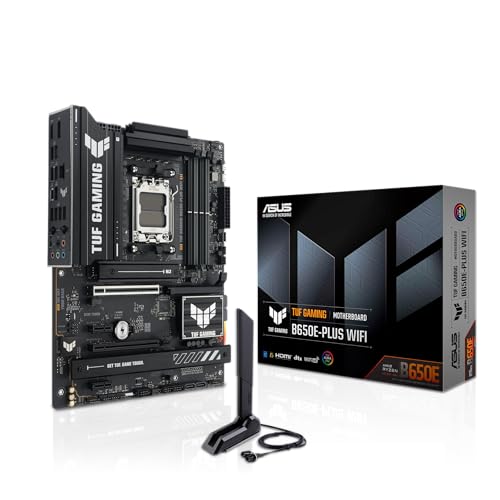
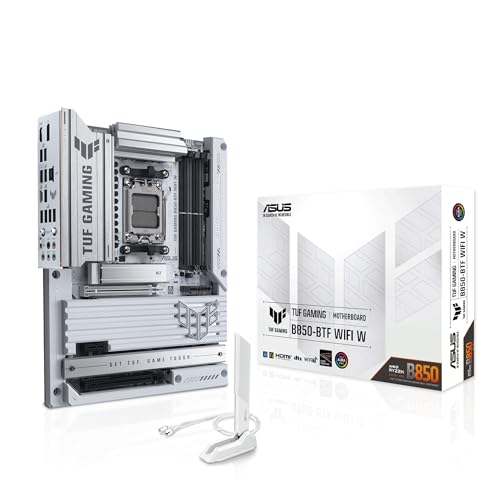
The B850M-PLUS WiFi is the micro-ATX sibling for smaller cases, available with WiFi 6E or WiFi 7. The TUF Gaming X870-PLUS WiFi uses a higher-tier chipset with more lanes, and the B650E-PLUS WiFi is an older generation that costs less. The B850-BTF models move connectors to the back of the board for a cleaner case. For most builds, the B850-PLUS is the balanced choice.
Who Should Build Around It
Gamers building a mid-range or high-end Ryzen PC, streamers who want WiFi 7 and fast USB and anyone who wants a long upgrade path on AM5 will find it a good fit. Skip it if you need the extra PCIe lanes and USB4 of X870 or want a small case. Our best motherboard guide, the Gigabyte B850 AORUS Elite review and the MSI MAG X870 Tomahawk review cover rival options.
Building Tips for AM5
Update the BIOS before you install a new Ryzen chip if the board is older stock, and BIOS Flashback makes that safe because it works without a processor. Install the memory in the slots recommended by the manual for dual-channel operation, then enable the memory profile in the BIOS to reach the rated speed. Mount the cooler carefully on the AM5 socket, and use the supplied standoffs and backplate correctly, since AM5 uses a different bracket from earlier AMD sockets.
Plug in both 8-pin processor connectors if your power supply has them. The board lists 8+8 pin connectors, which helps with high-power chips and overclocking, though many users run a single connector fine on mid-range processors.
Memory and Storage Choices
A 32GB DDR5 kit is a comfortable amount for gaming and streaming. Choose a kit rated for AMD EXPO profiles or one that is listed as compatible with the board. Put your main game drive in the PCIe 5.0 slot only if you plan to buy a Gen 5 drive; otherwise any of the three slots works well with a fast PCIe 4.0 drive, and the board's heatsinks keep it cool.
Case, Cooler and Power Supply
A standard ATX case suits this board, and a good airflow case with a front fan or two is plenty for a mid-range processor. Pair it with a quality power supply with enough capacity for your graphics card, and use a tower cooler or an all-in-one liquid cooler for the processor. Since the board lists a PCIe 5.0 x16 slot, it is ready for current and upcoming graphics cards.
Cost of the Platform
The board costs about the same as a mid-range graphics card upgrade, and it is usually worth the money because it will outlast several processors. If you are on a tighter budget, the B650 generation costs less, but the B850 generation adds WiFi 7 and a modern USB layout. If you want a case with hidden connectors, look at the B850-BTF variant instead.
Upgrade Path
AMD has supported AM5 for several processor generations, and the board's BIOS updates let you move to newer Ryzen chips without replacing it. This makes the B850-PLUS a good base for a build you plan to refresh in stages, starting with a mid-range chip and a mid-range graphics card, then adding more power when your budget allows.
Frequently Asked Questions
Does the TUF B850-PLUS have WiFi 7?
Yes. The listing mentions WiFi 7 and a 2.5Gb Ethernet port.
Does it support Ryzen 9000?
Yes. It supports Ryzen 9000, 8000 and 7000 series desktop processors on the AM5 socket.
How many M.2 slots does it have?
Three: one PCIe 5.0 slot and two PCIe 4.0 slots, all with heatsinks.
Does it support DDR5 only?
Yes. AM5 boards use DDR5 memory.
Final Verdict
The B850-PLUS offers modern features and a strong power design at a fair price. This asus tuf gaming b850-plus wifi review recommends it for most AM5 gaming builds. Check the seller and warranty before you order.


