
ASUS vs MSI Gaming Monitor: Which Brand Offers Better Value?
Disclosure: We may earn a commission when you buy through links on this page, at no extra cost to you. As an Amazon Associate I earn from qualifying purchases. Learn more

This asus vs msi gaming monitor guide compares TUF and ROG screens with MSI MAG and G models on panel type, refresh rate, OLED options, features and price.
ASUS and MSI both build a wide range of gaming monitors, from basic 1080p screens to QD-OLED models at 280Hz and above. This asus vs msi gaming monitor guide compares the two so you can choose the best screen for your money and your games.
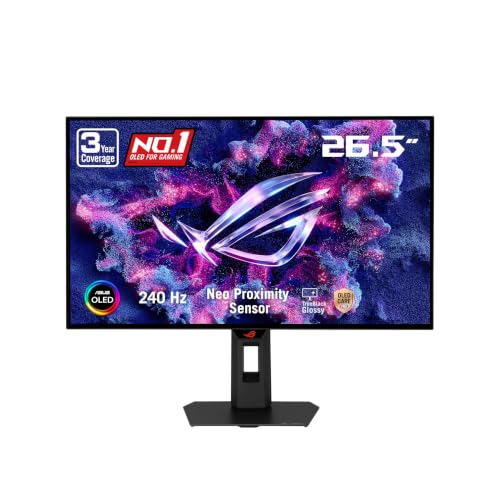
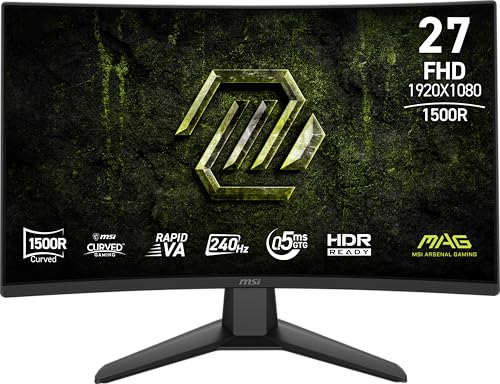
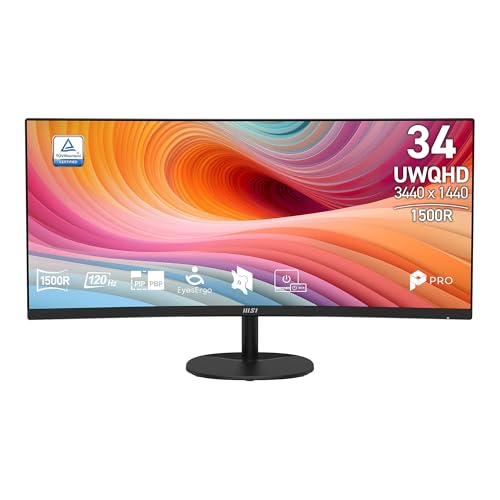
The table lists TUF and ROG monitors from ASUS and MAG, G and PRO monitors from MSI. The sections below explain how the lines differ.





How the Ranges Are Named
ASUS uses ROG for the premium range, including OLED and very high refresh models, and TUF Gaming for value-focused screens with sensible features. MSI uses MPG for premium models, MAG for mainstream gaming screens, G for budget gaming models and PRO for office and entry screens. Matching the lines helps: a TUF monitor competes with a MAG, and a ROG Swift or Strix OLED competes with a MPG QD-OLED.
Panel Types
Fast IPS is the mainstream choice for both brands, offering quick response and good color. ASUS's TUF VG27AQ3A runs at 180Hz and the VG27AQL5A at 210Hz, both with Fast IPS, and the VG27AQM5A reaches 300Hz. MSI's MAG 274QRFW X32 offers 320Hz at 1440p. For OLED, ASUS offers 27-inch 1440p OLED models such as the XG27AQDMGR, and MSI offers QD-OLED models like the MAG 271QP X28 at 280Hz and the MAG 274QP X24 at 240Hz.
Refresh Rate and Resolution
For most players, a 27-inch 1440p monitor at 180Hz or higher is the sweet spot, and both brands offer plenty. Esports players may prefer a 1080p screen at 240Hz or more to make frame rates easier to reach. Both brands also offer ultrawide models, such as ASUS's TUF VG34WQML5A and MSI's MAG 346CQDF, and a 4K model like ASUS's VG27UQ1A at 160Hz for people who want sharpness.
Price and Value
MSI often prices its MAG models slightly lower than ASUS TUF monitors, and its budget G and PRO lines reach very low prices, such as 24-inch IPS monitors at 144Hz. ASUS's TUF line offers strong value in 1440p, with the VG27AQ3A and VG27AQL5A as popular choices. For OLED, MSI's QD-OLED MAG monitors undercut ASUS's ROG OLED screens in several listings.
Features That Matter
ASUS includes ELMB Sync, which combines motion blur reduction with variable refresh rate, and tools such as Shadow Boost. The ROG XG27ACS adds a USB-C hub. MSI includes adaptive sync, HDR-ready support and gaming OSD tools. OLED models from both brands add care features that guard against burn-in, so check the warranty terms on any OLED purchase.
Warranty and Burn-In Protection
OLED monitors need a clear warranty. ASUS lists a three-year warranty with burn-in coverage on certain ROG OLED monitors. MSI's coverage terms for its QD-OLED monitors vary by model and region, so confirm them on the listing. Read the listing and the manufacturer's support page before you buy.
Which Brand Should You Choose?
Choose ASUS when you want ELMB Sync, USB-C features or the broadest range of premium options. Choose MSI when you want a lower price in QD-OLED and mainstream IPS. Both are solid, and the exact model matters more than the badge. For more help, see our best gaming monitor guide, the Samsung Odyssey G5 review and the AOC Q27G3XMN review.
- Choose ASUS TUF for value 1440p Fast IPS.
- Choose MSI MAG for competitive QD-OLED prices.
- Check refresh rate, panel type and warranty before price.
Sizes and Shapes
Both brands offer 24, 27 and 32 inch screens, plus curved and ultrawide models. MSI's G32C4X is a 32-inch 1080p curved monitor with a 1500R curve at 250Hz, a budget way to get a large immersive screen. ASUS's TUF VG32WQ3B is a 32-inch 1440p curved screen at 180Hz. Larger screens at 1080p look softer, so choose 1440p at 27 inches or larger if sharpness matters. Ultrawide monitors suit racing and simulation games and productivity.
Console and Laptop Use
Many ASUS TUF and ROG monitors are marketed for PS5 and Xbox, and some include USB-C video input for laptops. MSI's MAG and PRO lines include HDMI and DisplayPort and several models with USB-C. Consoles typically cap at 120Hz, so a very high refresh rate matters mostly for PC players. For a mixed console and PC setup, a 27-inch 1440p monitor at 165Hz to 240Hz is a flexible choice.
Motion Clarity and Adaptive Sync
For fast games, motion clarity matters as much as refresh rate. ASUS's ELMB Sync combines motion blur reduction with variable refresh rate, and OLED panels from both brands give very low blur from fast pixel response. MSI's monitors list FreeSync Premium and G-SYNC compatibility on many models. Check that the monitor supports adaptive sync with your graphics card, and enable it in the driver.
Picking by Game Type
Esports players should look for high refresh rates and low response times, such as a 1440p Fast IPS at 240Hz or more. Single-player fans should look at OLED or QD-OLED for contrast and color. Mixed players often choose a 27-inch 1440p Fast IPS at 180Hz to 240Hz for balance. Strategy and simulation players benefit from ultrawide screens or 4K for detail.
Setup Tips
Use DisplayPort for the highest refresh rate from a PC, set the refresh rate in Windows, and enable adaptive sync in the graphics driver. Adjust brightness for your room, turn off any aggressive overdrive setting that causes ghosting and calibrate color with a simple tool if you edit photos. Keep the monitor firmware updated when the maker releases updates.
Frequently Asked Questions
Is ASUS or MSI better for gaming monitors?
Both make excellent monitors. ASUS offers more premium features, and MSI often costs less at the same tier.
Which has better OLED monitors?
Both offer QD-OLED and OLED models. MSI's QD-OLED screens often cost less, and ASUS's ROG OLED models add care features and warranty coverage.
What refresh rate do I need?
For most players, 165Hz to 240Hz is plenty. Competitive players may choose 300Hz or more.
Are these monitors good for consoles?
Many are. Check the HDMI version and the refresh rate your console supports.
Final Verdict
The two brands are close, and the model matters more than the logo. For any asus vs msi gaming monitor decision, compare panel type, refresh rate and warranty before you order.


