
ATX vs Matx Case: Which Is Better in 2026?
Disclosure: We may earn a commission when you buy through links on this page, at no extra cost to you. As an Amazon Associate I earn from qualifying purchases. Learn more

ATX vs Matx Case: how PC case size affects motherboard fit, airflow, expansion and price.
The atx vs matx case decision is about how big a PC you want to live with, how many parts you plan to add and how much airflow you need. An ATX case is larger and more flexible, while a micro ATX case is smaller and usually cheaper, and both can hold a powerful gaming PC.
This guide compares the two on size, motherboard support, cooling, expansion and price, and ends with a simple rule for choosing. The product table shows current ATX and micro ATX cases so you can see real examples from both groups.


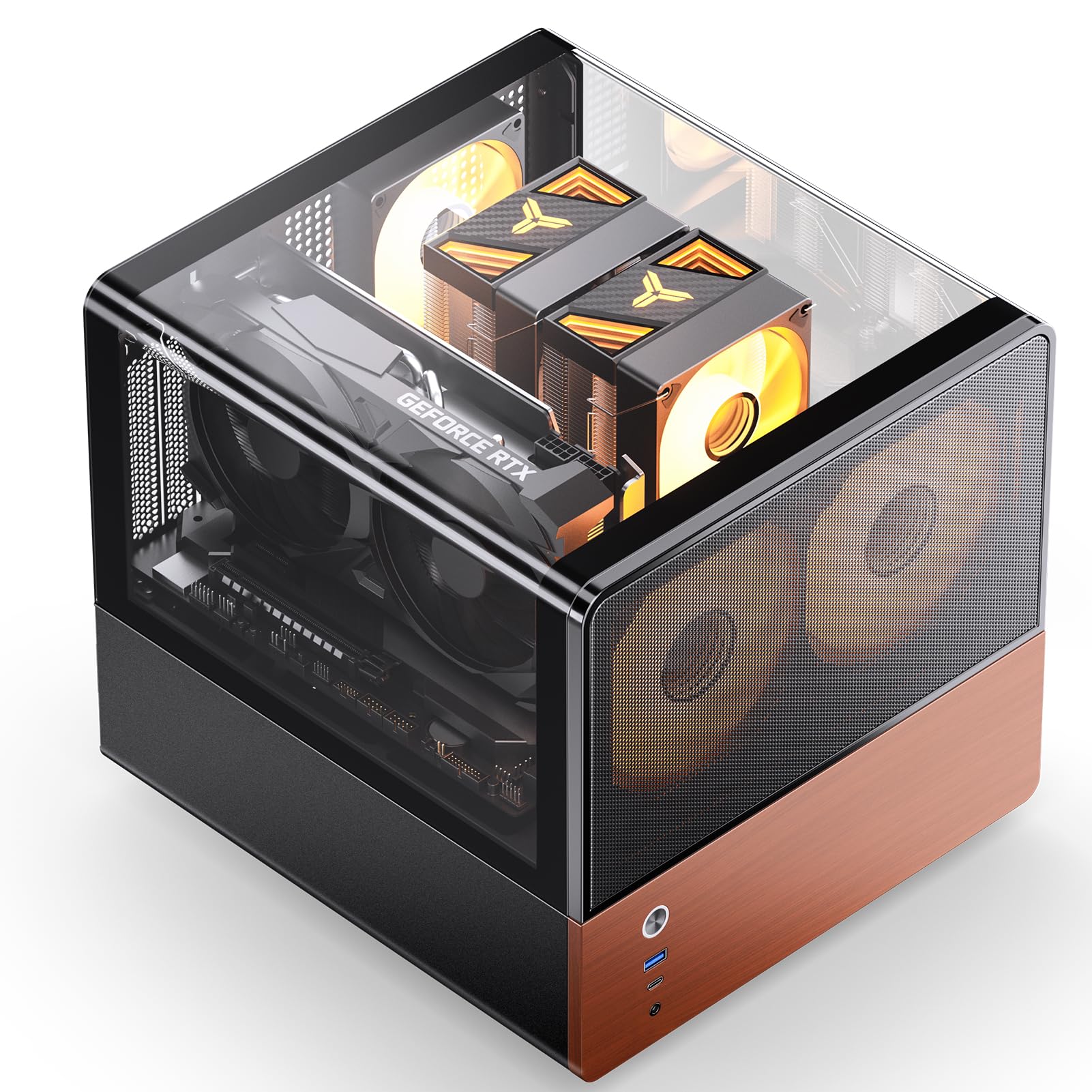


ATX vs MATX Case: The Basics
ATX and micro ATX (mATX) describe the size of the motherboard the case is built for. ATX is the standard full-size board, and mATX is a shorter version of it with fewer expansion slots. A case that supports ATX also supports mATX and mini-ITX boards, but a micro ATX case cannot take a full ATX board.
That means an ATX case never forces you to change anything later, while an mATX case commits you to a smaller motherboard. It also means the case size is only half the story: the board you choose decides what fits.
Size and Desk Space
A micro ATX case is shorter and often narrower, which suits a small desk, a dorm room or a living room setup. Many mATX cases are compact enough to sit beside a monitor without dominating the space.
ATX mid towers are taller and deeper. They offer room for large graphics cards, thick radiators and tidy cable routing, but they take more space on or under a desk.
Airflow and Cooling
Bigger cases usually move air more easily, with room for more fans and larger radiators. Mesh fronts, like those on the Lian Li Lancool cases and the ASUS TUF GT502, keep graphics cards and processors cooler under heavy load.
Smaller cases can cool well if they are designed properly, but packing hot parts into a small shell leaves less margin. Check for front fan support, mesh panels and the maximum cooler and graphics card dimensions.
Motherboard and Expansion
A full ATX board has more PCIe slots, more M.2 slots in many cases and more room for extras like capture cards or sound cards. A micro ATX board has fewer, which is enough for most gaming PCs that use just a graphics card and a few drives.
Think about what you actually plug in. A single graphics card and two storage drives rarely need a full ATX board. A workstation with multiple add-in cards does.
Graphics Card and Cooler Clearance
Modern graphics cards are long and thick. Check the case's maximum graphics card length and the clearance for the processor cooler in the specifications, and compare these with your parts. Several cases listed as micro ATX, such as the Jonsbo V12 and the Lian Li micro ATX airflow case, are designed with large cards in mind, but always check the numbers.
Price
Micro ATX cases often cost a little less because they use less material, although premium small cases can cost as much as ATX ones. ATX cases span the whole range, from budget towers to premium showcases like the Fractal Design North or HYTE Y70.
Do not choose by price alone. A cheap case with poor airflow can cost you in noise and heat.
Pros and Cons Summary
- ATX: more space, better airflow, more expansion, larger footprint.
- Micro ATX: smaller footprint, lower cost, fewer slots and less room for big coolers.
Which Should You Choose
Choose ATX if you want the most freedom, plan to upgrade for years or use a large graphics card and liquid cooling. Choose micro ATX if desk space matters, your build is simple and you want a smaller, quieter-looking PC.
If you are still unsure, the ATX case is the safer default, because it works with every motherboard size. For ideas, see our best pc case guide, the nzxt h9 flow review and the hyte y70 review.
Building Tips for Either Case
Whatever size you pick, a few details separate a pleasant build from a frustrating one. Look for a case with a removable dust filter on the front and the power supply intake, so you can clean it without taking the PC apart. Check that the side panel is tempered glass or steel that opens on a hinge or a thumbscrew, and confirm there is space behind the motherboard tray for cables, since a thin gap makes cable management difficult in any size.
Plan the airflow before you start: air should come in from the front and bottom, and leave through the back and top. Add fans in that pattern, and avoid blocking the front with a thick radiator unless the case supports it. In a smaller mATX case, choose a low-profile or compact cooler if the listing mentions limited height, and put the power supply cables in place before you install large parts.
Noise and Dust
Fan noise depends more on fan quality and the airflow path than on case size. A mesh front keeps temperatures low, but it also lets more noise out. A solid or damped front reduces noise and costs a few degrees. Decide which matters more to you. For dusty homes, pick a case with a full filter set and plan to clean it every few months.
Future Upgrades
A case lasts through several builds if you pick it well. ATX cases adapt to almost any future board, bigger graphics cards and radiators for liquid cooling. A micro ATX case locks you into the smaller board size, which is fine if you never plan to go beyond a single graphics card and a handful of drives. If you expect to move to a workstation board later, buy the ATX case now.
FAQ
Can I put an ATX motherboard in a micro ATX case?
No. A micro ATX case supports micro ATX and mini-ITX boards only.
Can I put a micro ATX motherboard in an ATX case?
Yes. ATX cases support micro ATX and mini-ITX boards as well as full ATX.
Is a micro ATX case good for gaming?
Yes, if it has good airflow and room for your graphics card. Many gaming PCs use micro ATX.
Do micro ATX cases run hotter?
They can, because there is less space, but well-designed models with mesh panels and good fan support stay cool.
Final Verdict
The atx vs matx case choice is simple: ATX for room and flexibility, micro ATX for a smaller, cheaper build. Match the case to your motherboard, graphics card and desk space, and compare the options in the product table.
Prices and availability can change, so check the product page before ordering.


