
ATX vs Micro ATX: Which Is Better in 2026?
Disclosure: We may earn a commission when you buy through links on this page, at no extra cost to you. As an Amazon Associate I earn from qualifying purchases. Learn more

ATX vs Micro ATX: how motherboard size changes slots, ports, case choice and price.
The atx vs micro atx decision is really a motherboard decision, because the board's size decides the case you need and the features you can use. ATX boards give you the most slots and ports, and micro ATX boards give you a smaller, simpler and often cheaper build.
This guide compares them on size, slots, memory, storage, power delivery and price. The product table lists current ATX and micro ATX motherboards, so you can compare real boards against the checklist below.


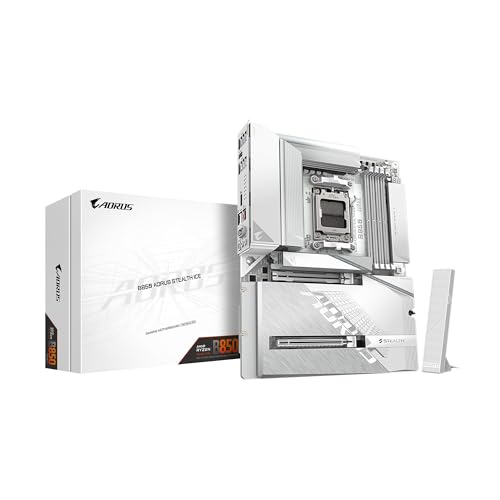


ATX vs Micro ATX: What the Names Mean
ATX is the standard desktop motherboard size. Micro ATX (mATX) keeps the same mounting pattern but shortens the board, which leaves room for fewer expansion slots. Because the mounting holes line up, a micro ATX board fits in an ATX case, though not the other way around.
Many motherboards come in both sizes with the same chipset, and the main differences are slot count, extra headers and sometimes the power delivery design. For example, an AM5 B650 or B850 board can be ordered as a full ATX board or a more compact micro ATX version.
Expansion Slots and Storage
ATX boards have more PCIe slots and often more M.2 slots for fast storage. They suit builds with a graphics card plus a capture card, a sound card or extra network cards.
Micro ATX boards usually have one main graphics slot and one or two extra slots, which is enough for most gaming and office PCs. Count your add-in cards and drives, and compare with the slot list on the board.
Memory and Ports
Most modern ATX and micro ATX boards have four memory slots, so memory capacity is rarely a difference. Ports vary more by price than by size: higher-priced boards, such as ASUS ROG Strix models, add more USB ports, faster USB-C and extra network features.
Listings for boards like the ASUS ROG Strix B850-F list a long set of ports and several M.2 slots, while micro ATX boards like the ASUS TUF Gaming B850M-Plus trim some of that to fit a smaller board and price.
Power Delivery and Overclocking
Bigger boards have more space for voltage regulator heatsinks, which helps with sustained high loads. For a mainstream processor, a good micro ATX board is perfectly adequate. If you plan to run a top-tier chip at high power for long periods, a well-cooled ATX board gives more margin.
Case Compatibility and Size
An ATX board needs an ATX-capable case, which is usually a mid tower. A micro ATX board works in compact mATX cases and in standard ATX towers, which gives more choice. If you want a small PC on a desk, micro ATX is the way to get there.
Price
Micro ATX boards are often a little cheaper because they use less material and offer fewer extras. Prices overlap, though, because high-end micro ATX boards, such as the ROG Strix B850-G, can cost as much as mid-range ATX boards. Compare features rather than size alone.
Which Should You Choose
- Choose ATX if you want more slots, more M.2 drives and room for upgrades.
- Choose micro ATX if you want a compact PC, a lower price and simple needs.
- Choose ATX if you are not sure, since it works in more cases.
For board ideas, see our best motherboard guide, the gigabyte b850 aorus elite wifi7 review, the msi mag x870 tomahawk wifi review and the asus rog crosshair x870e hero review.
Chipsets Come in Both Sizes
The same AMD chipsets are sold on ATX and micro ATX boards, which is why size is a separate question from features. A B650 or B850 board can be bought in either size, and so can many Intel boards. When you shop, filter by chipset, processor socket and memory type first, then decide on size, and compare the extras such as Wi-Fi, USB-C ports and the number of M.2 slots.
Check that the board supports your processor out of the box. Some boards need a BIOS update before they will boot a newer chip, and boards with a BIOS flashback button let you update without a processor installed, which is a useful safety net.
Practical Building Notes
Micro ATX boards sit closer to the case edges and put the memory, graphics slot and drive connectors nearer together, so a large graphics card or tall memory heatsink can crowd the area. Check the size of your cooler and memory against the board layout. On ATX boards, the extra room makes it easier to reach the memory clips and the front panel pins.
Keep the board box and the manual, and photograph the front panel header layout before you plug anything in. Many ATX and micro ATX boards use the same header labels, but the positions differ and a quick photo saves time.
Who Gains Most From Each Size
Streamers who add a capture card, creators who add a fast storage card and tinkerers who change parts often gain most from ATX. Office users, students and anyone who builds a single-purpose gaming PC get everything they need from micro ATX, usually with a smaller case and a smaller bill.
Budget Planning
Set a motherboard budget as a share of the whole build rather than an absolute number. A sensible target is to spend enough that the board has solid power delivery for your processor, good rear ports and Wi-Fi if you need it, and no more. Skipping a premium board and putting the saved money toward a better graphics card or a larger SSD almost always pays off in daily use.
If you find a micro ATX and an ATX board at nearly the same price with the same chipset, take the one with the better port selection and the more useful M.2 layout, and let the size follow from the case you already own or plan to buy.
FAQ
Is micro ATX slower than ATX?
No. Performance depends on the chipset and processor, not the board size.
Can I use a micro ATX board in any ATX case?
Yes. The mounting holes line up, so an ATX case accepts a micro ATX board.
Do micro ATX boards have fewer features?
Often slightly fewer slots and ports, but many include the features that most builders use.
Which is better for gaming?
Either works. Choose based on your case, slots and budget.
Final Verdict
The atx vs micro atx choice comes down to space and expansion. Pick ATX if you want room to grow and micro ATX if you want a compact, simple and cheaper build. Compare current boards in the product table and match them to your case and add-in cards.
Prices and availability can change, so check the product page before ordering.


