
Audient iD4 MKII Review for 2026: Who It Suits and What to Check
Disclosure: We may earn a commission when you buy through links on this page, at no extra cost to you. As an Amazon Associate I earn from qualifying purchases. Learn more

Audient iD4 MKII Review: a compact USB audio interface with a clean preamp for solo streamers, podcasters and guitarists.
This audient id4 mkii review is for solo creators who want a small audio interface with a better microphone preamp than the usual entry-level box. The iD4 line has a loyal following among podcasters, streamers, guitarists and home recordists who want clean sound from a single microphone or instrument without a complicated setup.
Below you will find how the iD4 is laid out, what its single preamp means for you, how it compares with Focusrite and MOTU rivals, and who should look elsewhere. The product table shows the iD4 MKII and other interfaces that are in stock.




Audient iD4 MKII: What It Is
The iD4 is a compact desktop USB audio interface with two inputs and two outputs. It carries one microphone preamp, one instrument input for a guitar or bass, a headphone output and a large control wheel on top. It connects to a computer over USB and works with common recording software.
Audient is a British maker of professional mixing consoles, and the iD range uses preamp designs drawn from that background. The pitch is a clean, quiet microphone sound at a price that is higher than basic boxes but lower than studio gear.
Preamp and Sound Quality
The microphone preamp is the main reason to buy an iD4. It delivers plenty of clean gain for dynamic microphones such as the Shure SM7B style of mic that need extra power, and the sound is clear, quiet and neutral. Neutral means the preamp does not color the sound, which is what you want for voice work and for recording instruments you will mix later.
Phantom power is available for condenser microphones, and the instrument input handles electric guitar directly without an external box.
Controls and Workflow
The big control wheel on top is the iD4's signature feature. It adjusts monitor level, and with a button press it controls other settings such as headphone volume. It is tactile and quick, which is helpful during recording when you do not want to open a software mixer.
There is also a direct monitoring mix so you can hear yourself with no delay while recording, and loopback features on some versions let streamers route computer audio into a recording or broadcast.
Inputs and Limits
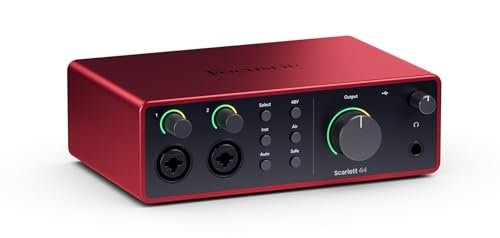
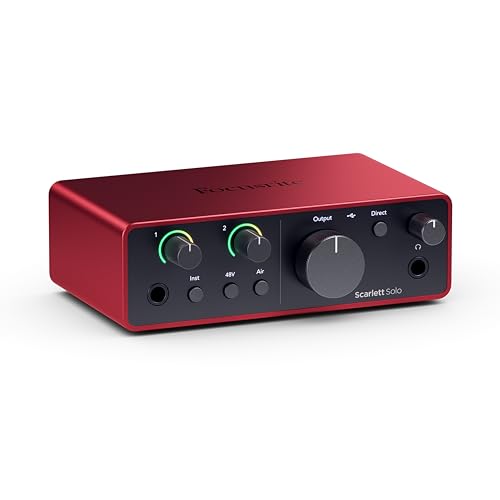
The main limit is the single microphone input. If you record one voice or one instrument at a time, that is plenty. If you need two microphones for an interview, a duo or stereo recording, you need an interface with two preamps, such as the Audient iD24, the Focusrite Scarlett 2i2 or the MOTU M2.
Compared With Rivals
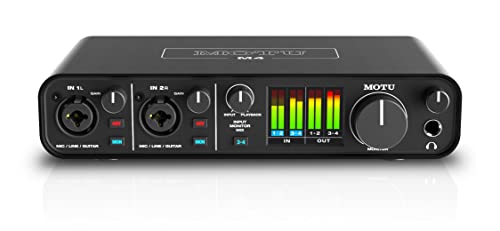
Focusrite Scarlett interfaces are the best sellers, with excellent software and a wide range of models. MOTU M2 and M4 offer clear metering and strong converters. Universal Audio Volt models add vintage-style preamp character. The iD4's advantage is its preamp and its control wheel, while rivals offer more inputs for the money.
Compare them in our best audio interface guide, the motu m4 review and the motu m2 review.
Software and Setup
The iD4 works with common recording software, and Audient provides a mixer app for setting up monitoring. Install the driver on Windows, and on a Mac the interface works without one. Use a short, good USB cable, and plug into a port on the computer rather than a hub.
Who Should Buy It
- Solo podcasters, streamers and voiceover artists.
- Singer-songwriters recording one source at a time.
- Guitarists who want a clean direct input.
- Not ideal for bands or interviews with two microphones at once.
Buying Tips
Check whether a listing is for the MKII or the older original iD4, since both are sold. Confirm the USB connection type and the included cable, and compare prices with the iD24 if you want a second input. Always buy from a seller that clearly states the unit is new.
Setting Up for Streaming and Podcasting
Connect the microphone to the XLR input, turn on phantom power only if the microphone is a condenser type, and raise the gain until your normal speaking voice peaks around the middle of the meter. Leave headroom for louder moments, because clipping cannot be fixed afterward. Use the direct monitor control to hear yourself without delay, and keep the headphone level comfortable.
For streaming, use the loopback options where available so that game or music audio can join your voice in the broadcast. Test the routing in your streaming software with a short recording before you go live, and save the settings you like in a preset so you can recall them quickly.
Recording Guitar and Vocals
The instrument input handles electric guitar and bass directly. Plug in, pick the instrument option and set the gain so the loudest strum does not clip. Pair it with amp simulator software for a quick, quiet way to record at home. For vocals, a pop filter and a distance of a hand span from the microphone give cleaner results than any preamp setting can.
If you later outgrow one input, the iD4 still earns its place as a portable box for travel or a second room, so it does not become dead weight when you upgrade.
FAQ
Is the iD4 good for podcasting?
Yes. Its clean preamp and simple controls suit podcasting well, as long as you record one voice at a time.
Can the iD4 power a condenser microphone?
Yes, it provides phantom power for condenser microphones.
Does it work with Mac and Windows?
Yes. It works with both, with a driver on Windows and class compliance on Mac.
Does it have MIDI?
The iD4 range focuses on audio and does not offer MIDI ports on the original. Check the listing for the version you plan to buy.
Final Verdict
If you record one voice or instrument at a time and want a clean preamp with a satisfying control wheel, this audient id4 mkii review points to the iD4 as a strong pick. If you need two microphones, choose a two-preamp interface. Compare the options in the product table and pick the one that matches your recording needs.
Prices and availability can change, so check the product page before ordering.


