
Audio Technica AT2020USB X Review for 2026: Who It Suits and What to Check
Disclosure: We may earn a commission when you buy through links on this page, at no extra cost to you. As an Amazon Associate I earn from qualifying purchases. Learn more

Audio Technica AT2020USB X Review: a plug and play USB condenser microphone for streaming, calls and podcasts.
This audio technica at2020usb x review covers a USB condenser microphone designed for people who want studio-style sound without buying an audio interface. It takes the familiar AT2020 sound and puts a USB-C connection on it, so you can plug it into a computer and start recording, streaming or meeting right away.
Below you will find what the AT2020USB-X offers, how it compares with the older AT2020USB+ and with rivals like the Blue Yeti, and what to know before buying. The product table lists Audio-Technica USB microphones and similar options in stock.





What the AT2020USB-X Is
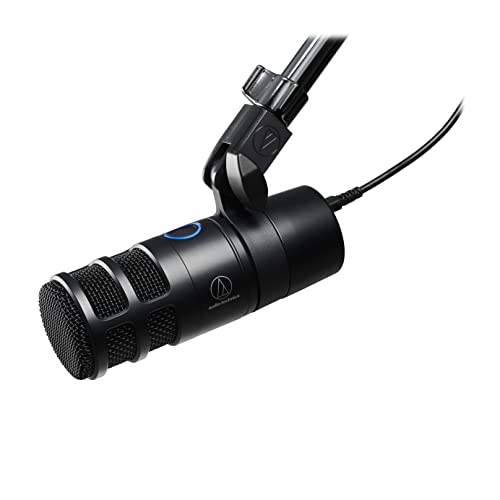
The AT2020USB-X is a cardioid condenser microphone with a USB output. Cardioid means it picks up sound mainly in front of the capsule, which helps reduce room noise. It plugs into a computer, so it does not need an interface or phantom power, and it is aimed at podcasters, streamers, teachers and remote workers.
It is part of a family that includes the older AT2020USB+, the AT2020USBi, the processing-focused AT2020USBXP and the dynamic AT2040USB. Choosing between them depends on your room and your needs.
Sound Quality
The sound is clear and detailed, with the lifted highs that the AT2020 line is known for. Voices come through with presence, which suits streaming and podcasting. As a condenser, it picks up detail well, including noise from keyboards and fans, so a quiet room helps.
If you stream with a loud mechanical keyboard, get closer to the microphone and lower the gain, or consider a dynamic USB microphone such as the AT2040USB.
Connections and Controls
The AT2020USB-X connects over USB. Check the listing for a headphone output on the microphone, because zero-latency monitoring through the microphone is useful when you want to hear yourself without delay. A mute control and a volume dial are also common features on this class of microphone.
What Is in the Box and Setup
You get the microphone, a desktop stand and a USB cable, and many listings add an arm, a pop filter and a cleaning cloth. Plug the microphone in, select it as the input in your computer's sound settings and your streaming or recording software, then adjust the level so that normal speech reaches the middle of the meter.
A boom arm and a pop filter make the biggest improvement to a USB microphone, so a bundle that includes them can be good value.
Comparison With Other USB Microphones
Blue Yeti
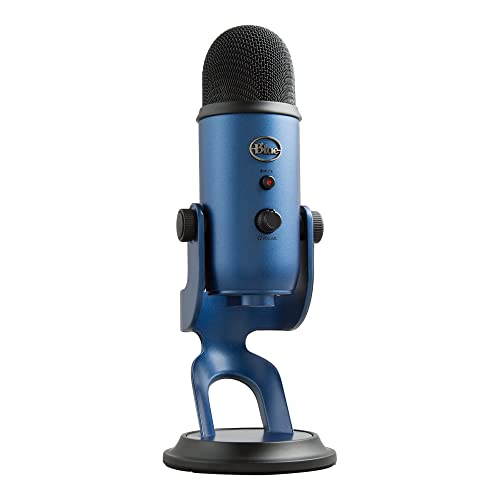
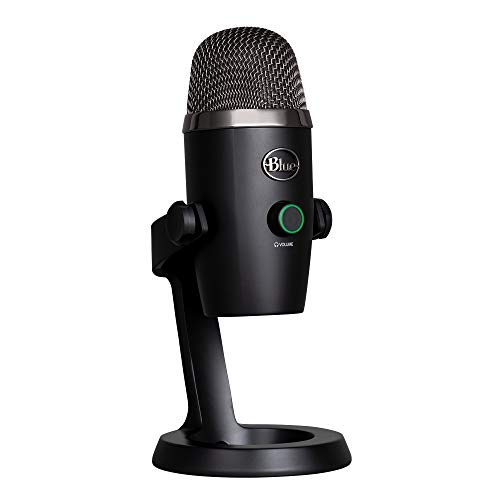
The Blue Yeti is more versatile, with several pickup patterns, and it is popular for group recordings. The AT2020USB-X has a single cardioid pattern and a more studio-like sound for solo speech.
HyperX QuadCast and Samson Q2U
The HyperX QuadCast adds a stand, a tap-to-mute sensor and gaming looks. The Samson Q2U is a dynamic microphone with USB and XLR outputs, which suits noisier rooms.
Strengths and Weaknesses
- Studio-style sound without an interface.
- Simple setup and a solid stand.
- Clear detail for voice.
- Condenser sensitivity picks up room and keyboard noise.
- USB only, so no future XLR upgrade path.
Who Should Buy It
Choose it if you record or stream alone in a reasonably quiet room and want better sound than a headset or a laptop microphone. Skip it if you share a noisy room, need two microphones or want to move to an interface later.
For other options, see the blue yeti review, the dji mic mini review and the best microphone guide.
Setup Tips
Place the microphone about a hand span from your mouth, a little off to the side, and use a pop filter. Keep it away from fans and speakers, and use headphones to avoid echo when streaming. Set the computer sample rate and the microphone level once and leave them.
Getting the Best Sound for Streaming
Open your streaming or recording software and set the AT2020USB-X as the input, then speak at your normal volume and watch the meter. Aim for peaks in the upper-middle part of the meter and avoid red. If the level is too hot, move back slightly or turn the gain down rather than letting the software compress the signal.
Add a noise gate or a light noise suppression filter in your streaming software to cut keyboard thumps between phrases, and keep the filters gentle so your voice does not sound underwater. Run the microphone and a pair of closed-back headphones together to avoid echo from your speakers.
Room and Desk Placement
Condenser microphones capture the room as well as your voice. Put the microphone on a boom arm rather than the desk stand so that desk vibrations from typing do not reach it, and place it slightly below your mouth, pointing up. Hang a blanket or a few foam panels behind your monitor to reduce echo from a bare wall, and move the keyboard to the side so it does not sit in the capsule's pickup path.
A small amount of effort in placement gives a bigger gain than a more expensive microphone, because most of what listeners hear is your room and your distance from the microphone.
Care and Longevity
Keep the microphone dust-free with a cover or a bag when you are not using it, and avoid moisture and sudden temperature changes that can affect a condenser capsule. Wipe the body with a dry cloth, use a pop filter to keep saliva off the grille and check the USB cable for wear now and then. A well-treated USB microphone can serve for many years.
FAQ
Does the AT2020USB-X need drivers?
It generally works as a class-compliant USB device, so it plugs in and works on common systems.
Can I use it on a phone or tablet?
Many USB microphones work with phones and tablets through an adapter. Check the listing and your device.
Is it good for streaming?
Yes, for solo streaming in a quiet room. Use a pop filter and keep it close.
What is the difference between the AT2020USB-X and the AT2020USB+?
The X version is the newer model with USB-C. Check the listings for features such as the headphone output and mute control.
Final Verdict
If you want a clear, studio-style USB microphone for solo streaming, podcasting or calls, this audio technica at2020usb x review says the AT2020USB-X is a strong choice. If your room is noisy, consider a dynamic microphone instead. Compare the models in the product table and pick the one with the features you need.
Prices and availability can change, so check the product page before ordering.


