
Audio Technica ATH M50xSTS Review for 2026: Who It Suits and What to Check
Disclosure: We may earn a commission when you buy through links on this page, at no extra cost to you. As an Amazon Associate I earn from qualifying purchases. Learn more

Audio Technica ATH M50xSTS Review: a StreamSet headset that pairs M50x sound with a studio microphone, in USB and XLR versions.
This audio technica ath m50xsts review is about a streaming headset that takes one of the most trusted pairs of studio headphones and adds a studio-grade microphone. The ATH-M50xSTS StreamSet is aimed at streamers, podcasters and gamers who want the sound of the M50x and a good voice microphone in one product.
Below you will find how the StreamSet works, how the USB and XLR versions differ, how it compares with regular gaming headsets and who should buy it. The product table lists the StreamSet models that are in stock, together with the closest options.


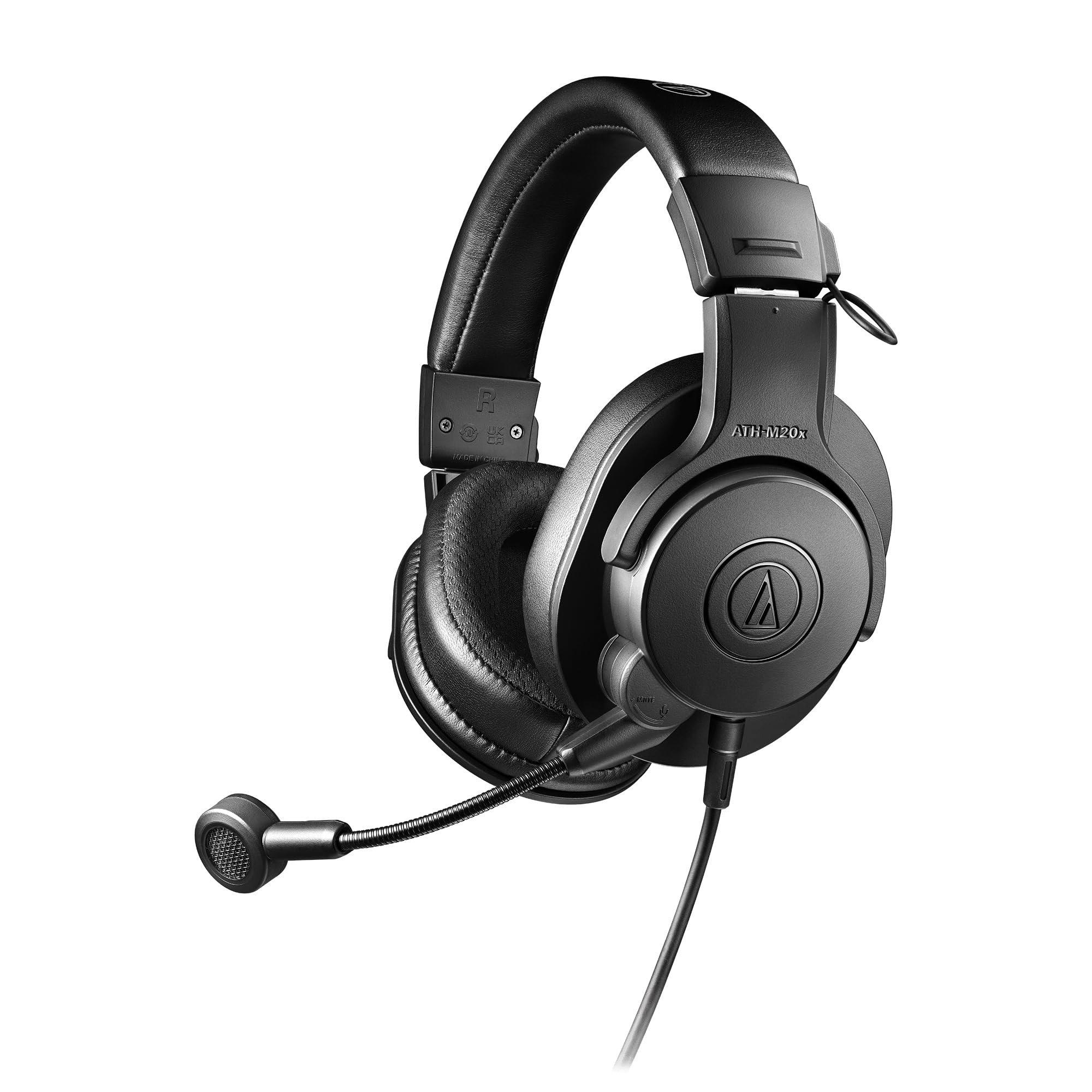
What the ATH-M50xSTS Is
The M50xSTS pairs the M50x headphone with a cardioid condenser microphone based on the Audio-Technica 20 Series, on a short boom arm. The listing for the USB version describes a 24-bit, 96 kHz converter, sidetone circuitry so you can hear your own voice, and targets podcasting and gaming.
The headphone portion carries the same 45 mm drivers as the M50x, which is why audio fans like it. You get detail and strong bass for games, music and streaming alerts in one set.
USB and XLR Versions
There are two main versions. The ATH-M50xSTS-USB plugs into a computer with a USB cable and needs no extra gear. The ATH-M50xSTS XLR version connects to an audio interface or mixer through an XLR cable and a headphone cable, which suits people who already have a recording setup.
Choose USB for simplicity. Choose XLR if you want the best flexibility and already own an interface with phantom power.
Microphone Quality
The microphone is the standout feature. A cardioid condenser capsule picks up your voice clearly while rejecting some sound from behind, and it sounds more natural than the small electret microphones on most gaming headsets. Voices come through with more body and less nasal tone.
Because the capsule is sensitive, it will also hear loud keyboards and fans, so keep it close to your mouth and use a quiet room.
Headphone Sound
The sound follows the M50x: warm, punchy and detailed, with strong bass and clear vocals. For gaming, it gives good positional cues and solid effects. For streaming and podcasting, the closed-back design keeps sound from leaking into the microphone.
Comfort and Design
The headset has the same padded earcups and adjustable headband as the M50x, with a detachable boom arm. The headphone clamps firmly at first and settles with use. Because it is a wired headset, you also avoid battery worries.
Comparison With Gaming Headsets
Most gaming headsets prioritize wireless, lights and surround features. The StreamSet instead aims for pure audio quality and a better microphone, with a wired connection. If you value sound and voice quality over wireless and RGB, it is a strong alternative.
For a wider set of choices, see our best gaming headset guide, the sony pulse elite review and the steelseries arctis nova pro wireless review.
Strengths and Weaknesses
- Studio-style sound and a studio-style microphone in one headset.
- USB and XLR versions to suit your setup.
- Sidetone so you can hear yourself.
- Wired only, so no wireless freedom.
- Not as feature-packed as modern gaming headsets.
Who Should Buy It
Choose it if you stream or podcast from a desk and want strong voice and listening quality without building a separate microphone setup. Skip it if you need wireless play on consoles or surround-sound features.
Setup Tips
Position the microphone a hand span from your mouth, slightly to the side, so plosives miss the capsule. Use the sidetone control to find a natural level for your own voice, and adjust the software gain until peaks sit comfortably below the top of the meter.
Streaming Setup Walkthrough
Plug in the USB version, choose it as both the input and the output in your computer's sound settings and in your streaming program, then speak at your usual volume and watch the meter. Set the gain so peaks reach the upper-middle of the meter, and keep the sidetone low enough that you can hear game sound without losing track of your own voice. Add a light noise gate in your streaming software to trim keyboard and chair noise between sentences.
If you use the XLR version, connect the microphone and the headphone cables to the interface, enable phantom power for the condenser capsule and set the headphone level separately. Check which input the interface assigns to the microphone before you go live, and record a ten-second test clip to make sure the levels are right.
Living With a Wired Headset
A wired headset is dependable. It does not run out of battery in the middle of a stream and has no wireless interference, and it keeps the latency between the picture and the sound very low. The trade is the cable, so route it behind the desk and clip it to the stand or monitor arm so that it does not tug the headset when you move.
The detachable boom makes the headphones useful on their own for music, editing and travel. Many owners keep the boom on the desk setup and take only the headphones out of the house, which gives the product more value than a headset with a fixed microphone.
Compared With Using Separate Gear
You could buy an M50x and a separate USB microphone and get a similar result. The StreamSet is simpler: one cable, one product and a microphone that is always the same distance from your mouth. A separate microphone offers more freedom to choose the capsule and placement, so choose that route if you want to fine-tune your sound.
FAQ
Is the M50xSTS good for streaming?
Yes. It is built for it, with a microphone that gives a clear voice and headphones that keep game sound out of the microphone.
What is the difference between USB and XLR?
USB plugs directly into the computer, and XLR needs an interface or mixer with phantom power.
Can I use it on a console?
The USB version can work with some consoles for audio, but check compatibility for chat features before buying.
Is the microphone detachable?
The boom arm detaches on the StreamSet design, so you can use the headphones as studio headphones.
Final Verdict
If you want one wired headset that doubles as a studio headphone and a streaming microphone, this audio technica ath m50xsts review says it is an excellent pick. Choose USB for easy setup or XLR for an existing interface, and compare the versions in the product table.
Prices and availability can change, so check the product page before ordering.


