
B650 vs B850: Which Is Better in 2026?
Disclosure: We may earn a commission when you buy through links on this page, at no extra cost to you. As an Amazon Associate I earn from qualifying purchases. Learn more

B650 vs B850: what the newer AM5 chipset adds in PCIe 5.0 and connectivity, and when B650 is the better value.
The b650 vs b850 decision is the choice between AMD's older mainstream AM5 chipset and its newer one, and the answer depends mostly on price. B850 is the newer, better-equipped chipset, but a good B650 board often costs less and still runs the same Ryzen processors very well.
This guide explains what changed, what you gain from B850, and when B650 is the smarter buy. The product table lists current B650 and B850 motherboards, so you can see how the prices compare right now.


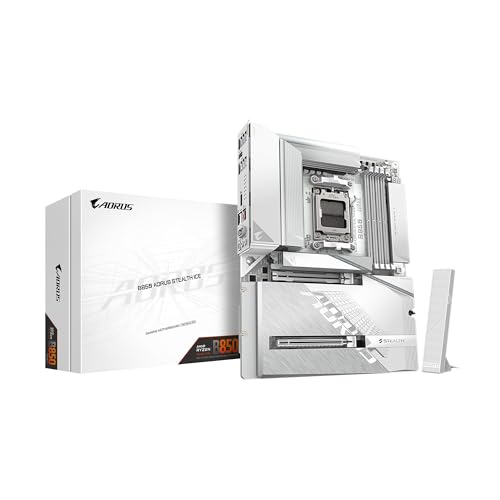
B650 vs B850: What the Chipsets Are
Both chipsets use AMD's AM5 socket and support DDR5 memory and Ryzen 7000, 8000 and 9000 series processors. B650 launched first as the mainstream option, and B850 followed as a refreshed version that raises the minimum feature set. Boards from the same makers, such as ASUS, MSI and Gigabyte, come in both flavors.
Because the socket is the same, you can use the same processor on either board. The decision is about the board's features, not about which Ryzen chips work.
PCIe 5.0 for Graphics and Storage
The main gain from B850 is more consistent PCIe 5.0 support. B850 boards are built to offer a PCIe 5.0 graphics slot, and many add a PCIe 5.0 M.2 slot for the fastest solid state drives. On B650, PCIe 5.0 for graphics is optional and depends on the board, while PCIe 5.0 storage appears on the more expensive models. Today's graphics cards do not need PCIe 5.0, so this matters mostly for future upgrades and the fastest drives. Check the exact board listing for which slots run at which speed.
If you buy a graphics card in the next few years, PCIe 4.0 is rarely a limit. The extra bandwidth is a future-proofing bonus.
Connectivity and Extras
B850 boards usually come with newer connectivity such as Wi-Fi 7, faster USB ports and sometimes USB4 on higher models. B650 boards often use Wi-Fi 6E and older USB ports. If you plan to use fast external drives or a newer wireless router, B850 gives you an easier path.
The ASUS ROG Strix B850-F, for example, lists four M.2 slots and a large set of USB ports, while the Gigabyte B650 AORUS Elite AX lists PCIe 5.0 M.2, Wi-Fi 6E and 2.5GbE.
Overclocking and Power Delivery
Both chipsets allow processor and memory overclocking. The quality of the power delivery depends on the board, not the chipset, so compare the voltage regulator design and heatsinks. A well-built B650 board can feed a high-end Ryzen as well as a mid-range B850 board can.
Price and Value
B650 boards are often cheaper because they are an older generation, and many offer excellent value in the lower and middle price tiers. B850 boards cost more on launch, with prices coming down over time. If a B650 and a B850 board are within a few dollars, choose the B850. If the B650 is clearly cheaper, spend the savings on a better processor or graphics card.
Which Should You Choose
- Choose B850 for the latest connectivity and PCIe 5.0 features at a fair price.
- Choose B650 for the lowest price and the same Ryzen compatibility.
- Choose the board by its features rather than the chipset name alone.
If you want a stronger platform, compare the X870 chipset in our b850 vs x870 guide, and see the best motherboard guide, the gigabyte b850 aorus elite wifi7 review, the msi mag x870 tomahawk wifi review and the asus rog crosshair x870e hero review.
Building a Balanced AM5 PC
The chipset is only one part of the plan. Match the board to the processor you actually want: a mid-range Ryzen runs perfectly on a mid-range board, and putting a premium board under a modest chip wastes money that a better graphics card would use more productively. Think about memory too, because DDR5 kits vary widely in price and speed, and the best value usually sits in the middle of the range.
Check the board's physical layout against your case and cooler. Four memory slots, enough M.2 slots for the drives you own, the right number of fan headers and a rear panel with the ports you use make a bigger difference to daily life than any chipset label.
Checking BIOS Support
AM5 boards vary in how they handle newer processors. A B650 board made before the latest Ryzen chips may need a BIOS update before it boots them, and if you do not own an older chip to do the update, you will need a board with a flashback button or a seller that confirms the BIOS version. B850 boards are more likely to ship ready for current processors, which saves a step and avoids a frustrating first boot.
When B650 Is the Smarter Buy
If you are on a tight budget, B650 gives you the same processor support at a lower cost, and a good model leaves room to upgrade the processor later. Look for a board with solid power delivery, at least one PCIe 5.0 M.2 slot if you want it and the Wi-Fi and ports you need, and skip features you will not use. A B650 board with the right basics is a sensible, durable choice for most gaming PCs.
FAQ
Can I use a Ryzen 9000 processor on a B650 board?
Yes, though some boards need a BIOS update first. Look for a board with a BIOS flashback button or one sold as ready for the newer chips.
Is B850 faster than B650?
Not for processor performance. The speed comes from the Ryzen chip, and the chipset affects connectivity and expansion.
Do I need PCIe 5.0 today?
Not for most graphics cards. It helps with the newest solid state drives and future cards.
Which has better Wi-Fi?
B850 boards more often include Wi-Fi 7, and many B650 boards use Wi-Fi 6E.
Final Verdict
The b650 vs b850 choice is simple: buy B850 if the price is close and you want newer features, and buy B650 if you want to save money. Compare the boards in the product table and pick the one with the connectivity and power delivery that suit your build.
Prices and availability can change, so check the product page before ordering.


