
Best 11 Inch Laptops: Compact Windows Laptops and Convertibles for 2026
Disclosure: We may earn a commission when you buy through links on this page, at no extra cost to you. As an Amazon Associate I earn from qualifying purchases. Learn more

Small laptops trade screen space for portability. See how to pick among the best 11 inch laptops for school, travel and everyday tasks.
Eleven inches is about the smallest size that still feels like a real laptop. It slips into a bag without notice, runs for hours on a charge and costs less than larger machines. This guide to the best 11 inch laptops compares Windows and Chrome OS models and explains what to check before you buy.
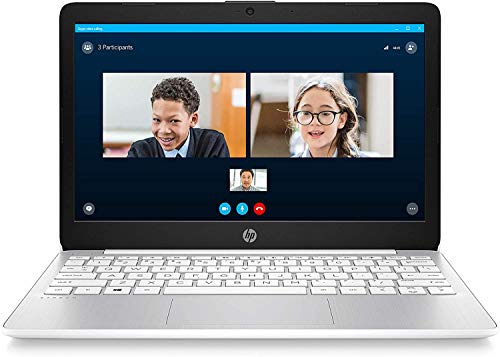
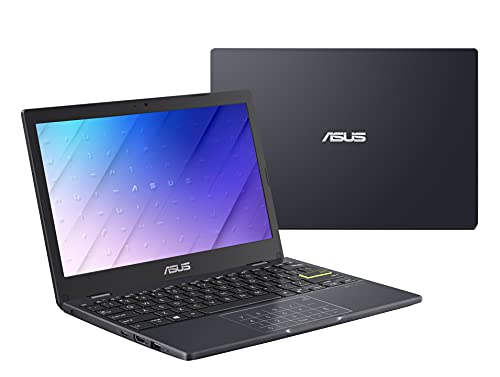
The table above lists current 11.6-inch machines, including laptops, convertibles and Chromebooks. Use the sections below to match one to your routine.




Who Needs an 11-Inch Laptop
- Students who carry a computer all day.
- Travelers who want something light and inexpensive for trips.
- Commuters who work on a train or a bus.
- Households that want a simple second computer for the kitchen table.
- Anyone who writes, browses and watches video and does not need heavy software.
If you spend long days in spreadsheets or edit photos, a larger screen will be more comfortable, or you can pair the small laptop with an external monitor at your desk.
Windows or Chrome OS
Windows laptops run familiar desktop programs and are the better choice if you need specific software, local files or accessories that rely on Windows drivers. They need more storage and memory to run smoothly, and on a budget machine, patience.
Chrome OS laptops start quickly, update themselves and focus on web apps, with many Android apps available. They run well on modest hardware and suit students and light users. If your work is in a browser, a Chromebook feels faster for the money.
How to Choose the Best 11 Inch Laptops
Memory and Storage
Four gigabytes of memory is common and workable for basic tasks, but a Windows laptop with only four gigabytes can feel slow with many tabs. Storage on budget models is often small flash storage, which fills up quickly with Windows updates. Plan to use cloud storage or an external drive.
Processor
Entry-level processors manage browsing, documents and video. Do not expect fast performance with heavy apps. Newer entry-level chips are more efficient and cooler than older ones, which helps battery life.
Screen
Most small laptops use an HD panel, which is sharp enough for text on a small screen. Touch and IPS panels improve usability and viewing angles. Check whether the screen brightness is adequate for outdoor use if you work in a garden or a train station.
Keyboard and Trackpad
Cramped keys and small trackpads are the main complaints with small laptops. Read feedback from people who type a lot. A good keyboard turns a tiny laptop into a pleasant writing tool.
Convertible Designs
A 360-degree hinge lets you use the laptop as a tablet or a stand. It is useful for reading, drawing and watching video. Hinges on budget convertibles can loosen, so read about durability.
Battery Life
Light use can give a full day on a charge, but claims differ from reality. A USB-C charger and a power bank help when traveling.
Ports and Connectivity
Look for USB-C and USB-A, a headphone jack and a card reader. Wi-Fi quality matters for calls and streaming.
What an 11-Inch Laptop Cannot Do
It will struggle with video editing, large games, heavy spreadsheets and design software. The screen shows less on the page, and multitasking feels cramped. If you plan to use it heavily, consider a 13 or 14-inch machine, or add a portable monitor.
Keeping a Small Laptop Fast
Remove programs you do not use, keep the storage below about three quarters full, and restart regularly. Use a lightweight browser setup and limit startup apps. On Windows, install updates when the laptop is plugged in. On Chrome OS, check the update date for your model.
A Quick Decision Path
Start with software. If you need a specific Windows program, or if your school or office requires one, choose a Windows laptop and look for more memory and a better processor in the list. If everything you use runs in a browser, a Chromebook will usually feel faster and cleaner on the same hardware.
Next, think about how you will hold it. If you read or draw, a convertible hinge adds real value. If you mainly type, a traditional clamshell is lighter and cheaper.
Finally, check the keyboard feedback and the battery claim, then compare the price. A machine that you enjoy typing on, and that lasts through a school day, is a better buy than a slightly faster one that annoys you.
Accessories for a Small Laptop
A padded sleeve protects the screen, and a small USB-C charger keeps the bag light. A compact mouse makes long sessions easier. If you work at a desk, an external monitor and a keyboard turn the laptop into a workstation.
A cooling stand is rarely needed on low-power models, but a lap pad helps in bed or on the couch. For travel, a small power bank with a USB-C output extends your day.
Used and Refurbished Warnings
Older eleven-inch laptops appear at low prices, but they may have worn batteries and outdated processors. For Chrome OS, check the update expiration date. For Windows, check that the model can run a supported version and that the battery holds a charge. A new model with a warranty is usually safer for students.
11 Inch Laptops: Your Questions Answered
Is an 11-inch laptop big enough for work?
For writing, email and browsing, yes. For long spreadsheets or design work, an external monitor helps.
Windows 11 or Chrome OS?
Choose Windows if you need specific programs. Choose Chrome OS if you mostly use web apps and want simplicity and fast starts.
Can I upgrade the memory later?
Most small laptops have soldered memory, so decide before you buy.
Is eMMC storage a problem?
It is slower than a solid-state drive and small, so plan to use cloud storage or an external drive.
Final Thoughts
Small laptops are a joy when you accept their limits. The best 11 inch laptops for you balance memory and storage with a keyboard you like and a body that survives the daily commute. Compare the models in the table above and decide first between Windows and Chrome OS.


