
Best 14 Inch Laptops under 500: Matched to Students, Families and Travelers in 2026
Disclosure: We may earn a commission when you buy through links on this page, at no extra cost to you. As an Amazon Associate I earn from qualifying purchases. Learn more

Students, families and travelers need different things from the best 14 inch laptops under 500. Compare memory, storage and operating systems.
Your best 14 inch laptops under 500 shortlist works best when you decide who the laptop is for before looking at prices. A student writing essays, a parent who needs a household machine and a traveler who wants a spare all land on different models, even with the same budget and size.
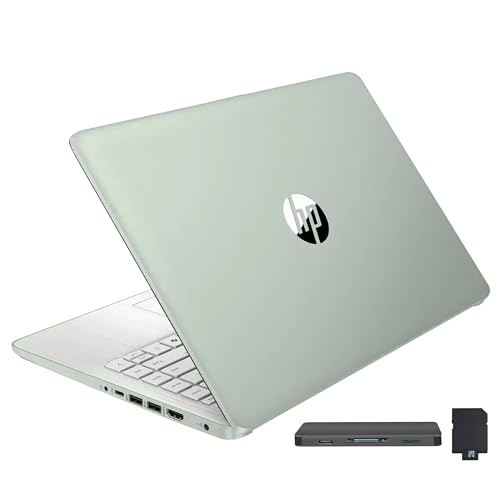
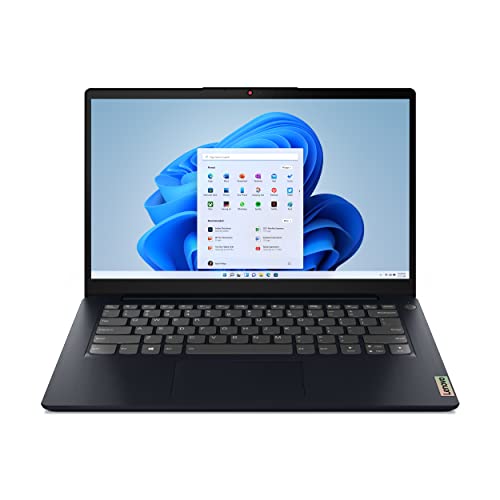
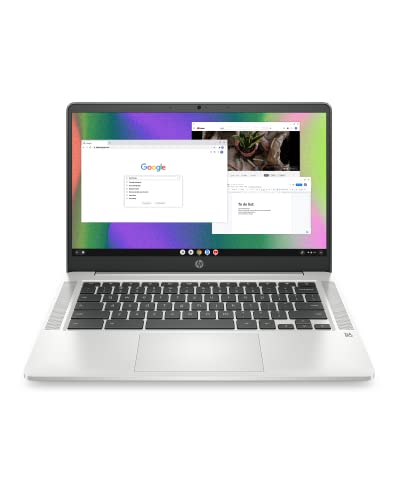
This guide groups the choices by use, explains the three decisions that shape the price and lists the mistakes to avoid. The product table after the introduction shows in-stock 14 inch laptops priced under $500, including Windows laptops and a couple of Chromebooks.





Choose by Who Will Use It
Students
Students need a keyboard that is comfortable for long essays, a battery that survives lectures and a body light enough to carry. Prefer 8GB of memory and a Full HD screen. A touch screen is nice for notes but not essential.
Family and home use
A shared household laptop wants simple setup, decent speakers and a sturdy build. Windows suits shared use with several accounts. Look for a model with a fingerprint reader or a quick sign in method so the family does not share one password.
Travel and backup machines
A spare laptop for trips benefits from light weight, USB-C charging and a cheap price that makes loss or damage less painful. ChromeOS models fit this role well because they start fast and sync everything to the cloud.
The Three Decisions That Shape the Price
The first decision is memory. Four gigabytes is cheap but sluggish; 8GB is the level at which a budget laptop stops feeling cheap. The second is storage type. A modest SSD feels faster than larger but slower flash storage, so do not chase the biggest number on the listing. The third is operating system. Windows 11 Home is the default, and ChromeOS is lighter, quicker on the same hardware and less demanding about maintenance.
Everything else, including the logo, the color and the bundled office offer, matters less than those three. If two laptops cost the same, choose the one with more memory and a sharper screen.
Processor Notes Without Jargon
Entry laptops often use Intel N100 or N150 chips. They run cool, quiet and last well on battery, and they are fine for browsing and documents. Core i3 chips and Ryzen 5 chips are faster for multitasking and heavier spreadsheets, and they usually cost a bit more. Avoid very old processors on discounted stock; they may run, but they age quickly.
Where This Size Fits in the Range
The 14 inch class is the middle ground between smaller and bigger machines. If the laptop must be extremely portable, compare the laptops under 14 inches and the 13 inch models in best laptops under 500 with 13 inch screens. If you want a larger display for the same money, read the 17 inch laptops under 500 guide. The sister guide for 14 inch laptops under 500 dollars uses a different angle on the same budget.
Ports, Battery and Warranty
List the things you plug in before you shop. A mouse and a flash drive need USB-A, a projector or a TV needs HDMI, and a phone charger prefers USB-C. Slim budget models often skip some of these, and adapters add clutter and cost. Check the listing for a headphone jack as well, since a few small laptops drop it.
Battery life varies a lot across the table. Efficient N series chips last longest, while Core i3 and Ryzen models trade some hours for speed. Treat the headline number as a best case and plan to charge during a long day. The warranty is just as important: a one year manufacturer warranty is normal, and third party sellers sometimes offer less. If you are unsure, pick a listing with a clear return window so a poor keyboard or a dim screen can go back.
When a Little More Money Helps
If you can stretch the budget by about $100 to $200, you move from entry processors to faster ones, from 4GB to 8GB or 16GB of memory and often to a sharper screen. That small step lengthens the useful life of the laptop by a year or two, which makes it better value than the cheapest option. If you cannot stretch, a Chromebook or a light Windows laptop with 8GB is still a practical choice for school and home.
Common Mistakes
Buyers often pick the model with the biggest storage claim, then discover it is a slow flash drive with a memory card added in. Others buy on a "beats" slogan or an unusually low price for a new processor. A third mistake is ignoring the return window, which is your protection if the keyboard or screen disappoints. Spending a few minutes on these checks helps you find the best 14 inch laptops under 500 for your own use.
Setting Up Your New Laptop
Spend the first evening on setup. Install all system updates, remove trial software, create a recovery drive if Windows offers one and turn on backup for your documents. Add a screen protector or a sleeve if you carry the laptop daily, and set the battery to a balanced power mode to stretch each charge. These steps cost nothing and make a budget laptop feel like a more expensive one.
FAQs
What is the best operating system for a cheap laptop?
Windows for software compatibility, ChromeOS for speed and simplicity. Choose by the programs you need.
Is 8GB enough?
Yes, for ordinary browsing, documents and streaming. It is the sensible minimum at this budget.
Can I upgrade a cheap laptop later?
Sometimes. Many models allow an SSD swap, but memory is often fixed to the board, so buy enough at the start.
Does a cheap laptop have a good webcam?
Usually basic. It works for calls in good light, and an external webcam is a small upgrade if you meet often.
Final Verdict
The best 14 inch laptops under 500 are the ones that match your use, so decide who will use the laptop, then choose 8GB of memory, a decent SSD and a sharp screen. Use the product table to compare, and check the return policy before you order.
Prices and availability can change, so check the product page before ordering.


