
Best 14 Inch Laptops under 500 Dollars: What the Budget Really Buys in 2026
Disclosure: We may earn a commission when you buy through links on this page, at no extra cost to you. As an Amazon Associate I earn from qualifying purchases. Learn more

What do the best 14 inch laptops under 500 dollars offer? Realistic expectations, spec lines to read and traps to avoid.
Finding the best 14 inch laptops under 500 dollars is mostly about knowing what to ignore. Many listings in this range shout about AI, Office subscriptions and huge storage numbers, while the things that decide daily comfort are the processor, memory type and screen quality.
This guide sets realistic expectations for a $500 budget, explains the spec lines that matter and warns about the traps that catch first time buyers. The product table after the introduction lists in-stock models from about $220 to $500 so you can compare them with the checks below.

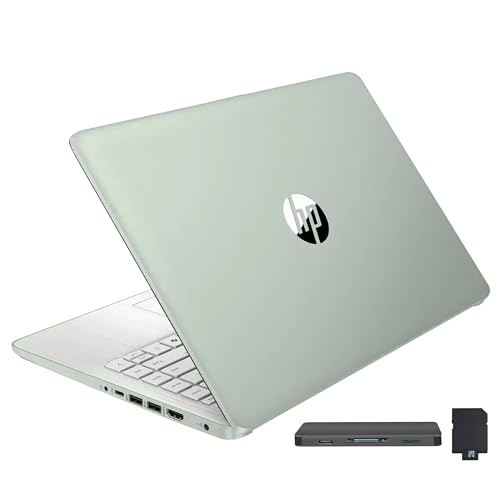


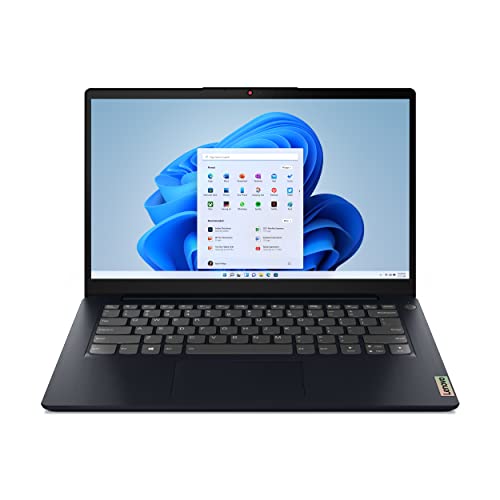

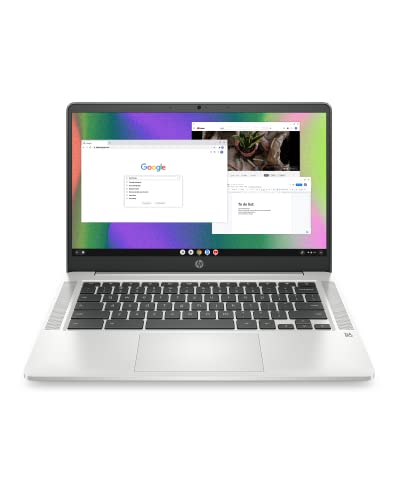

What 500 Dollars Realistically Buys
At this price a 14 inch laptop is a tool for browsing, streaming, school work, documents and video calls. You should not expect fast gaming, heavy video editing or a metal body with a premium trackpad. What you can expect is a Full HD or HD screen, a modern Windows or ChromeOS install and enough speed for everyday tasks if you pick carefully.
The best deals sit between $350 and $500, where memory and storage improve and the screen is usually Full HD. Below $300 the savings come from 4GB of memory and slow storage, and those compromises show up quickly. If you can stretch a little, the next tier is worth it.
Reading the Spec Line Correctly
Processor names
Budget 14 inch laptops mostly use Intel N series chips, Core i3 chips or older Ryzen processors. The Ryzen 5 models are the fastest in this range, and the newer N150 laptops are efficient and cool but slower in heavy multitasking. The odd phrase "beats i3" on a listing is marketing; check the actual chip name.
Memory and storage type
Choose 8GB of memory over 4GB whenever the budget allows. For storage, a real SSD is quicker than UFS or eMMC flash, and a small SSD often beats a larger but slower drive in day to day feel. Listings that add cloud storage or a memory card to the headline number can make 128GB look larger than it is.
Screen
HD panels look soft and wash out at a glance. Full HD panels, often IPS, are noticeably better and are worth prioritizing over a bigger storage number.
Windows, ChromeOS or Something Else
Windows laptops run familiar desktop software and suit most workplaces. ChromeOS devices are faster at the same price because the system is light, and they update automatically, but they cannot run Windows only programs. If you only use a browser, a Chromebook can feel quicker than a Windows laptop that costs the same. The best laptops under 500 dollars guide compares the types across all screen sizes.
Gaming on a Tight Budget
Do not expect a dedicated graphics card at this price. Light games, older titles and cloud streaming work, but modern 3D games need more. If gaming is a priority, see the best gaming laptops under 500 dollars for realistic options, or consider saving toward the 14 inch laptops under 1000 where a better chip and screen arrive.
Traps to Avoid
- Listings that headline a "lifetime" office license without saying what it is.
- Heavy price drops on old processors with a new year printed in the title.
- Battery claims in huge hours; treat them as best case figures.
- Third party sellers who do not list the return window or warranty.
- Models with 4GB of memory and a Windows install; it feels slow quickly.
Display, Keyboard and Battery Checks
Budget laptops cut costs on the parts you touch and see, so read buyer comments about them. A screen with weak brightness is hard to use near a window, and a keyboard with shallow keys tires the hands during long writing sessions. If a listing mentions an IPS panel and a backlit keyboard at this price, that is a genuine value point.
Battery figures are claims, not promises. Plan for about two thirds of the quoted hours in real use, and bring the charger for long days. USB-C charging is handy because the same charger can top up a phone, but some cheap models still use a barrel plug, which is fine as long as you pack the charger. Ports are limited on slim budget machines, so check for HDMI and a USB-A socket if you use a mouse or a flash drive.
How to Compare Two Close Models
When two options look the same on paper, use a short routine. Put memory first, storage type second and screen quality third. Then read the lowest rated buyer comments for repeating problems such as a flexing base, a noisy fan or a poor trackpad. A single complaint is noise, but the same complaint ten times is a warning. Use this routine on every candidate in the table and you will end up with the best 14 inch laptops under 500 dollars for your own habits rather than for a brochure.
Care and Setup Tips
Update the system fully on day one, remove trial software you do not want and add an SSD or memory card if the laptop has a slot. Keep the box for at least the return window. Keeping the laptop on a hard surface helps the fans and extends its life, and a basic sleeve protects the plastic body in a bag.
FAQs
Can a laptop under $500 last several years?
Yes, if you choose 8GB of memory, a real SSD and a solid maker. Plan for around three to five years of ordinary use.
Is a Chromebook better than a Windows laptop at this price?
For browser based work, often yes. For Windows software, no. Check what programs you need first.
Is it worth buying refurbished instead?
Refurbished business laptops can give more power per dollar, but only from sellers with a clear warranty and return policy.
Which matters more, CPU or screen?
At this price both matter, but a Full HD screen is a daily improvement and cheap to get, so do not skip it for a small processor bump.
Final Verdict
The best 14 inch laptops under 500 dollars pair 8GB of memory with a Full HD screen and a real SSD where possible. Use the product table to compare options inside the budget, and ignore marketing words in favor of the actual chip name and memory amount.
Prices and availability can change, so check the product page before ordering.


