
Best 1TB External SSD for 2026: Speed Tiers, Ports and Use Cases
Disclosure: We may earn a commission when you buy through links on this page, at no extra cost to you. As an Amazon Associate I earn from qualifying purchases. Learn more

The best 1tb external ssd explained: how to match speed, ports and build to backups, video editing, games and travel.
An external SSD is the easiest way to add fast storage to a laptop, desktop, console or phone, and one terabyte is the size most people settle on. This guide to the best 1tb external ssd drives covers what changes between models: real transfer speed, build, ports, software and the use case each one suits.
The product table lists portable SSDs available new, from slim pocket drives to rugged and high speed models. The sections below help you choose the one that fits your workflow instead of paying for speed you cannot use.







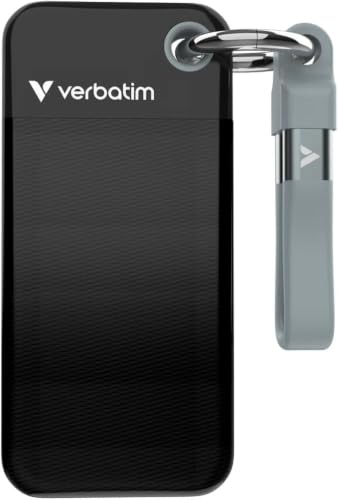
Speed Tiers: What the Numbers Mean
Portable SSDs fall into rough tiers by interface. Drives rated near 500 to 550 megabytes per second use older USB 3 connections, drives around 1,000 megabytes per second use USB 3.2 Gen 2, and the fastest models reach about 2,000 megabytes per second over USB 3.2 Gen 2x2 or newer interfaces.
Those figures are best case reads. Large file copies on a drive that is nearly full run slower, and the speed also depends on your computer port. A fast drive plugged into a slow port performs like a slow drive.
Check Your Ports and Cables
Most of these drives use a USB-C connector and ship with a short cable. If your computer has only older USB-A ports, confirm that the box includes a USB-C to A cable. Gen 2x2 drives need a matching port to reach top speed, and on other ports they fall back to the slower tier.
A good cable matters. A cheap replacement can drop the speed or cause disconnects, so keep the original.
Pocket Size or Rugged Build
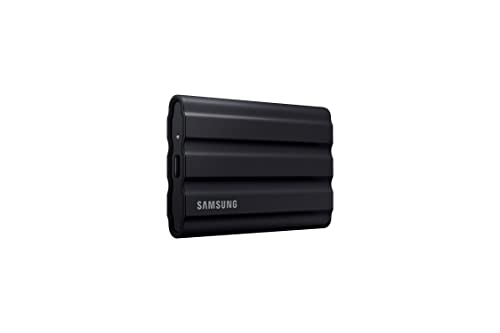
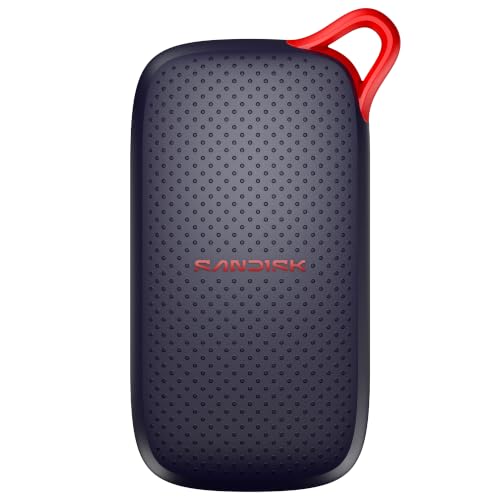
A slim aluminium drive fits a pocket and moves well between a laptop and a desk. A rugged model adds rubber bumpers and dust and water resistance for travel, location shoots and field work.
If your drive goes into a backpack every day, the extra protection is worth the small weight and price. For a drive that lives on a desk, a slim model is enough.
Use Cases That Decide the Choice
- Backups and file transfer: a mid tier drive is plenty, and capacity and reliability matter more than raw speed.
- Video editing: a faster drive helps with working from the drive and large camera files, particularly with high bitrate footage.
- Games and consoles: consoles need a drive that fits the supported connection, and large game libraries benefit from a fast drive.
- Phones and tablets: check that the drive works with your device port and the file system your phone reads.
Encryption and Software
Several makers add hardware encryption with a password tool or a backup app. Useful if you carry client files or personal documents. Software is optional and a plain drive works with drag and drop on any computer.
Pairing a Portable SSD With a Backup Routine
A portable SSD works best as one leg of a simple routine: keep the working copy on the computer, copy finished projects to the drive, and keep a second copy of anything important on another drive or in cloud storage. Set a calendar reminder to copy new files weekly, and open a few old files from the drive now and then to confirm that they still read cleanly.
Heat and Sustained Speed
Fast SSDs generate heat during long transfers and many slow down to protect themselves. Metal casings spread heat better than plastic. For a one hour video export a drive with good cooling keeps its speed, while a basic model may drop noticeably.
Reliability and Warranty
Look at the warranty length and the support terms, since a drive that holds your only copy of work deserves a clear promise from the maker. Keep important files in two places: an external SSD is a convenience, not a full backup strategy.
Capacity and Price Per Terabyte
One terabyte holds a large photo library, a few hundred hours of music and a dozen modern games, but 4K video fills it quickly. If you shoot video or keep a large game library, compare the price of the next size up, since the cost per terabyte usually falls as capacity rises. A drive that is more than about eighty percent full also slows down, so leave room.
Watch for listings that quote a slightly different capacity: a drive sold as one terabyte shows a little less once formatted, which is normal and not a fault.
Format and Compatibility
New drives usually ship formatted for broad compatibility, but you may want to reformat for a Mac only or Windows only setup. A common format such as exFAT works across both. Reformatting erases the drive, so do it before you copy anything.
Setup and Care Tips
- Plug the drive straight into the computer, not through a crowded hub, for the best speed.
- Eject it safely from the operating system before unplugging.
- Keep the firmware and the maker software up to date if the drive uses them.
- Avoid leaving it in a hot car or in direct sun.
- Label the drive and keep a second copy of anything you cannot replace.
Frequently Asked Questions
Is an external SSD faster than a hard drive?
Yes, by a wide margin for large and small file copies, and it has no moving parts so it handles knocks better.
Do I need the fastest model?
Only if you move very large files often or edit video from the drive. Most people are well served by a mid tier model.
Will it work with my console?
Many do, but the console must support the connection and the file system. Check your console guide for the supported options.
Can I use it with a phone?
Often yes through USB-C, but confirm that your phone supports external storage.
How long does an external SSD last?
With normal use it lasts for years. Write endurance is high for typical personal use.
How do I choose the best 1tb external ssd?
Check that your computer port can match the drive speed tier, then choose between a slim and a rugged build.
Final Verdict
The best 1tb external ssd for you depends on your ports and how you use it: pick a speed tier your computer can match, choose a build that survives your commute and keep a second copy of important work. Use the product table to compare what is in stock, and put extra budget into speed, ruggedness or encryption only when they solve a real need. Prices and availability change, so check the product page before ordering.


